**Start your free trial today →
A five‑minute slip in adherence can tank ASA on a 200‑seat floor. For 2026, EmpMonitor is the better pick for deep oversight and lower cost at 200+ seats, while Hubstaff fits teams that want payroll and GPS; both handle employee time and attendance tracking.
In practice, call center leaders weigh real-time visibility, accuracy, and proof of work against cost and privacy. EmpMonitor puts monitoring and analytics first: live screens, screenshots, idle detection, URL/app tracking, and detailed attendance. Hubstaff emphasizes lighter tracking, GPS for field roles, and payroll integrations that cut admin steps.
However, your agents, workloads, and compliance needs decide the “best” choice. Below, you’ll find the criteria that matter to BPOs, how each tool stacks up on monitoring depth, scheduling, proof, analytics, and security, plus pricing at 10, 50, and 200+ seats.

What Call Centers Actually Need From Time Tracking Software
For high-volume queues and strict SLAs, employee time and attendance tracking must be precise, not “close enough.” You need a single source of truth that matches punches, logins, and on-desk activity. Otherwise, adherence, shrinkage, and payroll disputes eat your margins fast.
First, shift scheduling has to match real headcount demand. Moreover, it should handle rotations, overnight coverage, and last‑minute swaps without a spreadsheet scramble. A built‑in scheduler that ties to actual login activity reduces no‑shows and gives supervisors a live view.
Second, idle time detection is core. Specifically, you should see gaps between “on the clock” and real activity, with thresholds tuned for wrap time and after‑call work. Without this, agents appear present but queues stall.
Third, real-time agent visibility matters for floor control. Therefore, team leads need dashboards that flag who is active, away, on break, or out of adherence. For distributed teams, this replaces the old walk-the-floor read.
Monitoring, scale, and compliance
Fourth, screenshot and activity proof reduce disputes. In addition, they give you audit trails for quality checks, training moments, and compliance reviews, without manual notes. URL and app tracking makes those screenshots meaningful.
Fifth, scalability for 200+ seats is non‑negotiable. As a result, you want role-based access, stable agents, and fast reporting that won’t time out when you filter by campaign, site, or vendor.
Sixth, attendance accuracy hinges on automatic time capture tied to real device use. In fact, pairing auto-tracking with shift rules is how you prevent “buddy punching” in remote setups.
Seventh, data security and compliance protect your brand. For EU work or data subjects, you’ll need practices aligned to the General Data Protection Regulation (GDPR). Likewise, controls like SSL encryption, firewalls, and IP allowlists are table stakes in BPO contracts.
The short list of must-haves
- Shift scheduling linked to actual logins and breaks
- Idle time tracking with thresholds for ACW and wrap
- Real-time dashboards for supervisors
- Screenshots plus URL/app logs for proof
- Scale and roles that fit 200+ seats
- Accurate attendance with automatic time capture
- Security posture and GDPR alignment for client audits
For deeper planning help, this explainer on staffing and scheduling lays out the math behind coverage and cost, and this guide to work time tracking shows how to keep your data clean across shifts and sites. You’ll use both to sharpen employee time and attendance tracking in 2026.
Also Read!
EmpMonitor Overview: Strengths and Weaknesses for Call Centers’ Employee Time and Attendance Tracking
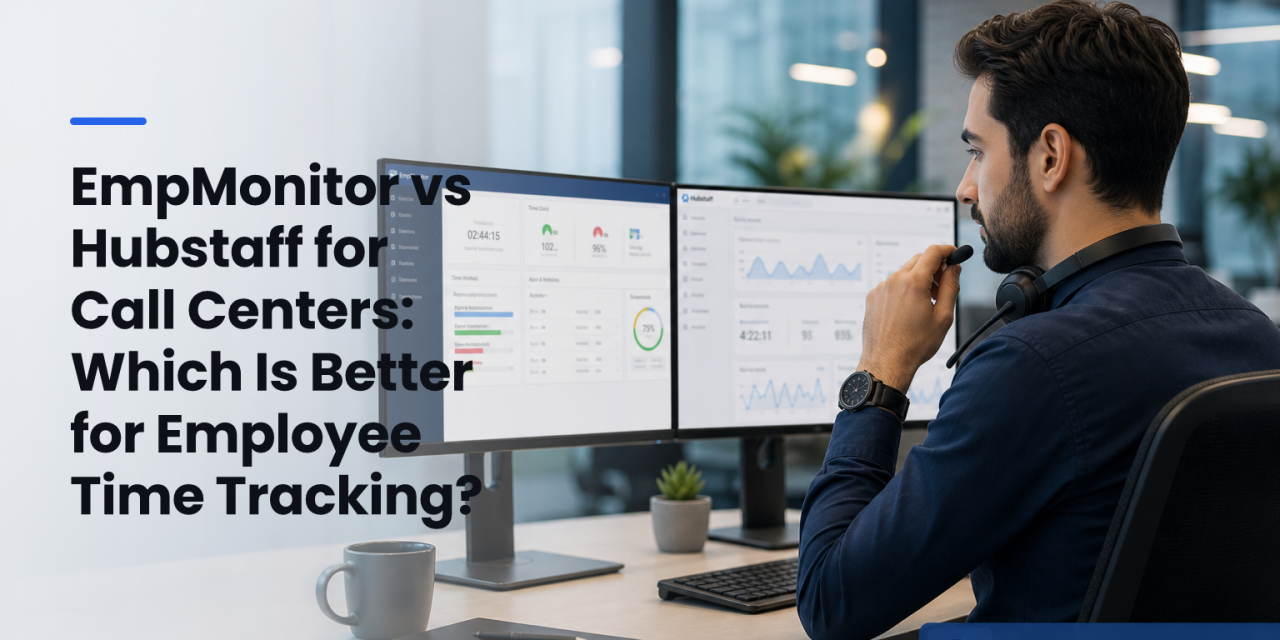
EmpMonitor is built for monitoring-first control, then time. It provides automated time and attendance tracking that ties to real device activity, with a real-time dashboard supervisors can keep pinned during peak hours. For high-compliance queues, that linkage is the key to clean adherence and payroll.
Furthermore, EmpMonitor offers live screencasting and automatic screenshots at set intervals, plus URL and app tracking so every image has context. Idle time tracking distinguishes true away time from light activity, and shift scheduling sets rules that align punches, breaks, and end-times to your staffing plan. If you need floor awareness, you can watch activity change as it happens.
On scale and proof, EmpMonitor tracks over 500,000 employees across 100+ countries and is used by 15,000+ companies. As a result, large BPO rollouts can standardize on one agent and one dashboard across geos. For access, multiple roles and permissions let WFM, QA, and client services each see the slices they need.
On privacy and control, you can run in Stealth or Un‑stealth mode, add a Private Time option, and enforce security with SSL, Firewall, and IP allowlisting. EmpMonitor is also GDPR compliant, which helps during enterprise and EU client audits. That blend, monitoring depth plus controls, keeps QA and InfoSec aligned.
“Simplified the management of the entire workforce by 80% in terms of workforce, time, and effort.” — Ashwin Kumar, Chief Project Coordinator
However, EmpMonitor focuses on desktop and web activity. It does not aim to replace your ACD, dialer, or softphone stack, and it does not list native phone/VoIP integrations. You’ll still rely on your telephony or CCaaS platform for call audio, queues, and dispositions, while EmpMonitor handles employee time and attendance tracking and proof of work.
Where EmpMonitor fits best
- Compliance-heavy programs that need screenshots, URL/app logs, and keystroke monitoring for verification
- Multi-site BPOs that need real-time agent visibility at 200+ seats
- Teams that want deep attendance accuracy tied to device activity
For a primer on AI-assisted logs and alerts, see this article on AI time tracking, which can help your leads coach faster without sifting through hours of activity.
Hubstaff Overview: Strengths and Weaknesses for Call Centers’ Employee Time and Attendance Tracking
Hubstaff takes a lightweight approach that many ops teams like. The agent is easy to run, and it blends time tracking with payroll integrations that can reduce admin work at month-end. If you pay by project or need fast timesheet exports, this fit is clear.
In addition, Hubstaff’s GPS tracking stands out if you manage mixed teams with field agents or site techs. For hybrid support orgs, say, a help desk plus on-site installers, that location view is useful. And because the app is lighter, some teams report fewer objections from agents who don’t want constant screenshots.
On the other hand, activity monitoring is less granular. While you can track activity levels and apps in use, you won’t get the same depth of live screencasting, keystroke monitoring, or URL-level context for each screenshot that EmpMonitor provides. For call centers where QA, client audits, or fraud prevention drive the stack, that may be a gap.
At scale, per-user costs can run higher as you add advanced features and integrations. Moreover, if your main need is employee time and attendance tracking tied to desktop activity, you may pay for payroll features you don’t use. Still, for teams that do want payroll automation, Hubstaff’s integrations are a real win.
Where Hubstaff fits best
- Teams that need payroll integrations and quick payouts
- Hybrid orgs with GPS needs for field or site staff
- Contact centers that prefer a lighter monitoring footprint
Feature-by-Feature Comparison: EmpMonitor vs Hubstaff for Employee Time and Attendance Tracking in Call Center Teams
Here’s how the two tools compare across six call-center priorities. Each row calls a clear winner based on the depth and control you get out of the box.
| Dimension | EmpMonitor | Hubstaff | Winner |
|---|---|---|---|
| Real-time agent monitoring | Real-time dashboard with live screencasting; instant status for active/idle/break | Real-time status and activity levels; no live screen view | EmpMonitor |
| Shift scheduling | Built-in shift scheduling tied to attendance rules and alerts | Simple scheduling with calendars; pairs well with payroll | Tie (choose by needs) |
| Idle time detection | Configurable idle thresholds; detailed idle vs. productive time | Basic idle/activity levels | EmpMonitor |
| Screenshot and activity proof | Automatic screenshots with URL/app tracking; keystroke monitoring for compliance verification | Screenshots and apps in use; less context and no keystroke logs | EmpMonitor |
| Reporting and analytics | Custom reports and advanced analytics; role-based views for WFM, QA, clients | Standard time/payroll reports; lighter activity analytics | EmpMonitor |
| Security and compliance | GDPR compliant; SSL, Firewall, IP allowlisting; Private Time; Stealth/Un‑stealth mode | Standard security practices; fewer desktop controls | EmpMonitor |
Moreover, both tools can improve attendance discipline. However, EmpMonitor’s monitoring-first stack gives supervisors more real-time levers, especially on large floors with multiple campaigns. If your priority is employee time and attendance tracking with strong proof, that difference is decisive.

Also Read!
Pricing Comparison: Which Offers Better Value for Call Center Budgets?
For BPO leaders, price must scale with seats and the proof you need to pass audits.
- Bronze (1–10 users): $11 per user/month, billed yearly
- Silver (11–50 users): $10 per user/month, billed yearly
- Gold (51–200 users): $9 per user/month, billed yearly
- Diamond (200+ users): Custom pricing
- Free 15‑day trial available
At 10 agents, Bronze totals about $110 per month (billed yearly). At 50 agents, Silver lands near $500 per month. At 200 seats, Gold comes to roughly $1,800 per month before any Diamond discounting. Therefore, at 200+ seats, EmpMonitor’s published pricing trends down per user as your floor grows.
Hubstaff lists several plans with different feature bundles. In general, as you add payroll automation and advanced integrations, the per-user rate increases. For large contact centers, the effective rate can be higher than EmpMonitor’s Gold/Diamond tiers if you do not need payroll. Hubstaff also offers a free trial, which is handy for pilot groups before rollout.
| Team Size | EmpMonitor (Yearly) | Notes on Hubstaff |
|---|---|---|
| 10 agents | $11/user/month | Public per-user rates vary by plan features |
| 50 agents | $10/user/month | Payroll features raise per-user price |
| 200+ agents | $9/user/month (51–200); custom at 200+ | Contact vendor for volume quotes |
As you judge total cost, include the QA and audit time you’ll save with deeper activity proof. In a center that bills by the hour, the extra detail can pay for itself in fewer disputes and faster approvals on enterprise audits tied to employee time and attendance tracking.
Verdict: Which Time Tracker Should Your Call Center Choose?
If your priority is deep agent monitoring, security controls, and predictable costs at 200+ seats, choose EmpMonitor. You’ll get real-time dashboards, live screencasting, screenshots with URL/app context, idle detection, shift scheduling, and GDPR‑aligned controls like SSL, Firewall, and IP allowlisting. EmpMonitor reports tracking over 500,000 employees across 100+ countries and being used by 15,000+ companies, which signals maturity for BPO scale.
However, if payroll automation and GPS for field teams matter more than granular desktop proof, Hubstaff is strong. Its lighter agent, time-to-payroll flow, and location tracking simplify back-office tasks. For blended workforces, contact center plus field, this can be the decisive factor.
Moreover, EmpMonitor pairs monitoring depth with support. There is 24X7 customer support, a 15‑day free trial for safe pilots, and a claim of simplified workforce management by 80% backed by customer testimonials. That combination helps you bring WFM, QA, and InfoSec together under one source of truth for employee time and attendance tracking.
Quick Decision Guide for Employee Time and Attendance Tracking
- Choose EmpMonitor if you need deep monitoring, screenshots with URL/app proof, idle controls, GDPR‑aligned security, and lower per‑user cost at 200+ seats.
- Choose Hubstaff if you need payroll integrations, GPS for field staff, and a lighter agent with simpler activity views.
- Consider piloting both if your org splits 50/50 between desk‑based agents and field roles, then route each team to the tool that best fits its work.
Finally, as you roll out your standard, write it down. Tie your shift rules to real device activity, keep break codes clean, and audit weekly. The right tool matters, but clear rules make the data work, and keep queues moving in 2026.