Breach notices must go out within 72 hours under GDPR. To build a call-center monitoring program that actually works, you map data flows, set baselines, alert on anomalies, record key activity, enforce DLP, define escalation, and tune every month. You’ll balance insider threat and data loss prevention with trust and transparency, and you’ll do it without turning the floor into a police state.
This guide is written like I’d hand it to a peer. It’s practical, tested on noisy floors with 300+ seats, and grounded in what auditors ask for in 2026. I’ll show the trade-offs, where to start, and what to measure so you can defend the program with facts, not slogans.

Why Call Centers Face Unique Insider Threat Risks
High turnover keeps your risk surface in motion. In large BPOs, seasonal spikes can add 20–40% headcount in weeks, then shrink just as fast. As a result, you are always onboarding and offboarding accounts, badges, and VPN access. Gaps in this churn are where misuse hides, so your insider threat and data loss prevention controls must keep pace with HR changes, not quarterly cycles.
Agents touch PII and PCI data all day. Names, addresses, card numbers, claim details, it’s all on screen. Moreover, copy/paste, screen notes, and print-to-PDF create quiet exfil paths that classic perimeter tools miss. Therefore, you need data security and privacy controls at the endpoint, right where the work happens, not just at the gateway.
Changing work patterns
Remote and hybrid shifts add more noise. For example, home networks, personal routers, and shared devices change the baseline of “normal.” On the other hand, rigid rules that assume on‑prem desks will drown you in false alerts. You need user activity monitoring to ensure compliance with security policies while still allowing flexible hours, breaks, and approved apps.
Screen-sharing rules cut both ways. Compliance teams ban screen-share for support, yet team leads need it for coaching. Consequently, you need role-based access and a way to record evidence without exposing full screens to the wrong eyes. Additionally, social engineering hits call centers hard: refund fraud scripts, phony “security” calls, and QR-based phishing. Training helps, but telemetry that spots data moving to risky web forms or USB drives is your backstop.
Where risk concentrates
- New hires in their first 30 days and temps in peak seasons
- Privileged users: WFM admins, QA leads, and CRM superusers
- After-hours access and long idle-to-active swings on agent PCs
- Third-party tools added for “productivity” without review
For a sense of real-world patterns and red flags to watch, review these insider threat examples. They map well to call center workflows.
Step-by-Step Framework for Implementing Insider Threat Monitoring
Here’s the field method I teach. It’s simple on paper, and it scales.
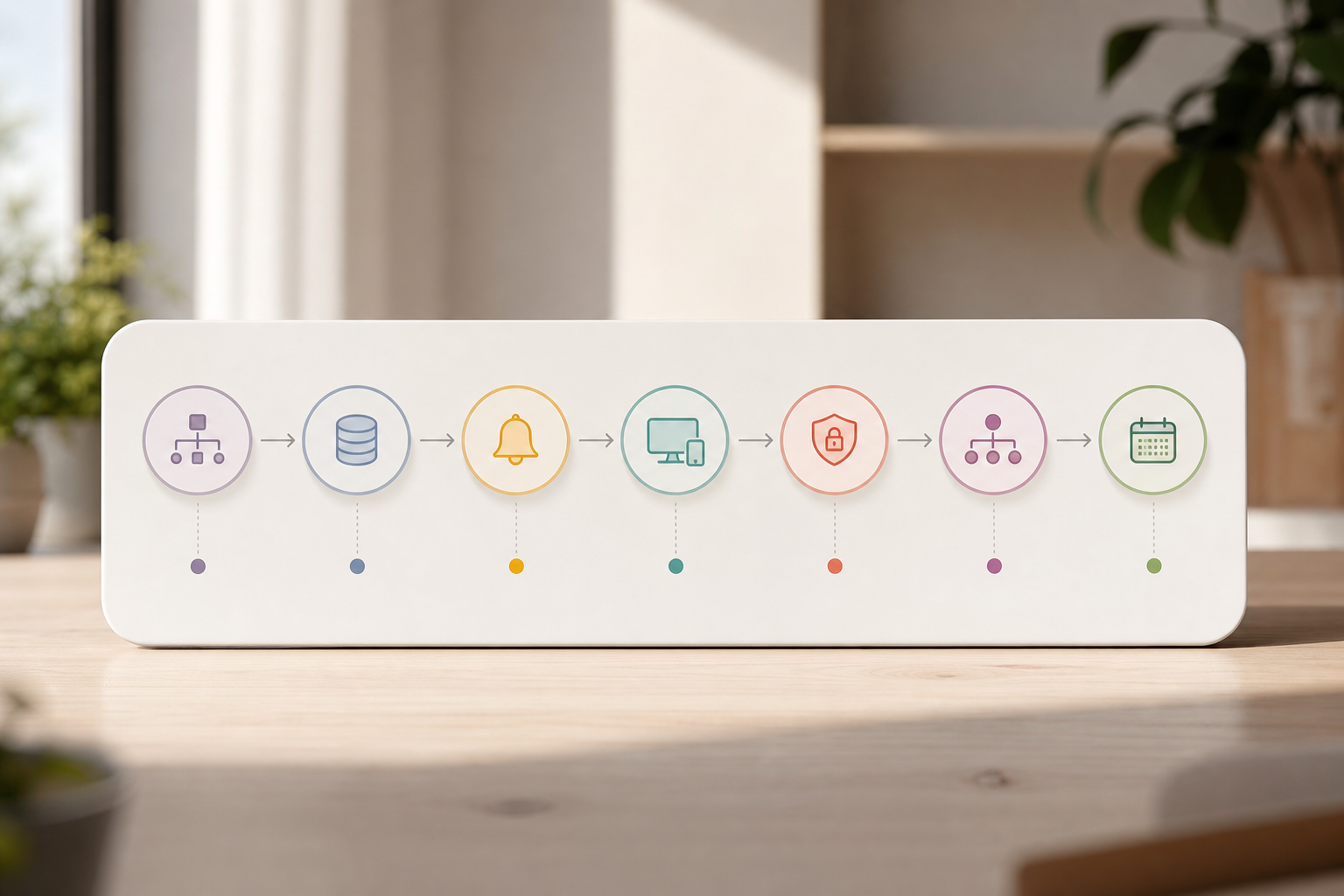
- Map sensitive data flows
First, list where PII and PCI live: CRM, billing, claims, ticketing. Then, trace how data hits the agent desktop and where it can leave: email, web forms, print, clipboards, and removable media. Finally, document approved channels by team and shift. This is the anchor for insider threat and data loss prevention rules. - Define behavioral baselines
Second, pull 2–4 weeks of non-incident data. Measure session length, app use, URL categories, file ops, and copy/paste counts per role. Moreover, include night and weekend patterns for 24×7 queues. You’ll use these ranges to detect drift without punishing top performers. - Set alert policies for anomalies
Third, create thresholds: off-hours logins, sudden spikes in CRM exports, uploads to personal email, or visits to disposable file sites. In addition, enable alerts and auto email reports to route context to team leads and security, not just raw logs. Keep v1 rules tight but few, five to seven policies per role is a sane start.
Deploy and enforce
- Deploy screen and activity monitoring
Fourth, enable real-time activity tracking with light screenshots during high-risk actions (e.g., data export, printing). Furthermore, track URL and app use so you can explain why an alert fired. Evidence beats hunches during HR reviews and client audits. - Configure DLP rules
Fifth, write data match patterns (card BIN/IIN, SSN masks, policy IDs), block unapproved web apps, and disable USB where you can. Therefore, let approved tools work; block the rest. Tie DLP denies to coaching, a pop-up that says “Use Secure Share X, not Y” reduces repeat hits. - Establish escalation workflows
Sixth, define who triages, who interviews, and who can quarantine a device or account. In addition, use multiple roles and permissions so QA can coach, HR can review, and SecOps can contain, without stepping on each other. - Review and tune monthly
Seventh, meet with team leads and QA monthly. Remove noisy rules, add new ones for new scripts, and publish a changelog. Transparency builds trust, and tuning keeps false positives low.
“Simplified the management of the entire workforce by 80% in terms of workforce, time, and effort.” — Ashwin Kumar, Chief Project Coordinator
Moreover, if you’re new to DLP rule-writing, this data loss prevention solution walkthrough shows patterns and policy scope that map cleanly to agent desktops.
**Get Real-Time Monitoring Today →
Also Read!
Common Mistakes Call Centers Make With Insider Threat Programs
Over-relying on the perimeter is the classic trap. Firewalls, proxies, and email gateways help, but agent desktops are where data gets typed, copied, and viewed. Therefore, you need on-device visibility tied to your policies, or you’ll miss the last mile of loss.
Ignoring off-hours access patterns is next. Night shifts, overtime, and end-of-month surges are normal, but 02:00 logins from a user who has never worked nights are not. As a result, build role-based and shift-aware thresholds so real exceptions stand out fast.
Privileged access and baselines
Failing to monitor privileged users hurts. WFM admins and CRM superusers can change queues, export lists, and grant access. Consequently, they need closer baselines, dual control for risky actions, and extra log retention for forensic work.
Skipping the baseline before alerting creates noise. If you set a one-size-fits-all rule, your best team will trip it every day. Instead, collect clean data first, then draw lines with proof. Your QA lead will thank you.
Culture and transparency
Treating monitoring as punitive rather than protective breaks trust. Publish what you monitor, why you monitor it, and how the data is used. In addition, offer a Private time option so agents can pause tracking during approved breaks. Transparency trims rumor and reduces pushback.
Neglecting GDPR/privacy transparency is risky and needless. Document lawful basis, data minimization, and retention. Moreover, choose tools that are GDPR compliant and support Stealth/Un-stealth mode for different roles and geos. For breach timing and scope, see the official GDPR overview on europa.eu once, it’s clear on 72-hour notice and rights.
A quick self-check
- Do you baseline by role and shift before turning on alerts?
- Can HR, QA, and SecOps see what they need without seeing PII they don’t?
- Is there a published agent-facing policy with a Private time option?
Tools and Technologies for Call Center Insider Threat Detection
You don’t need a silver bullet. You need tools that fit your floor, your SLAs, and your audit scope. In 2026, most teams pick from four layers and stitch them together through a SIEM.
- UEBA platforms: Model user behavior and flag anomalies. Good for large, multi-queue sites.
- DLP solutions: Match patterns and block exfil paths. Strong for PCI and PII controls.
- Endpoint monitoring: Record screens, apps, URLs, and keystrokes where allowed. Ideal for agent coaching and proof.
- SIEM integration: Centralize alerts, run playbooks, and feed audit trails to the people who need them.
Moreover, evaluate on call-center-specific criteria: scalability to 1,000+ seats, shift scheduling features for multi-time-zone work, screenshot monitoring with event triggers, keystroke monitoring where lawful, forensic analysis and user behavior analytics, custom reports for clients, and web app and USB blocking to shut down risky paths quickly.
Tools like EmpMonitor, along with Teramind, Veriato, and Microsoft Purview, are common options. Pick the one that fits your mix of coaching, compliance, and security. For example, if you run seasonal ramps, look for fast agent provisioning and role templates. If your clients demand evidence, prioritize high-fidelity screenshots tied to alert events and exportable timelines.
What to compare during a pilot
- Shift scheduling and coverage reports for 24×7 queues
- Triggered screenshots
- Keystroke scope and masking for card and CVV fields
- Custom reports per client, queue, and campaign
- USB and web app blocklists with quick exceptions for leads

For an insider threat and data loss prevention stack that will pass audits, insist on SSL encryption, role-based access, and documented retention settings. You’ll thank yourself during client reviews.
What to Do Next: Building Your 30-Day Insider Threat Pilot
You can prove value in one month without boiling the ocean. Here’s the plan I run with security and WFM leads.
Week 1.
Map systems, users, and roles. Pull 14–28 days of history for a baseline snapshot. In addition, document approved apps and URLs by team. If your vendor offers personalized onboarding, take it, it saves days.
Week 2.
Start with one queue (e.g., billing). Enable real-time dashboard views, light screenshots on export/print, and 5–7 alert rules. Moreover, brief agents and share the policy. Clarity beats surprise.
Mid-pilot tuning
Week 3.
Meet every 2–3 days with QA leads. Remove false positives, tighten patterns, and add two DLP blocks for the worst paths found. Furthermore, use advanced analytics to spot outliers you missed.
Week 4.
Show numbers: alert count by type, mean time to acknowledge, false-positive rate, top risky apps/URLs, and two case studies. As a result, ask for a phase-2 rollout plan and budget. If a free 15-day trial is available, stack it across Weeks 2–3 to gather enough data for a fair read.
Metrics that matter
- Alerts per 100 users per day (with target trendline)
- False-positive rate under 10% by Week 3
- Time to acknowledge under 5 minutes by the end of Week 4
- DLP blocks prevented and top blocked paths
- Coaching actions created and resolved
**Start Your 30-Day Pilot Plan →
Key Takeaways
- Map data flows first. Then set baselines and write alerts that match real work.
- Keep insider threat and data loss prevention on the endpoint, not just the perimeter.
- Use shift-aware rules, role-based access, and clear agent-facing policies.
- Pilot on one queue for 30 days; measure noise, response time, and blocked exfil.
- Choose tools with shift scheduling, screenshot triggers, DLP, and custom reports.
What to Do This Week
Pick one queue. Map its data paths. Install monitoring on five to ten seats.
Turn on three clean alerts tied to export, upload, and off-hours access. Publish your monitoring policy, including a Private time option, and schedule your first tuning review in seven days. By the end of the month, you’ll have a real insider threat and data loss prevention program you can stand behind in 2026, with proof to match.