Small drops of collected overtime can easily become a glass full of water.
Similarly, extended breaks and constantly doing unnecessary tasks in the name of needed breaks are not just countable, but also a serious problem for organizations.
What Do You Mean By Time Theft?
Time theft refers to the intentional wasting of time by employees during paid office hours and engaging in activities that are completely unrelated to their assigned tasks.
Constantly munching, gossiping, entertaining, browsing, giggling, and doing every possible thing except for what they’re expected to do is a solid example of time theft.
In a workspace, where managers and leaders expect their teams to bring in some insightful and valuable contribution to the table, these tiny time breaks can become an obstacle between them and the manager’s expectations.
What Are the Different Types of Time Theft?
There can be many unexpected ways in which time gets lost. Here are a few of them –
- Taking excessively long or unauthorized breaks without proper reason or permission.
- Repeatedly browsing social media during work hours.
- Doing personal tasks instead of assigned work.
- Falsifying timesheets or attendance records.
- Spending work hours on another job or personal businesses.
Why Do Employees Unknowingly Engage In Time Theft?

While the organisation might quietly suffer from this problem, finding an effective solution requires a thorough analysis of its causes.
Employees may engage in time theft unknowingly because they do not always realize that certain everyday activities that apparently seem obvious count as lost work time.
Some common reasons include:
- Unclear workplace policies: Employees may not know which activities are considered personal time or unauthorized breaks.
- Small distractions: Checking social media, replying to personal messages, or having long conversations may seem harmless when done occasionally.
- Extended breaks: An employee may unintentionally take longer than the permitted break time.
- Poor time tracking: Without accurate attendance or time-tracking systems, employees may lose track of how much time they actually spend working.
- Multitasking with personal tasks: Handling banking, shopping, appointments, or other personal matters during work hours can gradually add up to time theft.
- Remote-work distractions: Household chores, family responsibilities, or personal errands can interrupt working hours without the employee consciously considering it time theft.
- Lack of awareness: Some employees misunderstand that being unproductive in paid working hours means they are responsible for wasting valuable office time.
Unintentional time theft often happens because employees lose track of time or don’t clearly understand what their employer considers working time, rather than because they deliberately want to cheat the organization.
How Does Small Time Theft Pile Up Into Big Quarters Of Time Wasted?

Just 10 mins extra from the assigned break time or attending a long but occasional personal phone call doesn’t seem to be included in time theft, but when the occasional becomes routine, when these activities continue to occur every day, over a week or a month can pile up to a massive quarter of wasted time.
Small amounts of time theft might seem insignificant individually, but they can accumulate into several hours of lost productivity over weeks or months.
For example, if an employee spends:
- 10 minutes checking personal messages
- 10 minutes taking an extended break
- 15 minutes browsing social media
- 10 minutes chatting about non-work topics
That is 45 minutes lost per day. Over a 5-day workweek, it becomes 3 hours and 45 minutes. Over a 4-week month, that’s around 15 hours of lost work time from just one employee.
When this happens across an entire team, the impact can become significant.
Organizations can experience lower productivity, delayed projects, increased labor costs, and missed targets.
In simple terms, small daily losses can snowball into large amounts of wasted time when they happen consistently and across multiple employees.
Also Read –
Work Time Tracking: The Ultimate Guide To Boost Productivity In 2026
How to Be More Productive Without Working Longer Hours?
7 Ways Organizations Can Easily Detect Time Theft
Organizations can use a combination of technology, attendance records, and workplace monitoring practices to identify unusual patterns that may indicate time theft.
Here are ways organizations can prevent time theft –
- Use Automated Time-Tracking Systems
Digital time-tracking tools can record when employees clock in, clock out, start breaks, and resume work. This helps in identifying unusual attendance patterns. - Monitor Attendance Patterns
Regular late arrivals, early departures, frequent unexplained absences, or unusually long breaks can indicate potential misuse of working hours. - Compare Timesheets With Actual Work
Organizations can compare reported working hours with completed tasks, project records, or system activity to identify significant inconsistencies. - Track Computer and System Activity
For roles where it is appropriate and legally permitted, organizations can review login records, application usage, and periods of inactivity to identify unusual patterns. - Use Geofencing or Location-Based Attendance
Geofencing can help verify whether employees are actually present at an authorised workplace when they clock in or out, particularly for field-based teams. - Look ONLY for Repeated Productivity Gaps
A single unproductive period does not necessarily indicate time theft. However, repeated patterns of unexplained inactivity or missed work during paid hours may deserve further investigation. - Conduct Genuine and Thoughtful HR Meetings
Managers and HR can periodically reflect on their team’s productivity via scores on the dashboards but, alongside, hold insightful meetings and conversations with specific employees while showing a genuine concern towards them and their personal needs. A simple “Is everything alright?” message to someone makes a real difference in the employee’s attitude towards the workplace and colleagues.
The key is to focus on consistent patterns rather than isolated incidents. Detection systems should also respect employee privacy and applicable labour laws.
A Point to be noted –
Organizations have no right to unnecessarily peep into an employee’s personal breaks in the name of “monitoring for unproductive hours” and must accept some concessions over these delays.
Out of all the solutions discussed above, the most effective ones are those that get sorted out through genuine, thoughtful, and verbal interaction rather than an insensitive message like “we are obliged to cut down on your day’s wage”.
How To Improve Time Theft With Employee Monitoring Software
A good analysis of this problem shows that an efficient, online, and productivity-enhancing monitoring system can be a great asset to the organisation.
It can make sure daily time waste is not normal and that office work is taken seriously.
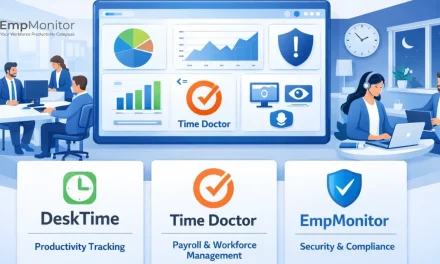
EmpMonitor is a great solution for situations like these.
EmpMonitor is a workforce productivity and employee monitoring software company that helps organizations track employee activity, manage productivity, monitor working hours, and improve workplace security. According to its About Us page, EmpMonitor was launched in 2014 and has evolved from employee monitoring into areas such as productivity management, insider-threat detection, user behaviour analytics, and data-loss prevention.
Why can EmpMonitor be useful for detecting time theft?
For time theft, EmpMonitor is a great tool that helps organizations identify unusual patterns in working hours, attendance, application usage, and employee activity. Instead of relying only on manual timesheets, organizations can use activity data to spot inconsistencies and investigate potential productivity or attendance issues.
It is currently serving industries like finance, healthcare, education, e-commerce, call centres, BPOs, government offices, and other business sectors, and provides 24×7 customer support.
Why EmpMonitor?
EmpMonitor combines employee monitoring, time tracking, productivity analysis, attendance management, security, and project management in one platform.
Here’s why EmpMonitor is a great choice-
1. Employee Monitoring
EmpMonitor gives managers visibility into employee work activity. It can provide information about application and website usage, activity levels, screenshots, and working patterns. This can help organizations understand how employees spend their working hours and identify unusual activity.
2. Time Tracking
The platform tracks working hours and provides timesheets showing information such as clock-in/out times, active hours, productive hours, idle hours, unproductive hours, and offline time. This can help businesses identify time gaps and improve accountability.
3. Attendance Management
EmpMonitor can record employee attendance, login and logout timings, shifts, and leave information. Employees can also submit leave requests and attendance-edit requests, which administrators can review and approve.
4. Screenshot Monitoring
The software can automatically capture employee screenshots at regular or customised intervals. These records can help managers review work activity, investigate productivity concerns, and maintain documentation for audits or disputes.
5. Real-Time Activity Monitoring
Managers can view live application usage, website visits, and employee activity from a central dashboard. The platform can also show whether employees are active or idle, making it easier to identify productivity gaps as they occur.
6. Website & Application Tracking
EmpMonitor records which websites and applications employees use and how much time they spend on them. organizations can use this information to distinguish between work-related and non-work-related activities.
7. Productivity Tracking
The platform categorises working time into different activity types, including productive, unproductive, idle, and neutral hours. Managers can use these insights to understand workflow patterns rather than relying solely on employees’ reported hours.
8. Activity-Based Alerts
EmpMonitor can send alerts when predefined unusual activities occur, such as extended idle periods or other potentially concerning behaviour. This allows managers to investigate issues instead of continuously monitoring dashboards manually.
9. Browser History Monitoring
The platform provides browser-history information that organizations can use to understand how work hours are being spent online and identify potentially distracting or inappropriate browsing patterns.
10. Project Management
EmpMonitor also includes project-management capabilities for assigning tasks, tracking progress, managing resources, and monitoring project-related time. This can help organizations connect employee activity with actual project outcomes.
Conclusion
Time thefts can come in as a needle, but go out like a plough. They might seem small at the beginning but become a big chunk over time.
For an organisation that is time-theft-focused and aware of employee productivity tracking, EmpMonitor’s relevant features like automated time tracking, attendance logs, screenshots, website/app monitoring, productivity tracking, idle-time detection, activity alerts, and detailed reports are the perfect solution to this problem. Together, these can help organizations identify discrepancies between reported working hours and actual computer-based activity.
Frequently Asked Questions
- What is time theft?
Time theft is when employees are paid for working hours but spend that time on non-work activities or fail to accurately report their working time. - How can companies detect time theft?
Companies can use time tracking, attendance records, productivity monitoring, and regular work reports to identify unusual patterns. - Can time tracking software help prevent time theft?
Yes. Time tracking software can record working hours, breaks, attendance, and activity patterns, making it easier to spot discrepancies. - Does time theft affect employee productivity?
Yes. Even small amounts of wasted time can add up and reduce overall productivity, project efficiency, and business performance. - How can managers detect time theft without affecting employee trust?
Managers should use transparent monitoring policies, clearly explain what is being tracked, and focus on productivity rather than unnecessary surveillance.