The monitoring program is already dead by Monday morning, the IT team just doesn’t know it yet.
We’ve watched this pattern repeat since EmpMonitor launched in 2014. An IT administrator installs the agent on Friday night. Nobody sends a single email. By the following week, the championing manager is quietly walking the project back, HR can’t handle the inbox. The pattern is documented, predictable, and almost entirely avoidable, yet teams keep falling into it.
Here’s the counterintuitive truth: the decision to deploy silently, which feels like the path of least resistance, is exactly what destroys the program.
Hit ‘Play’ Button & Tune Into The Blog!
The Disclosure Gap Is the Real Security Problem
Over 70% of large employers now use digital monitoring tools, yet the gap between employer adoption and employee awareness remains vast. When employees discover monitoring they didn’t know about, the reaction isn’t mild frustration. Research from the BBC documents precisely what happens: subjects who felt surveilled without context reported a reduced sense of personal responsibility and were more likely to behave adversarially because they “felt like they were being controlled.”
You’ve traded a potential insider threat for a guaranteed one.
The irony is acute. EmpMonitor‘s employee monitoring software includes Insider Threat Prevention and USB Detection & Blocking precisely to stop data exfiltration before it happens. Deploy it covertly, get found out, and you’ve motivated exactly the adversarial behavior those features were built to catch.
What “Stealth Mode” Actually Means, And What It Doesn’t
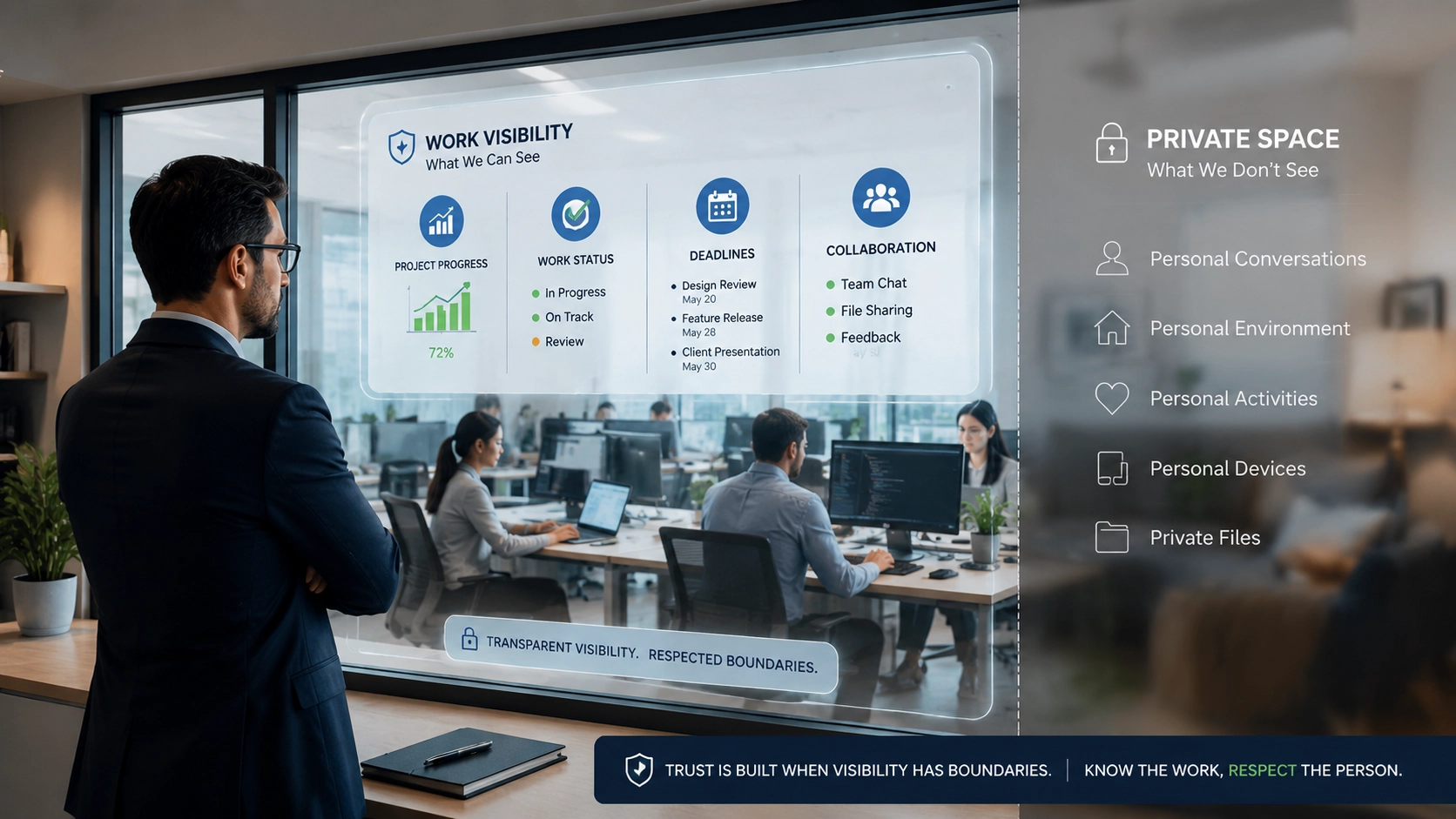
There’s a terminology confusion that causes real harm. EmpMonitor’s Stealth/Un-stealth mode controls whether a visible agent icon appears on the employee’s desktop, and critically, it does not appear in the task manager or program lists. It does not mean deploying without any organizational disclosure. Conflating those two things is the most expensive mistake in this category. A responsible employee monitoring approach separates technical capability from deployment practices, ensuring visibility is aligned with organizational policies and employee expectations.
Stealth mode has legitimate uses. Forensic investigations, banking insider-threat programs, and active security incidents all warrant running without a visible on-screen indicator, you don’t tip off a subject during an active investigation. EmpMonitor supports exporting activity data to SIEM platforms via Syslog specifically for these forensic workflows, and integrates with Active Directory for security orchestration. Those are the narrow, defensible use cases, suspected data exfiltration, large unauthorized file transfers, sudden resignations combined with unusual file activity.
Using stealth mode as a substitute for an honest rollout conversation? That’s not a security strategy. It’s avoidance. Organizations should also understand the difference between active and passive monitoring approaches before choosing how much visibility they need during deployment.
The Legal Landscape Doesn’t Forgive the Shortcut
Teams that skip disclosure often assume they’re legally covered. Sometimes they are, under U.S. federal law, employers are not required to notify workers about workplace monitoring. But “not required federally” and “legally safe” are not the same sentence. Any employee monitoring program still requires organizations to evaluate applicable laws, internal policies, and the purpose behind collecting workplace data.
GDPR requires a documented, auditable legitimate-interest balancing test before monitoring can proceed in the EU or UK. California’s CCPA requires a notice-at-collection before any personal data is gathered from workers. And AI-specific employment laws are now active in California, Illinois, and Maine, with Colorado enforcing by June 30, 2026. These aren’t edge cases; they’re the operating reality for any company with a distributed workforce.
None of this is a reason to avoid monitoring. It’s a reason to do the disclosure work first, not after the crisis.
The Three-Phase Rollout That Actually Sticks

A sustainable deployment follows three phases, not because it’s politically comfortable, but because it produces data you can actually act on.
Phase 1: Opt-In Volunteer Pilot
Start with a small group already motivated to understand their own productivity. Run the full feature set: Real Time Activities Tracking, Keystroke monitoring, screenshot capture. Before expanding monitoring across the organization, teams should follow proven employee monitoring best practices to ensure a smoother rollout.
EmpMonitor supports screenshot intervals as low as every 15 seconds, with up to 90 days of screenshots stored, most teams find something less granular works fine for productivity review. Let the pilot group see their own data. That matters enormously.
This phase surfaces real configuration problems before they hit the whole company. More importantly, it generates internal advocates, people who can answer “Is the company spying on us?” with “I was in the pilot and here’s what the data actually looks like.”
Start your free 15-day EmpMonitor trial and run your pilot with the full stealth monitoring feature set before committing to a company-wide rollout.
Phase 2: Structured Feedback Before Expansion
Do not skip this step. When monitoring is introduced without context, leadership ends up fielding the questions you’d expect: “Will my screen be watched all day?” and “Does this mean they don’t trust us?” Following clear employee monitoring guidelines helps teams introduce these tools with better communication and fewer trust issues.
The fix isn’t better messaging. It’s setting explicit operational boundaries before expansion: no tracking outside working hours, no personal data collection, screenshot access limited to authorized company personnel or the monitored employee themselves. Write these down. Publish them internally. Boundaries that exist only in someone’s head provide no trust signal to anyone else.
EmpMonitor’s own guidance is worth noting here: training employees on the dos and don’ts of data handling before or alongside deploying monitoring tools is part of what makes the program defensible, legally and culturally.
Phase 3: Company-Wide Adoption With Manager Training
This is where most programs fail even after a reasonable pilot. Managers receive access to activity data with no training on what to do with it. This becomes even more important for distributed teams, where managers need the right approach to support productivity without relying on constant check-ins. Teams managing remote employees can use proven methods for improving remote work productivity while maintaining trust.
Here’s the problem: Real-Time Activities Tracking logs productive vs. non-productive hours for the current day and the prior seven days, and Keystroke monitoring runs continuously in the background. A low activity score during a specific window may reflect exactly the kind of focused work you want, a developer doing deep architectural thinking generates no keyboard events. Managers who don’t understand this create the trust problem you were trying to avoid. Train them before they touch the dashboards, not after the first complaint.
Also worth noting: EmpMonitor tracks the top 10 websites and apps used in real time, including browser history with page titles and visit counts. That’s granular data. Managers seeing it for the first time without context will draw the wrong conclusions about normal browsing patterns. Brief them first.
The Benefit Nobody Mentions
Transparent rollouts buy you something beyond legal compliance: they reduce manager micromanagement organically. When employee monitoring is implemented with transparency, it can create shared visibility instead of becoming a source of unnecessary oversight.
Activity data replaces the need for constant “What are you working on?” check-ins, the monitoring tool substitutes for a more intrusive behavior, not a less intrusive one. Practical strategies for refining remote worker productivity can make monitoring programs more effective and employee-friendly.
Employees who can see their own dat a raise fewer objections to monitoring than employees kept in the dark. That’s not a communication trick. It’s the natural result of replacing anxiety about unknown surveillance with visibility into a system they’ve seen and understand.
EmpMonitor’s filtering capabilities, Real Time Activities Tracking by employee, time, or task, give employees and managers the same view of the same data. That symmetry matters more than any policy document you publish.
One Practical Check Before You Deploy
Before you push the agent to production, answer these four questions in writing:
- Which jurisdictions do your employees work in, and what does each require for disclosure?
- What data will be collected, and what will explicitly not be collected?
- Who has access to which data, and what decisions can they make with it?
- Have managers been trained on what low activity scores actually indicate?
If any answer is “we’ll figure it out,” you’re not ready to deploy. The agent can wait a week. The trust damage from a botched rollout cannot be undone in a week.
EmpMonitor is trusted by 15,000+ companies across 100+ countries, and the deployments that hold up over time aren’t the stealthiest ones. They’re the ones where the workforce knows what’s running, knows why, and can see their own data. That’s not a softer version of employee monitoring software. It’s the version that actually works.
Two reads are worth your time before your next deployment conversation. First: a practical look at what employee productivity monitoring actually measures versus what managers assume it measures. Second: the real differences between active and passive monitoring approaches, so you’re choosing the right fit for your team’s risk profile, not just the default.
Start your free EmpMonitor trial, and this time, send the email first.