**Start your free 15-day trial →
The best way to protect remote teams in 2026 is to blend behavior analytics, DLP, and real-time visibility you can deploy fast. That means you need insider threat and data loss prevention working together from the first login.
Right now, risk often starts at home routers, unmanaged browsers, and side channels like personal clouds and USBs. So, your plan must spot risky behavior early, block data leaks at the edge, and keep noise low for your analysts. Aim for speed and clarity. You want fast alerts, clear evidence, and fair privacy controls that hold up under audit.
This guide shows how to build a clear buying checklist, where tools differ, and how EmpMonitor maps to those needs. You’ll see honest trade-offs, including where rivals shine. You’ll also get a day-one rollout plan you can follow this week.

Why Remote Teams Face Elevated Insider Threat Risks
Insiders don’t need to break in. They already have access. As the Wikipedia overview of insider threat explains, risk spans careless mistakes to malicious insiders and account misuse.
With remote work, each of those paths scales across home networks and personal tools. To manage this, you must see activity in real time and stop sensitive data from walking out the door. That’s where insider threat and data loss prevention work as one layer.
However, remote work changes the attack surface. Home routers, guest devices, and shared Wi‑Fi add noise and gaps. By design, you have less physical oversight. So, an analyst can’t “shoulder surf” to confirm intent. You need evidence-rich telemetry instead, like screens, keystrokes, and URL/app context tied to user behavior.
Moreover, bring-your-own-device (BYOD) policies and shadow IT expand risk. Staff may sign into personal Gmail, spin up free file-sharing, or upload work to note apps that lack control. These aren’t rare edge cases. They’re daily habits that turn into data exposure. Without endpoint‑level visibility, none of that shows up in your SIEM.
In addition, personal clouds and USB drives create silent exfil paths. A user can sync a folder to an unmanaged drive or copy client data to a thumb drive before lunch. If you only watch the corporate VPN, you’ll miss the exit. Therefore, policy‑driven device control and web/app blocking matter as much as detection.
Common Remote-First Risk Patterns
- Personal email or cloud uploads for “quick sharing”
- USB transfers of reports, code, or PHI/PII
- Unsanctioned tools (shadow IT) that store work data
- Unsecured home routers and shared family devices
- Off-hours access that skirts on-prem guardrails
For practical context, review these insider threat examples that mirror remote team scenarios. You’ll see how normal tools turn risky fast, and why line-of-sight telemetry helps your team confirm intent without guesswork.
What to Look for in Insider Threat Monitoring for Remote Teams
Your shortlist should start with the outcome: early detection with low noise and fast response. To get there, insist on real-time activity visibility, smart analytics, and policy controls that prevent exfil before it becomes a breach. You also need clear privacy choices to keep monitoring fair and lawful. That’s where insider threat and data loss prevention must run side by side on each endpoint.
First, look for live user behavior analytics (UBA) that learns baselines and spots outliers. For example, if a user starts bulk-copying records to a personal cloud, the tool should flag it at once. Next, demand data loss prevention that can watch file moves, clipboard use, and uploads, with block or warn actions. Finally, the system should collect evidence like screenshots and keystrokes when rules trigger, so you can act with confidence.
However, detection without control leaves gaps. You’ll want USB blocking, web/app allowlists, and URL/app tracking to keep work inside approved paths. In the same pane, you should see alerts, investigate timelines, and export reports by user, team, or policy. And because remote work spans laws and regions, ensure the platform is GDPR compliant, with a private time option and clear consent records.
Buyer’s Checklist At A Glance
- Real-time visibility: live screens, app/URL, and activity status
- UBA: baselines and anomaly detection for risky spikes or unusual apps
- DLP: file, clipboard, and upload control with block/warn actions
- Evidence: screenshots/screen recording and keystrokes upon triggers
- Controls: USB blocking and web/app allowlists or blocklists
- Alerts: rule-based alerts and auto email reports by policy or user
- Privacy: GDPR compliant, Private time option, and audit trails
- Modes: Stealth/Un-stealth mode for investigations or transparent use
- Reporting: role-based dashboards and export by user/team/policy
For a deeper dive into risk controls, this guide to a data loss prevention solution explains how endpoint and policy layers work together to stop leaks without stopping valid work.
Also Read!
How EmpMonitor Detects and Prevents Insider Threats Across Remote Teams
EmpMonitor was built to show you what’s happening right now, then help you act with proof. It supports forensic analysis and user behavior analytics, so you can see who did what, when, and why it was flagged. In practice, that means you can watch live screencasting and recording, search keystroke monitoring logs tied to apps and sites, and drill down into URL/app usage to confirm risk. It also offers data loss prevention capabilities at the endpoint, so you can stop exfil as it starts.
Specifically, EmpMonitor pairs real-time activity tracking with rules that trigger evidence capture and alerts. For example, if a teammate opens a personal cloud site and drags a client CSV, EmpMonitor can block the site, record the screen at that moment, and fire an alert with context. As a result, you get proof, not guesses. And because web app and USB blocking are native, you can close common exit paths in clicks.
Furthermore, the platform’s alerts and auto email reports keep your team ahead of events. You can tune alert policies by role, department, or sensitivity. Then you can route high-priority events to a narrow distribution while sending weekly trend summaries more broadly. This mix cuts noise while still catching spikes, like an unusual surge of copy/paste into unmanaged tools.
“Since implementing EmpMonitor, we’ve improved our time to acknowledge mishaps to just under 5 minutes.” — Finance Sector Cross-Asset Financial Engineer
In addition, EmpMonitor layers compliance and security with SSL, Firewall, and IP allowlisting. So, you can restrict access to dashboards from known locations, encrypt data in transit, and enforce network‑level rules. For privacy, you can run in Stealth/Un-stealth mode and let employees use a Private time option during breaks or personal tasks, which helps with GDPR and culture.
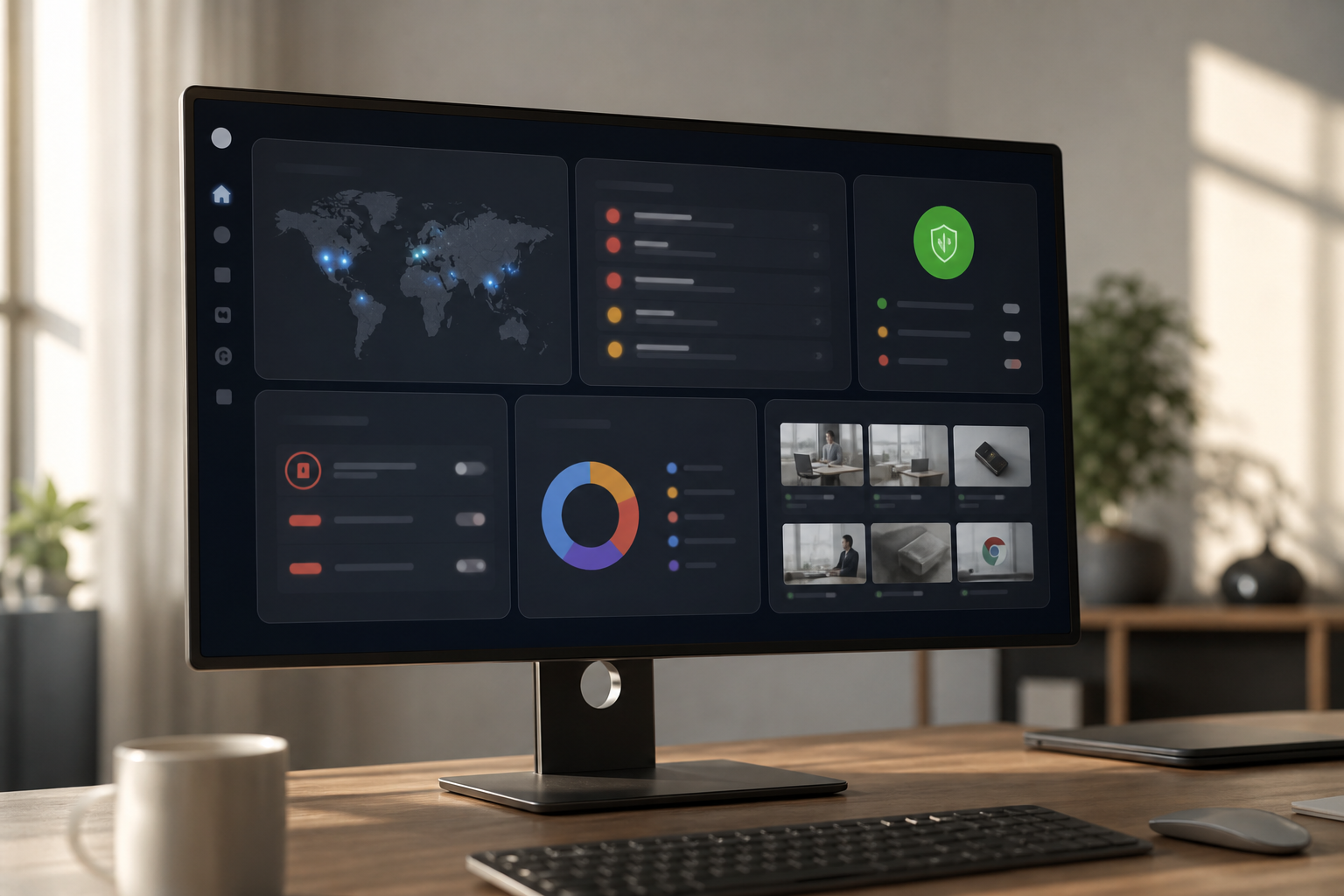
Compared to alternatives, EmpMonitor focuses on evidence and speed. While some tools offer broader suites, they may slow you down with dense workflows. Here, the real-time dashboard puts high-signal events first, then links to the exact screen or keystroke that tripped the rule. Unlike tools that hide key controls behind multiple tabs, EmpMonitor’s role-based views keep your analysts moving.
“Handled the complex and multifaceted security issues in our company with ease and efficiency.” — Forensic & Legal Master Analyst in Financial Forensics
**Get instant risk alerts today →
EmpMonitor vs. Teramind vs. Veriato: Insider Threat Tools Compared
Choosing a tool is about trade-offs. You need clear pricing, real-time depth, and controls that fit remote life. EmpMonitor’s tiers are simple: Bronze: $11/user/month paid yearly, $12/user/month paid monthly (1-10 users); Silver: $10/user/month paid yearly; Gold: $9/user/month paid yearly; with a Free 15-day trial available.
Teramind and Veriato are strong in this space. Teramind is known for deeper OCR-based DLP, while Veriato is praised for strong insider analytics. This section calls those strengths out while showing where EmpMonitor earns the nod on speed, cost, and day-two operations.
Key Differences You’ll Feel In Week One
- Pricing clarity and scale: EmpMonitor’s priced tiers make unit economics easy to forecast.
- Evidence speed: One-click from alert to screen and keystrokes cuts triage time.
- Controls on by default: Web app and USB blocking are built-in and simple to roll out.
- Culture fit: Stealth/Un-stealth modes and a Private time option help you balance trust and risk.
“Simplified the management of the entire workforce by 80% in terms of workforce, time, and effort.” — Ashwin Kumar, Chief Project Coordinator
| Decision Area | EmpMonitor | Teramind | Veriato |
|---|---|---|---|
| Pricing | Bronze: $11/user/mo yearly; Silver: $10; Gold: $9; Free 15-day trial | Higher overall list pricing | Mid-to-high pricing tiers |
| UBA Depth | Strong UBA with forensic timelines | Very strong, fine-grained tuning | Strong behavioral focus |
| DLP | Endpoint DLP with web/app and USB blocking | Deeper OCR-based DLP | Solid DLP with policy focus |
| Stealth Mode | Stealth/Un-stealth + Private time option | Stealth available | Stealth available |
| Deployment | Silent agent; fast remote rollout | Mature options | Mature options |
| Compliance & Security | GDPR compliant; SSL, Firewall, IP allowlisting | GDPR controls | GDPR controls |
| Support | 24X7 customer support for new and existing customers | Business-hours plus paid tiers | Business-hours plus tiers |
Compared to alternatives that emphasize broad suites, EmpMonitor keeps the path from “alert” to “action” short. You get alerts and auto email reports, live screencasting and recording, and keystroke monitoring tied to apps and time. As a result, your team can acknowledge and contain faster, without sifting through extra screens. And with tiered pricing that starts at $9/user/month paid yearly for larger teams, budget-conscious ops groups can cover every seat.

Trust, Compliance, and Proven Scale
Security tools must be trusted. EmpMonitor is GDPR compliant and layers SSL, Firewall, and IP allowlisting to protect access and data paths. In real terms, that means encrypted transport, network shields, and a strict allowlist so only approved locations can reach admin views. In audits, those controls show clear intent and reduce the chance of drift.
Social proof matters too. EmpMonitor is trusted by 15,000+ companies across 100+ countries and tracks over 500,000 employees globally. With 5000+ Ongoing Customers, the platform handles scale across finance, healthcare, and IT without special builds. That reach gives you confidence that the same features will work for your mix of devices and shifts.
“The EmpMonitor has the best features that help employers to keep an eye on their employees effectively and efficiently.” — Clifford M., Information Technology System Administrator
These results aren’t just about data. They reflect workflows that fit. For example, finance teams care about proof on file moves and uploads. Forensics teams want timelines that hold up in reviews.
Healthcare teams need privacy controls such as the Private time option to meet local policies. EmpMonitor supports each case without custom code or long lead times. This is where insider threat and data loss prevention blend into daily life rather than bolt on as a one-off tool.
Also Read!
EmpMonitor vs Hubstaff for Small Businesses: Which Is Better for Employee Productivity Tracking?
Getting Started: Deploying Insider Threat Monitoring for Your Remote Team
You can stand up coverage fast and refine policies over the first week. The path below helps you avoid alert floods while still catching real risk. It also shows where privacy and transparency fit, so your rollout lands well with the team. Again, the goal is to have insider threat and data loss prevention working together on day one.
Five Practical Steps
- Sign up for the Free 15-day trial and invite the security leads who will tune policies.
- Deploy the agent silently to a pilot group across Windows/macOS. Use Multiple roles & permissions so only the right admins can view evidence.
- Configure alert policies for high-risk actions: personal cloud uploads, bulk copy/paste, and USB insert. Turn on alerts and auto email reports.
- Set privacy boundaries: enable Private time option, decide on Stealth/Un-stealth mode per team, and document consent for GDPR.
- Review first-week analytics: check top alerts, validate screenshots/keystrokes, and tune blocklists and allowlists for web apps and USBs.
As you expand, lean on Personalized onboarding and VIP support. The team can review your rules, help trim noise, and share patterns seen across industries. That way, your policies reflect real risk, not guesswork.

Frequently Asked Questions

How much does insider threat monitoring software cost for remote teams?
EmpMonitor starts at $9–$12 per user per month depending on team size when paid yearly. Bronze (1–10 users) is $11 per user per month on a yearly plan. A Free 15-day trial is available so you can test before you buy. Teramind is a higher-priced option in this category, so budget-conscious teams may prefer EmpMonitor’s tiers.
Can insider threat monitoring work without employees knowing?
Yes. EmpMonitor offers Stealth and Un-stealth modes. Stealth deploys silently for targeted security investigations, while Un-stealth supports open, transparent use. Both modes are GDPR compliant, and a Private time option lets employees pause monitoring during personal tasks. This balance supports trust and legal needs.
What's the difference between insider threat monitoring and employee surveillance?
Insider threat monitoring focuses on data protection and policy risk. It looks for data exfiltration, rule violations, and odd behavior with UBA and DLP. General surveillance is about hours and activity levels. EmpMonitor combines both so you can protect data and understand productivity in one view.
How does insider threat detection work for employees on personal devices?
EmpMonitor’s agent tracks URL/app usage, screenshots, and keystrokes on any device where it is installed. USB blocking prevents data transfers to removable media. In addition, IP allowlisting adds a layer so only approved networks can access the admin console. This approach brings unmanaged endpoints into your view.
Is EmpMonitor GDPR compliant for monitoring remote employees in Europe?
Yes. EmpMonitor is GDPR compliant. It offers a Private time option to pause tracking for personal use and helps you document consent and policy awareness. With SSL, Firewall, and IP allowlisting, you can also control where admins access the console, which supports compliance in EU regions.
How does EmpMonitor compare to Teramind for insider threats?
Both focus on insider risk with UBA and DLP. EmpMonitor is priced more affordably for teams that need full coverage across many endpoints. It includes USB blocking and live screencasting to capture clear evidence fast. Teramind is known for deeper OCR-based DLP, which can be useful for certain content inspection needs.
Can I monitor insider threats across different time zones with one dashboard?
Yes. EmpMonitor’s real-time dashboard consolidates endpoints across regions. Shift scheduling and attendance tracking help you see who is online and when. Auto email reports ensure you don’t miss alerts that occur overnight. As a result, your team can hand off smoothly across time zones.
How quickly can I deploy insider threat monitoring across a remote team?
Most teams are fully operational within one to two days. Personalized onboarding and a silent agent make rollout simple. Start with a pilot group, tune policies, then expand. The Free 15-day trial lets you validate coverage and confirm alert quality before you commit.
Wrap-Up: What Matters Most For 2026
- Blend UBA, endpoint DLP, and controls like USB and web/app blocking so you can stop leaks at the edge and back actions with proof.
- Balance privacy and speed: Stealth/Un-stealth modes, a Private time option, and clear consent make remote monitoring fair and lawful.
- Prefer tools that shorten the path from alert to action with live screens, keystrokes, and auto reports — not more tabs and slow triage.
If you want lower noise, faster proof, and pricing that scales with your team, EmpMonitor is ready to test in a day.
**See pricing and scale today →
Security note: EmpMonitor is trusted by 15,000+ companies across 100+ countries, tracks over 500,000 employees globally, is GDPR compliant with SSL, Firewall, and IP allowlisting, and offers 24/7 customer support for all customers. Free 15-day trial with personalized onboarding.