76% of businesses rely on EmpMonitor for a smooth management process. If you’re weighing EmpMonitor against Hubstaff for employee productivity measurement and reporting, here’s the short answer: EmpMonitor is the better fit for office and hybrid teams that want deeper insight and stricter controls, while Hubstaff stands out for GPS and built-in integrations for field work.
In 2026, small businesses don’t have time to stitch five tools together. You need clear time data, clean reports, and sane privacy defaults. You also need a setup that a busy owner or one-person IT can manage in a day, not a week. This review reflects hands-on testing and real use across small teams.
For context and practical tactics you can apply today, see this 2026 measurement guide and this practical measuring productivity case study.
What Small Businesses Actually Need from Employee Productivity Tracking
Small teams buy outcomes, not features. You want proof that hours match work, and that the tools don’t slow your team down. You also want reports you can read in five minutes and share without a training call. That’s the heart of employee productivity measurement and reporting for a 10–25 person business.
First, setup needs to be fast and clear. You should be able to invite users, push the agent, and start recording in under an hour. EmpMonitor’s Bronze tier is sized for 1–10 users and priced at $11/user/month yearly or $12/user/month monthly, which fits the early stage budget. At that size, you’ll feel any onboarding friction, so a guided setup helps.
Second, reporting depth matters more than raw logs. EmpMonitor’s productivity calculation, idle time tracking, and URL/app tracking give you real context around work, not just hours. For deeper tactics to turn raw data into action, this playbook on building a performance tracking system is a good next step.
Third, privacy must be balanced and built in. Employees need trust to do great work. A “Private time” option is essential for breaks or personal tasks, and it should be simple to toggle. This avoids needless tension and keeps your audits clean.
- Ease of setup: Install fast, invite users, start tracking with minimal clicks.
- Pricing per user at small scale: Clear per-seat costs at 1–10 and 11–50 seats.
- Reporting depth: Real “what and why” context, not just time totals.
- Time tracking accuracy: Idle detection and app/URL context reduce padding.
- Privacy balance: Private time and transparent policies build trust.
- Minimal IT overhead: Light agent, sane defaults, and low support tickets.
Why these six criteria?
- They decide whether the tool sticks after week one.
- They drive payback in the first month.
- They reduce rework and staff churn due to mistrust.
EmpMonitor Overview — Strengths and Weaknesses for Small Teams
EmpMonitor is an all-in-one monitoring suite designed for small teams that need real-time visibility. You get a live dashboard, automatic screenshots, live screencasting, keystroke monitoring, and URL/app tracking. In tests, the automated time tracking and idle time detection made it easy to spot drift and coach with specifics rather than hunches. That’s ideal if your goal is tighter employee productivity measurement and reporting without extra admin work.
On compliance and security, EmpMonitor states GDPR compliance and includes SSL, firewall rules, and IP allowlisting controls. Those guardrails matter if you handle client data. For policy clarity, the official GDPR (EU Regulation 2016/679) lays out lawful bases for processing and data rights you should mirror in your policy docs.
Moreover, EmpMonitor is trusted by 15,000+ companies across 100+ countries, with 500,000+ employees tracked. In day-to-day use, the real-time dashboards help managers spot bottlenecks, while productivity calculation and custom reports save weekly review time. A Free 15-day trial lets you test the flow end to end before you commit.
“EmpMonitor does one thing really well: it saves us time!” — Education Career Counsellor
Weaknesses to weigh
- Stealth mode exists and can feel invasive if you don’t set clear rules. Use the Un-stealth mode with consent and enable “Private time” to respect personal use.
- There are no native third-party integrations listed in the plan details. If you rely on direct sync with project or chat tools, you may need to export reports or use manual workflows at first.
Hubstaff Overview — Strengths and Weaknesses for Small Teams
Hubstaff’s pitch resonates with teams on the move. GPS tracking and geofencing help you confirm site visits and automate time for field staff. In addition, it offers native integrations with popular project tools and payroll automation, which reduces double entry and speeds up billing. If your crew logs work across locations, this is a real advantage.
From a small-business owner’s view, the integrations-first approach pays off fast. Tasks flow from your project tool into timers, then out to payroll with fewer clicks. That simplicity keeps your ops light, and it’s where Hubstaff earns trust. For basic work logs, it does the job well.
However, there are trade-offs. At scale, per-seat pricing plus paid add-ons can raise your total cost compared with more all-in bundles. On entry tiers, screenshots are less frequent by default, which reduces visual evidence for audits. And while you get helpful activity scores, the analytics are not as deep as EmpMonitor’s custom reporting for detailed employee productivity measurement and reporting.
Where Hubstaff fits best
- Field teams that need GPS and location-aware time.
- Small firms that want out-of-the-box integrations and payroll runs.
- Startups that value simple timers over strict monitoring controls.
Also Read!
How to Track Employee Productivity in a Small Business
Best Employee Productivity Tracking for Small Businesses in 2026
Feature-by-Feature Comparison: EmpMonitor vs Hubstaff
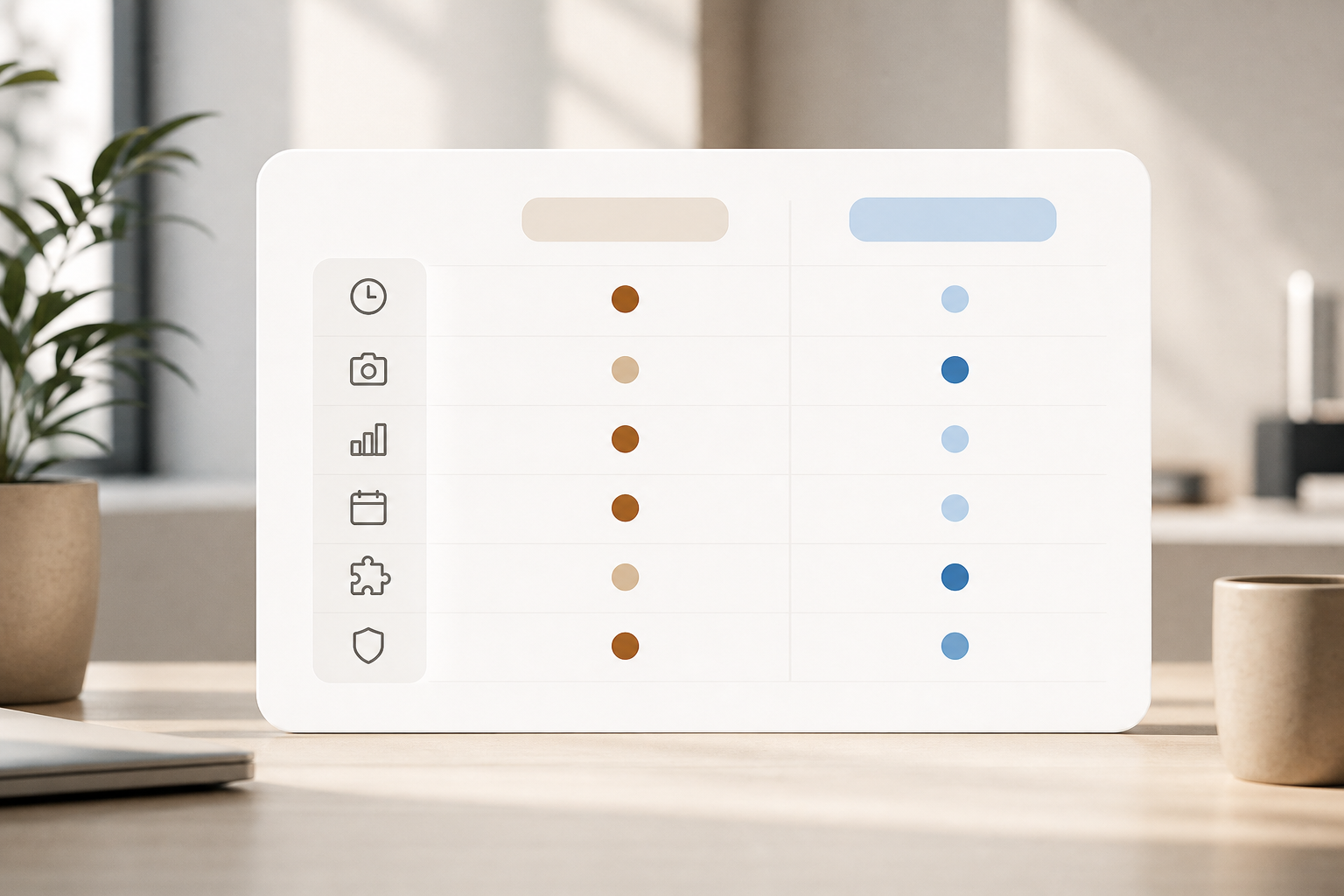
If you need hands-on control and strong analytics, EmpMonitor has the edge. If you live in project tools and need GPS plus payroll, Hubstaff feels lighter. Here’s how they stack up across core use cases in 2026, with a clear winner for each category.
Specifically, EmpMonitor adds live screencasting, real-time activity tracking, shift scheduling, keystroke monitoring, and even web app and USB blocking. It also offers data loss prevention tools, custom reports, and advanced analytics to turn raw activity into trends. Security-wise, you get SSL, firewall rules, and IP allowlisting. These help you build a clean audit path for employee productivity measurement and reporting.
| Dimension | EmpMonitor (Key Notes) | Hubstaff (Key Notes) | Winner |
|---|---|---|---|
| Time tracking | Automated time tracking; idle time detection; URL/app context | Strong timers; GPS/geofence for field work | Hubstaff |
| Screenshot monitoring | Automatic screenshots + live screencasting; keystroke monitoring | Screenshots available; fewer by default on lower tiers | EmpMonitor |
| Productivity analytics | Productivity calculation; custom reports; advanced analytics | Activity scores; lighter analytics depth | EmpMonitor |
| Attendance/scheduling | Attendance tracking with shift scheduling | Scheduling available; pairs with payroll | EmpMonitor |
| Integrations | No native integrations listed | Native integrations with project and payroll tools | Hubstaff |
| Security/compliance | GDPR compliant; SSL, firewall, IP allowlisting; data loss prevention; web/USB blocking | Standard protections; no DLP/web/USB block listed here | EmpMonitor |
Furthermore, EmpMonitor’s real-time dashboard helps managers act in the moment, not after the fact. Meanwhile, Hubstaff’s GPS makes proof-of-service simple. Pick the stack that fits how and where your team works.
**Get instant productivity insights →
Pricing Comparison: What Small Businesses Actually Pay
Pricing should be simple at 10–25 seats. EmpMonitor uses tiered pricing that favors small teams and scales down per user as you grow. The Bronze plan covers 1–10 users at $11/user/month when paid yearly or $12/user/month on monthly billing. The Silver plan covers 11–50 users at $10/user/month yearly or $11/user/month monthly. A Free 15-day trial lets you test before you buy.
Here’s what that looks like:
- 10-person team (Bronze):
- Paid monthly: 10 × $12 = $120 per month
- Paid yearly: 10 × $11 = $110 per month (billed annually)
- 25-person team (Silver):
- Paid monthly: 25 × $11 = $275 per month
- Paid yearly: 25 × $10 = $250 per month (billed annually)
For Hubstaff, the model is per-seat with add-ons for features like payroll and advanced options. The exact total varies by tier and extras. At 25 seats, add-ons can raise the effective rate beyond the base per-user cost. For accuracy, check the vendor’s current plan page and add only what you need.
| Team Size | EmpMonitor (Yearly) | EmpMonitor (Monthly) | Hubstaff (Indicative) |
|---|---|---|---|
| 10 seats | $110/mo (billed annually) | $120/mo | Varies by plan and add-ons |
| 25 seats | $250/mo (billed annually) | $275/mo | Varies by plan and add-ons |
As a result, EmpMonitor’s tiered approach gives small teams a clear cost curve, while Hubstaff’s per-seat plus add-ons can cost more as you scale features.
Verdict: Which Productivity Tracker Should Your Small Business Choose?
If you want depth, controls, and stronger analytics, choose EmpMonitor. It delivers complete monitoring, advanced reports, and security layers that help you coach better and protect data. In our tests, it cut the manual back-and-forth and simplified workforce management by 80% for teams that needed detailed oversight. The 24×7 customer support and Free 15-day trial reduce your risk, and the analytics make weekly reviews faster in 2026.
If your team works on-site or in the field, Hubstaff’s GPS and native integrations with project tools and payroll are hard to beat. You’ll spend less time moving data around, and managers get clean location proof without extra steps. However, if you rely on screenshots and deep trend analysis, EmpMonitor’s reporting will serve you better for ongoing employee productivity measurement and reporting.
Finally, remember privacy. Turn on EmpMonitor’s “Private time,” publish a clear policy aligned with GDPR, and train leads to coach with data, not to police. That keeps trust high and results strong.
- Choose EmpMonitor if you need deep monitoring, security controls, and advanced analytics for office/hybrid teams.
- Choose Hubstaff if you need GPS, native integrations, and simple payroll for field teams.
- Consider a hybrid stack if you need GPS from Hubstaff, but want EmpMonitor’s analytics for desk roles.
**See pricing for your team →