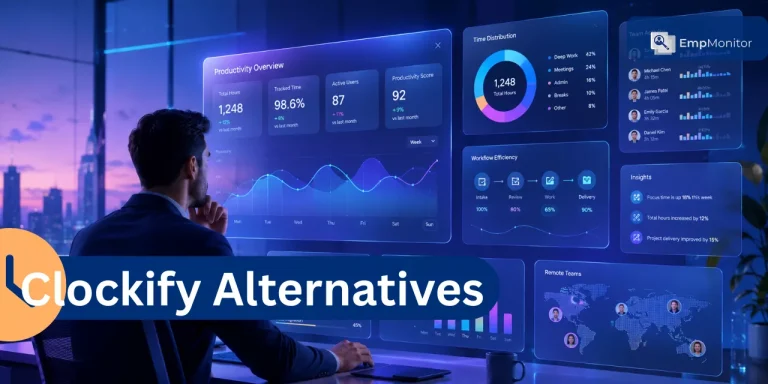
Clockify alternatives help teams track work hours accurately and turn time data into payroll, billing, or productivity insights without constant manual cleanup.
This guide compares 11 work time trackers for 2026 with detailed reviews, comparison tables, and tool-by-tool verdicts based on real-world use cases and review patterns.
We’ve also included practical advice on choosing your alternative and actionable migration steps you can follow.
Listen To The podcast now!
What Are the Best Clockify Alternatives in 2026?
The best Clockify alternatives in 2026 are EmpMonitor, Teramind, Hubstaff, ActivTrak, DeskTime, We 360.ai, Time Champ, Veriato, iMonitorSoft, Insightful, and Toggl Track.
If you’re evaluating time tracking software and comparing tools like Clockify for productivity monitoring, attendance tracking, or billing, start with the shortlist below. Each solution includes details that help you decide based on your specific needs.
Quick Comparison: Top 11 Clockify Alternatives
EmpMonitor – Best overall for productivity insights and workforce management, free trial available
Teramind – Best for insider threat detection and security monitoring, demo available
Hubstaff – Best for remote team monitoring with GPS tracking, free trial available
ActivTrak – Best for workforce analytics without invasive monitoring, free option available
DeskTime – Best for automatic time tracking with productivity analysis, free trial available
We 360.ai – Best for AI-powered productivity insights, demo available
Time Champ – Best for silent monitoring and attendance tracking, free trial available
Veriato – Best for compliance and forensic-level monitoring, demo available
iMonitorSoft – Best for comprehensive employee monitoring, demo available
Insightful – Best for behavior analytics and operational intelligence, free trial available
Toggl Track – Best lightweight timer for simple time logging, free option available
Buyer Comparison Table of Popular Time Tracking Tools
Use this table to quickly shortlist time trackers based on your priorities.
| Time Tracking Software | Best for | Standout features | Monitoring level | Productivity insights | Reporting depth |
| 1. EmpMonitor | Complete productivity visibility | Real-time insights plus full HR suite | Configurable | Advanced with optimization suggestions | Advanced |
| 2. Teramind | Security-focused monitoring | Behavior rules and risk detection | Heavy | Security-focused | Advanced |
| 3. Hubstaff | Remote team tracking | GPS and location monitoring | Moderate to heavy | Basic to medium | Medium |
| 4. ActivTrak | Workforce analytics | Non-invasive productivity scoring | Light to moderate | Advanced analytics | Advanced |
| 5. DeskTime | Automatic productivity tracking | Automatic app classification | Moderate | Good with categories | Medium |
| 6. We 360.ai | AI-driven insights | Smart productivity recommendations | Moderate | AI-powered | Medium to advanced |
| 7. Time Champ | Silent background monitoring | Stealth mode tracking | Heavy | Basic to medium | Medium |
| 8. Veriato | Forensic investigation | Deep activity recording | Very heavy | Security-focused | Advanced |
| 9. iMonitorSoft | Comprehensive monitoring | Screen recording and keystroke logging | Very heavy | Security-focused | Advanced |
| 10. Insightful | Behavior intelligence | Work pattern analysis | Moderate | Advanced | Advanced |
1. EmpMonitor – Best Overall for Productivity Insights and Workforce Management
 If Clockify feels too basic and you need more than just time logs, the real gap is visibility into how work actually happens, what drains productivity, and how to optimize performance across your team.
EmpMonitor goes beyond simple time tracking to deliver comprehensive productivity monitoring with real-time insights that help managers make better decisions while respecting employee privacy.
Track Productivity Patterns, Not Just Hours
Forgotten timers and manual entries create gaps in your data. EmpMonitor runs automatically in the background, tracking active work time, application usage, and website activity without requiring employees to remember to start and stop timers.
You get accurate data on how time is actually spent, which apps consume attention, and where productivity bottlenecks occur. This helps you identify training needs, optimize workflows, and remove obstacles before they become chronic problems.
Real-Time Monitoring That Drives Action
Most time trackers show you yesterday’s data. EmpMonitor delivers real-time dashboards showing current activity across your team, so you can spot issues as they develop, not days later.
When a project is running behind, you see it immediately. When someone is stuck on low-value tasks, you can intervene before the day is wasted. This immediate visibility transforms time tracking from historical reporting into active management.
Part of a Complete Workforce Management Ecosystem
Here’s what makes EmpMonitor different from standalone trackers: it’s one component of EmpCloud, a complete workforce management suite that connects productivity data with HRMS, attendance, project management, payroll, and performance systems.
Your productivity insights feed into performance reviews. Time data connects to payroll automatically. Attendance patterns inform resource planning. Everything works together instead of requiring exports, imports, and manual reconciliation across disconnected tools.
Privacy-Conscious Monitoring That Builds Trust
EmpMonitor offers configurable monitoring levels, so you can track what matters without crossing privacy boundaries. Screenshot capture is optional. Employees can see their own productivity data. Monitoring policies are transparent.
This approach builds accountability without creating a surveillance culture that kills morale and drives away talent.
Integration Across the Full Employee Lifecycle
Beyond time tracking, EmpMonitor integrates with:
- Recruitment & Onboarding for faster new hire productivity
- HRMS for attendance and leave management
- Project Management for task-level time allocation
- Performance Management for data-driven reviews
- Payroll for automatic time-to-pay processing
- Field Force Management for remote worker tracking
This eliminates the tool sprawl that creates data silos and forces teams into spreadsheet reconciliation.
Pricing
EmpMonitor offers flexible pricing based on team size and feature requirements. Contact their team for customized quotes that match your monitoring needs and workforce size.
A free trial is available so you can test the platform with your actual team before committing.
Key Takeaway: EmpMonitor is the best choice when you need more than basic time logs. It delivers productivity intelligence, integrates with your full HR stack, and scales from small teams to enterprise deployments.
Also Read
ActivTrak vs Teramind: Which is Safer for Enterprise Security?
2. Teramind – Best for Insider Threat Detection and Security Monitoring
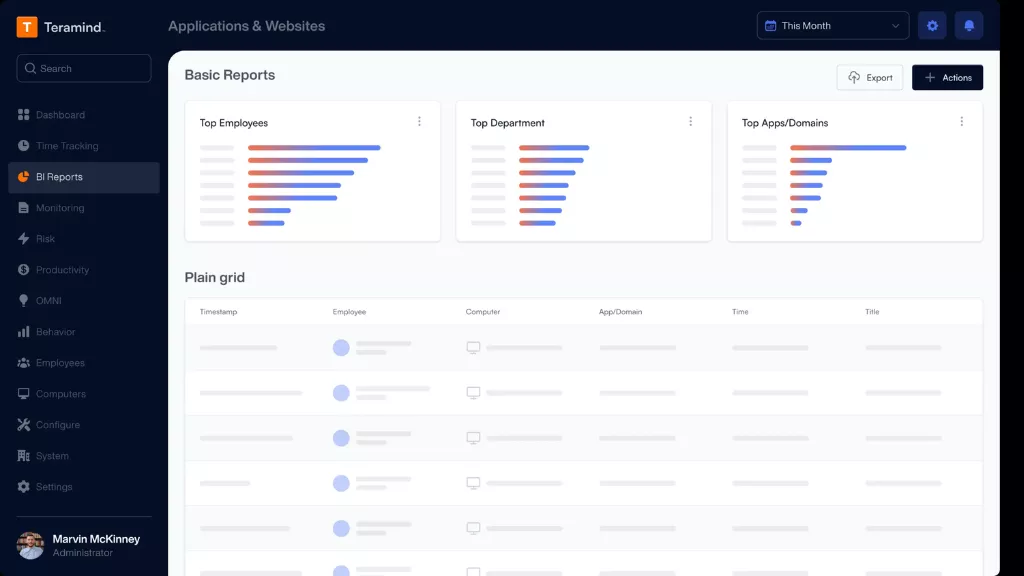 Teramind focuses on security-first monitoring with behavior analytics that help organizations detect insider threats, prevent data loss, and maintain compliance in regulated industries.
Core Features
- User behavior analytics and risk scoring
- Data loss prevention (DLP) rules
- Screen recording and session playback
- Policy violation alerts
- Detailed activity logging
Pros
- Strong security and compliance capabilities
- Detailed forensic investigation tools
- Customizable behavior rules
- Good for highly regulated industries
Cons
- Can feel invasive for everyday productivity tracking
- Heavier learning curve than simpler tools
- Pricing reflects enterprise security focus
- May require dedicated admin time
Final Verdict
Teramind is overkill for teams that just need productivity insights. It’s built for security operations, compliance teams, and organizations where insider threats are a real concern. Choose it when security monitoring justifies the investment and complexity.
3. Hubstaff – Best for Remote Team Monitoring with GPS Tracking
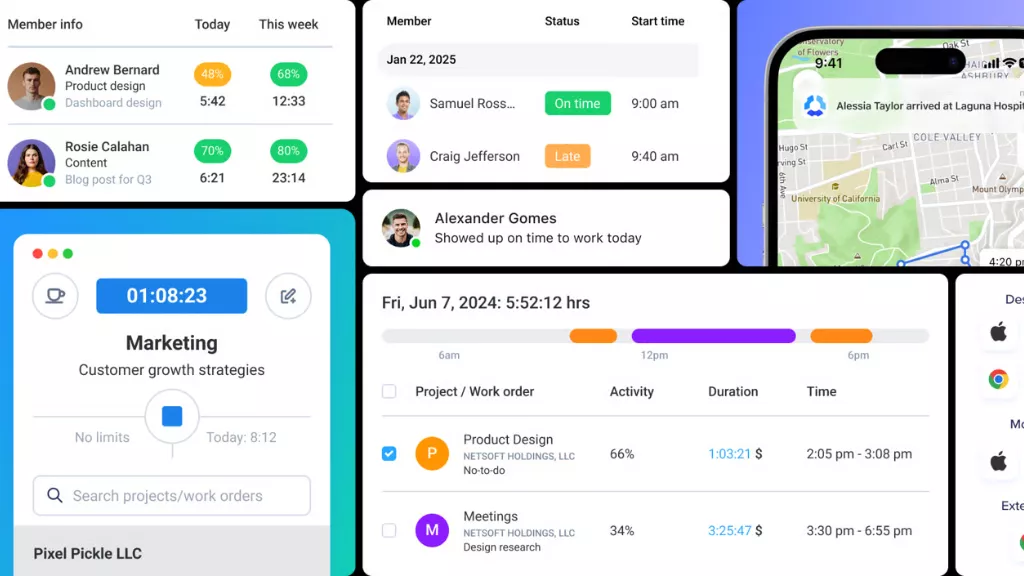 Hubstaff combines time tracking with GPS monitoring, making it popular for field teams, remote workers, and businesses that need location verification alongside time logs.
Core Features
- Time tracking with screenshots
- GPS location tracking and geofencing
- Mobile time tracking apps
- Payroll and invoicing integration
- Activity level monitoring
Pros
- Good for distributed and field teams
- Location features help verify remote work
- Invoicing workflow is straightforward
- Multiple tracking modes (automatic, manual, hybrid)
Cons
- GPS tracking can feel intrusive to employees
- Screenshot monitoring may hurt trust
- Reporting depth varies by plan tier
- Some users report syncing issues
Final Verdict
Hubstaff works well for field service teams and remote businesses where location verification matters. It’s less suited to office environments or teams that prioritize trust-based productivity tracking over surveillance.
4. ActivTrak – Best for Workforce Analytics Without Invasive Monitoring
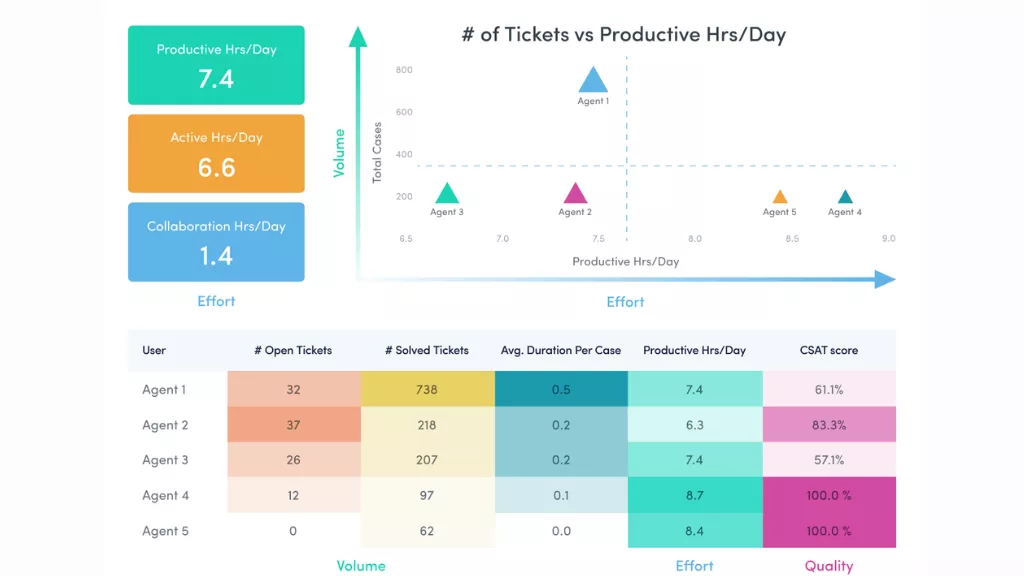 ActivTrak positions itself as a productivity analytics platform rather than employee monitoring software, focusing on aggregate insights over individual surveillance.
Core Features
- Automatic activity tracking
- Productivity scoring without screenshots
- Team-level analytics and benchmarks
- Coaching insights and recommendations
- Cloud-based deployment
Pros
- Less invasive approach builds better employee trust
- Good visual analytics and dashboards
- Coaching features help managers support teams
- Free tier available for small teams
Cons
- Individual tracking is less detailed by design
- Customization can require premium plans
- May lack features needed for strict monitoring
- Integration options are somewhat limited
Final Verdict
ActivTrak is a good fit when you want productivity insights without making employees feel watched. It’s ideal for coaching-focused managers but won’t satisfy teams that need detailed individual monitoring or security features.
5. DeskTime – Best for Automatic Time Tracking with Productivity Analysis
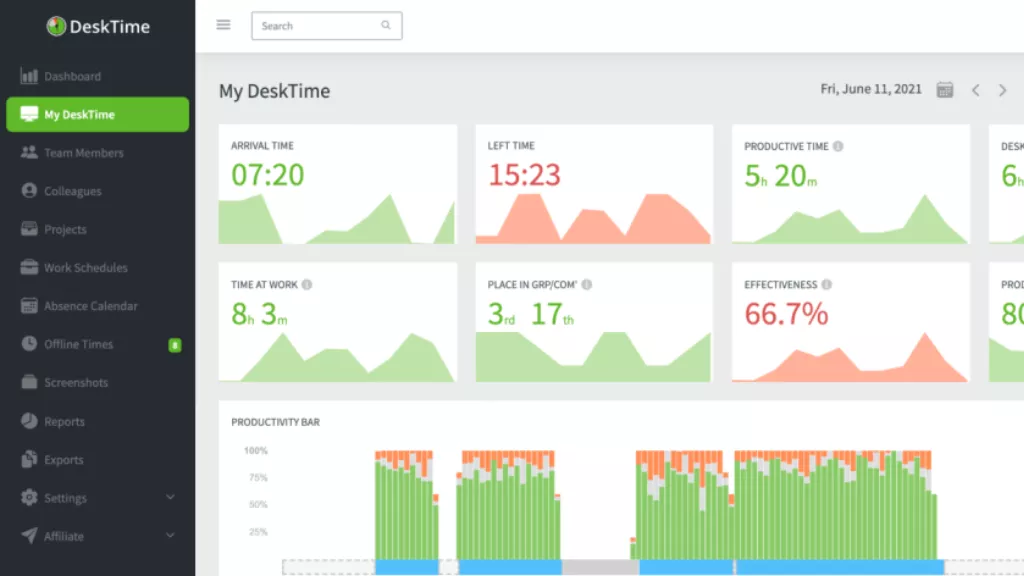 DeskTime automatically classifies applications and websites as productive, unproductive, or neutral, giving teams productivity scores without manual categorization.
Core Features
- Automatic time tracking by application
- Productivity calculations and scoring
- Project time tracking
- Absence and shift scheduling
- Invoicing support
Pros
- Minimal manual entry required
- Productivity classification speeds up analysis
- Clean interface with straightforward reports
- Reasonable pricing for small teams
Cons
- Automatic classification sometimes misses context
- Limited customization in lower plans
- Project tracking feels basic compared to PM tools
- May need manual corrections for accuracy
Final Verdict
DeskTime works well when you want automatic tracking with less setup than tools requiring detailed rules. It’s less suited to teams needing deep customization or those who want privacy-first approaches.
6. We 360.ai – Best for AI-Powered Productivity Insights
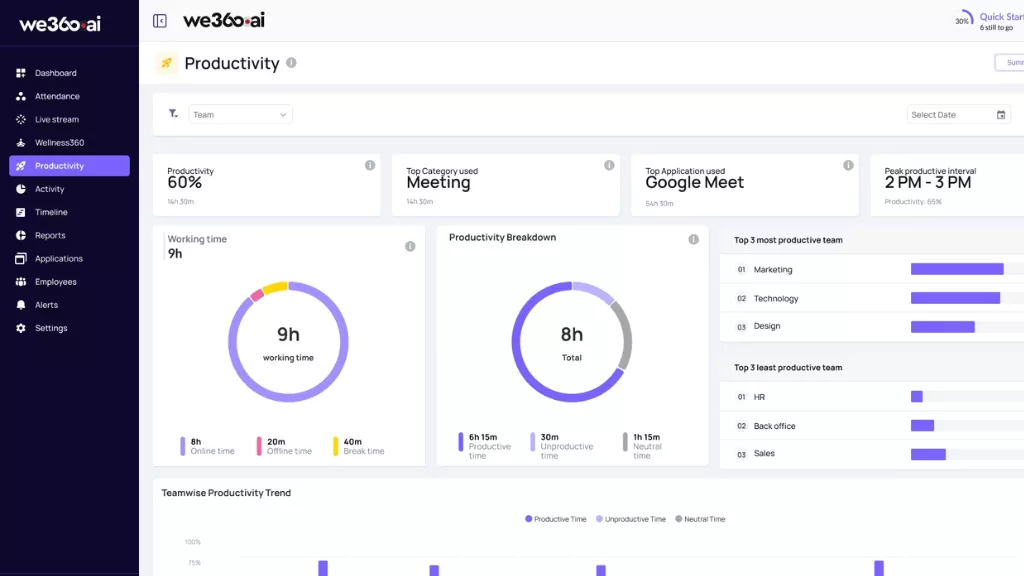 We 360.ai uses artificial intelligence to analyze work patterns and deliver productivity recommendations based on data trends across your team.
Core Features
- AI-driven productivity analysis
- Automatic time and activity tracking
- Smart productivity suggestions
- Team collaboration insights
- Attendance and project time tracking
Pros
- AI recommendations help optimize workflows
- Less manual configuration than rule-based tools
- Good for teams wanting data-driven insights
- Modern interface and reporting
Cons
- AI insights depend on sufficient data volume
- Newer in market compared to established tools
- Feature depth varies by subscription level
- Integration ecosystem still growing
Final Verdict
We 360.ai is a solid choice for tech-forward teams that want AI to surface insights they might miss manually. It’s less proven for enterprises needing deep customization or extensive integrations.
7. Time Champ – Best for Silent Background Monitoring
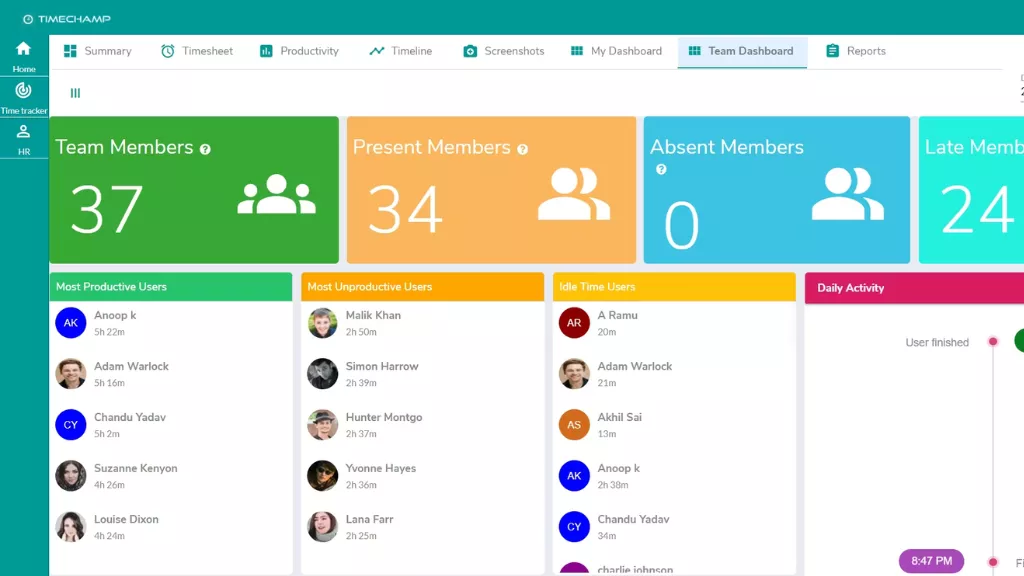 Time Champ operates quietly in the background with optional stealth mode, tracking activity without visible indicators on employee devices.
Core Features
- Silent background monitoring
- Screenshot and video recording
- Application and URL tracking
- Attendance and leave management
- Productivity reports
Pros
- Stealth mode prevents monitoring awareness
- Detailed tracking of all activities
- Attendance features integrated
- Budget-friendly pricing
Cons
- Stealth monitoring raises serious trust issues
- Can damage workplace culture if discovered
- May violate privacy expectations
- Employee morale risk is significant
Final Verdict
Time Champ’s stealth approach is problematic for most modern workplaces where transparency builds trust. Only consider it in contexts where undisclosed monitoring is legally and ethically acceptable, and be prepared for the cultural consequences.
8. Veriato – Best for Compliance and Forensic-Level Monitoring
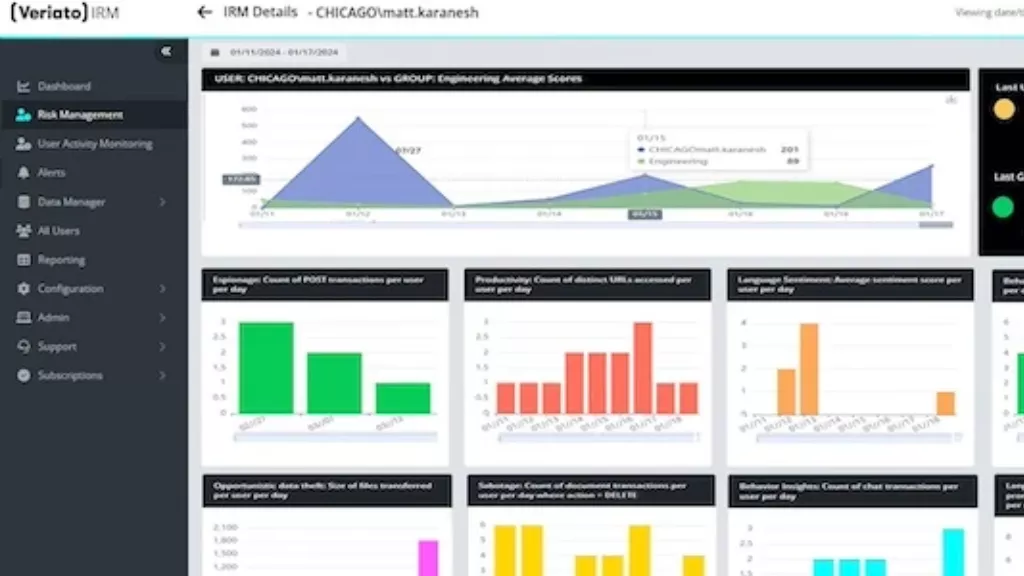 Veriato delivers enterprise-grade monitoring with deep activity recording designed for forensic investigation, compliance auditing, and security operations.
Core Features
- Comprehensive activity recording
- Keystroke logging
- Email and chat monitoring
- Behavior-based alerts
- Compliance reporting
Pros
- Extremely detailed activity capture
- Strong compliance and audit features
- Forensic investigation capabilities
- Good for high-security environments
Cons
- Very invasive monitoring approach
- Significant privacy concerns
- Complex implementation
- Best suited to specific regulated industries
Final Verdict
Veriato is designed for scenarios where compliance and security trump all other concerns. It’s inappropriate for typical productivity tracking and will likely damage employee relationships outside highly regulated contexts.
9. iMonitorSoft – Best for Comprehensive Employee Monitoring
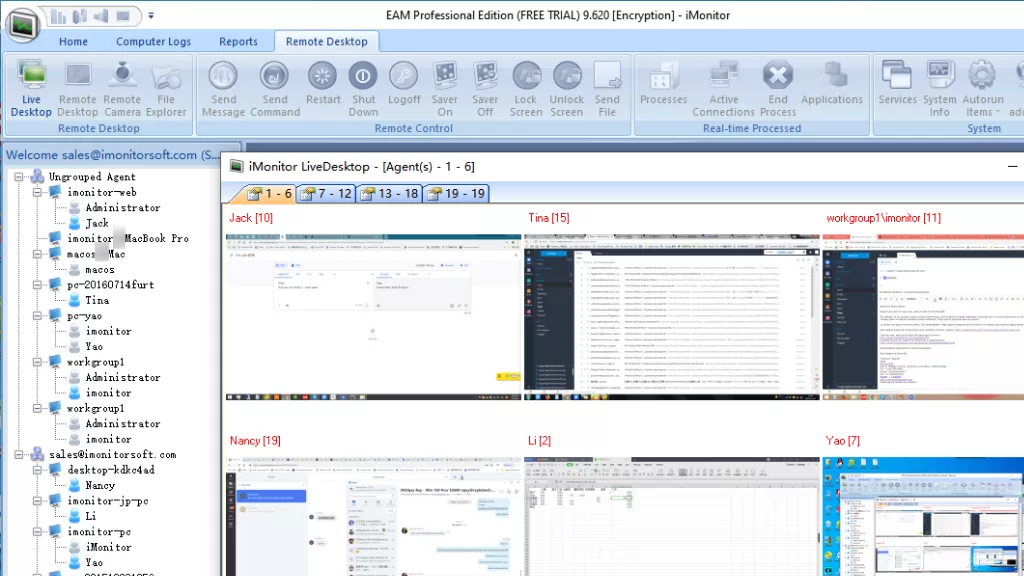 iMonitorSoft offers extensive monitoring features including screen recording, keystroke logging, and file tracking aimed at complete activity visibility.
Core Features
- Screen recording and playback
- Keystroke and clipboard logging
- File transfer monitoring
- Email and instant message tracking
- USB device control
Pros
- Extremely comprehensive monitoring
- Useful for security-sensitive environments
- Detailed activity logs
- Network traffic monitoring
Cons
- Heavy-handed approach damages trust
- Privacy concerns are substantial
- Can violate employee rights in many jurisdictions
- Poor fit for productivity-focused teams
Final Verdict
iMonitorSoft represents old-school surveillance monitoring that conflicts with modern workplace expectations. Only appropriate in highly specialized security contexts, not general productivity management.
10. Insightful – Best for Behavior Analytics and Operational Intelligence
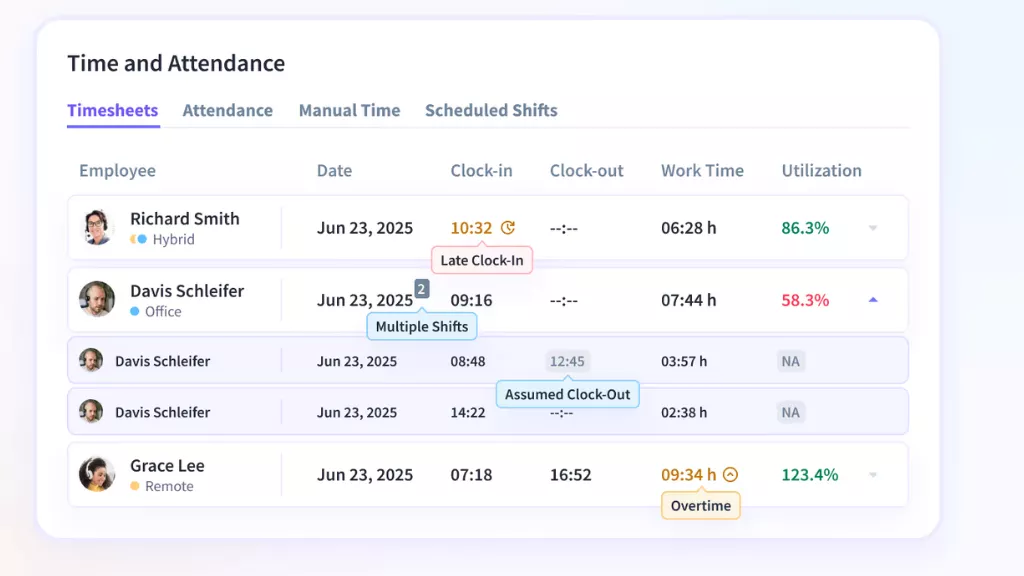 Insightful focuses on understanding work patterns and behaviors to deliver operational insights rather than individual surveillance.
Core Features
- Automatic time tracking
- Work pattern analysis
- Team productivity benchmarks
- Operational efficiency metrics
- Flexible monitoring levels
Pros
- Behavior analytics reveal workflow patterns
- Less invasive than screenshot tools
- Good team-level insights
- Modern interface and reporting
Cons
- Individual tracking can be limited
- Newer entrant with evolving features
- Integration ecosystem still developing
- Pricing increases with feature needs
Final Verdict
Insightful works well for operations managers wanting to optimize workflows based on behavior patterns. It’s less suitable for teams needing detailed individual tracking or extensive integrations.
Why Teams Switch From Clockify
Teams look for Clockify alternatives when basic time logging no longer matches how they need to manage, analyze, and optimize work.
Limited productivity insights become the breaking point. Clockify tracks hours but doesn’t help you understand how those hours are spent, what impacts productivity, or where workflows break down.
No automatic tracking means everything depends on manual timers. Forgotten starts, missed stops, and end-of-week backfilling create inaccurate data that undermines billing and planning.
Basic reporting frustrates growing teams. Once you have multiple projects and clients, you need deeper analytics, trend identification, and productivity benchmarking that Clockify’s simple reports can’t deliver.
Standalone tool syndrome creates data silos. When time tracking doesn’t connect to your HRMS, payroll, project management, or performance systems, you’re stuck with exports, imports, and manual reconciliation.
Privacy and monitoring gaps matter in both directions. Some teams need more monitoring capabilities than Clockify offers. Others want features Clockify lacks, like transparent employee access to their own data.
What Are the Key Features of Clockify Alternatives?
The key features of Clockify alternatives turn raw time logs into actionable productivity intelligence while matching your monitoring philosophy and integration needs.
Feature 1: Automatic vs. Manual Tracking
Decide whether you trust timers or need automatic capture. Manual timers work when people remember to use them consistently. Automatic tracking captures reality but requires clear policies and employee communication.
The best time tracking software offers both modes plus the ability to review and adjust automatic logs before they become final.
Feature 2: Productivity Intelligence
Basic time logs answer “how long?” Better tools answer “how well?” Look for features that classify activities, identify productivity patterns, flag distractions, and surface optimization opportunities.
EmpMonitor excels here by delivering real-time productivity insights with application-level detail and trend analysis that helps managers coach performance improvements.
Feature 3: Integration Ecosystem
Standalone time trackers create data silos. The best alternatives connect with your existing tools or offer complete suites that eliminate integration needs entirely.
Evaluate whether you want best-of-breed tools you integrate (complex but flexible) or unified platforms like EmpCloud where everything connects natively (simpler but less customizable).
Feature 4: Monitoring and Privacy Balance
Match monitoring depth to your culture. Trust-based teams do well with light tracking focused on outcomes. High-security or compliance-heavy environments may need detailed activity logs.
Whatever you choose, make it transparent. Hidden monitoring destroys trust faster than any productivity gain can compensate.
Feature 5: Reporting That Drives Decisions
Reports should answer specific questions: Who’s overloaded? Where is time leaking? Which projects burn budget fastest? What patterns predict success?
Test reporting with real questions from your last three management meetings. If the tool can’t answer them without manual spreadsheet work, keep looking.
How to Choose Your Clockify Alternative
Choose your Clockify alternative by running a focused evaluation that tests real workflows with actual data, not just demo accounts with sample projects.
Step 1: Define What “Better” Means
List the specific problems Clockify doesn’t solve. Be concrete: “We can’t see productivity patterns,” “Billing takes hours of manual work,” “People forget timers and data is wrong.”
Prioritize your top three pain points. Those become your acceptance criteria for any alternative.
Step 2: Match Monitoring Philosophy to Culture
Have an honest conversation about monitoring. Do you want trust-based time logs, activity-level insights, or security-grade surveillance?
Your culture determines tool fit more than feature lists. A heavy monitoring tool in a trust-based culture creates resentment. A light tool in a security-critical environment creates risk.
Step 3: Test With Real Data, Not Demos
Export one week of actual data from Clockify. Import it into each alternative you’re testing. Generate the reports you need for billing, capacity planning, and performance reviews.
If you can’t reproduce your current outputs plus solve your three priority problems, the tool fails the test.
Step 4: Evaluate Integration Burden
Map every handoff where time data moves: from tracking to billing, payroll, project management, or performance reviews.
For each handoff, count the manual steps: exports, data cleanup, format conversion, system switching. Then test whether the alternative eliminates or just relocates that work.
Platforms like EmpMonitor eliminate most handoffs by keeping everything in one system. Best-of-breed integrations reduce but don’t eliminate manual work.
Step 5: Run a Pilot With Power Users
Pick 5-10 people who represent different roles and have them use the new tool for two weeks while keeping Clockify running in parallel.
Compare totals daily. Fix configuration issues immediately. Collect feedback on friction points. Only roll out fully after the pilot group confirms the tool works for real work.
How to Migrate From Clockify (Step-by-Step)
To migrate from Clockify, export your historical data, rebuild your structure in the new tool, validate accuracy with a parallel run, then cut over completely once data matches.
Step 1: Export Your Clockify Data
Download detailed time reports covering the period you want to migrate. Export project lists, client names, and user information separately to maintain structure.
Save everything in clean CSV or Excel formats that your new tool can import.
Step 2: Recreate Structure Before Importing History
Set up clients, projects, and user roles in your new tool first. Configure any productivity rules, billing rates, or approval workflows before you import historical data.
This prevents confusion from importing data into an unconfigured system.
Step 3: Import and Validate a Sample Period
Import one month of data, not your entire history. Generate the same reports you currently use for that month and compare totals line by line.
Investigate any discrepancies immediately. They reveal configuration issues or data mapping problems that will compound with full migration.
Step 4: Run Parallel for One Full Billing Cycle
Have your team track in both systems for one complete billing period (typically two weeks to one month). Compare outputs daily and fix issues before they accumulate.
This parallel run builds confidence that the new system captures reality accurately.
Step 5: Cut Over and Lock the Old System
Once parallel totals match for a full cycle, announce the cutover date. On that date, stop tracking in Clockify, archive your final exports, and commit fully to the new tool.
Keep Clockify data accessible for historical reference but make the new tool the single source of truth going forward.
Final Thoughts
When comparing clockify alternatives, shortlist 2-3 work time trackers that match your monitoring philosophy and run a real-world pilot with actual projects and workflows.
Test whether each tool solves your specific pain points, not just whether it has impressive feature lists.
If your evaluation keeps expanding beyond time tracking into productivity optimization, HRMS integration, and complete workforce management, consider EmpMonitor as part of the EmpCloud suite.
It’s built for teams that need time tracking as one component of comprehensive workforce intelligence, not as a standalone tool requiring constant exports and imports.