Have you ever wondered how to get a pulse on your team’s digital activities without feeling like Big Brother? There is a powerful tool that can help you with this, Keystroke Tracking Software. Before you start picturing spies and secret agents, let’s break down what this software is all about and how it can be a game-changer for team productivity.
In 2026, with remote and hybrid work now the norm for millions of teams globally, keystroke tracking has evolved far beyond basic surveillance. Today’s solutions must balance powerful monitoring capabilities with employee privacy, legal compliance, and workplace trust, especially in the wake of tighter data protection laws across the EU, UK, US, and APAC regions.
Think about a time when your team had to meet a tight deadline and everyone was putting in extra hours. With the help of keystroke tracking, you could identify the unsung heroes who burned the midnight oil, ensuring they get the recognition they deserve. It’s like highlighting the hard work that often goes unnoticed.
How about those moments when a project hit a roadblock, and you wished you could go back and see the steps taken? Keystroke tracking software allows you to rewind and review the digital journey, helping you learn from the past to build a better future.
In this blog, we’ll explore what keystroke tracking tools do, the critical difference between invasive and non-invasive approaches, benefits for managers, legal and ethical frameworks, and how EmpMonitor can be a handy tool for keeping everyone on the same page — with no tech jargon, just simple insights.
Hit ‘Play’ Button & Tune Into The Blog!
What Is Keystroke Tracking Software?
A keystroke tracking tool records and monitors keystrokes on employees’ systems. Simply put, it captures every key a user presses, providing a detailed log of their typing activities. However, in 2026, it’s critical to understand that not all keystroke tracking tools work the same way — the approach matters enormously for privacy, security, and legal compliance.
Invasive vs. Non-Invasive Keystroke Tracking
There are two fundamentally different approaches in today’s market:
- Invasive keystroke loggers record the actual content of everything typed — passwords, personal messages, sensitive documents, banking details, and even HIPAA-regulated health information. These tools behave similarly to malware and introduce serious cybersecurity and legal risks.
- Non-invasive keystroke counters track only the number of keystrokes pressed, without recording content. They measure productivity quantitatively without capturing any sensitive data.
Industry research shows that 75% of keystroke monitoring tools capture screen content, and nearly 50% can record every keystroke – making the choice of tool a critical business decision in 2026.
This software is often used for various purposes, including:
- Employee Monitoring Employers use keystroke tracking to monitor employees’ activities and productivity. It helps assess how employees spend time on tasks, identify areas for improvement, and ensure compliance with company policies — particularly valuable for remote and hybrid teams.
- Cybersecurity Keystroke tracking can serve as a security measure to detect and prevent unauthorized access. By monitoring keystroke patterns, the software can flag suspicious activities or attempts to compromise sensitive information.
- Forensic Investigations In legal and forensic situations, keystroke tracking can be used to examine how users operate computers and collect evidence for investigations — particularly in cases involving cybercrime or unauthorized access.
- Data Loss Prevention By monitoring keyboard activity patterns, organizations can detect when employees may be attempting to exfiltrate sensitive business data — whether accidentally or intentionally — and trigger alerts before a breach occurs.
Training and Development Keystroke data helps analyze employees’ typing patterns and common workflow behaviors. This allows organizations to detect areas where employees need additional support, targeted training, or better tooling, improving efficiency across the board.
Types of Keystroke Tracking Software
Keystroke tracking programs can be divided into different categories based on their primary functions and deployment methods. Understanding these distinctions helps businesses choose the right tool ethically and legally.
- Keystroke Counter Software Tracks only the volume of keystrokes per session, application, or time period. Non-invasive and privacy-safe. Ideal for productivity measurement without legal risk.
- API-Based Keystroke Tracking Programmed to run within a specific application and track every keystroke made inside that application. The software begins recording whenever an individual presses a key within that defined environment.
- JavaScript-Based Keystroke Tracking Written in JavaScript and installed on a website. Runs scripts to track keystrokes within web-based interfaces — commonly used for UX research and web form analytics.
- Form-Grabbing Keystroke Tools Track and record data entered into web forms. These are predominantly associated with malicious use and should be distinguished clearly from legitimate employee monitoring software.
- Employee Monitoring Platforms Comprehensive platforms that include keystroke tracking alongside other features like screenshots, application usage, and website monitoring. EmpMonitor falls into this category, offering employers a holistic view of workforce productivity.
How Does Keystroke Tracking Software Work?
These software applications can operate at various levels within a computer system, capturing keystrokes before they reach the operating system or intercepting them within the operating system itself. Here’s how keystroke tracking software typically works:
Installation:
You can install keystroke tracking software on a computer either by physical access to the machine or remotely through malware, phishing attacks, or other methods. Occasionally, it may be installed intentionally for monitoring purposes, such as employee monitoring software or parental control.
Hooking into the Operating System:
Keyloggers often use techniques such as hooking into the operating system’s keystroke handling mechanism. It allows them to intercept keystrokes as they are processed by the operating system, regardless of the application in which they type.
Logging Keystrokes:
Once installed and activated, the keylogger starts logging keystrokes. It records every key pressed on the keyboard, including letters, numbers, symbols, function keys, and special keys like Enter, Backspace, and Delete.
Logging Methods:
Keystroke logging software may use different methods to log keystrokes:
-
Kernel-based logging:
This method involves installing a device driver at the kernel level of the operating system. It allows the keylogger to intercept keystrokes before other applications process it.
-
API-based logging:
Some keystroke loggers utilize the Windows API or similar interfaces other operating systems provide to capture keyboard input.
-
Remote logging:
Advanced keyloggers can send the captured keystrokes to a remote server or store them locally for later retrieval by the attacker.
Stealth Mode:
Many keyloggers operate in stealth mode, meaning they run silently in the background without the user’s knowledge. They may hide their processes, files, and registry entries to avoid detection by antivirus programs and users.
Data Retrieval:
The logged keystrokes get stored in a log file or database. You can access it by the person or entity that installed the keylogger. The data can send automatically after it’s recorded, depending on how the keylogger setting.
Analysis and Misuse:
After capturing the keystrokes, you can analyze the data to extract sensitive information such as usernames, passwords, credit card numbers, and other confidential data. Misappropriation of the information is possible for identity theft, financial fraud, espionage, or other malicious purposes.
It’s good to remember that although keyloggers utilization is for good reasons like keeping track of computer activity in companies. They are also risky for privacy and security if they’re used in a bad way or without permission. As such, individuals and organizations must employ security best practices and robust antivirus/anti-malware solutions to detect and prevent unauthorized keylogging activities.
What Are The Controversy In Keystroke Tracking?
Using keystroke tracking, or keyloggers, is surrounded by controversy due to the potential for both legitimate and malicious purposes. Here are key points contributing to the controversy:
- Privacy Concerns Keystroke tracking raises significant privacy issues, especially when individuals are unaware their activities are being monitored. Invasive tools can capture private messages, passwords, and sensitive personal data — far beyond what any employer legitimately needs.
- Unauthorized Surveillance Using keystroke tracking software without explicit consent can be viewed as unauthorized surveillance. In 2026, this is not just an ethical concern — it’s a legal one in most jurisdictions. GDPR in Europe, POPIA in South Africa, and evolving state-level laws in the US all require transparency and, in many cases, explicit consent.
- Data Security Risks Invasive keystroke monitoring tools create a dangerous irony: tools deployed to protect company data can themselves become a security liability. Storing captured keystrokes — including passwords and sensitive documents — significantly increases vulnerability to data breaches. Real incidents have demonstrated how keystroke logs have been compromised, exposing employee credentials and confidential business plans.
- Legal and Compliance Risks Collecting personal data via invasive keyloggers can violate GDPR, HIPAA, and other privacy regulations — leading to lawsuits, significant fines, and regulatory penalties. In one widely reported case, an employer faced multiple lawsuits after an intrusive monitoring tool leaked an employee’s Social Security number. Legal counsel should be consulted before any keystroke monitoring deployment.
- Reputational Damage News of invasive monitoring or data breaches can quickly spread across social media and employee review platforms. The damage isn’t just reputational — it impacts recruitment, retention, and customer trust. In 2026’s talent market, being known for invasive surveillance is a serious competitive disadvantage.
- Workplace Dynamics Intrusive keystroke monitoring undermines healthy work environments. When employees feel constantly watched, it creates tension and mistrust that is difficult to overcome, leading to disengagement, burnout, higher turnover, and loss of top talent.
- Gameable Results Invasive monitoring is surprisingly easy to defeat. Employees can automate keystrokes to appear productive, rendering the data meaningless. Antivirus programs also frequently block or disable intrusive keyloggers. The result: businesses pay for solutions that don’t work reliably, while damaging employee trust in the process.
Now that you have understood how the software works. Let’s explore the best keystroke measuring software available in the market, i.e. EmpMonitor.
Best Keystroke Tracking Software: EmpMonitor
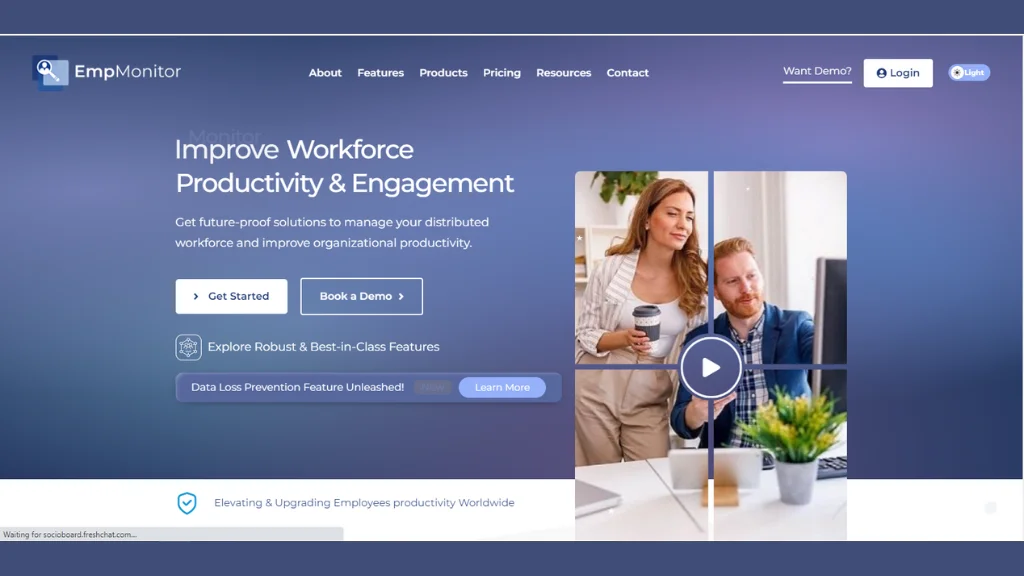
EmpMonitor is an all-encompassing workforce management software and monitoring tool designed to empower businesses to oversee and regulate employee activities for the dual purposes of productivity enhancement and security. Critically, EmpMonitor is designed for transparent, ethical deployment — providing organizations with the monitoring power they need while respecting employee privacy and maintaining legal compliance.
With innovative features, this software provides managers and employers with an advanced solution for keystroke tracking and optimizing workflow efficiency. Following are the cutting-edge features of EmpMonitor:
-
Time Tracking
EmpMonitor records and monitors the time employees spend on various tasks and projects. You can perform this through manual input, automated software, or time-tracking tools.
By tracking time, employers can understand how employees utilize the allocated resources, identify bottlenecks, and optimize workflows for increased efficiency.
-
Keystroke Logging
Keystroke logging is the process of keystrokes recording and analyzing every keystroke made by employees while using their computers. It offers an understanding of productive work routines and may uncover security vulnerabilities or unauthorized actions.
Keystroke logging software can help employers understand how employees spend time on different tasks and activities and identify opportunities for improvement.
EmpMonitor’s keystroke tracking goes beyond simple counts, it breaks down keystroke activity by individual employee, application, website, and department. This gives managers a granular view of where work is actually happening, making it easy to spot the most and least active apps, identify top performers, and track productivity trends across teams.
-
Screenshots
Screenshots are images captured of employees’ computer screens at predetermined intervals. This feature allows employers to monitor employee activities, ensuring employees are focused on their tasks and adhering to company policies.
It can provide evidence of work progress and help you identify potential issues or areas for improvement.
-
Application Usage
This feature tracks the applications and software used by employees during work hours. It provides insight into the tools and programs an employee uses, the frequency of their access, and the purposes for which they utilize.
By monitoring application usage, employers can ensure that employees utilize appropriate tools for their tasks, identify any inefficiencies or training needs, and enforce compliance with company policies.
-
Website Monitoring
Website monitoring involves track computer activity and the websites visited by employees while they are working. It helps employers ensure compliance with company policies regarding internet usage.
It also identifies any potential security risks or unauthorized activities. Website monitoring software provides reports on browsing history and time spent on each website and flags any suspicious or inappropriate activity.
EmpMonitor enhances productivity, enabling informed decisions and workflow optimization. Ethical implementation respects privacy rights and legal compliance. Transparent communication builds trust and accountability, benefiting both organizations and employees. EmpMonitor fosters a culture of productivity and well-being through its insights and collaborative approach.
Read More
Employee Keystrokes Monitoring | Everything You Need To Know In 2022
07 Reason To Use Keystroke Logging In Your Workplace
Everything You Need To Know About Keystroke Recorder
How Does Keystroke Tracking Software Benefit Businesses?

Implementing keylogging software in the workplace can have potential business benefits, but it’s crucial to approach it with transparency, ethical considerations, and legal compliance.
Here are some points to consider:
- Enhanced Security:
Keylogging software serves as a crucial tool to bolster security measures within an organization. It helps keep important information safe by finding and stopping problems like people getting into places they shouldn’t and prevents the data from being stolen or messed up. - Employee Monitoring:
Employee keystroke monitoring provides valuable insights into employee activities and behavior at work. Employers can utilize this information to evaluate productivity levels, identify behavior patterns, and pinpoint areas where employees may require additional support or training. - Compliance and Regulatory Adherence
In regulated industries such as healthcare and finance, detailed keystroke activity records offer a reliable audit trail demonstrating compliance with legal requirements and industry standards like HIPAA and SOX. This can protect organizations from legal consequences and heavy fines. - Identifying Insider Threats
Keystroke tracking plays an essential role in identifying potential insider threats or suspicious activities. By analyzing activity patterns, organizations can proactively detect and mitigate risks from internal actors who may attempt to compromise sensitive information or engage in unauthorized activities. - Data Loss Prevention
Monitoring keyboard activity patterns enables organizations to detect when employees may be transferring or exfiltrating sensitive data, whether accidentally or with intent. Automated alerts can stop breaches before they become costly incidents. - Training and Workflow Optimization
Keystroke data enables organizations to identify inefficiencies in workflows, detect repetitive tasks that can be automated, and pinpoint where employees need additional training or support. This data-driven approach to learning and development can significantly improve team performance. - Effective Remote Workforce Management
In 2026, managing distributed remote teams is a core business challenge. Keystroke tracking tools provide real-time insights into working patterns, helping businesses ensure accountability and evaluate productivity — without requiring intrusive micromanagement. - Better Decision Making
Detailed data on employee engagement levels, behavior, and work patterns helps employers make informed decisions about team restructuring, training investment, resource allocation, and workflow design. - Protecting Sensitive Information
Tracking keyboard activity is instrumental in safeguarding sensitive information — proprietary data, client records, and internal communications — from unauthorized access. Responsible monitoring helps organizations implement robust security measures to prevent data breaches.
Legal and Ethical Considerations for 2026
The use of keystroke tracking software in 2026 comes with significant legal and ethical responsibilities. Ignoring these can lead to reputational damage, regulatory fines, legal action, and loss of employee trust.
Ethical Framework
- Transparency: Always disclose monitoring practices to employees before deployment. Hidden monitoring breeds resentment and, in most jurisdictions, is illegal.
- Purpose Limitation: Keystroke monitoring should be limited strictly to work-related activities. Capturing personal data, private communications, or sensitive personal identifiers is both unethical and legally risky.
- Data Security: Any data collected must be protected from unauthorized access. Organizations bear responsibility for securing keystroke logs as rigorously as any other sensitive business data.
- Fairness: Monitoring policies must apply consistently across all employees. Data must never be used to unfairly target specific individuals.
- Proportionality: The scope of monitoring must be proportionate to the legitimate business need. Non-invasive keystroke counting is almost always sufficient for productivity measurement.
Legal Considerations
- Consent: Many jurisdictions require explicit written consent from employees before deploying keystroke monitoring. Consult a legal expert to understand the requirements in your region.
- GDPR Compliance: In the EU and UK, capturing keystroke content that constitutes personal data requires a lawful basis, data minimization, and robust security measures. Non-invasive keystroke counters that don’t capture content are inherently GDPR-safer.
- HIPAA Compliance: In US healthcare settings, keystroke tools must never inadvertently capture protected health information. Invasive keyloggers pose a direct HIPAA violation risk.
- Industry Regulations: Some industries have strict security and data privacy regulations that further govern employee monitoring practices.
- Employee Rights: Organizations should allow employees to access and correct their monitored data where required by applicable law.
Best practice for 2026: Before deploying any keystroke monitoring solution, consult a legal expert familiar with your jurisdiction and industry. The compliance landscape has evolved significantly and varies considerably by location.
Wrapping Up
Keystroke tracking software offers undeniable advantages in bolstering cybersecurity, optimizing productivity, and managing remote teams — but its implementation in 2026 requires a careful, informed approach. The critical choice between invasive keyloggers and non-invasive keystroke counters is no longer just an ethical question; it’s a legal, reputational, and business risk decision.
The most effective and responsible path forward embraces transparency, purpose limitation, and privacy-by-design. Open communication about monitoring practices fosters a culture of understanding and accountability. Non-invasive approaches like EmpMonitor provide the insights organizations need without the legal exposure, security vulnerabilities, and workplace trust issues that invasive tools introduce.
As businesses navigate the evolving terrain of keystroke tracking in 2026, prioritizing informed consent, ethical guidelines, and the minimum necessary data collection is not just the right thing to do — it’s the smart business decision. Security and employee privacy can coexist, and the best organizations are proving it every day.
Frequently Asked Questions (FAQs)
1. What is keystroke tracking software?
Keystroke tracking software is a tool that records and monitors keyboard activity on a computer. Depending on the type, it can either log the actual content of what is typed (invasive) or simply count the number of keystrokes pressed (non-invasive). Businesses use keystroke monitoring for employee productivity tracking, cybersecurity, compliance, and data loss prevention.
2. Is keystroke tracking software legal?
Yes, keystroke tracking software is legal in most jurisdictions — but only when deployed with proper employee disclosure and, in many regions, explicit written consent. In 2026, laws like GDPR, POPIA, and various US state-level privacy laws require employers to be transparent about keystroke monitoring. Covert or undisclosed use of keystroke tracking software is illegal in most countries.
3. What is the difference between a keylogger and a keystroke counter?
A keylogger records the actual content of what a user types, making it highly invasive. A keystroke counter focuses on monitoring keystroke volume without capturing content. For business productivity purposes, a keystroke counter is the safer, legally compliant, and more ethical form of keystroke tracking software.
4. Can employees detect keystroke tracking software?
It depends on the type of keystroke tracking software. Some keyloggers operate in stealth mode and may be harder to detect. However, in 2026, transparent keystroke monitoring is both a legal requirement in most jurisdictions and a best practice for maintaining workplace trust. Ethical tools like EmpMonitor are disclosed openly to employees.
5. Does keystroke tracking software work for remote employees?
Yes. Keystroke tracking software is particularly effective for managing remote and hybrid teams. It provides real-time insights into employee activity levels, application usage, and productivity patterns — helping managers track computer activity and ensure accountability without requiring in-person supervision.
6.What data does keystroke tracking software collect?
This depends on the tool. Invasive keystroke monitoring tools can capture everything typed, including passwords and sensitive documents. Non-invasive keystroke tracking software like EmpMonitor collects only activity metrics — keystroke volume, active time, application usage, and website activity — without recording any typed content.
7. What is the best keystroke tracking software for businesses in 2026?
EmpMonitor is one of the leading workforce management software and keystroke monitoring solutions for businesses in 2026. It combines keystroke tracking software features with time tracking, application monitoring, website monitoring, and screenshot capture — designed for ethical, transparent deployment.