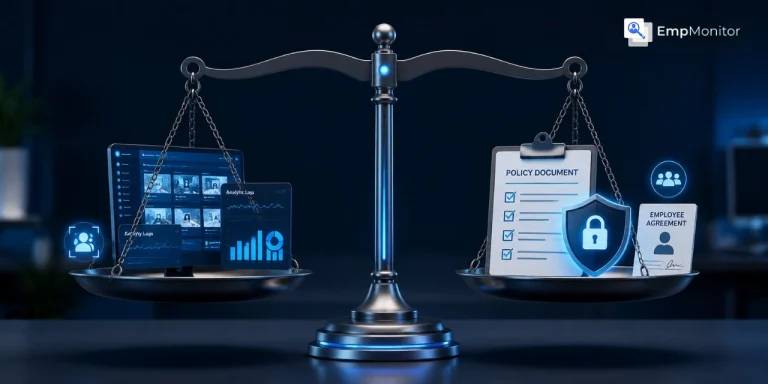
Most companies that get burned by stealth monitoring don’t get burned by the software. They get burned by a single missing document.
I’ve watched this play out repeatedly. A company deploys monitoring in stealth mode. Then something surfaces: a termination, a legal dispute, an employee complaint. Suddenly IT is scrambling to explain why there’s no written policy covering what was collected, how it was stored, or who could access it. The monitoring itself was legal. The gap was procedural. And that gap is what cost them.
With EmpMonitor now trusted by 15,000+ companies across 100+ countries, and with over 70% of large employers now using digital monitoring tools, this is not a niche problem. It’s the dominant failure mode in workforce monitoring today.
What Stealth Mode Actually Does, and What It Doesn’t Do
Let’s be precise. EmpMonitor’s stealth mode runs invisibly; it won’t appear in the task manager, won’t show in program lists, and employees won’t know the software is installed unless the employer explicitly tells them. Screenshots can be captured as frequently as every 15 seconds, with up to 90 days of screenshots stored and viewable at one time. Keystroke monitoring runs continuously in the background. Real-Time Activities Tracking logs productive versus non-productive hours for the current day and the prior seven days.
That’s a serious data collection capability. And it’s the right tool for genuine use cases: insider threat prevention in banking, forensic evidence collection, data security in hybrid teams handling sensitive information.
What stealth mode does not do is make monitoring legally bulletproof on its own.
The Legal Reality Most Teams Get Wrong
Under U.S. federal law, employers are not required to notify workers about workplace monitoring. That fact gets cited constantly, and constantly misread. “Not required to notify” does not mean “no policy needed.” It means the notification bar is low at the federal level. State law is a different matter entirely.
AI-specific employment laws are now active in California, Illinois, and Maine, with Colorado enforcing by June 30, 2026. These laws don’t just regulate AI; they create documentation requirements around automated data collection that monitoring tools generate. Collecting keystroke data, screenshot sequences, and activity logs with no written policy tying that collection to a business purpose leaves you exposed.
The biggest risks include legal violations, employee trust erosion, and data security breaches, and unlawful monitoring can break federal or state law. Vague or unnecessary tracking also increases legal risk if the data collected can’t be justified by a legitimate business need.
The through-line: stealth capability requires explicit policy justification, not less.
The Framework That Actually Works
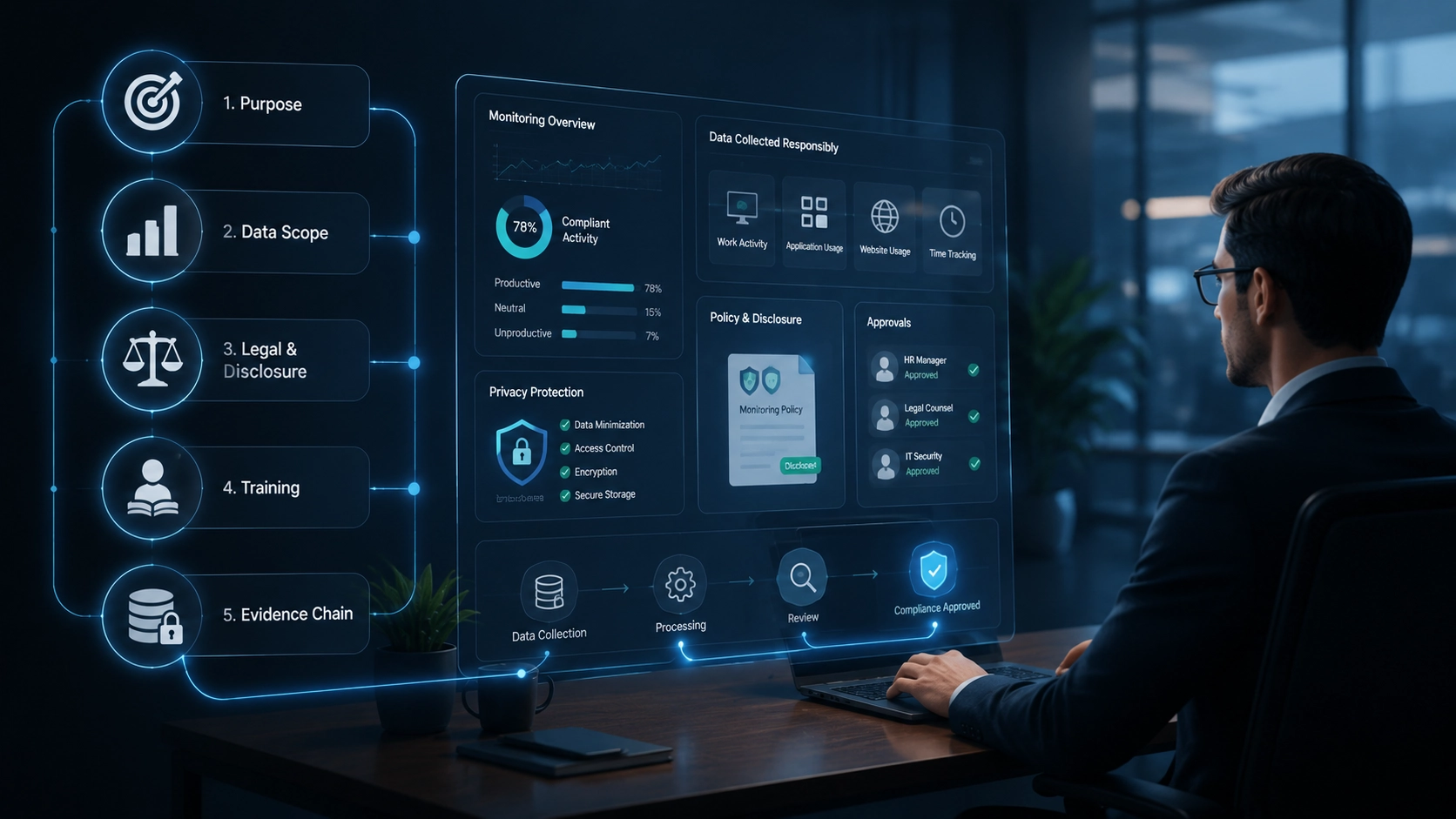
Here’s the sequence I’d follow for any organization deploying stealth or un-stealth monitoring. Each step is mechanical. None of it requires a lawyer on retainer if you do it in order.
Step 1: Define the Business Purpose Before You Install Anything
Write one paragraph, literally one, that explains why monitoring is being deployed. Is it to protect sensitive client data? To track productivity on company-owned devices for remote teams? To create an audit trail for compliance? This paragraph becomes the spine of every other document you write.
If you can’t write that paragraph clearly, you’re not ready to deploy.
Step 2: Scope What You’re Collecting and Why Each Data Type Is Necessary
EmpMonitor captures screenshots, keystroke activity, login/logout timestamps, app usage, and real-time activity streams. Each serves a specific purpose. Screenshots at a 15-second interval make sense for a call center or a team handling financial data. They may be overkill, and legally harder to justify, for a marketing team writing copy.
Match collection scope to business purpose. Document the match. If screenshot access is limited to authorized company personnel or the monitored employee, your policy should name who those authorized people are and under what circumstances they can review data.
Step 3: Separate “Legal” from “Disclosed,” Then Choose Your Disclosure Posture
These are two different decisions and they often get collapsed into one, which causes confusion.
Legal: Is your monitoring lawful given your jurisdiction, your employment contracts, and the devices being monitored? Stealth monitoring is legal in most jurisdictions when employees are informed in advance through their employment contract or IT policy, and deployed only on company-owned devices.
Disclosed: Have you told employees? Our own research recommends sharing monitoring policies in company handouts and notifying employees, not as a legal requirement, but because disclosure itself acts as a natural deterrent. An employee who knows their screen activity is logged behaves differently. That deterrent effect has real value for productivity and data security goals.
Some organizations choose stealth mode precisely because they want behavior captured without the Hawthorne effect skewing it. That’s a legitimate choice. But even then, the employment contract should contain a general clause about company device monitoring. Invisible software is not the same as undocumented policy.
Step 4: Train Before You Monitor
This step gets skipped constantly. EmpMonitor’s own guidance recommends training both experienced employees and new hires on the dos and don’ts of data handling and file storage before or alongside deploying monitoring tools.
The reason is practical, not philosophical: monitoring surfaces behavior you then have to act on. If employees haven’t been told what “acceptable use” looks like, disciplinary action based on monitoring data becomes much harder to defend.
Train first. Monitor after. Document the training date.
Step 5: Build the Evidence Chain Before You Need It
Employee monitoring data, screenshots, activity logs, can be used as forensic evidence in court. EmpMonitor supports Syslog export to threat analytics platforms and integrates with Active Directory and REST-based APIs for security orchestration. These are not features you configure during an incident. They’re features you configure when you’re calm, so the data chain is intact when you’re not.
If insider threat prevention is a primary use case, and for banking and financial services teams, it should be, set up automatic alerts for suspicious activity now. Define what “suspicious” means in writing before the first alert fires.
The Trust Problem Nobody Wants to Admit
While 68% of employers think monitoring improves work, 72% of employees disagree, saying it has no positive impact. And only 22% of employees know they are being monitored online, a transparency gap with real retention consequences.
Deploying monitoring software without transparency can cause distrust and dissatisfaction in the work environment, and that’s not abstract. When employees discover stealth monitoring that wasn’t disclosed in any policy document, the damage to trust is significantly worse than if the same monitoring had been disclosed upfront. The software wasn’t the problem. The secrecy was.
Stealth mode is a technical feature. Disclosure is a management decision. They’re not the same choice, and conflating them is where most rollouts go wrong.
What Good Looks Like
A well-deployed monitoring program has four documents: a business justification, a data collection scope, an employee-facing policy, and an access control list.
The policy can be brief, a single clause in the employment contract works. The access control list just needs to name who can review collected data and under what circumstances. None of these need to be long. All of them need to exist before the first screenshot is captured.
The productivity argument for monitoring is real. More than 60% of employees use the internet to search for unproductive things during work time, and nearly 25% of all online traffic at a typical company is not work-related. Monitoring gives you the data to address that.
But data without policy is just liability.
For a deeper look at how employee monitoring intersects with legal requirements in your jurisdiction, and the broader framework for building a compliant monitoring program, those are worth reading before you configure anything.
Get the policy layer right first. Then the software does exactly what it’s supposed to do.
Start your free EmpMonitor trial and build a monitoring program that’s defensible from day one, not just technically capable.