Most time-theft crackdowns fail before they start—not because managers lack authority, but because they act on suspicion instead of data. That distinction is the difference between a costly HR dispute and a closed case.
Time theft means receiving pay for hours not actually worked: padded timesheets, buddy punching, extended undocumented breaks, or maintaining the appearance of activity while doing something else entirely. The fastest way to detect it is to compare logged hours against real application and website activity, then verify suspicious patterns with screenshots before anyone says a word.
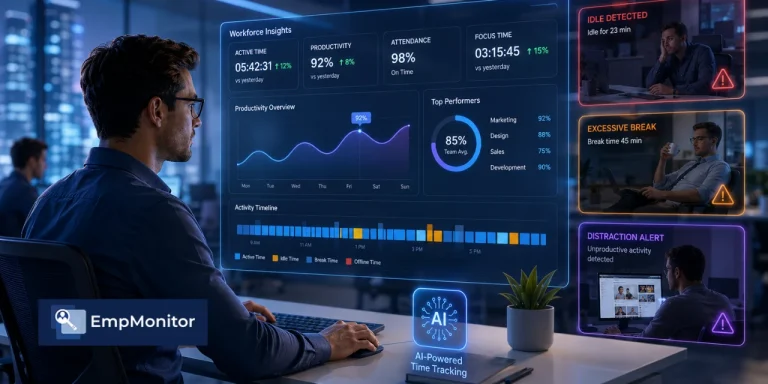
EmpMonitor, trusted by 15,000+ companies across 100+ countries, is built precisely for this workflow—combining real-time activities tracking, screen recording, and role-configurable productivity rules in a single platform. Here is how to run it.
Listen to the podcast!
The 5 Most Common Types of Time Theft
You can’t measure what you can’t name. Time theft surfaces in five recurring patterns:
- Buddy punching: One employee clocks in for an absent colleague. It is nearly impossible to detect manually without biometric verification or location-based controls—a manual timesheet simply shows “present”.
- Timesheet padding: Rounding a 7-hour day to 8, or logging a start time before the first real keystroke.
- Idle-time padding: The clock runs while the keyboard and mouse sit untouched for stretches that never get logged as breaks.
- Personal activity on the clock: Social media, shopping, a side job, or—a vector specific to remote teams—attending a virtual meeting with the camera on and audio muted while attention is entirely elsewhere.
- Digital deception: Auto-click tools, auto-scroll scripts, and unauthorised software used to fake activity on company systems—the remote-era version of leaving a coat on the chair.
Notice the theme: every pattern is a gap between hours claimed and work actually performed. Activity data exposes that gap.
How to Detect Time Theft With Data, Not Gut Feeling
Accusations built on a hunch destroy trust and rarely hold up if disputed. Evidence does. Here is a repeatable four-step detection workflow.
Step 1: Compare Logged Hours to Active Hours
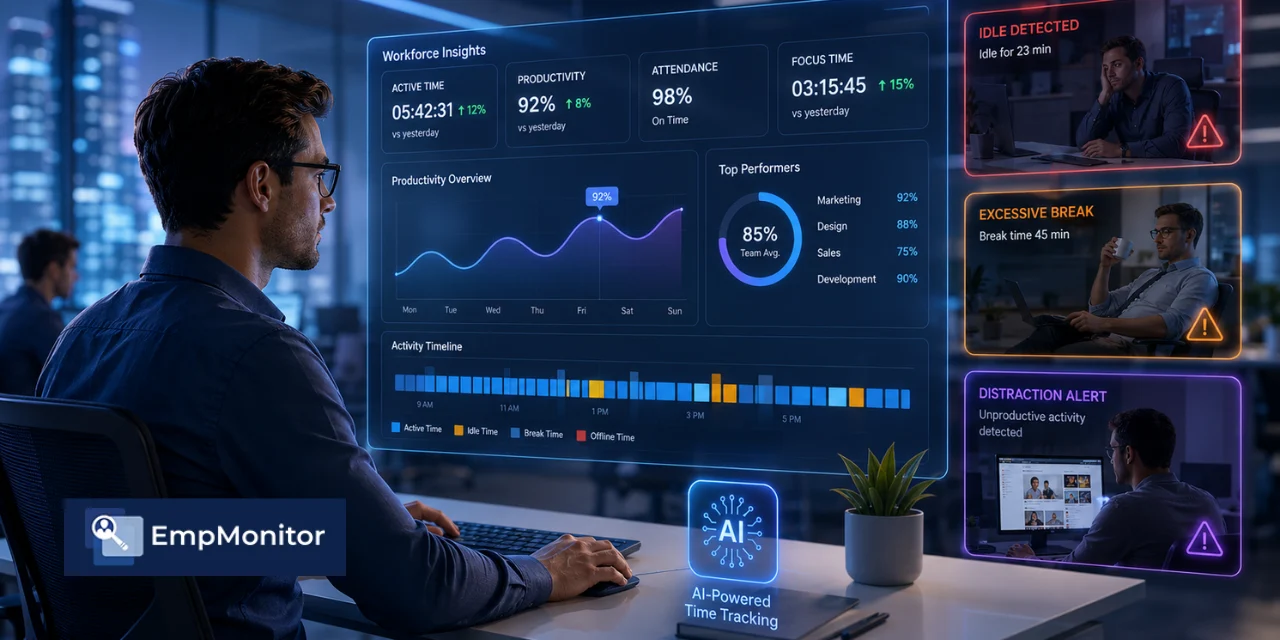
EmpMonitor’s Real-Time Activities Tracking captures active, idle, and offline status throughout the working day. Pull the weekly summary and look at the ratio. If someone logs 40 hours but shows a sustained pattern of high idle time, that gap isn’t automatically theft—meetings and focused reading are real—but it is the first flag worth examining. Consistent patterns across multiple weeks are the meaningful signal; single-day anomalies rarely are.
An employee stealing just 15 minutes of paid time per day accumulates over 60 hours of unworked but paid time annually. Across even a small team, that aggregate loss becomes significant before a single timesheet is questioned.
Step 2: Check the Productivity Classification
EmpMonitor’s dashboard—specifically the Timesheet section, which breaks each employee’s hours into Productive, Idle, and Neutral categories—lets you see not just whether someone was active, but what they were active on. Top applications and websites used appear directly in the dashboard view, sortable by department or individual. A developer splitting eight hours between an IDE and documentation reads as productive; the same hours divided between a streaming service and a betting site does not.
Sort your team by unproductive application time, descending. Outliers surface in seconds. The classification is role-configurable: what counts as unproductive for finance is often legitimate research for a content team, so set the rules per role before drawing conclusions.
Step 3: Verify With Screenshots Before You Act
Raw numbers mislead. A designer scrubbing reference videos looks “unproductive” until you see the screen. EmpMonitor’s Screen Recording captures timestamped screenshots of what was actually on the monitor during any flagged window. This step is non-negotiable: never confront someone on a metric alone.
Evidence types that hold up in time-theft investigations include attendance logs, login/logout records, internet usage reports, task progress reports, and shift records. Screenshots add the visual layer that makes a pattern undeniable rather than arguable. To see how activity data and screen evidence combine into a defensible investigation file, work through the detection workflow before your next review cycle.
Step 4: Cross-Check Attendance Against First Activity
Buddy punching collapses the moment you compare a clock-in timestamp to the first recorded keystroke or application launch. If a punch registers at 9:00 a.m. but the first genuine activity appears at 9:50 a.m. every single day, you have a pattern—not a coincidence. EmpMonitor’s login/logout records and activity timeline make this comparison a two-minute task rather than a manual audit.
A Financial Services Angle: When Payroll Loss Meets Compliance Risk
Financial services is one of the verticals where time theft carries compounded risk—not just payroll loss, but regulatory exposure. The Fair Labor Standards Act (FLSA) requires employers to maintain accurate records of hours worked. As EmpMonitor’s own research flags, inaccurate timekeeping creates legal exposure under wage and hour laws—a named compliance risk, not a technicality. Enforcement actions produce back-pay liability. Financial services firms operate under added scrutiny that makes sloppy records expensive twice over.
The disciplinary escalation framework matters here. Minor violations—first-offense idle padding—warrant a verbal warning and a documented coaching conversation. Repeat offences or active deception—auto-click tools, fake attendance entries—move to written warning, suspension, or termination. The key is evidence at each stage. Without it, even legitimate enforcement becomes legally precarious. For more on how time theft punishment frameworks work in practice, the enforcement side is worth reading before you draft your policy.
How to Prevent Time Theft Before It Starts
Detection is reactive. Prevention is where payroll actually gets recovered. Four practices consistently reduce time theft across remote and hybrid teams:
- Write a clear monitoring policy: Tell employees in writing what activity levels, application and website usage, screenshots why it is tracked, and during which hours. Transparency is both an ethics requirement and a deterrent. A compliant policy documents the definition of time theft, examples of time fraud, consequences per violation, escalation steps, documentation method, manager responsibilities, and termination-level misconduct. People pad timesheets far less when they know the gaps are visible.
- Set idle-time thresholds that match your culture: Configure flagging for idle stretches beyond a sensible limit so short breaks are not punished but extended gaps get logged honestly. Short pauses are human; 90-minute unlogged absences are not.
- Define productivity rules per role: One blanket classification list generates false positives and resentment. Role-based rules cut both problems at once.
- Review weekly, not daily: Trends matter; single days mislead. A weekly cadence catches real patterns without hovering over every hour—which corrodes trust with honest employees faster than anything else you can do.
One practice managers consistently underuse: share the dashboard with the team. When employees can see their own active, idle, and productive-time data in EmpMonitor’s timesheet view, self-correction does most of the work before a manager needs to intervene.
Where Managers Get This Wrong
Two mistakes sink most time-theft interventions.
The first is treating activity level as a proxy for output. High mouse movement is not a deliverable. An employee reading documentation quietly is not slacking. Always pair activity data with actual work results. The tool is evidence-gathering, not a performance score.
The second mistake is leading with punishment. Frame the data as a fairness and coaching tool first. Honest employees are effectively subsidising those stealing time—fixing that protects your best people. When you open with that framing instead of “we caught you”, the behaviour you want to change actually changes faster.
According to WorkTime’s 2026 employee monitoring research, 78% of employers now use some form of monitoring, up from 60% before the pandemic. Yet only 22% of employees know they are being monitored online. That transparency gap has real retention consequences—which is exactly why a written policy and shared dashboards are not optional extras. They are how monitoring stays defensible and earns employee trust rather than eroding it.
Read More!
Time Theft Is Costing You Millions: Here’s How to Stop It
Employee Time Theft Punishment: Powerful Tips To Protect Your Workplace
The Bottom Line
Time theft is not a character problem you fix with pep talks. It is a visibility problem. When logged hours, active time, application usage, and timestamped screenshots all live in one place, the gap between “paid” and “worked” becomes obvious, provable, and coachable. You stop guessing, stop hovering, and start making decisions on evidence.
Start your free 15-day EmpMonitor trial and pull your first activity report in under 15 minutes—no credit card required, and the active-vs-idle gap across your team will be visible before the day is out.