**Start your free 15-day trial → to see how this call center guide employee translates into fair, compliant internet monitoring in 2026, aligned with PCI‑DSS and tied to patient privacy under HIPAA.
In addition, clients now ask for proof of “user activity monitoring to ensure compliance with security policies.” They want to know you can spot and stop risky sites, random file shares, or pasting sensitive data into personal tools. As a result, internet monitoring becomes part of your data loss prevention plan, not a “nice to have.”
Furthermore, the browser has become the de facto desktop. Tabs equal tasks. Without real‑time URL tracking and app categorization, you can’t tell productive research from a rabbit hole.
However, the point is not to police breaks. It’s to keep work apps front and center while flagging true risk, like webmail attachments or unknown file transfer sites. Pairing fair monitoring with clear coaching standards helps you improve KPIs like AHT and CSAT while keeping regulated data where it belongs.
“Handled the complex and multifaceted security issues in our company with ease and efficiency.” — Forensic & Legal Master Analyst in Financial Forensics
What “non-negotiable” means in practice
- You need “data security & privacy protection” built in, not bolted on.
- You should have alerts for sites that can move data out, plus tools that “offer data loss prevention capabilities.
- You must prove controls exist during audits, with “custom reports” you can hand to clients and assessors.
Specifically, pick tools that can block web apps and USB data paths when needed, and show a “real‑time dashboard” of active URLs. Then, use those insights to coach, not to catch. This call center guide employee framework below will help you do that with less pushback and more buy‑in.
Step-by-Step: How to Implement Internet Monitoring in Your Call Center

You don’t need to flip a switch for the whole floor on day one. Instead, work a small, steady plan that builds trust and gives clean data. Set expectations up front, define who owns what decision, and time‑box each phase so momentum doesn’t stall.
Step 1: Audit current employee web tool usage
First, map the top 25 sites and apps agents use per queue. Capture time on each, peak hours, and any shadow tools. Moreover, tag anything that could send or store client data. This baseline makes your next choices fair and evidence‑based.
Go beyond raw counts: note which actions happen on each site (upload, download, paste, attach), typical triggers for risky behavior (end of shift, escalations), and the specific browser/VDI context so you can reproduce issues later. Where possible, export logs to a spreadsheet and highlight trends by persona (new hire vs. tenured, onsite vs. WFH).
Also analyze variance by campaign and client requirements. A healthcare queue may interact with portals that have stricter data handling requirements than a retail returns desk. Document these differences now so your allowlist/blocklist and alert thresholds aren’t one‑size‑fits‑none.
- Questions to answer during your audit:
- Which URLs correlate with high‑performing calls?
- Where do uploads and attachments occur outside sanctioned tools?
- What are the top “neutral” destinations that spike during tough calls?
- How does VDI versus local desktop change active/idle accuracy?
Step 2: Define productive vs. non-productive categories
News sites might be “neutral” in low volume. Therefore, make an allowlist for critical apps and a blocklist for real risk. When a site spans both cases (e.
YouTube for training vs. distraction), use sub‑URL or path rules and create time‑boxed exceptions tied to training modules. Document category rationales so managers can explain them consistently to agents.
Consider special cases such as knowledge bases, partner portals, and support communities. Some forums are essential during Tier‑2 escalations but can be time sinks in Tier‑1 queues. Create queue‑specific overrides with expiration dates, and require approvals for any permanent changes so your catalog doesn’t drift.
To reduce friction:
- Map categories to coaching tips (e. g., “product research” → best‑practice search queries).
- Set soft warnings before hard blocks to teach without breaking flow.
- Build a “request access” button that routes to leads for quick, auditable approvals.
Step 3: Set monitoring policies with legal review
Third, write a clear policy with HR and counsel. Include what you track (URL and app tracking, screenshot monitoring, idle time tracking), who can see it (multiple roles & permissions), how long you keep it, and how you use it for coaching. In addition, add a “private time option” for breaks or personal tasks. Define consent and notice requirements by jurisdiction, address works council engagement where applicable, and include a data subject access process for employees who request their records. Clarify how disciplinary actions work and what appeal steps exist.
Spell out boundaries for WFH/hybrid scenarios: working hours only, corporate devices only (unless you run a strict MDM/BYOD program), and a visible indicator when monitoring is active. Include a change‑management clause that promises notice before material policy changes, and include contacts for privacy questions.
Step 4: Choose monitoring software
Fourth, evaluate tools that support a “real‑time dashboard,” web app and USB blocking, and “custom reports.” In addition, look for “alerts and auto email reports” so leads can react fast. Finally, verify data is protected in transit and at rest, and ask about “Compliance and security with SSL, Firewall, IP allowlisting.” Confirm the vendor offers redaction for sensitive fields (e. g., card numbers), SSO/SAML, granular RBAC, and regional data hosting. If you operate in healthcare or finance, request documentation on HIPAA BAAs and PCI‑DSS attestations, plus independent audits (SOC 2, ISO 27001).
Also evaluate the agent experience and ecosystem fit. Test endpoint performance overhead across low‑spec devices and VDI: CPU and memory footprint under load, bandwidth consumed by screenshot uploads, and the impact of continuous URL tracking on softphone quality. Confirm localization and accessibility support, including UI language packs, right‑to‑left scripts, high‑contrast modes, and keyboard navigation for coaches who rely on assistive tech.
Verify export formats (CSV, JSON, PDF) and whether scheduled reports can be watermarked or digitally signed for client evidence packs. Ask about disaster recovery posture (RPO/RTO), tenant isolation controls in multi‑tenant clouds, and secure deletion workflows for offboarding or contract end. If your teams work in multiple languages, ensure search and redaction handle diacritics and non‑Latin scripts consistently so audits aren’t derailed by encoding quirks.
- Advanced evaluation checks:
- Run a synthetic exfiltration test suite in a staging queue (webmail attachments, paste into personal docs, unsanctioned file shares, USB copy) and confirm which policies trigger and how quickly.
- Benchmark end‑to‑end alert latency from endpoint to inbox, Slack/Teams, and SIEM to validate response windows.
- Review the vendor’s secure development lifecycle, release frequency, and third‑party penetration testing cadence; ask for a recent summary.
- Validate softphone focus and on‑call hold detection in split‑screen, multi‑monitor, and VDI scenarios so idle metrics remain fair.
- Confirm you can tag data by client/campaign and enforce data residency and right‑to‑be‑forgotten processing at that granularity for BPO environments.
Step 5: Communicate transparently to employees
Fifth, share the why, the what, and the how. Be honest that monitoring can feel intrusive. However, explain that the goal is fewer manual checks, faster coaching, and safer data. Moreover, show screenshots of what managers see.
Then, confirm that “stealth/un‑stealth mode” will be off unless there’s a legal need. Provide a short privacy FAQ, hold a live Q&A, and give agents a sandbox session so they can see how private time works. Transparency upfront reduces rumor mills and helps champions emerge on each team.
- Communication checklist:
- Plain‑language one‑pager and visual examples of dashboards
- Policy acknowledgement workflow with e‑sign
- Office hours for the first two weeks post‑launch
- Anonymous feedback form for edge cases and suggestions
Step 6: Run a pilot team
Sixth, start with one queue or 15–20 agents across shifts. Therefore, you can test blocks and alerts without breaking workflows. In addition, collect feedback daily.
Ask where a block stopped legit work and where an alert saved a call. Track core metrics during the pilot (AHT, adherence, CSAT, first‑call resolution) and compare to your pre‑pilot baseline. Share pilot wins and misses in a weekly digest so the broader floor sees real examples, not just policy documents.
Step 7: Review data weekly and refine rules
Seventh, meet each week to review top URLs, “idle time tracking” trends, and outliers. Adjust categories and “web app and USB blocking” as needed. Furthermore, roll up “custom reports” for leaders and clients. This is where a “real‑time dashboard” pays off, you can show gains and fix pain fast.
This call center guide employee cadence keeps change steady and fair. As patterns stabilize, formalize exception processes (temporary allowlisting for a shift, approval flows for file sharing) and audit who approved what. Close the loop by publishing what changed and why.
Step 8: Scale, certify, and automate reporting
As your rollout matures, extend controls and evidence gathering to satisfy 2026 client and regulatory audits without reinventing the wheel each quarter. Map your monitoring controls to frameworks (PCI‑DSS, HIPAA, SOC 2, ISO 27001) and create exportable evidence packs.
- Practical ways to scale:
- Automate weekly “Top URLs by queue” and “Policy exceptions approved” reports to leadership and client stakeholders.
- Implement just‑in‑time access for temporary allowlisting with auto‑expiry and owner accountability.
- Use APIs to stream alerts to your SIEM so InfoSec has centralized visibility.
- Schedule quarterly policy reviews with HR, Legal, and Ops to keep alignment as campaigns change.
A simple certification matrix that lists each requirement, your control, the evidence source (report name, dashboard), and the owner shortens audits and reduces back‑and‑forth.
Also Read!
EmpMonitor vs Teramind for Call Centers: Which Is Better for Employee Internet Monitoring?
EmpMonitor vs Hubstaff for Small Businesses: Which Is Better for Employee Internet Monitoring?
5 Mistakes Call Centers Make with Internet Monitoring
You can have the right tool and still get poor results. Here are the traps I see new leads hit, plus how to avoid each one.
Mistake 1: Monitoring without telling employees (legal risk)
If you track in secret, you may violate policy or local law. More importantly, you lose trust. Instead, use un‑stealth mode by default, and disclose what you track.
In addition, log who can access the data. As a result, agents treat the system as shared guardrails, not a gotcha. In 2026, several regions require explicit notice or consent, so use onboarding checklists and e‑sign acknowledgments to document compliance.
- Put transparency into practice:
- Publish data retention periods and access roles internally.
- Let agents view their own activity records where feasible.
- Provide a named privacy contact and response SLA for questions.
Mistake 2: Blocking too aggressively and breaking employee workflows
A hard block on shared tools can spike average handle time. Therefore, pilot blocks and watch the impact on first‑call resolution. Moreover, allow exceptions with “shift scheduling” rules for senior agents or team leads. Then, narrow the blocklist to high‑risk domains and keep research sites “neutral.” Where you must block broadly (e. g., public webmail), give agents approved alternatives (secure file transfer, shared mailboxes) so you don’t create shadow IT.
When in doubt, favor “warn → coach → block.” That sequence teaches the why and preserves trust, while still satisfying audit requirements when a control must be strict.
Mistake 3: Collecting data but never acting on it
Screenshots and URL logs you never read won’t move metrics. Instead, set “alerts and auto email reports” for what matters: unknown file shares, webmail attachment attempts, or spikes in neutral sites. Furthermore, review dashboards daily during the pilot and weekly after rollout. Tie alerts to response playbooks: who investigates, what to document, and when to escalate to InfoSec or Legal. Measure action rates so alerts don’t become noise.
To reinforce action, add a short post‑incident review template (context, root cause, outcome, policy tweak) and share anonymized lessons learned in your weekly digest.
Mistake 4: Treating all shifts identically
Night shift work looks different. Agents may use more online guides when floor support is thin. Therefore, don’t copy day rules to nights.
In addition, use “shift scheduling” to change screenshots or URL sensitivity by hour. As a result, your policy fits the work, not the other way around. Also account for weekend behavior, language queues, and seasonal spikes that drive different browsing patterns.
“Policy fit beats policy force. If your rules ignore the realities of each shift and queue, agents will look for workarounds.”
Mistake 5: Ignoring idle time patterns that signal employee burnout
Not all idle time is slacking. Sometimes it’s stress. Moreover, an agent who toggles tabs and goes idle may be near burnout. Pair “idle time tracking” trends with wellness cues.
For example, recurring late logins can link to employee absenteeism. Therefore, coach with care before you correct. Use patterns as prompts for support (micro‑breaks, schedule tweaks, training refreshers) and get manager enablement in place so data becomes a coaching conversation, not a compliance lecture.
Tools and Features to Look for in Call Center Monitoring Software
You need features that protect data, keep work flowing, and scale with headcount. Here’s the shortlist I coach new managers to evaluate in 2026.
Visibility, privacy, and scale
First, insist on real‑time URL tracking and clear app categorization. If you can’t see what tab is active, you can’t coach. In addition, ask for screenshot capture with smart intervals and redaction options for sensitive fields. Pair that with idle detection that works across browsers and virtual desktops. Consider OCR or marker‑based redaction for card numbers and SSNs so compliance doesn’t require manual review.
The best platforms show active URL, app/category, user, queue, and shift in one place, so coaches can spot friction fast and act without digging.
Second, make sure the platform supports shift‑aware scheduling. You should be able to change tracking, screenshots, and alerts by queue or hour. Moreover, look for “Productivity Measurement” that ties web use to output, not just time. Then, confirm the vendor is “GDPR compliant” and supports “Compliance and security with SSL, Firewall, IP allowlisting.” Verify audit logs are immutable, API access exists for SIEM integration, and that you can segregate data by client for BPO reporting.
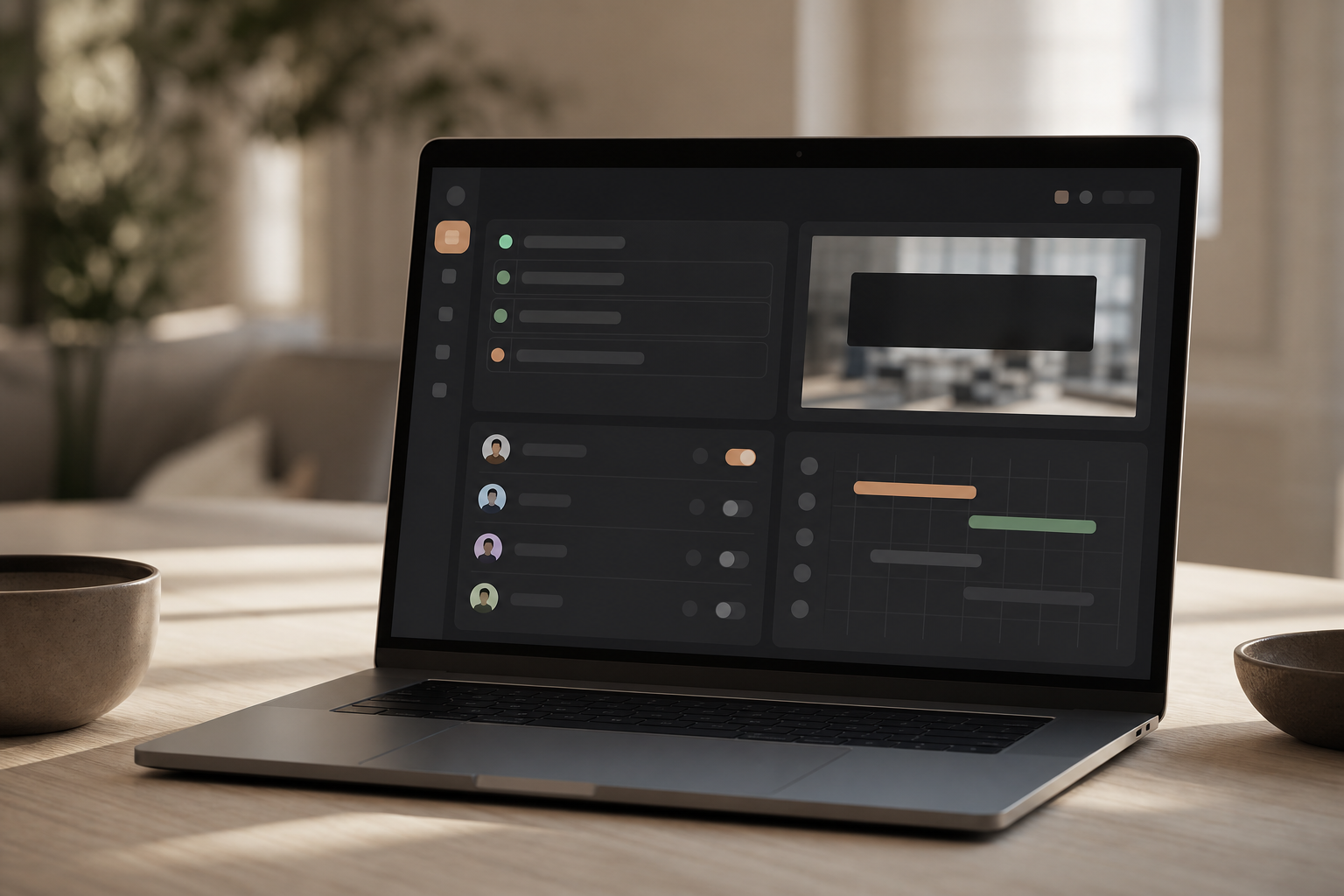
Third, check that pricing scales. Tools like EmpMonitor, Teramind, and ActivTrak are worth a look. For example, EmpMonitor offers Bronze, Silver, and Gold tiers from $9–$12 per user per month with a free 15‑day trial, plus custom pricing above 200 users.
In addition, it’s “Trusted by 15,000+ companies across 100+ countries,” which signals maturity and support depth. Compare per‑endpoint vs. per‑user pricing, minimums, overage fees, and support SLAs so your 2026 budget doesn’t get surprised at renewal.
Features to Prioritize for Call Center Teams
- Real‑time URL and app tracking with a live dashboard
- Screenshot monitoring with redaction and interval control
- Idle time tracking that ignores on‑call hold and softphone focus
- Shift scheduling for nights, weekends, and VIP queues
- Web app and USB blocking with clear exceptions
- Custom reports you can share with clients and auditors
- Role‑based access control (RBAC) and immutable audit logs
- SSO/SAML, MFA, and IP allowlisting to harden access
- API/SIEM integrations for centralized alerting and evidence
- Regional data hosting and data residency options for compliance
- DLP actions that include warn, block, quarantine, and allowlist with expiry
As you compare, ask to see “alerts and auto email reports” in action, not just slides. Furthermore, request a pilot in your environment with real queues. As a result, you’ll see how the tool handles your browser mix, network rules, and VDI quirks. Have vendors run a red‑team style test: attempt a data exfil via webmail, paste into a personal doc tool, and USB copy to confirm your policies actually trigger.
Compliance mappings you can show auditors
- PCI‑DSS: URL/app tracking for cardholder data environments; redacted screenshots; strict role‑based access; retention limits
- HIPAA: PHI redaction; BAAs; access logging; least‑privilege controls; encrypted storage and transport
- SOC 2/ISO 27001: Change management for policies; vendor risk documentation; incident response runbooks; evidence exports
Also Read!
Frequently Asked Questions (FAQ): Employee Internet Monitoring in Call Centers (2026)
Legality and privacy basics
Q1: Is employee internet monitoring legal in call centers in 2026?
A1: Yes, with proper notice and a legitimate business purpose. Laws vary by country and state, but the safest path is explicit disclosure, documented consent where required, role‑based access controls, and data retention limits. Engage legal/HR, update handbooks and onboarding acknowledgments, and consult works councils or unions before rollout in applicable regions. Maintain a record of notices delivered and signed acknowledgments per location.
Q2: What data should we collect, and what should we avoid?
A2: Collect URLs, app titles, timestamps, durations, and high‑level activity states (active/idle). Use screenshots sparingly with redaction for payment or health fields.
Avoid keystroke logging of sensitive data, audio recording of private conversations, or capturing personal email/body content. Default to data minimization: track enough to coach and prove compliance, not everything you could possibly collect. Where possible, pseudonymize data in roll‑up reports.

Q3: How do we respect privacy for WFH or hybrid agents?
A3: Use device‑level profiles and “private time” toggles, schedule monitoring only during working hours, and block monitoring on personal devices if you’re BYOD‑restricted. Provide a clear separation between corporate and personal contexts (e.
managed browser profiles, VDI). Share exactly what managers can and cannot see, and let agents verify their own records via an employee portal where feasible. Post a visible tray icon/status so agents always know when monitoring is active.
Q4: Will monitoring hurt KPIs like AHT and CSAT?
A4: Not if you roll out thoughtfully. Pilot first, measure a baseline, and avoid over‑blocking.
Use monitoring to remove friction (faster access to approved tools, coaching on research efficiency), not to micromanage. Watch AHT, hold times, wrap, and CSAT during the pilot; if any slips, revisit category rules and exceptions. Be prepared to build time‑boxed training playlists in approved tools to replace distracting content sources.
“Monitoring should feel like lane assist, not a speed trap. If KPIs dip, tune rules — don’t just push harder.”
Q5: What should our incident response look like when an alert fires?
A5: Define a playbook: triage (confirm context), contain (temporary block or allowlist change), document (who, what, when, why), and follow‑up (coaching, policy tweak, or escalation). Keep response proportional and respectful, assume good intent unless evidence shows otherwise. Maintain chain‑of‑custody for screenshots/logs if you might need them for audits. Test the playbook quarterly with tabletop exercises and update it after real incidents.
Q6: Do these tools work with VDI and thin clients?
A6: Many do, but test in your stack. Ensure agents on Citrix, VMware Horizon, or Windows Virtual Desktop still register accurate active/idle states, app titles, and URLs. Confirm low‑bandwidth modes for screenshots, and verify that alerts trigger even when sessions hop between hosts. Coordinate with your EUC team to allowlist agents, services, and any required browser extensions.

Q7: How long should we retain monitoring data?
A7: Align retention to legal, contractual, and operational needs, often 90–365 days for routine coaching and 1–2 years for audit/compliance evidence. Shorten where possible, encrypt at rest, and enforce deletion automatically so old data doesn’t create unnecessary risk. Document exceptions (e. g., litigation hold) with owners and expiry dates.
Q8: How can we gain employee buy‑in?
A8: Communicate early, share the policy, show the manager view, run a transparent pilot, and collect feedback openly. Emphasize benefits to agents: fewer manual checks, faster approvals, and protection from accidental policy violations. Recognize teams publicly for safe practices to show the program isn’t just about catching errors. Add a “what we don’t do” section to your FAQ to demystify the boundaries and reduce anxiety.
- Quick tips to boost buy‑in:
- Co‑design category rationales with floor leads and agent reps.
- Share a monthly “wins” reel of anonymized saves (blocked exfil attempts, faster approvals).
- Tie safe browsing habits to positive recognition, not just penalties.
Q9: What terminology should our policies use to stay inclusive and clear?
A9: Favor modern, inclusive language that reduces ambiguity and bias. Use allowlist/blocklist (or allow/deny lists) rather than legacy terms, and prefer primary/replica when describing systems that sync or fail over. Standardize terminology in your handbook and policy templates, run periodic checks for drift in macros and email snippets, and train managers to use the same vocabulary in coaching and QA rubrics. Consistent, inclusive wording improves comprehension for multilingual teams and reduces misinterpretation during audits and client reviews.
See pricing and tiers →
This call center guide employee gave you a plan to protect data, coach with context, and keep agents on side.
- Monitoring is part of compliance. Tie it to PCI‑DSS, HIPAA, and client audits.
- Clarity beats control. Share what you track and why; use un‑stealth by default.
- Start small. Pilot, review weekly, and tune categories before scaling.
- Features matter. Prioritize URL tracking, screenshots, idle detection, and shift‑aware schedules.
- Coach with care. Use data to spot burnout and patterns linked to employee absenteeism, not to nitpick.
This week’s action plan:
- Monday: Audit current browsing and list the top 25 sites per queue.
- Tuesday: Draft the monitoring policy and run it by HR and legal.
- Wednesday: Shortlist three tools and request trials or demos.
- Thursday: Demo two platforms with a pilot team and test alerts, blocks, and reports.
- Friday: Present your plan, policy, and week‑one pilot scope to leadership for a go‑no‑go.
As you roll forward in 2026, anchor each change in clear purpose and respect for your team. Tools that track “user activity monitoring to ensure compliance with security policies,” backed by “data security & privacy protection,” will help you meet audits and coach better. And if you want to try a live dashboard, screenshot monitoring, and shift‑aware schedules without risk, there’s a free trial.
- Real‑time URL tracking: Capturing and classifying the active web address an agent is viewing, with timestamps and durations, so you can distinguish focused research from distraction in the moment.
- App categorization: Grouping apps and web tools into productive, neutral, or unproductive buckets aligned to each queue, plus exceptions for training or escalations.
- Idle time tracking: Detecting when no keyboard/mouse activity occurs (or when a softphone is the foreground app on hold) to separate true idle from legitimate call handling.
- Screenshot monitoring with redaction: Periodic or rule‑based screenshots that automatically blur or block sensitive data (e. g., card numbers, PHI) to meet privacy obligations while retaining coaching context.
- DLP (Data Loss Prevention): Controls and alerts that prevent data from leaving approved channels, including blocks on unsanctioned file shares, public webmail attachments, and USB mass storage.
- RBAC (Role‑Based Access Control): Restricting who can view what data (agent, manager, auditor) with least‑privilege permissions and immutable audit logs.
- SSO/SAML: Single sign‑on integrations that centralize authentication and enforce MFA and session policies for monitoring consoles.
- VDI (Virtual Desktop Infrastructure): Remote desktop environments (e. g., Citrix, VMware Horizon) where the agent’s workspace runs on a server; monitoring tools must still report accurate active/idle and URL details within these sessions.