**Start your free trial today →
You don’t have a staffing crisis; you have a rules and proof problem. The fix is disciplined employee time and attendance tracking tied to your clinical reality. Choose a tool that maps shift types and pay rules first, pilot it in one unit, then train and review monthly. That’s how you control costs, reduce disputes, and stay audit-ready in 2026.
As a healthcare operations lead, you juggle rotating schedules, float pools, and on‑call. Meanwhile, wage-and-hour rules and privacy risk keep rising. Generic time apps gloss over this nuance. You need a plan that respects patient care, protects PHI, and pays people right the first time.
Moreover, tools must align with policy and labor law. For example, the Fair Labor Standards Act (FLSA) sets overtime pay at time-and-a-half after 40 hours in a workweek for non‑exempt staff. You can review the rule at the U.S. Department of Labor’s FLSA Overtime page.
In addition, HIPAA limits who can view staff data if it could link to patient info; the U.S. HHS HIPAA guidance explains your guardrails. Build your rollout around both.
Why Time Tracking in Healthcare Is Uniquely Challenging
Healthcare runs on people, not fixed hours. That makes employee time and attendance tracking hard to standardize. A med-surg nurse’s week is nothing like an on‑call RT or a per‑diem registrar who floats between sites. One policy can’t fit all, yet you still need one source of truth for payroll and audits.
First, rotating shifts break simple “9‑to‑5” logic. Day, evening, night, and split shifts roll across a 24/7 grid. Cross‑midnight punches complicate daily overtime, differentials, and meal breaks. Second, on‑call time must be tracked and paid per policy and law. Standby hours, call‑in minimums, and travel time can change the total due.
Third, per‑diem versus full‑time rules vary. Per‑diem staff may have different shift guarantees, differentials, or bonus pay. Yet, under the FLSA, non‑exempt hours still point to overtime after 40 hours in a workweek. As a result, even small errors cascade into rework, morale hits, and back pay risk.
Moreover, multi‑facility staffing adds layers. Staff float across sites, each with its own holiday list, rounding rules, and job codes. Therefore, your system must support location‑based rules and prevent duplicate punches when someone clocks out at one site and back in across town.
Rotating and On‑Call Complexities
- Cross‑midnight shifts break day-based reporting unless the system supports schedule anchors.
- On‑call needs separate codes for standby, call‑in minimums, and active time.
- Differentials (nights, weekends, holidays) need automatic triggers from the posted schedule.
Finally, HIPAA and privacy concerns limit who can see staff time tied to clinical systems. Role‑based access, audit logs, and encryption are not “nice to have.” They are table stakes. Generic tools without strict roles and data controls create exposure. In fact, a simple “export to Excel” can widen access far past the minimum need‑to‑know.
“Policy first, tooling second” is the only way this works in a hospital. Tools must adapt to your shift types, not the other way around.
For deeper scheduling context, this explainer on staffing and scheduling shows how staffing choices affect cost and productivity in clinical units.
Step-by-Step: How to Implement Time Tracking in Your Healthcare Organization
Strong rollouts start small, prove value, and scale with guardrails. Use this 7‑step path to set up a system that fits clinical life.
- Audit current tracking gaps
Start with facts. Pull last quarter’s timesheets, edits, and pay adjustments. Note where managers correct missed punches, where differentials fail, and where on‑call is mis-coded. Quantify how many hours per pay period you fix by hand. - Map shift types and pay rules
List every shift: day, eve, night, split, cross‑midnight. Add weekend and holiday rules, nurse differentials, and call‑in minimums. Write clear “if‑then” rules (e.g., “If clock hits 23:00–07:00, then night diff”). This is the blueprint employee time and attendance tracking systems must follow. - Define compliance requirements
Document FLSA overtime triggers by workweek. Add state break/meal rules, rounding, and grace. Define who can see which data. Require audit logs, encryption, and IP allowlisting for admin access. Tie this to your HIPAA minimum necessary standard.
Evaluation and Pilot
- Evaluate tools
Shortlist options that do automated time tracking, attendance tracking, and custom reports. Demand multiple roles and permissions so nurse managers can approve time without seeing other departments’ details. Check SSO, MFA, and export controls. Read how modern work time tracking fits hybrid and on‑site staff. - Pilot with one department
Pick a unit with known pain, like ED or peri‑op. Run dual entry for one pay cycle. Compare system totals to payroll. Track time-to-approve, edit rates, and dispute counts. Fix rule gaps, then extend to a second unit. - Train staff
Coach managers on schedule posting, edits, and exception workflows. Teach staff how to clock, attest to meals, and request corrections. Keep job aids simple. Use short videos and a quick “What changed?” handout. - Review reports monthly
Set a cadence. Each month, run variance reports, missed meals, on‑call payouts, and overtime by unit. Share results. Then adjust rules in small increments.
 moving through steps: audit, map rules, compliance, tool evaluation, pilot, training, monthly reviews; simple icons; accessible colors)
What to Measure in the Pilot
- Approvals completed before payroll cutoff (% and hours late)
- Edit rate per 100 shifts and top edit reasons
- Overtime accuracy
- Meal break attestations
Therefore, success looks like fewer edits, faster approvals, and clean overtime math. If the tool demands workarounds, fix the rules or pick a different vendor. Keep the pilot honest; it sets your 2026 baseline.
Also Read!
Best Employee Screenshot Monitoring for Small Businesses in 2026
EmpMonitor vs Kronos (UKG) for Healthcare: Which Is Better for Employee Time Tracking?
5 Common Time Tracking Mistakes Healthcare Organizations Make
In audits, I see the same five traps. They create rework, payroll drift, and compliance risk. Avoid them and you cut noise fast.
First, relying on manual timesheets. Handwritten or spreadsheet hours invite errors and changes with no trail. Without alerts and auto email reports, managers spot issues days late. As a result, payroll scrambles, and staff lose trust.
Second, ignoring break and meal period laws. Missed or late meals must be recorded, not buried. Your system should prompt attestations and flag exceptions. That record protects staff and the hospital.
Third, not tracking on‑call separately. Standby, called time, and travel are not one bucket. If you fail to track them by code, you will mispay. Moreover, FLSA overtime can trip when call‑ins stack late in the week.
Access and Integration Risks
Fourth, choosing tools without role-based access. In healthcare, “everyone sees everything” is not safe. Multiple roles and permissions keep PHI-adjacent data locked down. Compliance and security with SSL, Firewall, and IP allowlisting protect admin portals against off‑network access.
Fifth, failing to integrate with payroll and EHR. If your time tool can’t feed payroll or read the posted schedule, you live in duplicate entry. That’s how edits balloon.
The Shortlist of Pitfalls
- Manual entry with no audit log or alerts
- No meal break attestations or exception workflow
- On‑call bundled with regular hours
- One-size access instead of role-based permissions
- No payroll/EHR links, forcing copy‑paste
Build your fix list from these. Then, align reports to catch them early. Clean inputs make clean payroll. Clean payroll makes fewer grievances. That compound effect pays for the project.
Tools and Features to Look for in Healthcare Time Tracking Software
Start with must‑haves that match hospital life. Shift scheduling must drive the math. Automated overtime calculation should follow your posted workweek and differentials.
Role‑based access must limit who can see unit, site, or individual detail. Compliance reporting should surface missed meals, edits, and approvals. Data encryption in transit and at rest protects staff data.
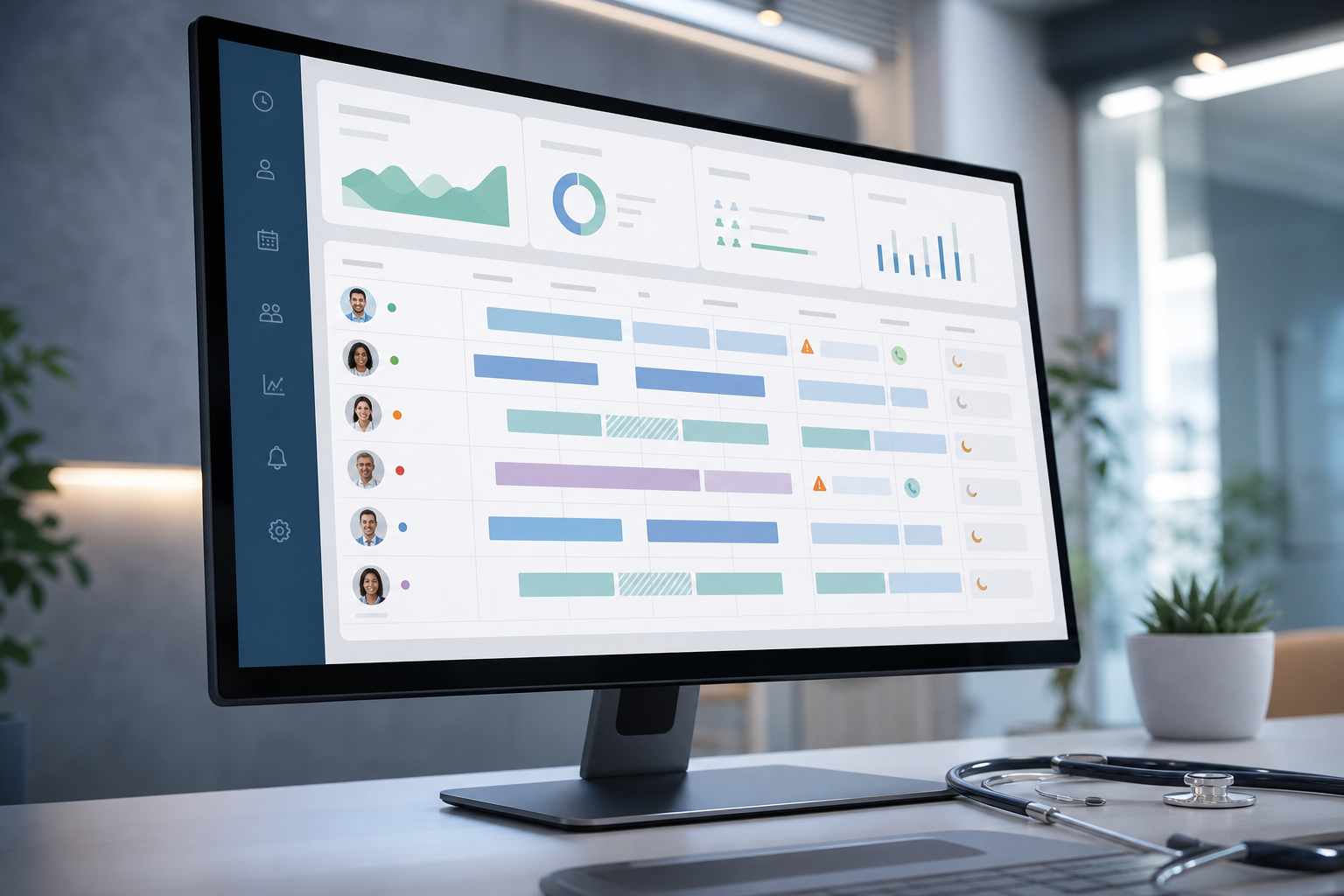
In 2026, a real‑time dashboard is not optional. Nurse managers need live status for who is clocked in, who is on break, and who is close to overtime. Data security and privacy protection features should include SSO, MFA, and export controls. If you operate in the EU or handle EU resident data, check that the vendor is GDPR compliant.
Tools like EmpMonitor are one option to evaluate alongside EHR‑native modules and payroll suites. EmpMonitor offers shift scheduling, automated time tracking, multiple roles and permissions, custom reports, and a real-time dashboard. It also advertises compliance and security with SSL, Firewall, and IP allowlisting. As social proof, it is used by 15,000+ companies across 100+ countries and tracks over 500,000 employees. If you want a quick feel for mobile clocking, this guide on the employee time clock app category helps you compare punch-in flows.
“EmpMonitor has been essential in enabling us to track how each hospital employee is working in general, identify problems quickly, and fix them.” — Medical Sector Clinical Coordinator
Your Must‑Have Checklist
- Shift scheduling that drives rules (not the reverse)
- Automated overtime and differentials from posted schedules
- Role-based access with unit/site scoping and audit logs
- Compliance reporting for missed meals, edits, and approvals
- Data encryption, SSO, MFA, and export controls
For broader context on tooling strategy, see this overview of HR tracking software. And if you manage hybrid teams, this primer on work time tracking explains how to align desktop and on‑site workflows without extra clicks.
Employee time and attendance tracking should feel like part of the workday, not a second job. Fewer taps, clearer rules, and fast approvals are what win adoption.
What to Do This Week: Your Healthcare Time Tracking Action Plan
You can make real progress in five days. Keep it light, focused, and visible to frontline leaders.
- Monday — Audit the present
Pull 60 days of edits, missed meals, and on‑call entries. List the five most frequent fixes and the units involved. Timebox this to two hours. - Tuesday — List pain points
Meet with two nurse managers and one registrar lead. Ask, “Where do we lose time?” and “Which rules are unclear?” Capture exact quotes and screenshots. - Wednesday — Shortlist two tools
Pick two tools that support shift scheduling, automated overtime, role-based access, and compliance reports. Confirm they encrypt data and provide audit logs. If you’re comparing mobile flows, add an employee time clock app candidate. - Thursday — Demo with department leads
Run a 45‑minute demo for a unit with real scenarios: cross‑midnight, on‑call call‑in, missed meal, and float between sites. Score ease-of-use and report clarity. - Friday — Document decision criteria
Write one page: must‑haves, good‑to‑haves, red lines, and how you will measure success in a pilot. Include IT sign‑off needs (SSO/MFA) and payroll/EHR links.
If you need hands‑on time, start a vendor pilot. A Free 15‑day trial is available, which is enough to test a real schedule cycle end‑to‑end with one unit.

**Start your free 15-day trial →
Key Takeaways
- Map your shifts and pay rules first; make the system follow them.
- Track on‑call separately, require meal attestations, and audit edits monthly.
- Use role-based access, encryption, and audit logs to meet HIPAA expectations.
- Pilot in one department, measure edits and approvals, then scale.
- Choose tools with shift scheduling, automated overtime, a real-time dashboard, and GDPR‑level privacy controls.
What to do this week: pick two vendors that match your rules, run a focused demo with real scenarios, and commit to a one‑unit pilot you can judge in 15 days.