The best tools for remote teams track activity on the device in real time, protect privacy by design, and report across time zones with zero network setup. At their core, website and app usage monitoring must work off-network to be reliable, give managers clear trend data, and give employees a private-time switch that earns trust. In 2026, that’s the only way to get clear, defensible insight without turning work into surveillance.
You also need proof that it scales under load and across roles. EmpMonitor is used by 15,000+ companies in 100+ countries and tracks over 500,000 employees globally. Those numbers show the data pipeline and dashboards hold up when your team grows, and when you add more policies, roles, and reports.
But scale is just one side. The other is trust. You need controls for GDPR, clear roles and permissions, and a private-time toggle employees will use.
This guide breaks down the real gaps in distributed work, the criteria that matter, how EmpMonitor solves them, and where competitors fit. You’ll see what to compare, how to roll it out, and how to stay compliant without slowing teams down.

Why Remote Teams Make Internet Monitoring So Difficult
Distributed work breaks the old model. In the office, you owned the network and could see traffic at the firewall. At home, there’s no shared network, so network taps miss the real picture. Device-level insight is the only way to see which URLs and apps get used during work time.
Time zones add a second layer of noise. A spike at 2 a.m. on your dashboard may be normal work time for another region. So, you need shift-aware views and local-time reporting, or you’ll chase false alarms. Without it, a “drop in activity” might only be lunch in São Paulo or school pickup in Sydney.
Personal devices raise real privacy stakes. People switch between work and personal tabs. If monitoring ignores private time, trust erodes fast. The fix is simple in idea and hard in practice: a clear private-time toggle with audit logs so managers see that tracking paused by choice, not by a software break.
Moreover, off-VPN work makes network-based URL logs unreliable. For example, a hotspot, coffee shop Wi‑Fi, or ISP DNS cache can mask domains. Therefore, device agents that record the active URL and foreground app beat network logs that see only encrypted blobs.
The real pain points you’re juggling
- No shared network: VPNs aren’t always on; hotspot use hides traffic from network tools.
- Shifting clocks: A single “office hour” policy won’t fit Manila, Berlin, and Austin at once.
- Work/personal overlap: BYOD and quick personal breaks require a trusted private-time option.
- Trust erosion risk: Secret capture or unclear policy drives shadow IT and device workarounds.
For all of these reasons, website and app usage monitoring that runs on the endpoint is the sane default for remote teams. It sees what matters regardless of Wi‑Fi, and it lets you set fair rules that fit each shift. Most of all, it gives you a way to be transparent, so the policy builds buy‑in, not fear.
To see how this plays out in regulated fields, you can study a practical take in this healthcare-focused guide: website and app usage monitoring for healthcare 2026 3.
What to Look for in Remote Internet Monitoring Software
Modern buyers need a short, strict checklist. First, you want real-time URL and app tracking tied to active window focus time, not just background processes. Second, you need a dashboard that respects local time zones and shifts, so trends match real work, not your HQ clock. Third, idle detection should tell you when keyboards and mice stop moving and when the screen saver kicks in, but without punishing deep work in code or docs.
Privacy and trust controls define long-term success. Stealth and visible modes both have a place, but for remote teams, start visible with clear banners and a private-time toggle. That toggle should pause collection, mark the timeline as private, and resume with one click. This design protects breaks and errands while keeping work data clean. It also reduces pushback when you expand policies to more teams.
Privacy and trust controls to insist on
- Transparent and stealth modes (you choose based on team and risk).
- A private-time option that pauses tracking and logs the pause.
- Multiple roles and permissions to split HR, IT, and team lead access.
- Data minimization: collect what you need to manage work, not more.
Security and compliance can’t be an afterthought. Your tool should be GDPR compliant, encrypt data in transit (SSL), and support firewall and IP allowlisting for admin access. Moreover, alerts and reports should be configurable so managers get what they need without oversharing PII. If you work in finance, healthcare, or forensics, you’ll also want data loss prevention, USB blocklists, and user behavior analytics to investigate risky patterns with clear audit trails.
Scale and cost that won’t bite later
- Per-seat pricing with tiers you can explain to finance.
- A free trial so you can test with real shifts and policy rules.
- Custom reports that leaders can scan in a minute, not a morning.
- Support that answers at odd hours — your team is global.
As you compare options, map these criteria to each team’s work. For a small remote shop, a quick primer like this helps: website and app usage monitoring small biz guide 2026.
And as you evaluate, make sure your finalists mention idle time tracking, cross-timezone dashboards, and private-time in plain language, not buried in footnotes. Finally, say out loud how you’ll use it. If the explanation sounds fair and clear to an engineer and an HR partner, you’re on the right track.
Also Read!
Healthcare Guide to Employee Time Tracking: How to Choose and Implement the Right System
Best Employee Screenshot Monitoring for Small Businesses in 2026
How EmpMonitor Tracks Internet Usage Across Remote Teams
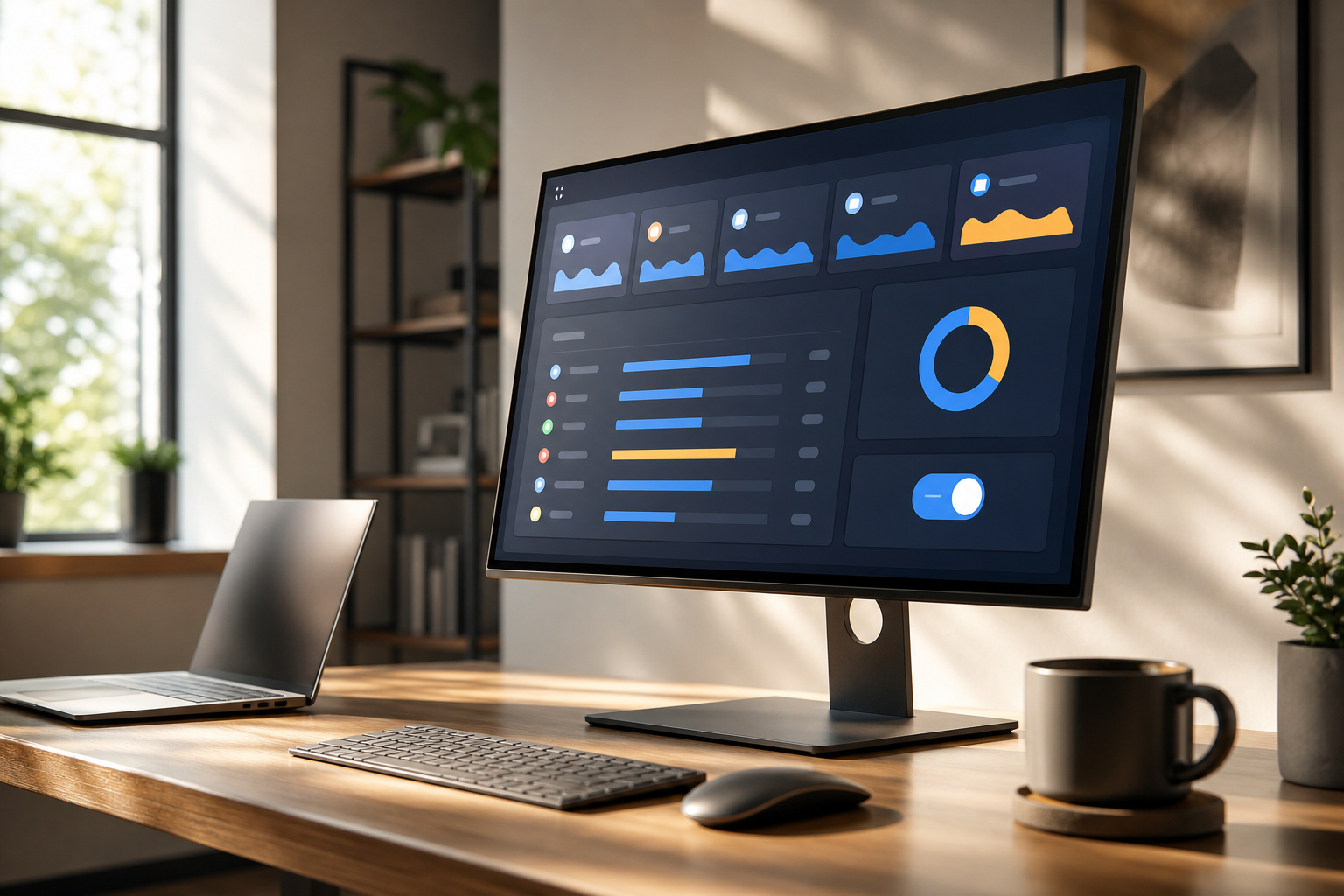
EmpMonitor installs a lightweight agent on each device. It records active URLs and apps tied to the user’s foreground window, then streams those events to a real-time dashboard. You can watch live activity for urgent cases or review trends by person, team, or project to see where work hours go. Because this is device-based, it works the same on home Wi‑Fi, a VPN, or a hotspot.
Idle time tracking separates no-keyboard time from active work. That means you won’t confuse a coffee break with focus time in a terminal window. In addition, automatic screenshots provide context at set intervals you control. Managers can review them for coaching or policy checks, while privacy controls ensure private-time is never captured. If you need stricter guardrails, web app and USB blocking help stop risky sites and device use before data leaves.
Alerts and auto email reports cut the noise for busy leads. For example, you can send a weekly digest to a team lead with top URLs, top apps, and time-on-task trends. Or you can alert security if someone launches a sensitive app outside their shift. Because the dashboard updates in real time, ops can jump in without waiting for the next sync.
"Simplified the management of the entire workforce by 80% in terms of workforce, time, and effort." — Ashwin Kumar, Chief Project Coordinator
Unlike alternatives that lean on GPS or field-team tracking, EmpMonitor’s strength is clear visibility into digital work. URLs, apps, screens, and time, with controls built for desk-based and hybrid roles. Compared to analytics-only tools, you also get enforcement options like web app and USB blocking when policy demands it. Teams that need proof of scale will care that EmpMonitor tracks over 500,000 employees globally and is trusted by 15,000+ companies across 100+ countries. Those signals matter in 2026 when you roll this out across hundreds of endpoints.
Moreover, the private-time option and Stealth/Un-stealth mode let you choose the right tone per team. Start visible to build trust. Then, where policy requires silent enforcement, move select devices to stealth with approvals and audit logs. It’s flexible without being loose.
**See pricing per seat →
EmpMonitor vs Hubstaff vs ActivTrak: Which Fits Remote Teams Best?
Choosing a fit is about use case, not brand hype. EmpMonitor focuses on digital work visibility and policy control. Hubstaff suits GPS-tracked field teams.
ActivTrak excels at productivity analytics and coaching. All three can help with remote oversight, but they differ in depth of URL tracking, screenshots, privacy controls, and pricing models.
Here is a practical, buyer-first view of what to compare. We fill EmpMonitor cells with verified details and note where you should confirm vendor docs for the others before you buy.
| Criteria | EmpMonitor | Hubstaff | ActivTrak |
|---|---|---|---|
| URL tracking depth | URL and app tracking | Confirm in vendor docs | Confirm in vendor docs |
| Screenshot frequency | Automatic screenshots (admin-set intervals) | Confirm in vendor docs | Confirm in vendor docs |
| Stealth options | Stealth/Un-stealth mode | Confirm in vendor docs | Confirm in vendor docs |
| Privacy toggles | Private time option | Confirm in vendor docs | Confirm in vendor docs |
| GDPR stance | GDPR compliant | Confirm in vendor docs | Confirm in vendor docs |
| Web/App/USB blocking | Web app and USB blocking | Confirm in vendor docs | Confirm in vendor docs |
| Real-time dashboard | Real-time dashboard | Confirm in vendor docs | Confirm in vendor docs |
| Pricing per user | Bronze: $11/user/month paid yearly | Varies by plan | Varies by plan |
| Trial | Free 15-day trial available | Check vendor site | Check vendor site |
| Best for | Digital work visibility with policy control | GPS-tracked field teams | Productivity analytics and coaching |
Compared to alternatives, EmpMonitor gives you enforcement controls alongside reporting. That matters if you need to block risky sites for finance, healthcare, or contact center work. By contrast, if your team spends the day on the road, Hubstaff’s GPS features likely beat everyone. And if your main goal is to analyze patterns for coaching, ActivTrak’s analytics may suit leads who prefer scorecards to screenshots.
How to use this table
- Match strengths to your work: desk-based vs field vs analytics-led.
- List must-haves: private-time, GDPR, idle detection, real-time dashboard.
- Confirm any “Confirm in vendor docs” cells before you shortlist.
- Pilot two tools side by side for one full pay period.

Trust, Security, and Compliance Credentials
Security and compliance are table stakes. EmpMonitor is GDPR compliant and supports SSL encryption, firewall rules, and IP allowlisting for admin access. For teams that handle sensitive data, you can add data loss prevention features, USB restrictions, and user behavior analytics to spot risky patterns and support forensic reviews.
If you need to cite policy, the European Union’s official GDPR pages outline the legal basis for monitoring and data minimization principles. See the overview here: General Data Protection Regulation on europa.eu. Build your policy around transparency, purpose, and the private-time control, and you’ll align your practice with the law.
Moreover, scale and support matter for rollout risk. EmpMonitor is trusted by 15,000+ companies across 100+ countries, and 76% of businesses rely on EmpMonitor for a smooth management process. Finance and forensics teams report tight response windows; one finance user said they “improved time to acknowledge mishaps to just under 5 minutes.” For a global team, 24/7 customer support means you can resolve setup issues during APAC shifts without waiting for US hours.
Controls at a glance
- Compliance and security with SSL, firewall, and IP allowlisting
- Data loss prevention, web app and USB blocking
- User behavior analytics and forensic support
- Multiple roles and permissions with least-privilege access
These guardrails, paired with clear communication, turn monitoring into a fair, consistent process. They also make website and app usage monitoring palatable to employees who value privacy, because they can see the rules and use private-time when they step away.
Also Read!
EmpMonitor vs Kronos (UKG) for Healthcare: Which Is Better for Employee Time Tracking?
How to Roll Out Internet Monitoring for Your Remote Team
A thoughtful rollout beats a fast one. Start with policy clarity, not software settings. Explain what you collect, why you collect it, when private-time is okay, and who can see reports. Then layer in features like URL categories, alert thresholds, and weekly summaries. This approach builds trust and gives you cleaner data.
A step-by-step rollout plan
- Publish a clear policy: Define scope, purpose, retention, and private-time rules with HR and Legal sign-off.
- Start in visible mode: Deploy the agent with a tray icon and a simple “tracking is on” indicator.
- Enable private-time: Train people to use it during breaks and personal tasks; audit logs show pause/resume.
- Configure URL categories: Mark allowed, neutral, and blocked sites; set exceptions for roles that need access.
- Set alerts and reports: Email managers weekly trend reports; alert security on policy triggers only.
- Pilot for two weeks: Use two teams across time zones; review idle thresholds and screenshot cadence.
- Expand with roles: Add multiple roles and permissions so leads see only their teams.
As you scale, schedule a follow-up for week four to share results with employees. Show what changed and why. That transparency builds buy-in and creates space to adjust blocklists or thresholds that are too strict.

If you want help, EmpMonitor offers personalized onboarding alongside a Free 15-day trial, so you can test on real shifts before you commit. The combination of roles and permissions, a private-time option, and alerts makes the system flexible without losing oversight.
 and the 7 rollout steps; brand-neutral, accessible design)
Frequently Asked Questions
How much does employee internet monitoring software cost for remote teams?
EmpMonitor starts at $11/user/month on the Bronze plan when paid yearly and $12/user/month when paid monthly for 1–10 users. The Silver plan is $10/user/month paid yearly ($11 monthly) for 11–50 users, and the Gold plan is $9/user/month paid yearly ($10 monthly) for 51–200 users. Diamond offers custom pricing for 200+ users. A free 15-day trial lets you test before committing on any plan.
Can employees tell they're being monitored?
You choose. EmpMonitor offers both Stealth and Un-stealth (visible) modes. For remote teams, transparent monitoring with a tray icon and a private-time toggle is the better start, because it builds trust while keeping accountability. You can place sensitive endpoints in stealth later if policy requires it, with approvals and audit logs.
Is internet monitoring for remote employees legal under GDPR?
Yes, if you follow GDPR’s principles and local labor laws. EmpMonitor is GDPR compliant and includes a private-time option so employees can pause tracking during breaks. Always base monitoring on a clear purpose, collect only what you need, and disclose it in your employment policies. Consult local counsel to fit national rules.
How accurate is URL and app tracking on personal or home networks?
Accuracy is strong because EmpMonitor’s agent runs on the employee’s device, not the network. It captures the active URL and app data regardless of home Wi‑Fi, VPN, or hotspot use. There’s no need for network-level setup, so you avoid gaps caused by encrypted traffic or off-VPN work.
What are the best alternatives to EmpMonitor for remote internet monitoring?
Hubstaff and ActivTrak are credible alternatives. Hubstaff fits GPS-tracked field teams that need routes and location checks. ActivTrak excels at productivity analytics and coaching for desk-based teams. EmpMonitor aims for deeper URL/app controls and flexible stealth/visible modes with privacy toggles, plus web app and USB blocking.
Does EmpMonitor work across different time zones?
Yes. The real-time dashboard and automated reports adjust to each employee’s local time. Shift scheduling lets you define work hours per team, so alerts and productivity views match when people are actually on the clock. This helps managers in different regions coordinate without noise.
Can I block specific websites for remote employees?
Yes. EmpMonitor includes web app and USB blocking, so you can restrict specific URLs or categories by team or role. You can also combine this with alerts to catch attempts to access blocked sites and send a friendly coaching note or a security notification based on your policy.
How long does it take to set up EmpMonitor for a remote team?
Most teams deploy within a day. The agent installs on employee devices remotely, so you don’t need on-site IT visits. A personalized onboarding session helps you set roles, private-time defaults, and first alerts. With 24/7 support, you can finish rollout across time zones without waiting.
Wrapping Up: Choosing Internet Monitoring That Builds Trust
You need a tool that works off-network, respects privacy, and reports by local time. That’s the baseline for remote teams in 2026. From there, the real wins come from clean design choices: a private-time toggle people will actually use, clear visible mode to start, and alerts that flag risk without spamming managers.
EmpMonitor brings those pieces together with URL and app tracking, idle detection, automatic screenshots, web app and USB blocking, and real-time dashboards. It’s also backed by scale signals, trusted by 15,000+ companies across 100+ countries and tracking over 500,000 employees, and by support that runs 24/7. Competitors have strengths too: Hubstaff for GPS-heavy field work, ActivTrak for analytics-first coaching. Your best move is a side-by-side pilot for one full pay period.
If you pair fair rules with the right features, your teams will see monitoring as a guardrail, not a drag. That keeps trust high, cuts risk, and gives you clear, useful insight into how work gets done across time zones.