**Start your free trial today →
Tracking logins won’t fix shrinkage or missed SLAs. Clear states, tied to your ACD and shift rules, will. This guide shows how to set up employee time and attendance tracking for a call center with a simple model you can launch this week. You’ll map work states (ready, in-call, wrap, break), enforce shift and break compliance, and connect the data to schedules and payroll. By the end, you’ll have a repeatable playbook for 2026 and beyond.
Agents push back if tracking feels like surveillance. I get it. I’ve rolled this out across teams with rotating shifts, high attrition, and multi-channel queues. The trick is to measure the work, not the person. You align states to what the job already requires, show agents their own data, and remove manual timesheets that invite “buddy punching.” Do that, and tracking becomes a tool to earn schedule fairness and faster coaching.
Here’s the short answer: define the few states that matter, capture them automatically, enforce shifts and breaks in the same system, and train supervisors to coach on data, not vibes. Everything below expands that, step by step.

Why Time Tracking in Call Centers Is Fundamentally Different
Generic “time at keyboard” tools miss the core of call center work. Your agents live in queues, not projects. Shifts rotate.
Queues spike. Wrap time varies by process and channel. As a result, you need to track what happens between “I’m scheduled” and “I’m paid” with more nuance than a simple punch clock.
Core differences to account for
- Shift rotations and high attrition demand low-friction onboarding. New hires must be trackable on day one without a 30-minute setup. Moreover, you need attendance data tied to shift rules, not just device logins. If someone logs in 10 minutes late but joins the queue on time, should that count as late? Define it up front, and your attendance tracking will match how work really runs.
- Break compliance is not optional when volume spikes. However, breaks should auto-track from the same toolbar or ACD status, not a separate app. Otherwise you chase mismatched logs.
- After-call work (ACW/wrap) is real work. Ignoring it punishes agents who handle complex contacts. Track wrap as its own state with a target range by process.
- Idle vs. active time matters more than total hours. For phone, chat, and email, idle can be “available but no contact,” “system idle,” or “not ready.” These are different. Specifically, you want to distinguish “ready but no route” from “away without approval” so workforce management can fix staffing, not blame agents.
- Multi-channel workflows raise the bar. A voice-only queue is simple. Add two concurrent chats and backlogged emails, and your “time on task” must handle overlaps. Therefore, your tool should record per-channel active time and reconcile overlaps into one paid timeline.
Where generic tracking tools miss
- They record login time, not queue-ready time tied to shift rules.
- They lack idle time tracking that distinguishes “ready” from “away.
- They ignore after-call work or lump it into “idle.
- They rely on manual timesheets that enable buddy punching.
- They can’t model multi-shift overlaps or cross-queue pulls.
For context, Workforce management principles assume you map states to demand and supply. Your tracking should do the same. Build the data model around contact states, not around keystrokes.
“Simplified the management of the entire workforce by 80% in terms of workforce, time, and effort.” — Ashwin Kumar, Chief Project Coordinator
Step-by-Step: Implementing Time Tracking in Your Call Center
You don’t need a six-month project. You need seven crisp moves that your leads can run this week. As you go, share quick wins with agents so the change feels fair and useful.
Step 1: Audit your current time and attendance data
Pull last 2–4 weeks. Compare scheduled vs. attended vs.
ACD-ready time. Then scan for gaps: late logins that aren’t “not ready,” wrap time missing for certain teams, or inconsistent break codes. As a primer, this explainer on work time tracking can help you frame the basics with your HR partner.
Step 2: Define trackable states that match the work
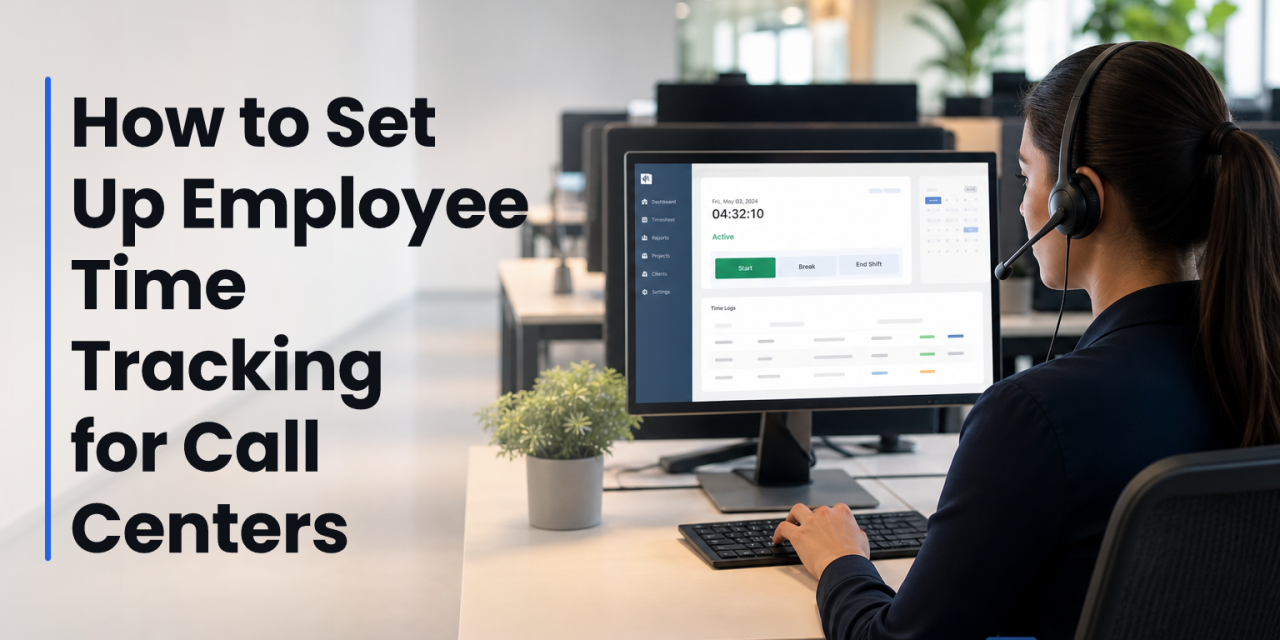
Keep the list tight. For voice: Login, Ready, In-Call, Hold, After-Call Work, Break, Meeting/Training, Not Ready (reason-coded), and System Idle. For chat/email: add Active Chat, Concurrent Chat Count, and Email Handling. Moreover, set target ranges (e.g., wrap 30–90 seconds for Tier 1) per queue.
Step 3: Choose automated vs. manual capture (bias for auto)
Automated time tracking tied to your ACD/CCaaS is the baseline. Allow manual edits with supervisor approval for edge cases (system outage, training offsite). Furthermore, log every override with a reason and timestamp to protect payroll accuracy and agent trust.
 auditing a dashboard, 2) defining states on a whiteboard, 3) integrating with ACD/WFM, 4) training agents at a small stand-up; clean UI mock style)
Step 4: Configure shift scheduling rules before you enforce them
Define how “on time” works in your shop. Is it “logged in” or “queue-ready”? Set grace windows (e.g., 3 minutes). Then map breaks by shift length and lock reason codes to break types. For complex rosters, keep this resource on staffing and scheduling handy for capacity trade-offs.
Step 5: Set break policies and idle thresholds
Write it plain: break length, max wrap per call, and idle thresholds that trigger an alert. For example, alert at 6 minutes in Not Ready; auto-flag 90+ seconds of System Idle during live chat. Additionally, teach leads to review these flags in their real-time dashboard huddles.
Step 6: Integrate with your ACD and WFM
Connect states to your ACD (e.g., Ready, In-Call, ACW) and push summarized attendance back to WFM/payroll. Therefore, one timeline drives scheduling, adherence, and pay. If you also run a project tool for back-office work, avoid double-counting by letting ACD events take priority.
Step 7: Train agents and leads with real examples
Run a 30-minute stand-up. Show a good day timeline, a day with long wrap, and a day with missed breaks. Then agree on what “fair” looks like. In addition, give agents access to their own time cards. People fix what they can see.
As you lock this in, ensure multiple roles & permissions are clean: agents see their own time; team leads see their team; QA sees only what they need; payroll gets roll-ups. Finally, use a real-time dashboard in your daily stand-up so everyone coaches to the same facts.
Also Read!
5 Mistakes Call Centers Make with Time Tracking
Call centers don’t fail at tracking because they don’t care. They fail because the model is off by a few key choices. Fix these and you’ll see near-term gains in adherence and coaching quality.
Mistake 1: Tracking logins, not time in real work
A device login is not “ready to take calls.” Tie “on time” to ACD-ready status. Then you’ll measure what customers feel, not what IT sees. This shift anchors employee time and attendance tracking in actual service.
Mistake 2: Ignoring after-call work (wrap)
Wrap time is an earned part of a contact. If you don’t track it, agents race and quality drops. Instead, track wrap per call and per agent. Moreover, coach outliers with examples, not averages.
Mistake 3: No idle-time distinction
“Idle” splits into system idle, ready-without-traffic, and not ready. Lumping them kills insight. Therefore, use real-time activity tracking to separate these states and reduce false coaching.
Mistake 4: Manual timesheets that invite buddy punching
If agents can punch each other in or edit time without logs, you will pay for hours not worked. Use automated capture with supervised edits. In addition, keep an audit trail for payroll and HR.
Mistake 5: Missing multi-shift overlaps
Many centers run handoffs, overtime, and split shifts. If your tool can’t reconcile overlaps, totals drift. As a result, productivity calculation gets noisy and trust erodes. Configure clear shift boundaries and rules for paid overlap.
Tools and Software Worth Evaluating
You don’t need a single “do everything” suite. You need a clear stack: auto time capture tied to your ACD, shift scheduling, idle detection, screenshot verification (when warranted and lawful), alerts, and a real-time dashboard. Then you can export clean data for HR and payroll.
Tools like EmpMonitor offer automatic time tracking, URL/app tracking, idle time tracking, screenshot monitoring, real-time dashboards, custom reports, alerts, and auto email reports. In addition, look for multiple roles & permissions so team leads can coach live without IT help. If you need an HR view of records and audits, this primer on hr tracking software is a good cross-check list.
Furthermore, ensure the tool is GDPR compliant and supports security controls like SSL encryption, firewall hardening, and IP allowlisting. For centers that handle payment or health data, run changes through legal and InfoSec before go-live. Screenshot monitoring should come with a “private time” option and clear policy text.
You may already run a WFM platform (Kronos, NICE WFM, Genesys WEM). That’s fine. Keep WFM for forecasting and scheduling, and pair it with automated capture for work states if your WFM lacks granular idle or wrap tracking. As a result, adherence, forecasting, and payroll all feed from the same timeline without duplicate data entry.
What to Do This Week: Your 5-Day Rollout Checklist
You can make real progress in five workdays. Keep it light, visible, and fair. Share what you change, and why, each day.
Day 1 — Audit time data and define success
Pull two weeks of schedules, attendance, and ACD states. Spot three gaps you will fix (e.g., wrap missing on chat, break codes misused, late “ready” vs. on-time logins). Then write the one metric you’ll move first, like “cut Not Ready over 6 minutes by 50%.
Day 2 — Shortlist tools and policy needs
List must-haves: automated time capture tied to ACD, idle detection, shift scheduling, alerts, and real-time dashboards. Add privacy needs: GDPR compliant, private time toggle, and audit logs. For context, share this guide on Best Employee Productivity Tracking for Call Centers in 2026 with your leads.
Day 3 — Pilot one team with clear states
Pick one queue. Configure states: Ready, In-Call, Wrap, Break, Not Ready (reason), System Idle. Then run the pilot for one shift. Moreover, validate that employee time and attendance tracking reflects what agents actually did, not just what the device saw.
Day 4 — Gather agent feedback and adjust
Hold a 20-minute retro with the pilot team. Ask: What felt fair? What felt noisy? Where did alerts help or distract? Then adjust thresholds (e.g., wrap targets by process) and clarify break rules in plain language.
Day 5 — Lock policies and train supervisors
Publish a one-page policy with examples. Train leads to coach from the real-time dashboard and daily summaries. Finally, schedule week-two expansion to a second team. As a result, you keep momentum without burning time in a multi-month rollout.

Key Takeaways
- Map a small set of states to real work, and bias toward automated capture tied to your ACD.
- Treat wrap as work, track idle with clear labels, and enforce shift and break rules in one system.
- Give agents visibility into their own time cards to reduce resistance and improve fairness.
- Choose tools with real-time dashboards, alerts, and GDPR-compliant privacy controls.
- Roll out in one week: audit, shortlist, pilot, collect feedback, then train and expand.
Setting up employee time and attendance tracking is not about control. It’s about clean, shared facts that make staffing smarter and coaching faster. Build the model around your queues, and the data will work for both your agents and your customers.