
Insider threat and data loss prevention are now core to how small teams protect their work. For small teams in 2026, the practical answer is simple: choose software that joins real-time tracking, screenshots, keystrokes, USB and web blocking, built-in DLP, fast alerts, and clear per-user pricing. That full checklist narrows the field fast, and EmpMonitor stands out on value for SMB budgets.
Moreover, you face a people problem, not just a tech problem. With fewer admins and less time, you need proof when something goes wrong and a way to act in minutes, not days. EmpMonitor already supports 15,000+ companies across 100+ countries and tracks over 500,000 employees. Those numbers show the stack can scale, but what matters is this: it must be quick to set up, easy to read, and fair on price.
Why Small Businesses Are Prime Targets for Insider Threats
Small businesses tend to run lean. You trust your team, share access broadly, and move fast. That speed is your edge, but it also opens doors for mistakes and misuse. A single file moved to a personal drive can create days of cleanup. A private client list pasted into a chat tool can spark losses and legal risk.
Furthermore, your stack likely has fewer layers. You might not have a full SIEM, a DLP gateway, or a 24/7 security team. People wear many hats, and access reviews slip.
That’s normal. However, insiders, regular staff, contractors, or even former employees with still-active accounts, can move data in plain sight. Even well-meaning people can break policy when under pressure.
In addition, threats are not always malicious. Fat-finger errors, shadow IT, and weak approvals create silent leaks. Public sources, including Wikipedia’s overview of insider threats, document how common these patterns are across industries. While big enterprises make headlines, small firms feel the hit harder because cash buffers are tight and clients expect quick fixes.
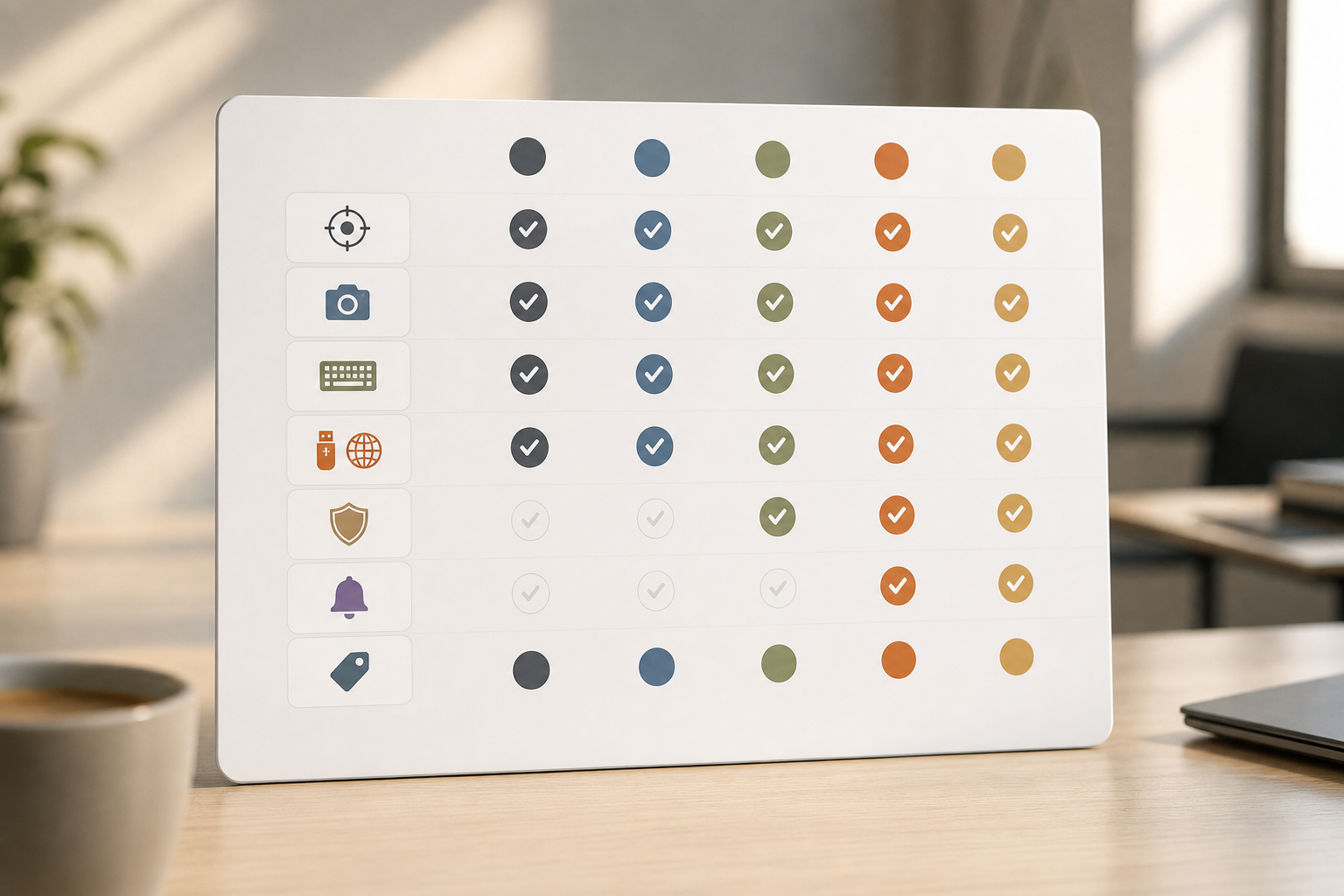
Therefore, you need visibility. You also need proof for HR, legal, clients, or auditors. Logs alone can be vague. Screenshots, keystroke trails, and app/URL history show what happened, who did it, and when. And you need a fast way to stop data leaving, blocking USB, risky apps, or flagged URLs, before harm spreads.
Specifically, insider threat and data loss prevention work best together for small teams. You watch for unsafe actions, you capture what happened, and you stop data exfiltration in the same tool. That blend cuts the time from “we think” to “we know” and helps you act with confidence.
- Common small-business risks you can control quickly:
- Shared logins and old accounts left active
- Files copied to USB or personal cloud
- Sensitive data pasted into chats or web forms
- Side apps used without IT review
What to Look for in Insider Threat Monitoring Software
You don’t need every enterprise bell and whistle. You need the right basics that work on day one. Start with real-time activity tracking.
If you can’t see what’s happening now, you can’t fix it now. Look for live views, active window history, and app/URL tracking tied to each user. You should spot risky behavior and confirm it with one click.
Next, insist on evidence you can share. Screenshots help you show exactly what was on screen at the moment in question. Keystroke logs (used with care) fill gaps. When an employee pastes a client list into a web form, a screenshot plus typed text is hard to dispute. In short, you’ll want both views when you talk to HR or a client.
Moreover, you need controls that stop leaks. Built-in DLP and USB blocking are key here. Blocking risky web apps and removable media shuts common exit paths. Paired with alerts on policy violations, the tool should tell you the “what,” the “who,” and the “where,” and, when needed, prevent the “how” from succeeding. That mix turns passive watching into active protection.
Pricing, Setup, and Ease of Use
For small budgets, per-user pricing matters. Transparent tiers with a low entry price help you start small and grow. In addition, setup should be fast: a lightweight agent, a cloud dashboard, and no on-prem servers. Role-based access is a must so managers can review their teams without seeing data they shouldn’t.
Compliance You Can Explain
Finally, align with your legal and client needs. GDPR compliance matters for any business that has EU clients or staff. Ask about SSL, firewall posture, and IP allowlisting to control who can reach your dashboards. The vendor should explain these in plain terms, not jargon.
As you shortlist tools, insider threat and data loss prevention should appear on the same page in the feature list. If they live in separate modules or products, you’ll spend more time and money to stitch them together.
- Quick evaluation questions:
- Can I see risky actions in real time?
- Do I get screenshots and keystrokes for proof?
- Can I block USB and flagged web apps?
- Are alerts quick and easy to tune?
- Is pricing fair for a 10–50 person team?
- Is the tool GDPR compliant with SSL and IP allowlisting?
Also Read!
How EmpMonitor Protects Small Businesses from Insider Threats
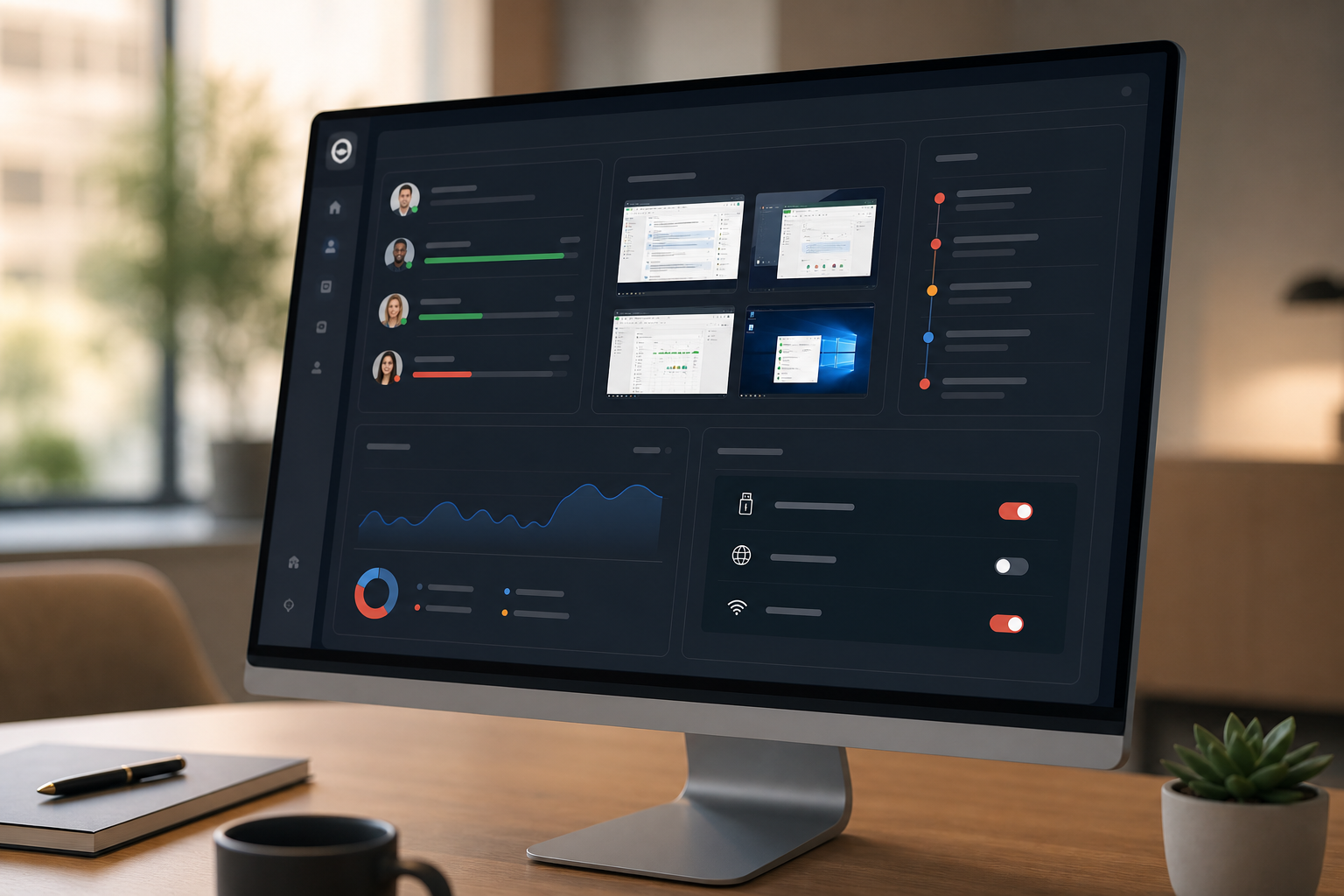
EmpMonitor brings the essentials into one place for small teams. You get user activity monitoring to ensure compliance with security policies, plus a screenshot recorder that shows what was on screen when alerts fired. Real-time tracking and live screencasting let you step in while a risky action is still in progress, not hours later.
In addition, keystroke monitoring fills in context. When a user pastes client data into a web form, the typed text confirms intent. That matters for both coaching and investigation.
Web app and USB blocking stop common exfil paths in the first place. You can allow apps you trust and put risky ones on a blocklist. Likewise, if a user plugs in a thumb drive, the agent can block it before files move.
“Simplified the management of the entire workforce by 80% in terms of workforce, time, and effort.” — Ashwin Kumar, Chief Project Coordinator
EmpMonitor also helps you react faster. Alerts and auto email reports surface issues without a daily hunt through logs. In the Finance sector, one team “improved our time to acknowledge mishaps to just under 5 minutes.”.
Finance Sector Cross-Asset Financial Engineer. That kind of speed is the line between a near-miss and a real breach. With stealth/un-stealth mode, you can run silent during a sensitive review or turn on a visible agent when you want to guide day-to-day habits.
Furthermore, EmpMonitor supports forensic analysis and user behavior analytics. When you need to trace a pattern, say, night-time access to client folders followed by uploads, you can pull a timeline that ties screens, keystrokes, apps, and alerts to the same user. “Handled the complex and multifaceted security issues in our company with ease and efficiency.”. Forensic & Legal Master Analyst in Financial Forensics.
Unlike heavier tools built for large enterprises, EmpMonitor’s dashboard stays clear and quick for small IT teams. Compared to alternatives that split features across add-ons, you get data loss prevention features, monitoring, and controls in one view. That fit matters when you have one admin wearing three hats. As a result, insider threat and data loss prevention work together instead of living in separate windows.
EmpMonitor vs. Teramind and Veriato: Which Fits Small Businesses Best?
All three are capable. The right pick depends on your budget, team size, and how deep you plan to go on analytics. EmpMonitor’s Bronze plan starts at $11/user/month paid yearly, or $12/user/month paid monthly for 1–10 users.
Silver is $10/user/month paid yearly for 11–50 users. A free 15-day trial is available. That pricing is friendly if you’re rolling out to 10–30 seats and want full monitoring with DLP, screenshots, keystrokes, and alerts.
Compared to Teramind, EmpMonitor is simpler to deploy and run day to day. Teramind is known for deeper behavioral rules, but you’ll pay more and spend more time tuning them. If you have a lean IT bench, that extra depth may not pay off. Veriato brings strong risk scoring and historical analysis. However, it can feel heavier and more expensive than what a 20-person team needs for a fast rollout.
“Handled the complex and multifaceted security issues in our company with ease and efficiency.” — Forensic & Legal Master Analyst in Financial Forensics
Moreover, EmpMonitor’s mix of real-time activity, screenshots, keystrokes, and USB/web blocking covers 90% of small-team needs without add-ons. The stealth/un-stealth mode gives you the choice to run quiet for an investigation or stay visible for coaching. Alerts and auto email reports keep you in the loop without a daily login. That mix is ideal if you want proof and prevention without hiring another admin.
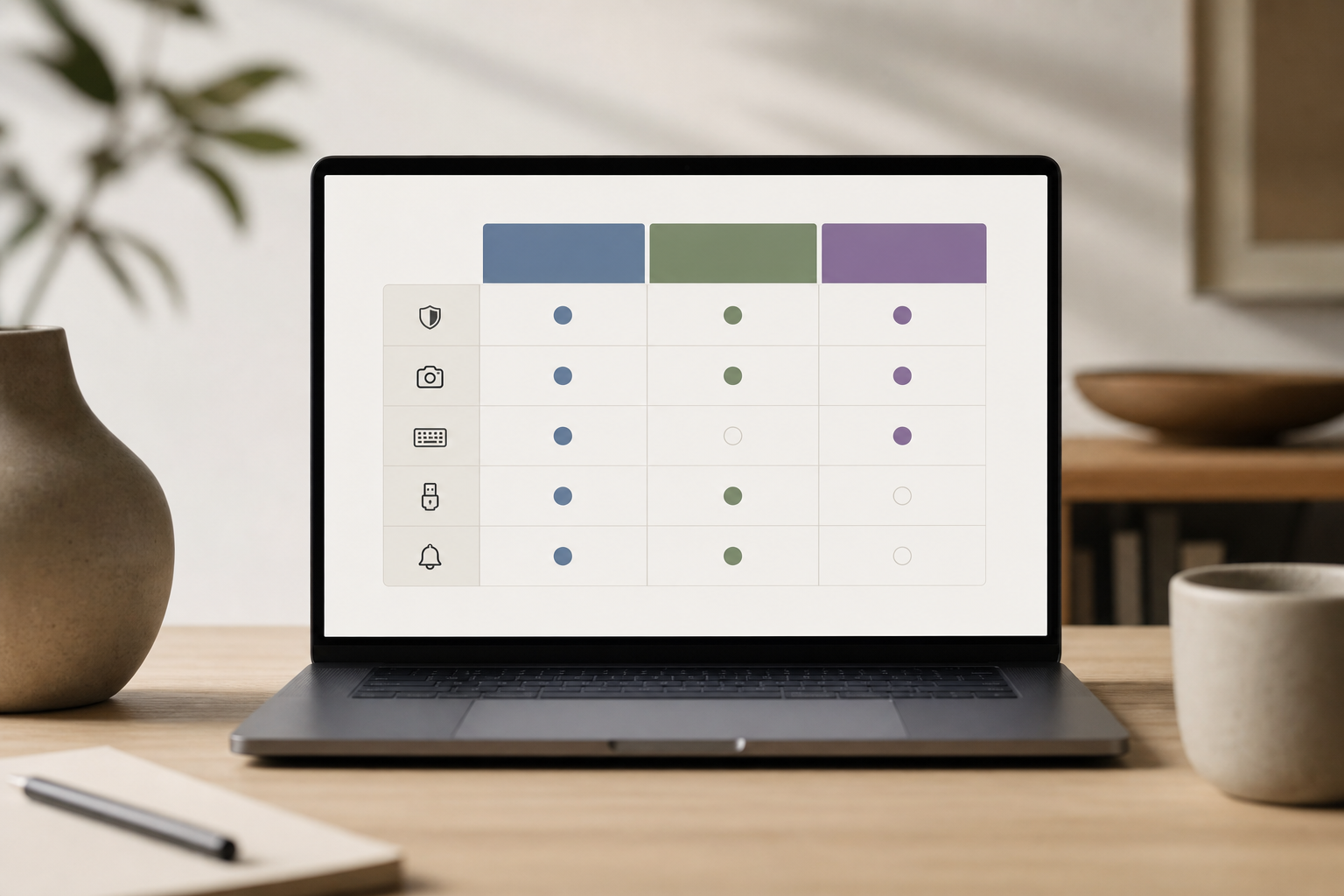
| Factor | EmpMonitor | Teramind | Veriato |
|---|---|---|---|
| SMB Pricing | Bronze $11/user/month (yearly); $12 monthly; Silver $10 (yearly) | Higher at SMB tier | Higher at SMB tier |
| Ease of Setup | Fast cloud setup; lightweight agent | Deeper setup, more tuning | Heavier setup |
| Features Fit | Real-time, screenshots, keystrokes, DLP, USB/web blocking, alerts | Deeper behavioral analytics | Strong risk scoring/history |
| Best For | 10–50 seats needing fast proof + control | Larger teams with analyst time | Teams that want scoring views |
As a result, if you value speed, clear evidence, and predictable cost, EmpMonitor is the safer first pick. If you need advanced behavior engines and have staff to tune them, Teramind is worth a look. If you want a risk-score view and accept a steeper ramp, consider Veriato. Either way, test with real users before you buy. The free 15-day trial makes that easy.
Trust, Compliance, and Proven Scale
Trust comes from clear rules and proof of scale. EmpMonitor is GDPR compliant, which helps you meet privacy duties for staff and clients. For background on the law itself, see the EU’s summary of the General Data Protection Regulation. In practice, you’ll find controls like SSL, a strong firewall posture, and IP allowlisting so only approved networks can reach your dashboards.
Social proof matters too. EmpMonitor is trusted by 15,000+ companies across 100+ countries and tracks over 500,000 employees globally. That spread shows the platform works across industries and team sizes. If you need help at odd hours, 24/7 customer support for all plans means you won’t wait until Monday for an answer.
Furthermore, the brand backs rollout with personalized onboarding when you need it. That support shortens your time to value. If you’ve been burned by tools that looked great in demos but dragged in real life, this is where scale and support pay off. In short, insider threat and data loss prevention features only help if your team can use them fast and with confidence.
Finally, you can run the software in stealth or un-stealth mode to match your culture and policies. With a private time option and roles and permissions, you can balance monitoring and respect for breaks and personal use. That balance builds trust inside your team while keeping clients safe.
Also Read!
Getting Started: Deploying Insider Threat Monitoring in a Small Business
You can start small and get your first results today. Here’s a simple path that works for most teams.
Step 1: Sign up and set roles
First, start your free 15-day trial and create admin and manager roles. Use multiple roles and permissions so only the right people see sensitive data.
Step 2: Install the agents
Second, install the lightweight agent on a pilot group (five to ten seats across functions). Choose stealth or un-stealth mode based on your policy and goals.
Step 3: Set core policies and alerts
Third, create alert rules for risky apps, blocked URLs, and USB use. Enable screenshot capture and keystroke monitoring where allowed. Keep rules tight and clear.
Step 4: Decide on privacy settings
Fourth, turn on the private time option so staff can pause monitoring during personal breaks. Document when and how it can be used.
Step 5: Review the first reports
Fifth, use the real-time dashboard to watch activity and test alerts. Check auto email reports after day one. Adjust thresholds to cut noise.
Step 6: Expand with confidence
Sixth, roll out to the next group once alerts are clean. Share a short guide with your team, including why you monitor and how data is protected.
Moreover, link training to real risks. Use practical stories from your work or these helpful insider threat examples. For controls advice, this overview of a data loss prevention solution explains common paths data takes and how to protect them. As you grow, keep insider threat and data loss prevention joined at the hip so policy and proof stay in sync.

**Start Your Free Trial. No Credit Card →
Frequently Asked Questions

How much does insider threat monitoring cost for a small business?
EmpMonitor starts at $11/user/month (yearly) for 1–10 users, or $12/user/month if you pay monthly at that tier. For a 10-person team, budget about $110/month on a yearly plan. The Silver plan is $10/user/month (yearly) for 11–50 users. A free 15-day trial is available so you can test features and alerts before you commit.
Can EmpMonitor run in stealth mode without employees knowing?
Yes. EmpMonitor offers stealth/un-stealth mode, so you can run silent during a sensitive review. Many small teams use stealth for short, targeted security investigations and switch to visible mode for general productivity coaching. You can change this setting by group to match your policy.
Is insider threat monitoring legal for small businesses?
Yes, when you follow local laws and inform employees as required. EmpMonitor is GDPR compliant and includes a private time option so staff can pause monitoring during personal breaks. Always document your policy, train managers on it, and give employees a clear point of contact for questions.
How does EmpMonitor compare to Teramind for small teams?
EmpMonitor is simpler to deploy and is usually more affordable at SMB seat counts. Teramind offers deeper behavioral analytics, but it comes with higher cost and more tuning work. Both tools include DLP features and screenshots. If you want fast setup and clear per-user pricing, EmpMonitor is the easier first pick.
What types of insider threats can this software actually detect?
EmpMonitor flags data exfiltration paths through USB blocking and risky web/app controls. It also highlights unauthorized app or URL usage, suspicious keystroke patterns, and unusual behavior through user activity monitoring and forensic analysis. You get screenshots and logs that show what happened, who did it, and when.
Do I need an IT team to set up insider threat monitoring?
No. You can deploy EmpMonitor in hours with personalized onboarding and 24/7 support. The cloud dashboard means no servers to manage. Start with a pilot group, tune alerts for a day or two, and roll out more seats as you gain confidence.
Will monitoring software slow down employee computers?
EmpMonitor’s agent is lightweight and runs in the background. It’s designed for minimal resource use, even with screenshots and keystrokes enabled. In stealth mode, it stays out of sight and does not interrupt workflows. If you notice any lag, support can help tune capture settings.
What alternatives to EmpMonitor should small businesses consider?
Teramind and Veriato are strong alternatives. Teramind shines in behavioral rule depth, while Veriato is known for risk scoring and rich history views. EmpMonitor offers the best balance of price and features for SMBs that want real-time tracking, screenshots, keystrokes, DLP, and USB/web blocking without a steep learning curve.
Final Takeaways
- Start with visibility and proof. Real-time tracking plus screenshots and keystrokes let you see what happened and act fast.
- Pair monitoring with control. USB and risky web app blocking, alerts, and DLP reduce the chance of a leak before it starts.
- Choose tools that fit your team. Clear pricing, GDPR compliance, SSL, firewall, and IP allowlisting show the vendor takes security and scale seriously.
As you plan for 2026, keep it simple: bring insider threat and data loss prevention together in one tool, test on a pilot group, and grow from there. If you want a budget-friendly rollout with the right features for small teams, EmpMonitor is ready to try.