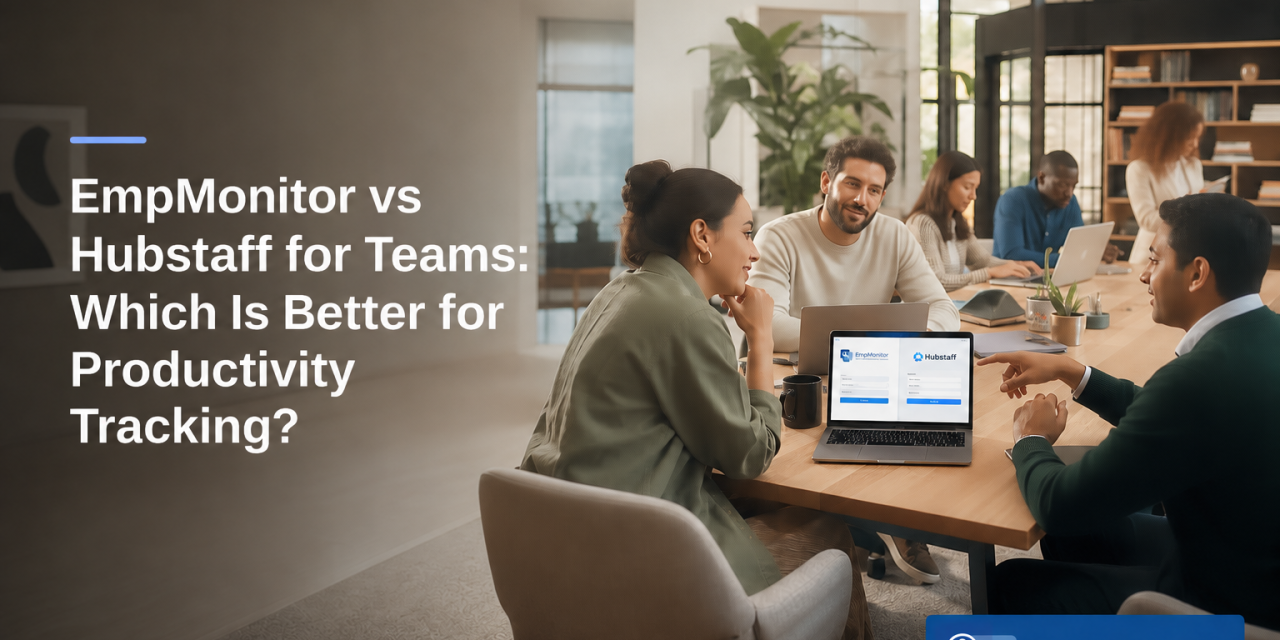
EmpMonitor is the better pick for office and security‑aware teams; Hubstaff is better for GPS‑heavy field teams and contractor payroll. For teams which is better for productivity chrome extensions, that’s the 2026 answer in one line.
However, the right choice still rests on your use case. If you need browser‑level insight, real‑time activity tracking, and data‑loss guards, EmpMonitor’s depth helps managers coach, not just count hours. If your crew moves between sites and you must tie time to location and pay, Hubstaff’s GPS and payroll features save you admin hours. Below, you’ll see a clear, test‑ready breakdown with winners, why they win, and how costs scale at 10, 50, and 200 seats.
For extra context on how both tools track and report desk work, this side‑by‑side deep dive is a helpful next read: EmpMonitor vs Hubstaff for Remote Teams: Which Is Better for Employee Productivity Tracking?
What Teams Actually Need From Productivity Chrome Extensions
Your team needs proof of real work, not just a ticking timer. In 2026, the question isn’t only teams which is better for productivity chrome extensions; it’s which extension helps you fix leaks in time, focus, and data. The criteria below reflect the pain points managers tell us about: “Are hours real?”, “What’s hurting focus?”, and “How do I get clean reports without extra work?
First, accuracy matters. You want automatic time capture, strong idle detection, and clean handling of breaks so tracked hours map to actual work. Manual timers alone invite gaps.
Second, depth of activity insight is key. You should see what apps, URLs, and files drive progress. With real‑time visibility and annotated screenshots, you can spot blockers and coach fast instead of guessing.
Third, browser‑level signals close the loop. A Chrome extension should show tab‑level usage, time on productive vs unproductive sites, and trends by day or role. Importantly, it should respect privacy controls and permissions. For a plain‑English look at how extension permissions work, see MDN’s overview of WebExtension permissions.
Reporting, setup, and pricing
Fourth, reporting must save time, not add work. You need dashboards that make sense at a glance, scheduled email summaries, and exports managers can share with finance or clients in one step.
Fifth, setup should be light. Roll‑outs often stall when IT has to touch every machine. Clear installers, role‑based access, and an extension that “just works” reduce friction.
Finally, pricing must feel fair. You should pay for what you use and avoid surprise jumps as you add seats. As you assess teams which is better for productivity chrome extensions, unify these six: time tracking accuracy, activity depth, browser insights, reporting, ease of setup, and pricing fairness.
Quick checklist to frame your choice
- Do you need GPS or only desk tracking?
- Will screenshots and URLs be central to coaching?
- Do you require DLP, app/USB blocks, or GDPR basics?
- Who owns payroll: you, your clients, or the tool?
“EmpMonitor does one thing really well: it saves us time!” — Education Career Counsellor
EmpMonitor Overview: Strengths and Weaknesses
EmpMonitor focuses on workplace productivity and security. Its core strengths span screenshot monitoring, real‑time activity tracking, URL/app tracking, and built‑in productivity calculation. For teams which is better for productivity chrome extensions, those strengths map directly to coaching, compliance, and fewer report disputes.
Across its install base, EmpMonitor is trusted by 15,000+ companies and tracks over 500,000 employees in 100+ countries. That scale shows up in its feature depth. You get automatic screenshots, live screencasting, real‑time dashboards with advanced analytics, and idle time tracking to keep “active” hours honest. URL and app tracking feed a productivity score so managers see work patterns, not just totals.
On data protection, EmpMonitor is GDPR compliant and supports SSL, Firewall, and IP allowlists. It also offers data loss prevention and web app and USB blocking to help teams enforce policy. Those controls make it a fit for finance, healthcare, and other audit‑heavy roles where user activity monitoring must align with security policies. If your 2026 plans include tighter insider‑risk controls, this bundle reduces the tool sprawl you’d face with point solutions. For a legal primer on the GDPR itself, the Wikipedia article on the General Data Protection Regulation is a straightforward start.
However, EmpMonitor’s breadth means more to learn. The UI leans enterprise, so you should budget a short ramp for roles and reports. The company counters that with 24X7 customer support for new and existing customers and a free 15‑day trial to test drive roll‑out. Pricing is simple: Bronze starts at $11 per user per month on a yearly plan, with tiered discounts down to $9 at larger seat counts.
“Simplified the management of the entire workforce by 80% in terms of workforce, time, and effort.” — Ashwin Kumar, Chief Project Coordinator
**See exact pricing by tier →
Also Read!
EmpMonitor vs Hubstaff for Remote Teams: Which Is Better for Employee Productivity Tracking?
EmpMonitor vs Hubstaff for Small Businesses: Which Is Better for Employee Productivity Tracking?
Hubstaff Overview: Strengths and Weaknesses
Hubstaff’s strengths are real for mobile and contractor workflows. GPS location tracking is excellent for crews that move between sites. Payroll integrations help teams pay freelancers and staff from tracked hours with less manual work. And its lightweight Chrome extension is easy to add for quick time capture.
For desk‑only use, Hubstaff covers the basics: timers, simple screenshots, and app/URL tracking. Contractors like how it fits into a client billing flow without heavy setup. If you need to show “on site at 9:05 a.m.” or send hours straight to payroll, Hubstaff checks those boxes with less friction.
There are trade‑offs. Screenshots are less granular than EmpMonitor’s, so you’ll get fewer visual cues to coach or audit desk work. If you enable more add‑ons, like GPS, payroll, and deeper reports, costs can rise faster than expected as you scale. And for teams that need deeper browser‑level insights, live screencasting, or policy enforcement (like app/USB blocks), Hubstaff won’t be as strong a fit.
Still, the core upside is clear: fast setup for field teams and freelancer billing. If your priority is “track where and when, then pay,” Hubstaff delivers. If your core need is “understand how desk work happens and protect data,” you’ll want to weigh other options more heavily as you decide teams which is better for productivity chrome extensions.
Where Hubstaff shines
- GPS time and location for on‑site proof
- Built‑in payroll links for faster payouts
- Low‑friction Chrome time capture for contractors
Feature-by-Feature Comparison: EmpMonitor vs Hubstaff
Here’s a direct head‑to‑head across six dimensions that matter for teams which is better for productivity chrome extensions. We call a clear winner for each, with short reasons and the EmpMonitor features cited from the brand’s spec where relevant.
1) Time tracking accuracy — Winner: EmpMonitor
EmpMonitor offers automatic time tracking plus idle time tracking and keystroke monitoring to separate active work from idle time. That mix reduces disputes and makes totals more trustworthy. Hubstaff handles timers well, but without the same desktop‑level signals, managers get fewer clues about gaps.
2) Screenshot monitoring — Winner: EmpMonitor
EmpMonitor includes automatic screenshots and live screencasting and recording. Those visuals help you coach on process, not just hours. Hubstaff’s screenshots exist, but they’re less granular, so you lose context when auditing complex desk tasks.
3) URL/app tracking — Winner: EmpMonitor
EmpMonitor tracks URLs and apps in real time and turns that into productivity calculation. Managers can tag tools as productive or not to tailor the score. Hubstaff tracks apps and URLs too, but EmpMonitor’s real‑time dashboard with advanced analytics gives a quicker read on focus trends.
4) Reporting and analytics — Winner: EmpMonitor
EmpMonitor provides a real‑time dashboard, custom reports, and auto email summaries. Because it blends time, screenshots, and app/URL data, the reports answer “what happened” and “why.” That saves managers prep time before 1:1s. Hubstaff’s reports work, especially for billing and payroll, but they’re not as deep on desk activity analysis.
5) Security and compliance — Winner: EmpMonitor
Beyond SSL, Firewall, and IP allowlisting, EmpMonitor brings data loss prevention, web app and USB blocking, and user activity monitoring for compliance with security policies. It is also GDPR compliant. If you manage insider‑risk or handle client data under audit, these controls reduce tool count. Hubstaff does not compete in DLP or device control.
6) Chrome extension usability — Winner: Hubstaff
Hubstaff’s Chrome extension is lighter and quick to roll out when your goal is “start a timer” and move. For teams that live in the browser and want minimal steps, it feels fast. EmpMonitor’s extension integrates with a deeper desktop agent, which adds power but also a bit of setup.
| Dimension | EmpMonitor | Hubstaff | Winner |
|---|---|---|---|
| Time Tracking | Automatic + idle + keystrokes | Manual timers + basic activity | EmpMonitor |
| Screenshots | Auto shots + live screencasting/recording | Screenshots (less granular) | EmpMonitor |
| URL/App Tracking | Real‑time + productivity calculation | App/URL basics | EmpMonitor |
| Reporting/Analytics | Real‑time dashboard + advanced analytics | Billing‑oriented reports | EmpMonitor |
| Security | DLP + web app/USB blocking + GDPR + IP allowlist | Standard controls | EmpMonitor |
| Chrome Extension Ease | Powerful but fuller setup | Lightweight and quick | Hubstaff |

“EmpMonitor’s advanced analytics offer profound insights into employee performance, driving operational efficiency improvements that have truly transformed our business.” — James George, Accountant
Also Read!
EmpMonitor vs Hubstaff for Call Centers: Which Is Better for Employee Time Tracking?
EmpMonitor vs Teramind for Call Centers: Which Is Better for Employee Productivity Tracking?
Pricing Comparison: Which Offers Better Value?
EmpMonitor’s pricing is transparent and seat‑based, with a free 15‑day trial to test features before you buy. Yearly plans are as follows: Bronze at $11 per user per month (1–10 users), Silver at $10 per user per month (11–50 users), and Gold at $9 per user per month (51–200 users). Diamond offers custom pricing for 200+ users. That simplicity helps finance teams forecast without “add‑on sprawl.
At practical scales, here’s what you’d budget on yearly plans:
- 10 users (Bronze): $110 per month total
- 50 users (Silver): $500 per month total
- 200 users (Gold): $1,800 per month total
Hubstaff’s tiers and add‑ons vary by features like GPS and payroll. If you enable those, the per‑seat rate can be higher than a desk‑only plan. For field teams, that trade‑off makes sense because GPS location and payroll links replace manual checks and data entry. For desk‑centric teams, EmpMonitor’s tiers often land more predictably on a per‑user basis because DLP, screenshots, and advanced analytics are included instead of bolted on.
Therefore, if your 2026 plan centers on desk productivity, EmpMonitor’s Bronze/Silver/Gold math is easy to defend in budget reviews. If GPS location and payroll are core to your work, price Hubstaff with those features on and compare the total monthly outlay against your expected time saved in admin.
**Start your free trial today →
Verdict: Which Productivity Extension Should You Choose?
If your team needs deep monitoring, desk coaching, and sharper security, pick EmpMonitor. You’ll get user activity monitoring for compliance with security policies, DLP, and web app and USB blocking alongside live screencasting, screenshots, and rich reports. Plus, 24X7 customer support and a free 15‑day trial reduce roll‑out risk. For teams which is better for productivity chrome extensions, this adds up to reliable insight and fewer oversights.
If your work hinges on GPS and you want payroll built into your time flow, choose Hubstaff. Its lightweight Chrome extension, strong mobile location tracking, and freelancer‑friendly billing ease suit crews that move between job sites.
Either way, keep the decision tied to where your hours actually happen: at a desk or on the move. And if you want a deeper breakdown of desk productivity reporting, bookmark this resource: EmpMonitor vs Hubstaff for Remote Teams: Which Is Better for Employee Productivity Tracking?. It expands the reporting side you’ll use in weekly reviews through 2026.
Quick Decision Guide
- Choose EmpMonitor if you need deep screenshots, URL/app tracking, advanced analytics, and security controls like DLP and USB blocking.
- Choose Hubstaff if you need GPS location, fast Chrome time capture, and payroll links for contractors and field crews.
- Consider a hybrid stack if you run both desk teams and mobile crews; pair EmpMonitor for desk insight with a field‑ready tracker for GPS.