**Start your free trial today →
Most insider incidents in remote teams are not malicious, they’re preventable. This 2026 guide shows how to align insider threat and data loss prevention with trust, not fear.
You’ll get a clear framework, practical controls, and neutral tool advice. You’ll also see where surveillance backfires and how to protect privacy while still catching real risk. For legal stakes, remember that GDPR allows fines up to €20 million or 4% of global annual turnover for serious violations (EU GDPR, Article 83). Strong policy, transparent monitoring, and quick response are not nice-to-haves; they’re business basics.
Here’s the short answer to “How do you monitor insiders in a remote team?” Start with your data. Define normal work patterns. Watch endpoints for risky moves.
Alert on high-risk events. Limit access to the least needed. And practice your response.

Why Insider Threats Look Different When Your Team Is Remote
Remote work shifts risk in three ways: your people move off trusted networks, devices blur between work and home, and you lose line-of-sight visibility. As a result, insider threat and data loss prevention must extend beyond the office. You still have the same three insider types, malicious, negligent, and compromised, but signals and controls change when work spreads across home Wi‑Fi and personal laptops.
On home networks, unmanaged routers and guest devices raise background risk. Personal devices can escape corporate patching and disk encryption. And because managers can’t “see” work, security can’t rely on hallway chats or on-site checks. Therefore, you need user activity monitoring to ensure compliance with security policies, but you must pair it with clear rules to protect privacy. You also need data security and privacy protection baked into your tools, not bolted on later.
Moreover, remote-leaning teams produce more “gray area” behavior: forwarding a file to a personal email to print, syncing a folder to a private cloud, or plugging in a thumb drive “just once.” These are not always malicious. However, they’re common paths to leaks. Offers that include data loss prevention features help you spot and stop the exfil flow at the source, whether by policy-based blocks or real-time prompts that nudge safer choices.
The three insider profiles
- Malicious: A user who aims to steal, sell, or damage data for gain or revenge.
- Negligent: A well‑meaning user who makes mistakes that put data at risk.
- Compromised: An account or device taken over by an attacker.
For real-world cases you can use in training, share these clear examples of insider threats. And if your team needs a primer on controls, this practical data loss prevention solution guide explains how to block risky actions without grinding work to a halt.
Trust grows when you explain what you monitor and why you monitor it—before you turn it on.
Why Insider Threats Are Increasing in Remote Teams
Remote work has expanded the attack surface for organizations. Employees now access sensitive systems from home networks, personal devices, shared workspaces, and multiple cloud applications. As a result, security teams face more visibility gaps than they did in traditional office environments.
Several industry studies show that insider risk remains one of the most expensive and difficult security challenges to manage.
According to IBM’s Cost of a Data Breach Report, the average data breach cost reached $4.88 million globally in 2024, with compromised credentials and insider activity remaining major contributors.
Research from Verizon’s Data Breach Investigations Report consistently finds that human error and misuse of privileges are among the most common causes of security incidents.
Gartner estimates that by 2027, organizations that combine user behavior analytics with data loss prevention will significantly reduce insider-driven breaches compared to those relying only on traditional security monitoring.
For remote organizations, the challenge is not just detecting malicious insiders. Most incidents begin with ordinary actions such as:
Uploading files to personal cloud storage
Forwarding work documents to private email accounts
Using unauthorized AI tools with sensitive company data
Copying information to USB devices
Sharing credentials with contractors or temporary workers
Therefore, modern insider threat and data loss prevention programs focus on identifying risky behavior patterns early rather than treating every employee as a suspect.
Also Read!
Best Employee Productivity Tracking for Healthcare in 2026
EmpMonitor vs Hubstaff for Small Businesses: Which Is Better for Employee Productivity Tracking?
7-Step Framework to Build an Insider Threat Monitoring Program for Remote Teams
A good program favors daylight over dragnet. Here’s how to build one that works in 2026 and respects people.
Step 1: Classify sensitive data
Start with your crown jewels. Label customer PII, financials, source code, and M&A docs. Then tag their storage points, cloud drives, repos, mailboxes, and the allowed paths they can take. Insider threat and data loss prevention controls only help if they know which files matter. As you map flows, write down specific “don’t” rules (e.g., block uploads of “Finance: Confidential” to personal storage).
Step 2: Define behavioral baselines
Next, capture what “normal” looks like for each team: apps used, hours, geos, and data access volume. Keep it simple at first. For example, a support agent runs the ticketing app and CRM during business hours. Baselines let you flag spikes without guessing intent. They also improve user behavior analytics later.
Step 3: Add endpoint monitoring with privacy guardrails
Install lightweight agents on managed devices to record risk signals: URL and app tracking, screenshot monitoring, and optional keystroke monitoring for high-sensitivity roles. Turn on web app and USB blocking to stop obvious leaks. Set a “private time” option so staff can pause tracking for personal tasks. Explain it all in plain language.
Step 4: Set alert thresholds and auto reports
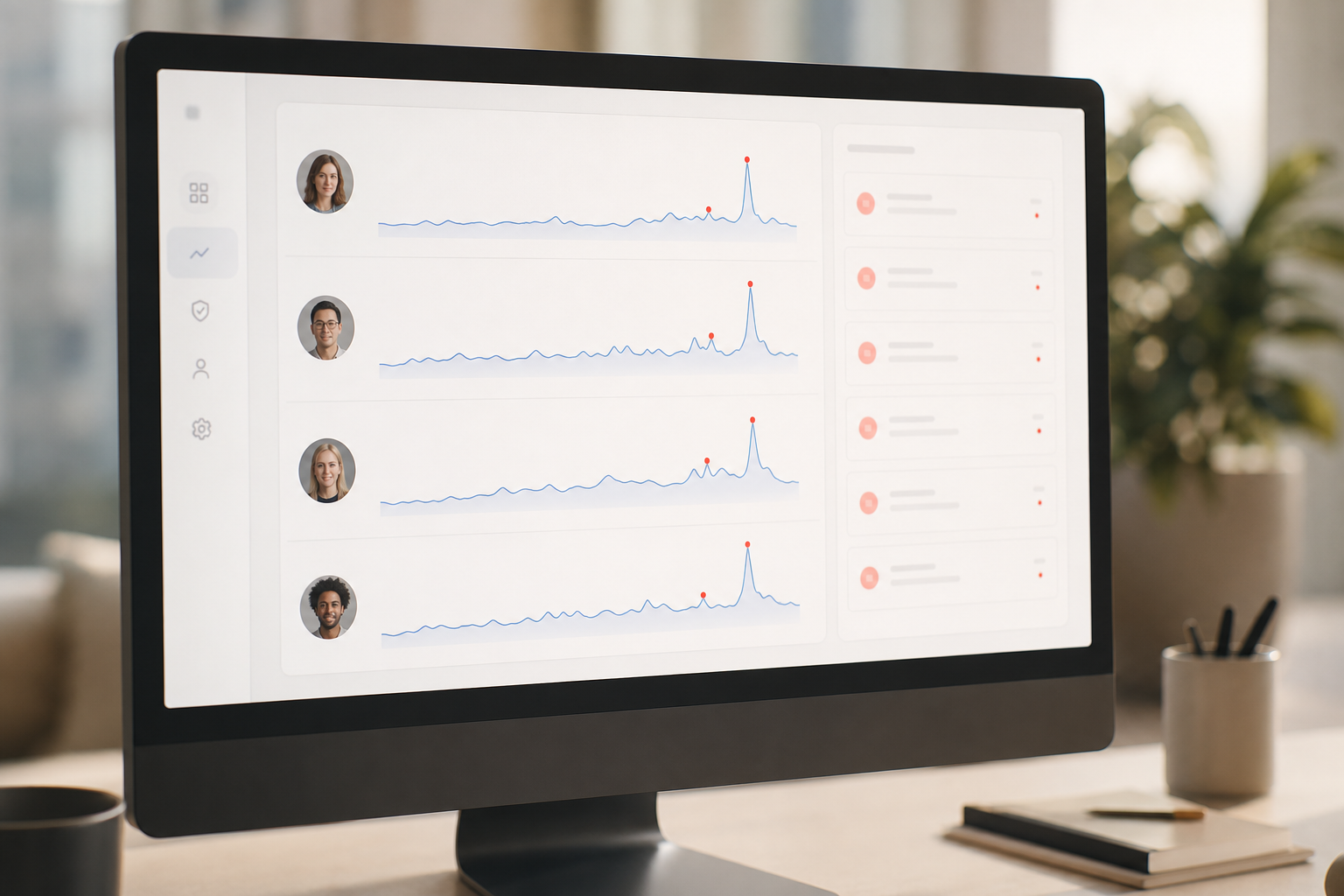
Choose thresholds that fit the data class and role. For high-risk files, alert on a single blocked attempt. For lower-risk apps, alert on patterns (e.g., five uploads in an hour). Enable alerts and auto email reports for the security lead and the line manager. Keep noise low so real issues get attention.
**Get instant visibility today →
Step 5: Enforce least-privilege access
Reduce standing access. Grant time‑boxed rights for tasks and remove them when work ends. Use multiple roles and permissions so managers see only their teams and admins see only what they need. Fewer keys mean fewer chances to open the wrong door.
Step 6: Create response playbooks with forensics in mind
Write short, specific steps for common events: suspicious upload, USB insert, mass file rename, off‑hours login from a new geo. Include who to page, what to collect, and when to freeze access. Support forensic analysis and user behavior analytics by keeping logs, screenshots, and timelines intact.
Step 7: Review and iterate each quarter
Finally, meet with IT, HR, and Legal every 90 days. Prune noisy alerts. Refresh baselines as teams and tools change. Trim data access that crept back. Share what you measure and why, so people see the program as guardrails, not a dragnet.
For more hands-on ideas that pair policy with tech, see this short, plain‑English data loss prevention solution walkthrough and adapt its checklists to your stack.
5 Mistakes Remote Teams Make With Insider Threat Monitoring
Good intent can still cause harm. Here are common traps and fixes so your insider threat and data loss prevention work helps rather than hurts.
1) Surveillance without transparency erodes trust
Silent monitoring breeds fear and workarounds. Instead, publish a clear policy, add onboarding training, and show staff where to find their own activity view when possible. Offer a private time option so people can pause tracking for short personal tasks.
2) Ignoring negligent threats
You might fixate on bad actors and miss daily slip‑ups. Counter this by targeting high‑risk actions, not people: uploads to personal email, unknown USB use, or mass downloads. Then coach with context, not blame. Stealth or un‑stealth mode should match the risk and local law, with Legal’s sign‑off.
3) Flagging anomalies without a baseline
If you alert before defining “normal,” you drown in noise. Set baselines per team, then tune alerts over two weeks before strict enforcement. Share sample screenshots of what triggers a ping. This shows you’re measuring work patterns, not policing breaks.
4) Over‑relying on tools without process
A tool won’t write your policy, review your logs, or make the call to suspend an account at 2 a.m. Build small, fast playbooks with names and phone numbers. Keep a weekly 20‑minute review to trim false positives and close loops.
5) Failing to balance privacy with security
Privacy laws differ. Your people care even more. Make your stack GDPR compliant by design, not by press release. Use data minimization, role‑based views, and short retention. Document who can see screenshots and keystrokes, and why.
Tools and Technologies That Support Remote Insider Threat Detection
Tools help, but strategy comes first. Pick a stack that covers detection, response, and reporting while respecting privacy. Spread your bets across four layers, and ensure each layer maps to your policy and playbooks for insider threat and data loss prevention.
Tool categories and neutral notes
- UEBA platforms: Spot abnormal patterns across users and entities. Great for baselines and spikes. Pair with clear thresholds to avoid alert fatigue.
- Endpoint monitoring: Provide real-time activity tracking, URL and app tracking, keystroke monitoring (if lawful and justified), and screenshot monitoring. Look for “pause” controls and role‑based redaction.
- DLP: Control data paths with content rules and context (device, app, user). Block risky uploads and USB copy, and log events for audits.
- SIEM: Correlate events from endpoints, cloud, VPN, and identity. Feed alerts into chat/IR tools so you move fast.
You can mix vendors here. For example, tools like EmpMonitor, Teramind, Veriato, and Microsoft Purview bundle parts of endpoint monitoring and DLP. Compare on privacy features first: private time, audit trails, and redaction. Then check security basics, compliance and security with SSL, firewall controls, and IP allowlisting. Finally, verify you can start a free trial to test alert noise and dashboards with a small pilot.

Remember, tooling alone isn’t a strategy. It only works when tied to data classification, baselines, and practiced responses.
Key Takeaways
- Treat people with respect and be clear about monitoring. Trust grows with transparency and choice.
- Build on data: classify first, then baseline, then alert, then respond.
- Aim for low-noise signals: focus on risky actions and high-value data.
- Pick tools for privacy and proof: role-based views, SSL, firewall, and IP allowlisting.
- Keep insider threat and data loss prevention alive with quarterly reviews and real drills.
What to Do This Week: Your Insider Threat Quick-Start Checklist
You don’t need a 12‑month program to start strong. Do these five tasks over the next seven days, then schedule a 30‑day review to tune your setup and share results.
- Audit data access: List your top three data types and where they live. Remove stale access and time‑box the rest.
- Communicate openly: Publish a plain‑English one‑pager on what you monitor and why. Include a contact for questions.
- Enable endpoint logging: Turn on URL/app tracking and high‑risk alerts on a pilot group. Check the real-time dashboard daily.
- Assign an insider threat lead: Pick one owner in Security to review alerts, guide managers, and update playbooks.
- Schedule a 30‑day review: Pull custom reports, measure alert noise, and share one success story with the team.
You’ve got this. Start small, be open, and tune fast. The goal is safer work with less friction, security your team can live with.