
• Trusted by 500+ companies

Know Exactly What Your Team is Doing – In Real Time

Gain actionable insights to optimize team performance

  • Idle/Active Time Report
  • USB Detection
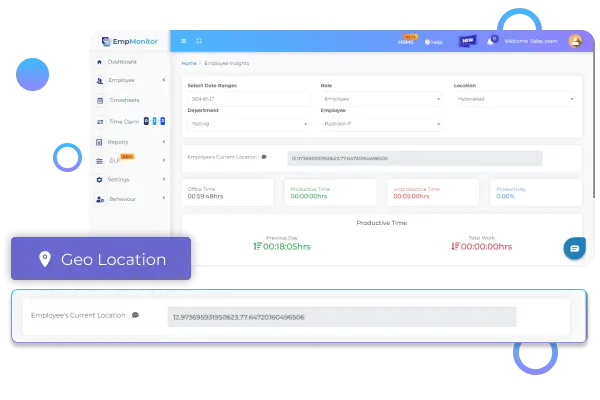
  • Geolocation Tracking
  • Action Based Alerts
  • App/Web Usage Logs
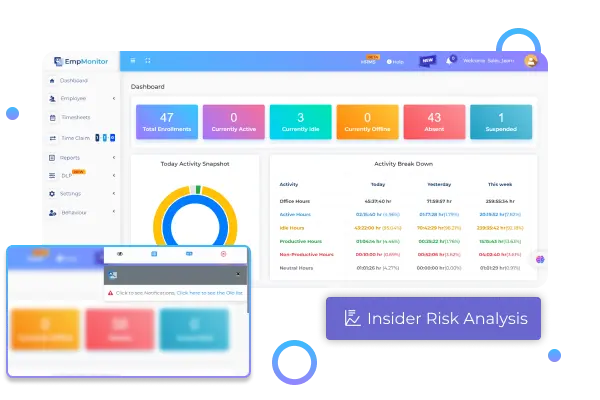
  • Insider Risk Analysis
  • Screenshot Monitoring
  • Keystroke Logger
  • Productivity Tracking

Start Your Free Trial

Get full access — setup takes 5 minutes

🔒 100% secure. Your data is encrypted and never shared.

Refining Excellence Together

Our Valuable Clients & Resellers
Across The Globe

Our Valuable Clients & Resellers
Across The Globe
How It Works

Go from signup to monitoring in 5 minutes

Track employees’ computer activity effortlessly following 3 simple steps.

Login To Your Admin Dashboard

Select Behaviour From The Menu

Set Alert Policies & Notification

Echoes of Satisfaction

The Heart of Our Journey

The Heart of Our Journey

Our Product Suite

Stop guessing. Start seeing what your team actually does.

Features That Power
EmpMonitor

Unleash a suite of monitoring solutions to manage your workforce more effectively and in a more informed manner
Screenshot Monitoring
Activity-Based Alerts
Productivity Tracking
Keystroke Monitoring
Web & Application Usage
USB Detection
Reports
Insider Risk Analysis
Geo Location Tracking
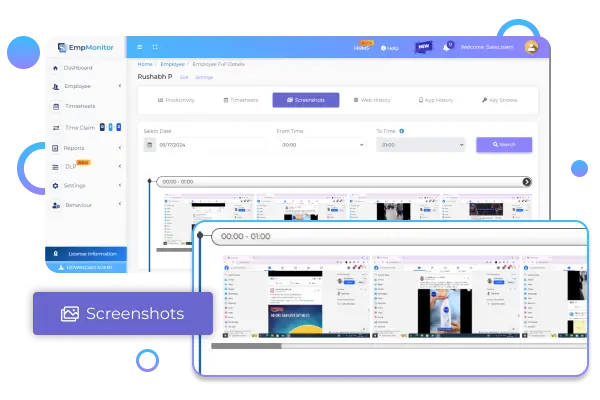
Screenshot Monitoring
Get real-time screenshot assistance with EmpMonitor and view employee activities with custom screenshot frequencies.
Image 1
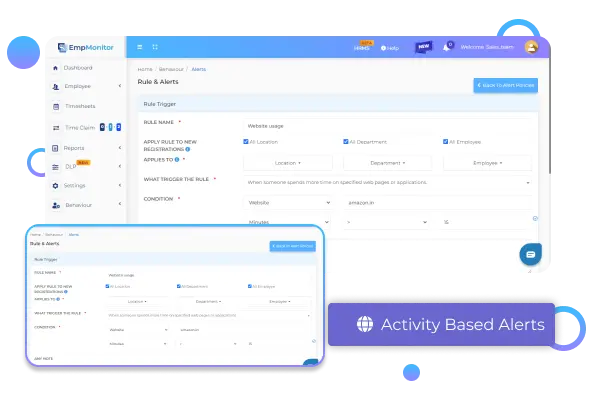
Activity-Based Alerts
Monitor employee activities with our versatile toolkit, which alerts about employees frequently staying idle or offline.
Image 2
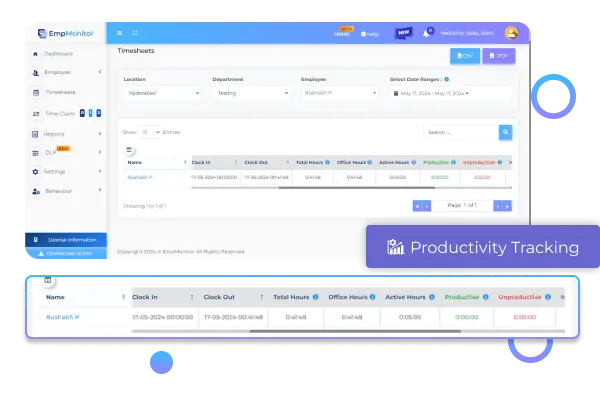
Productivity Tracking
Track clock-in/out, idle, productive, unproductive, and neutral hours, plus device activities during official hours for precise insights.
Image 3
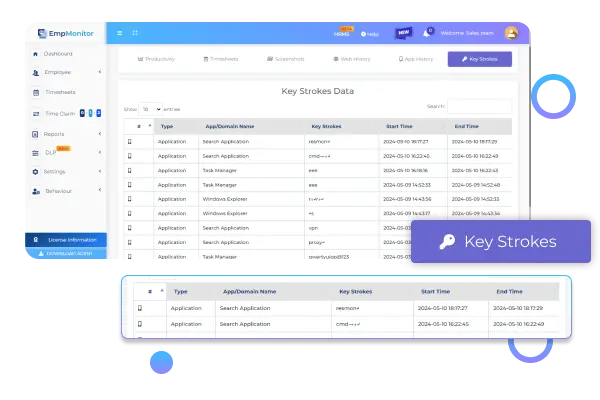
Keystroke Monitoring
Unlock deep insights into employee activities with Keystroke Logging. Enhance security and productivity with detailed records of digital interactions.
Image 4
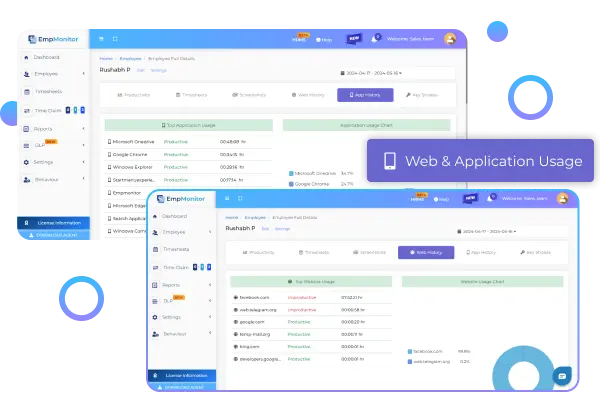
Web & Application Usage
Identify top-used apps and web pages, distinguishing between productive and non-productive. Gain insight into employee online activity efficiently.
Image 5
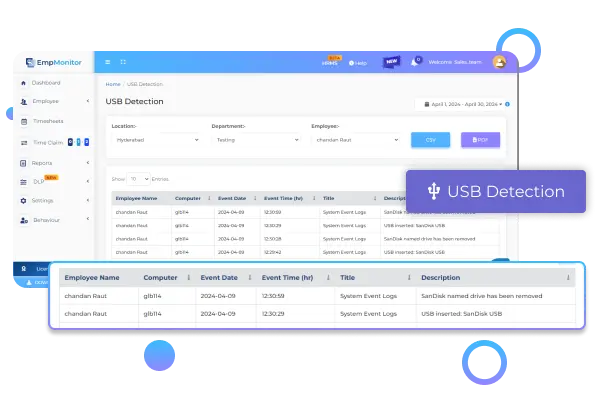
USB Detection
Enhance data security with USB detection capabilities. Receive instant alerts for USB connections on official devices across any network.
Image 6
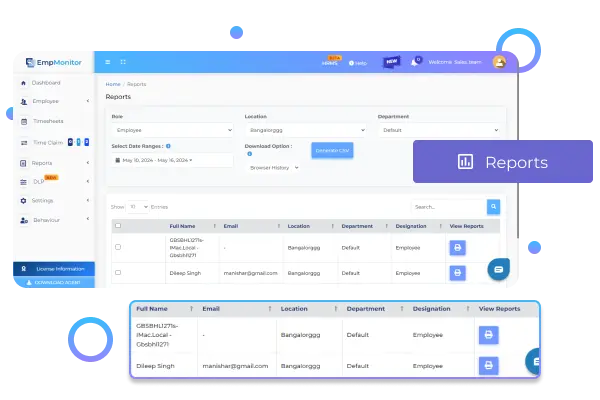
Reports
Receive interactive reports enriched with graphs and charts, providing a visually engaging overview of employee activities.
Image 7
Insider Risk Analysis
Gain insight into employee activity & identify any suspicious behavior with proactive monitoring & behavior analysis.
Image 8
Geo Location Tracking
Monitor IP addresses, OS types, and device details while visualizing data on a dynamic map for precise user activity tracking at city, region, and country levels.
Image 8

Data-rich Insights

Give Your Enterprise
Our The EmpMonitor Advantage

Give Your Enterprise
Our The EmpMonitor Advantage

Thousands of companies rely on EmpMonitor to delve deeply into their employees’ actions, and optimize ROI.

Enhanced Security

Enhanced Security

Get started with refined & best workforce management software that ensures high levels of security and protects your business from menaces.

Behaviour Analysis

Behaviour Analysis

Achieve organizational goals by identifying the optimal pattern of employee behavior and implementing it in other business operations.

Optimal Productivity

Optimal Productivity

Take your employee’s focus to a more concentrated workflow by minimizing distractions and leading them to enhanced productivity.
Tailored Dashboard

Perfect Setup Crafted Just For You

Functionalities that give you seamless control and comprehensive oversight.

01

Manager Login

Empower managers with complete access to team data including detailed time and activity logs. Customize productivity labels effortlessly to optimize workflows.

02

Employee Login

Provide employees with comprehensive access to view their performance data and effortlessly apply for leave from the same dashboard.

03

API Integration

Seamlessly integrate with any software to bolster monitoring capabilities. Effortlessly track time spent on each application and categorize it as productive or neutral.

04

Raw Data

Gain precise and detailed data on employee computer activities, including active/idle time, for informed decision-making and performance optimization.

05

Custom Alerts

Stay informed with customizable instant alerts tailored to productivity levels and specific activities, ensuring timely intervention and optimized workflows.

06

Employer Benefits

Unlock cost reductions, streamline workflows, enhance engagement, and boost productivity with the best management software.

Intuitive Dashboard

Harness Core Insights with
EmpMonitor

Get a crystal clear picture of
your workforce with ease

Trusted by HR leaders & business owners

EmpMonitor

We went from guessing who’s productive to having real data. Our remote team’s output improved by 35% in the first month. The stealth mode is incredibly useful.”

Davide Paul

Associate Vice President

Great EmpMonitor!

EmpMonitor caught a data leak we didn’t even know was happening. The USB detection and alert system paid for itself on day one. Essential for any company handling sensitive data.

James George

HR
Manager

fast & reliable

EmpMonitor’s flexible features seamlessly align with our unique workforce requirements, leading to increased productivity and operational efficiency. We’re impressed with the results!

John Smith

IT
Director

Discover Information

Frequently Asked Questions

  • Get a crystal clear picture of your workforce with ease
User Activity Monitoring in EmpMonitor works by capturing screenshots, tracking application usage, logging keystrokes, and monitoring web activity to provide comprehensive insights into user behavior.
With User Activity Monitoring in EmpMonitor, you can see detailed reports on application usage, websites visited, active and idle time, keystrokes, and screenshots of user activities.
User Activity Monitoring in EmpMonitor helps improve productivity by identifying time-wasting activities, understanding work patterns, and enabling managers to provide targeted support and feedback.
This depends on the company’s policy. Some organizations may allow employees to view their own User Activity Monitoring data in EmpMonitor to encourage transparency and self-improvement.
User activity tracking software supports remote teams by providing managers with log-in/logout times, total worked hours, and time spent on productive tasks.

Ready to See What Your Team is Really Doing?

Join 500+ companies already using EmpMonitor to boost productivity and secure their business.