**Start your free trial today →
A supplier missed a part date, two teams argued over scope, and a small “we’ll get to it” note turned into a launch delay. You can create manage raid log discipline to stop this from happening again. You can build and run a simple RAID log in under an hour, then use it to keep risks, assumptions, issues, and dependencies visible and owned. In 2026, this is still one of the lowest-effort, highest-return habits in project management.
Here’s the short answer you came for: a RAID log is a single tracker with four lists. Risks, Assumptions, Issues, and Dependencies. Give each item a clear owner, severity, and next action. Review it weekly. Use it to trigger decisions, not to archive noise.
For context, a RAID log is format-agnostic. A spreadsheet works. So does a field in your project tool.

What matters is that the information is in one place, easy to scan, and updated on a set cadence. According to risk management basics, visibility and ownership cut surprises. A RAID log gives you both.
What Is a RAID Log and Why Does Every Project Need One?
A RAID log is a four-part list that keeps your project honest and on track.
- Risks: events that could happen and hurt your plan.
- Assumptions: beliefs you rely on that might be wrong.
- Issues: problems that already exist and need action.
- Dependencies: work or decisions you need from people or teams.
Each part does a different job, and each needs a one-line summary, an owner, and a status. If you want to create manage raid log muscle across your team, start by keeping the entries tight and clear.
Here’s each component with a one-line example:
- Risk: “Vendor lead time may be 3 weeks longer than quoted — could push UAT by 10 days.
- Assumption: “Existing SSO plugin will work with v3.2 without custom code.
- Issue: “Staging environment certificate expired — QA blocked since 09/12.
- Dependency: “Security team to approve data retention plan by 09/20.
Without a central tracker, projects fail for boring reasons: silent risks, untested assumptions, slow issue response, and blocked handoffs. People think someone else owns the problem. Or worse, no one sees the problem until the date slips. A RAID log fixes that by assigning names, dates, and next steps in one shared place.
Moreover, it shifts the team from “I thought you had it” to “It’s on line R-12, owned by Maya, review due Friday.” That small change drives better decisions. As a result, standups stay short, and status reports write themselves, because the facts live in your RAID log, not in ten side chats.
RAID vs. a status report
A status report tells you where you are. A RAID log tells you what could go wrong next and who will handle it. You need both, but if you must pick one to start, pick RAID.
Also Read!
How to Set Up and Manage Biweekly Schedules for Your Team
How to Use Project Planning Templates to Keep Any Project on Track
How to Build a RAID Log in 6 Steps
You don’t need a fancy tool to start. You need clarity and a routine. Follow these six steps to build a log that your team will use every week.
-
Choose your format
Pick a spreadsheet (Google Sheets or Excel) or a field in your project tool. Spreadsheets are fast to share and easy to edit. Tools are great if your team already lives in them. -
Set up four tabs or sections
Label them Risks, Assumptions, Issues, Dependencies. Keep the tab names short. Put the Risks tab first. That’s what you’ll review first in meetings. -
Define column headers
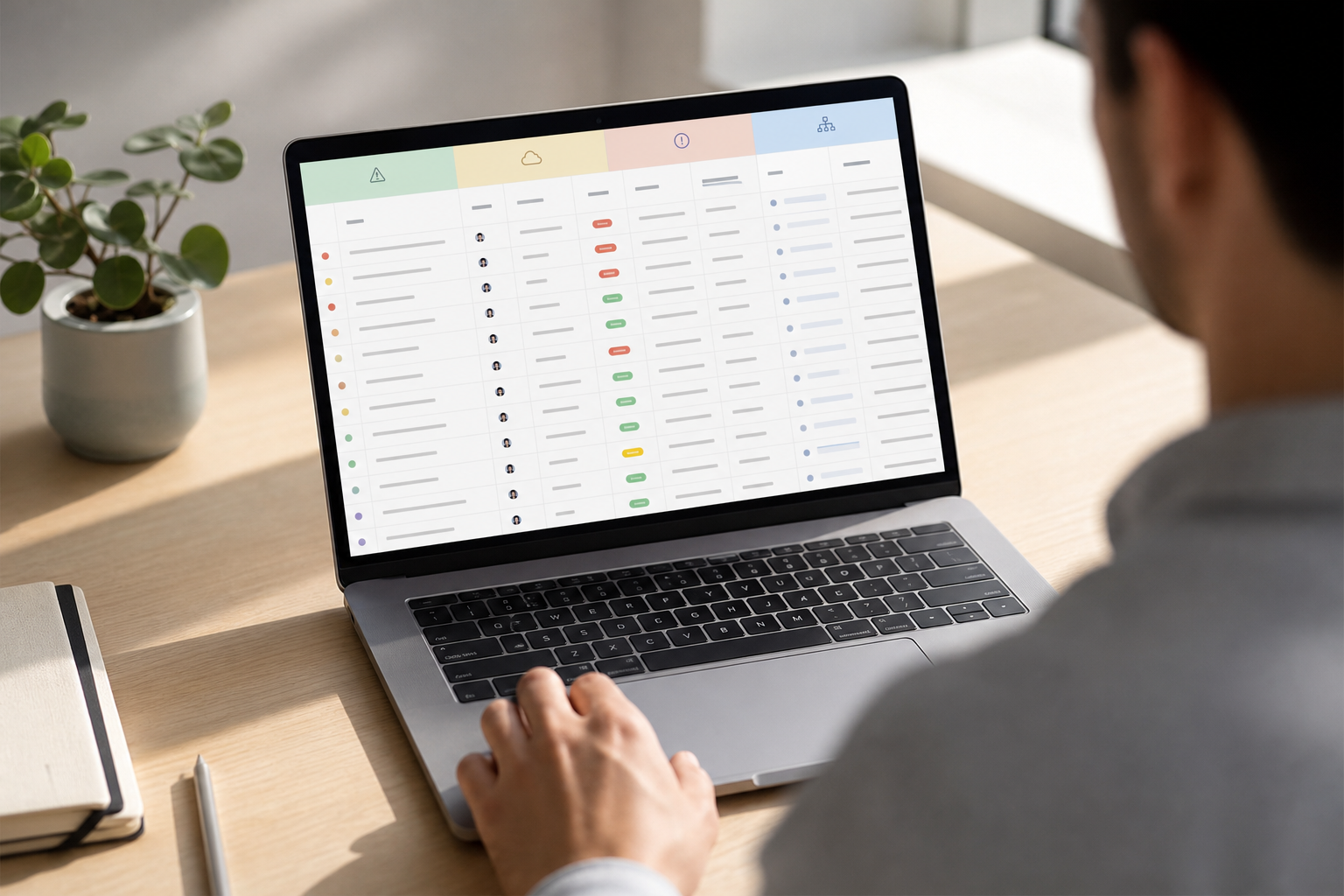
Use: ID, Description, Owner, Severity (High/Med/Low), Status (Open/Mitigating/Closed), Next Action, Due Date, Opened On, Last Updated. Keep it simple. You can add Impact and Probability for Risks if you want a bit more detail. -
Populate initial entries from kickoff
Scan your project charter, scope deck, and any notes. Pull out every “might,” “assume,” “blocked,” and “waiting on.” Turn those into RAID rows. Aim for 3–5 items per tab to start. More than that on day one is noise. -
Assign owners
Every line gets one human owner. Shared ownership is no ownership. Owners update the row and chase next actions. You coach, clear roadblocks, and set the pace. -
Set a review cadence
Book a 15–30 minute weekly RAID review. Start with Risks, then Issues, then Dependencies, and close with Assumptions. Update live. End each item with a verb-led next action.
For your first pass, you can create manage raid log entries like these. Keep each under two lines to avoid bloat.
Sample rows (one per category)
- Risk (R-01): “Cloud price spike could add $12k to Q4 costs — Owner: Dana — Sev: High — Status: Mitigating — Next: Get reserved instance quote — Due: 09/22.
- Assumption (A-03): “Beta users will accept a 2-sec load time — Owner: Liam — Sev: Med — Status: Open — Next: Validate with 10 users — Due: 09/19.
- Issue (I-07): “API rate limit hit at 500 rpm — Owner: Noor — Sev: High — Status: Open — Next: Request limit increase — Due: 09/14.
- Dependency (D-02): “Legal to sign DPIA for EU traffic — Owner: Priya — Sev: High — Status: Open — Next: Send draft for review — Due: 09/18.
“Keep the log small, current, and blunt. If a row hasn’t changed in two weeks, either close it or fix the owner.” — Tip I give every new PM
Review agenda you can copy
- Risks (10 minutes): High first, then Medium. Confirm next actions and dates.
- Issues (10 minutes): Unblock fast. Decide, don’t discuss at length.
- Dependencies (5 minutes): Chase approvals and handoffs.
- Assumptions (5 minutes): Pick one to validate this week.
**Get instant project clarity →
5 Common RAID Log Mistakes That Derail Projects
Even strong teams slip on the same five rakes. Here’s what goes wrong and how to fix it fast.
- Logging risks but never reviewing them
-
Symptom: The sheet grows. Meetings don’t change. Surprises still hurt.
-
Fix: Time-box a weekly 20-minute RAID review. Start with top three risks. End each item with a next action and date.
- Confusing risks with issues
- Symptom: “We might miss the date” and “We missed the date” live side by side.
- Fix: If it already happened, it’s an issue. Move it to Issues. If it might happen, it’s a risk. Treat it with a trigger and a plan.
- No assigned owners
-
Symptom: Rows sit open for weeks. Everyone nods. Nothing moves.
-
Fix: One human per row. No groups. If the owner changes, update the log on the spot.
- Letting the log go stale after week one
- Symptom: Dates slip, and “Last Updated” shows last month.
- Fix: Update live in the meeting. If a row is unchanged for two weeks, escalate or close it.
- Making it too complex
- Symptom: 20 columns, conditional rules, and no one wants to touch it.
- Fix: Stick to eight to ten columns. Split detail into a link if you must. The RAID log is a map, not the terrain.
If you need a simple rule to create manage raid log hygiene: fewer rows, more updates. A short, living log beats a long, stale one every time.
A quick litmus test
- Can you read the whole Risks tab in 3 minutes?
- Does each row have one owner and one next action?
- Do dates look like this month, not last quarter?
If yes, you’re in good shape.
Also Read!
How to Access and Use CityTime Login for Time and Attendance Tracking
How Many Work Days in a Year? A Complete Breakdown for 2025 and Beyond
Tools and Templates for Managing Your RAID Log
You can run a RAID log in plain spreadsheets or in a project platform. Choose the tool your team will open daily. In 2026, most teams mix both: a Google Sheet for cross-team sharing and a Jira/Asana/Monday.com board for day-to-day tasks.
Spreadsheets
- Google Sheets: Fast to share, real-time editing, comment threads for decisions.
- Excel: Strong for offline work and pivot views. Version your file to avoid clashes.
Project tools
- Jira: Good for Issues and Dependencies tied to sprints.
- Asana / Monday.com: Friendly for non-engineering teams; easy visuals and ownership.
- Confluence / Notion: Handy for linking RAID items to docs and decisions.
Workforce and ops data
- Tools like EmpMonitor can complement RAID tracking by surfacing operational risks early. For example, real-time activity tracking and a real-time dashboard can reveal a drop in focus hours before it turns into a delivery risk. Task and project management features tie work to owners, while custom reports make trend reviews faster. EmpMonitor is trusted by 15,000+ companies across 100+ countries and tracks over 500,000 employees; it’s also GDPR compliant and offers a Free 15-day trial (Source: EmpMonitor BKO). Use that kind of live data to feed your Risks and Issues tabs with facts, not hunches.
For authority on core concepts, you can also bookmark the risk management page for shared language on probability, impact, and mitigation. Share it with new team members to set the same baseline.
If you’re tight on time, start with a simple Google Sheets template: four tabs, eight columns, and a color legend for severity. Then, as your team’s needs grow, link items to tickets in your tool of choice.
Tool selection checklist
- Does the team already live in it daily?
- Can you filter by owner, severity, and status in two clicks?
- Is sharing easy across functions and vendors?
What to Do Next: Putting Your RAID Log Into Practice
Start now. Book your first RAID review this week. Keep it short and focused. If you feel swamped, start with Risks and Issues only. Add Assumptions and Dependencies in week two.
Then, share the log. Give edit access to owners and view access to stakeholders. Explain what each tab means in one sentence at the top of each sheet. Ask leaders to add one risk or dependency they see. You’ll learn fast what matters to them.
Tune the format and habit
After two sprint cycles, pause and adjust the format. If a column never changes, delete it. When a field is always “N/A,” remove it. Should one team miss updates, sit with them for the next review and update it live together.
To build the habit, block recurring 20-minute RAID reviews on your calendar for the rest of the quarter. Start every review with “What’s changed since last week?” and work down the list. Close with a five-minute scan of Assumptions. You’ll catch at least one shaky belief per month. That’s worth days of saved rework.
Finally, make the log visible.
Pin it in your team channel. Add the link to your weekly status. Bring one line from the RAID log into every standup. Small, steady cues beat one big kickoff speech.
**Sign up in minutes, free trial →

Key Takeaways
- A RAID log is four lists — Risks, Assumptions, Issues, Dependencies — with one owner and one next action per row.
- You can create manage raid log structure in under an hour: pick a format, add columns, seed entries, assign owners, and set a weekly review.
- Fix the five big mistakes: no reviews, mixing risks with issues, no owners, stale data, and over-complex logs.
- Use tools your team already opens. Add live ops signals — real-time activity, dashboards, and custom reports — to update risks based on data.
- Keep it short, current, and blunt. If a row hasn’t changed in two weeks, escalate or close it.
What to Do This Week
- Schedule a 20-minute RAID review for Friday.
- Start with five Risks and three Issues.
- Share the log link with your stakeholders and assign owners.
- After two sprints, tune the columns and cadence.
**Start your first RAID review today →
As you keep this habit through 2026 and beyond, your team will spend less time firefighting and more time shipping. That’s the quiet edge a good RAID log gives you.