In 2026, you don’t need a big team or an expensive agency to create professional video ads anymore. If you have a product link and a few minutes to spare, you can produce scroll-stopping ads that compete with major brands.
In this guide, we’ll show you how small businesses use AI video tools to cut production costs while maintaining quality. We’ll cover why an AI URL to AI video ads maker is becoming essential for lean marketing teams, how to turn your product pages into ready-to-run ads, and practical tips for scaling your video content without scaling your budget.
Why Small Businesses Struggle with Video Ads
Video ads work. Everyone knows this. But creating them has traditionally been expensive and time-consuming.
The Old Way Was Painful
- Hiring videographers costs hundreds per project
- Editing software requires months to learn
- Professional voiceovers add up quickly
- Resizing for different platforms takes extra hours
Most small business owners gave up before starting. They stuck with static images and watched competitors grab attention with video content.
AI tools now handle the technical work automatically. You provide the input—a product link, some text, or basic direction—and the AI produces polished output. No film school required.
How AI Video Ad Tools Actually Work
Understanding the basics helps you get better results.
The Simple Process
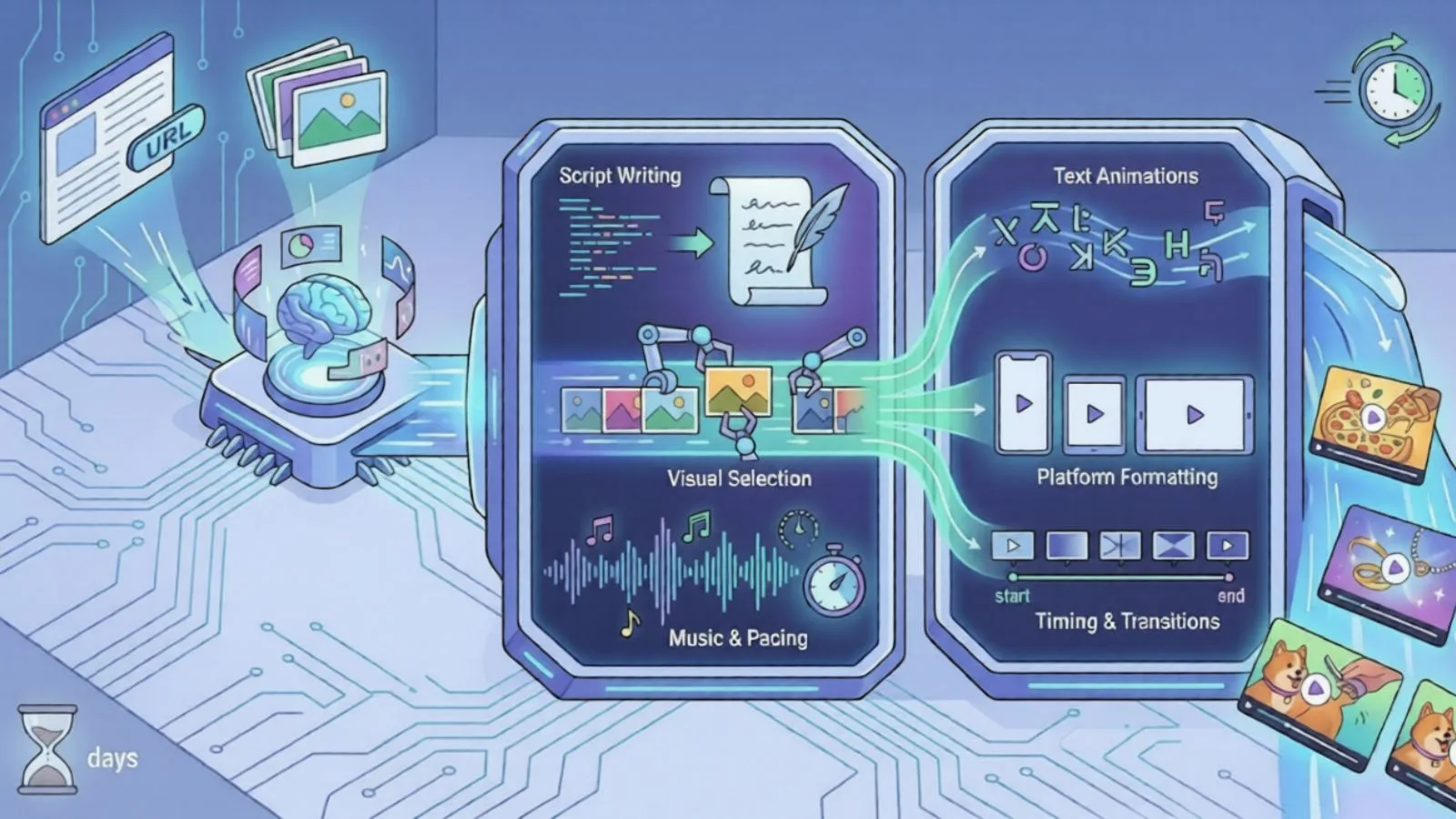
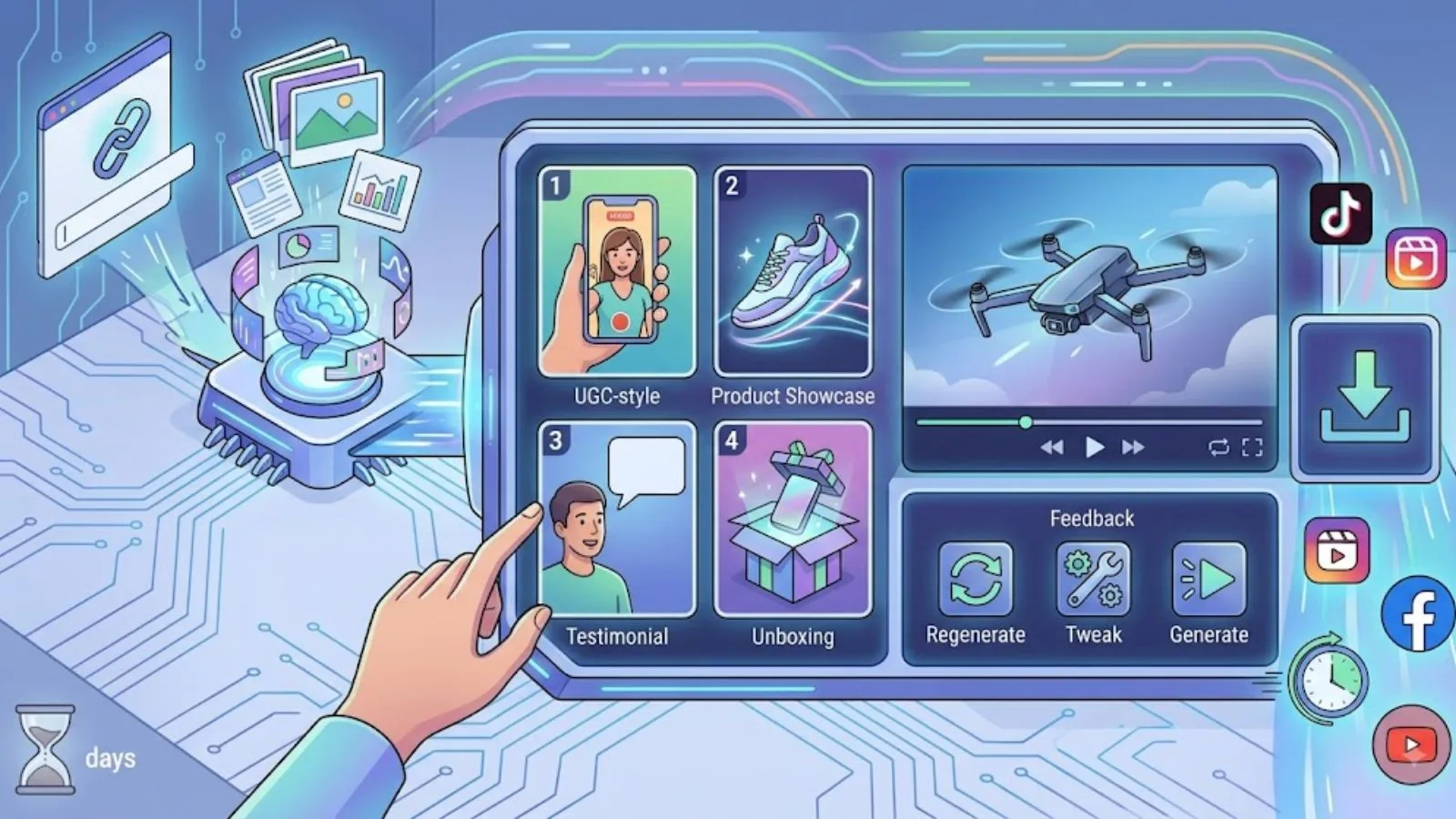
- You paste a product URL or upload images
- AI analyzes your content—product details, pricing, reviews, benefits
- The tool generates a video with visuals, text overlays, and transitions
- You download and publish
That’s it. What used to take days now takes minutes.
What AI Handles Automatically
- Script writing based on your product information
- Visual selection and arrangement
- Text animations and timing
- Platform-specific formatting
- Music and pacing
You focus on strategy. AI handles execution.
Using an AI URL to Video Ads Maker for Your Business
This approach works especially well for e-commerce businesses and service providers with existing web pages. An AI video maker can turn existing product information and visual assets into engaging video content, making it easier for businesses to create professional ads without investing heavily in traditional video production.
After creating these videos, businesses can refine them for different platforms by adjusting formats, adding captions, and making quick edits. The ability to edit videos online with AI makes it easier to improve content without recreating videos from scratch.
Turn Product Pages into Ads Instantly
An AI URL to video ads maker like Pollo AI reads your product page and extracts everything needed for a compelling ad:
- Product images and descriptions
- Pricing information
- Customer reviews and ratings
- Key benefits and features
The AI then weaves these elements into a natural story that converts viewers into buyers.
Why This Beats Manual Creation
- No need to write scripts from scratch
- Your actual customer reviews become social proof
- Pricing stays accurate automatically
- Updates are easy—just regenerate with the new URL
Pollo AI supports Shopify, Amazon, Etsy, and most other e-commerce platforms. You can also download Pollo AI app, so you can create ads from anywhere.
Practical Steps to Create Your First AI Video Ad
Let’s walk through the actual process.
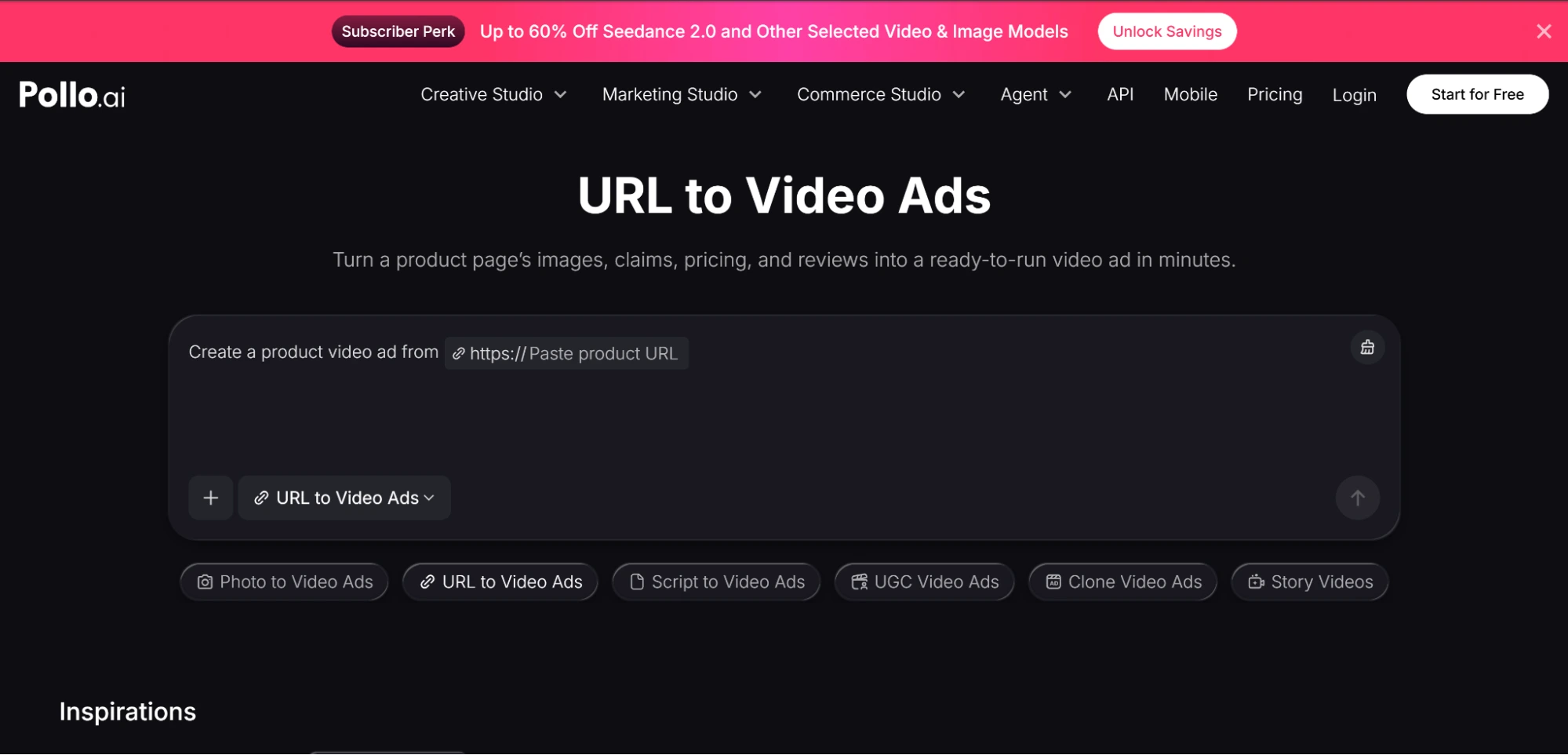
Step 1: Paste Your URL
Copy your product page link and paste it into the AI tool. The system will analyze everything on that page automatically.
Step 2: Select Your Style
Most AI video tools offer different formats:
- UGC-style ads that feel authentic
- Sleek product showcases
- Testimonial-focused videos
- Unboxing formats
Pick what matches your brand and audience.
Step 3: Generate and Review
Click generate and wait about a minute. Review the output. If something needs adjustment, tweak your inputs and regenerate.
Step 4: Download and Publish
Your video comes formatted for the platforms you need—TikTok, Instagram Reels, Facebook, YouTube. No manual resizing required.
Tips for Getting Better Results
AI tools are powerful, but your input matters.
Write Clear Product Descriptions
The AI pulls from your product page. Better descriptions mean better ads. Make sure your page includes:
- Specific benefits, not just features
- Clear use cases
- Authentic customer language
Test Multiple Versions
One major advantage of AI tools is speed. Create several ad variations and test them against each other. Find what resonates with your audience, then scale the winners.
Match Platform Expectations
TikTok audiences want different content than Facebook users. Generate platform-specific versions rather than using one video everywhere.
Also Read
Real Cost Savings for Small Teams
Let’s look at actual numbers.
Traditional Video Production
- Videographer: $300-500 per video
- Editor: $100-200 per video
- Voiceover: $50-150 per video
- Total: $450-850 per ad
AI Video Production
- Monthly subscription: $20-50
- Videos created: Unlimited
- Cost per video: Essentially zero after subscription
For businesses running multiple ad tests monthly, the savings add up fast.
Getting Started Today
You don’t need to overhaul your entire marketing operation. Start small. If it works, expand. If it doesn’t, adjust and try again. The low cost means low risk.
Small businesses can now compete with bigger brands on video content. The tools exist. The barrier is gone. The only question is whether you’ll use them.