Managing a productive workforce today requires more than trust and spreadsheets. It demands visibility, structure, and firm accountability. For employers and business owners, having the right monitoring system in place directly affects performance, discipline, and long-term growth.
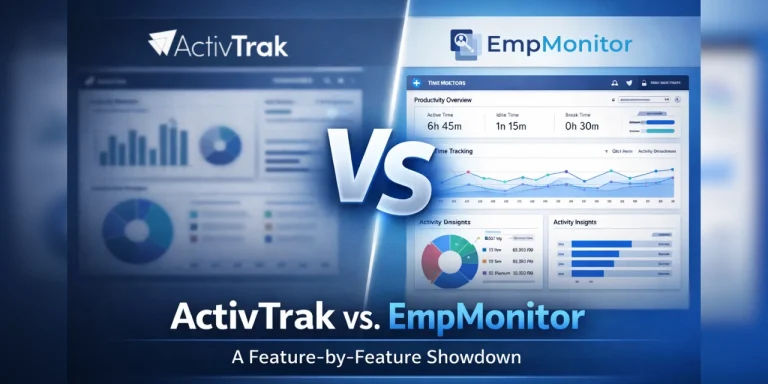
In this detailed ActivTrak vs EmpMonitor comparison, we break down what truly matters for modern businesses. Not just features. Not just pricing. But real productivity impact. Because when employees know their work is tracked properly, focus improves.
Many tools promise analytics. Few deliver deep, actionable monitoring. If you are searching for the best workforce software for productivity tracking, you need software that goes beyond surface-level dashboards. You need real-time tracking, activity insights, attendance visibility, and strong reporting.
This ActivTrak vs EmpMonitor guide is built to help you make a smart decision. We’ll compare usability, monitoring depth, pricing value, and business control.
For employers who want discipline, transparency, and measurable productivity, the right choice matters. If your goal is tighter workforce management and stronger team performance, this comparison will show why EmpMonitor stands out as the best workforce software for productivity tracking for growing businesses.
In a hurry? Listen to the blog instead!
Why This Comparison Matters
Managing a modern workforce is not easy. Teams are hybrid. Employees work from home, offices, and everywhere in between. Managers need real-time data. HR teams need accurate reports. Business owners need to know their money is being well spent.
That’s where workforce productivity software steps in. Two names come up time and again in this space — ActivTrak and EmpMonitor. Both promise to boost team performance. But are they really equal?
Spoiler: They’re not. And if you’re looking for the best workforce software for productivity tracking, the difference matters more than you think.
What Is ActivTrak?
ActivTrak is a workforce analytics platform designed to give businesses visibility into employee behavior and digital work patterns. It focuses heavily on productivity analytics, tracking app usage, website activity, time spent on tasks, and overall workflow trends.
The platform positions itself as a workforce intelligence solution. Its core strength lies in behavioral insights and reporting dashboards. Managers can review productivity scores, analyze engagement levels, and identify trends across teams.
However, ActivTrak leans more toward analytical observation rather than strict monitoring control. Certain advanced capabilities are restricted behind add-ons. Features such as screenshots, live screen visibility, and detailed tracking controls require additional configuration. Keylogging functionality is not part of the system.
While ActivTrak provides structured data and trend analysis, businesses seeking deeper monitoring, stronger oversight, and complete visibility may find its approach more insight-driven than control-driven.
And that’s where a more comprehensive solution enters the picture.
What Is EmpMonitor?
EmpMonitor is a powerful, all-in-one employee monitoring and workforce productivity platform built for serious businesses. Since 2020, it has helped organizations gain full visibility, enforce accountability, and strengthen operational discipline.
EmpMonitor goes beyond surface-level analytics. It delivers real-time monitoring, live screen tracking, detailed activity logs, application and website tracking, attendance management, insider threat detection, and productivity measurement, all within a unified system.
This platform is designed for employers who want clarity and control. It does not just analyze behavior. It actively tracks, records, and safeguards business operations. From startups to large enterprises, EmpMonitor adapts to different team sizes without limiting core functionality.
There are no hidden feature barriers. No essential tools locked away. Businesses get a complete monitoring ecosystem designed to improve productivity, reduce time waste, and protect company assets.
If ActivTrak offers insights, EmpMonitor delivers authority.
Read More:
ActivTrak vs EmpMonitor: Feature-by-Feature Breakdown
When comparing ActivTrak vs EmpMonitor side by side, several important gaps emerge. Here is an honest, data-driven look at what each platform offers.
🖥️ Stealth Mode
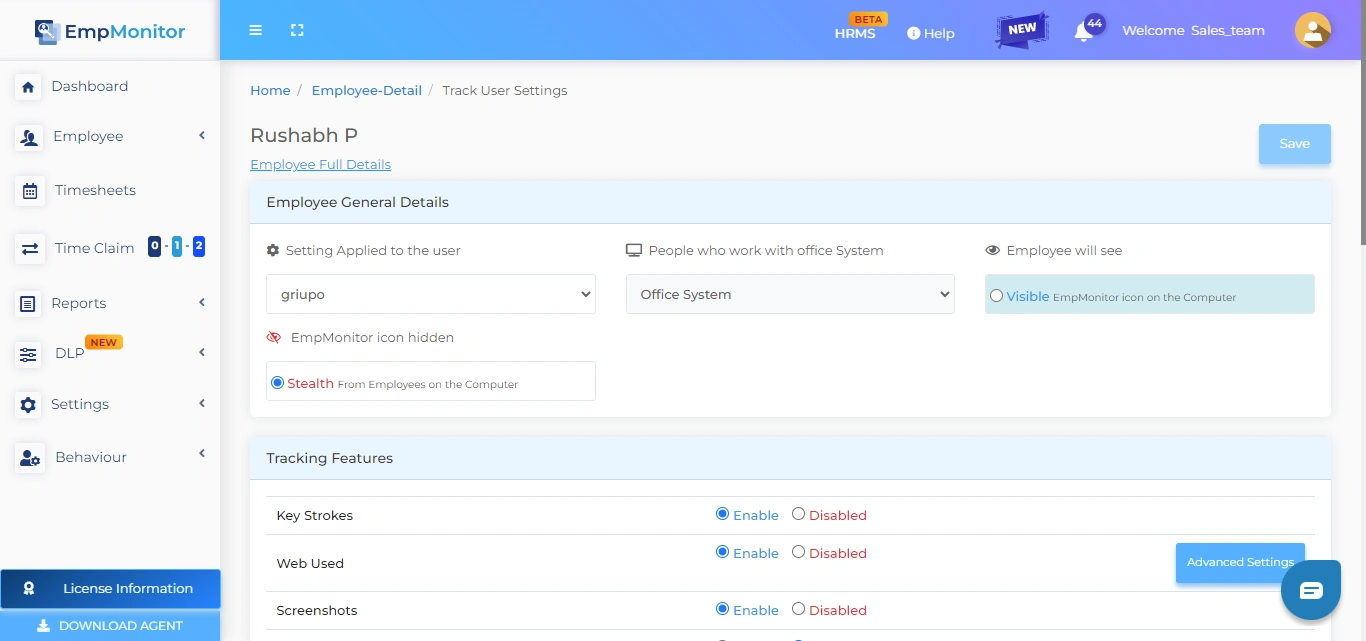
EmpMonitor runs in full stealth mode; it doesn’t appear in the programs list and isn’t recognized by Task Manager. This is standard on all paid plans.
ActivTrak offers “silent deployment” on paid tiers, but full stealth capabilities are less comprehensive than EmpMonitor’s approach.
Winner: EmpMonitor
⌨️ Keystroke Monitoring
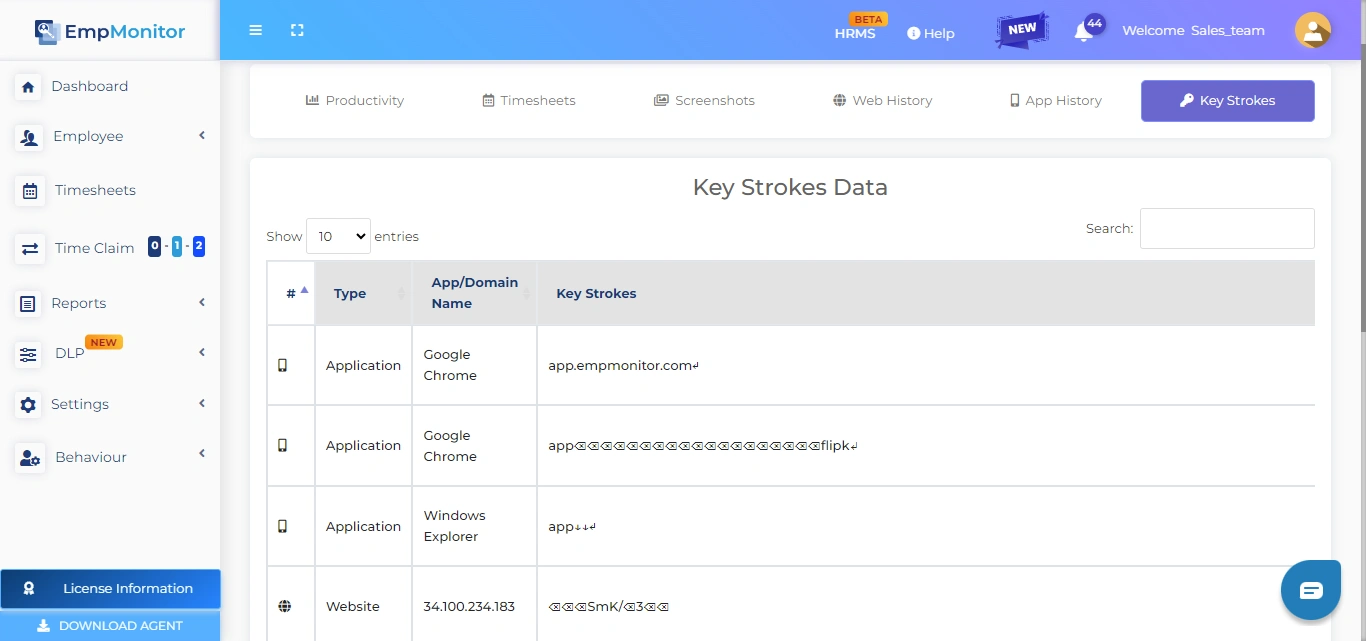
This is one of the biggest differences in the ActivTrak vs EmpMonitor debate.
EmpMonitor includes full keystroke monitoring (keylogger) on all paid plans. You get detailed logs of every key pressed — tied to specific users and timestamps.
ActivTrak does not offer keylogging at any plan level. If keystroke tracking matters to your compliance or security needs, ActivTrak simply cannot help.
Winner: EmpMonitor
📸 Screenshots
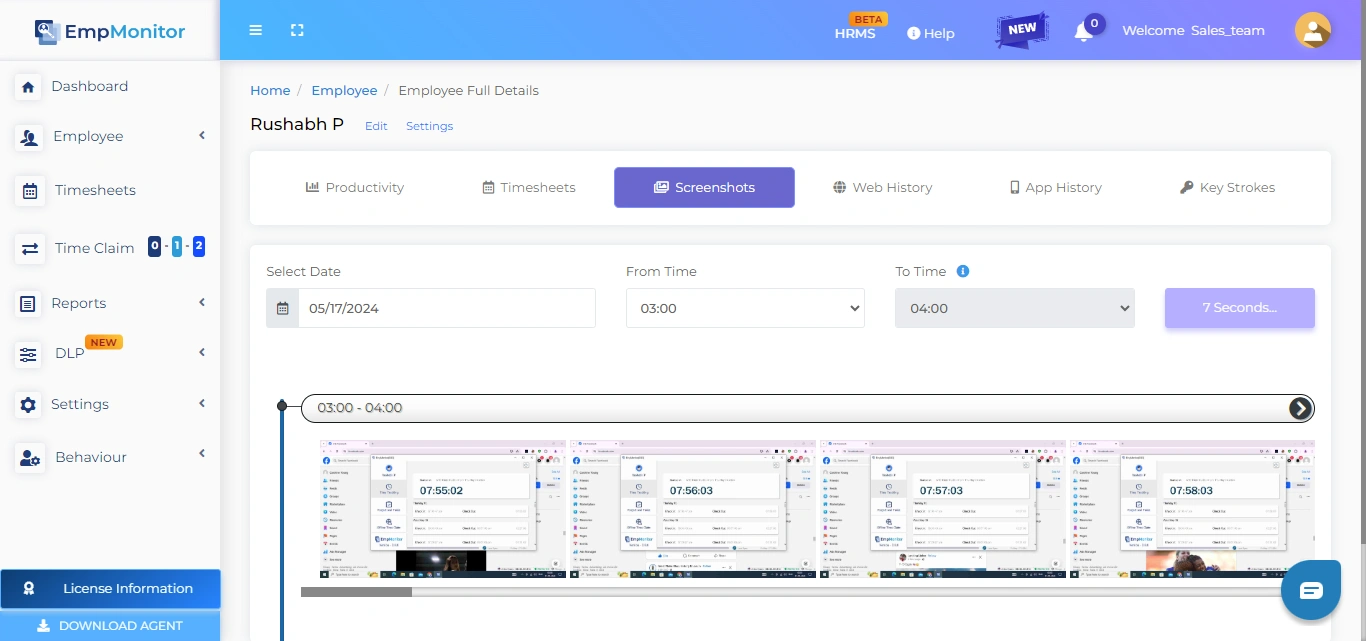
EmpMonitor takes automatic screenshots at custom intervals. It’s included in every paid plan — no add-ons needed. Screenshots are stored in the cloud and accessible through the dashboard.
ActivTrak makes screenshots available only as part of the “Screen Details” add-on — a separate purchase on top of your existing plan.
Winner: EmpMonitor
📊 Productivity Measurement
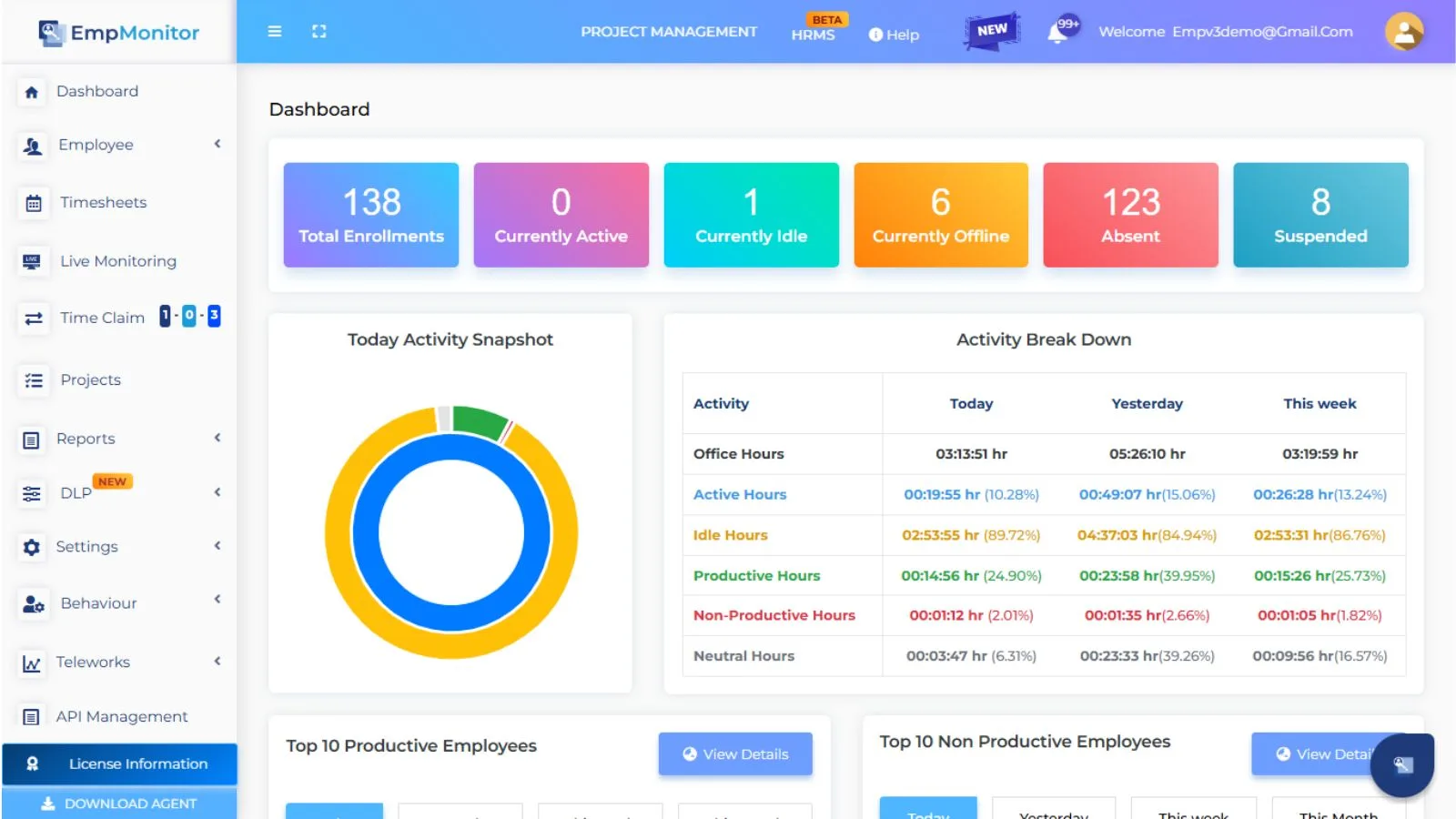
This is where workforce productivity software really earns its keep.
EmpMonitor tracks productive and non-productive hours with detailed breakdowns. You can see login/logout times, idle time, active time, and application-level usage. Reports are auto-generated and sent via email, and you can categorize apps and websites as productive or unproductive.
ActivTrak offers strong productivity analytics, too with organizational performance views and trend analysis on higher plans. However, most of the in-depth productivity features (workload balance, coaching, activity alignment) are reserved for the Professional plan at $19/user/month.
Winner: EmpMonitor — more features at a lower price point.
🕐 Time Tracking & Attendance
EmpMonitor includes automatic time tracking, shift scheduling, attendance logs, offline/idle time approval, and HRMS integration across all paid tiers. It’s a complete attendance management system built in.
ActivTrak also offers solid time tracking features — flex-schedule tracking, break capture, and schedule adherence. However, HRIS integration is an add-on.
Winner: Tie — both are strong, but EmpMonitor includes more for less.
🔒 Data Loss Prevention & Security
When asking how can AI enhance workforce productivity, a key answer is by catching threats before they become problems.
EmpMonitor includes USB detection and blocking, web/app blocking, and insider threat prevention across all plans. It even monitors browser history — even if it’s been deleted from the device. This is critical for companies handling sensitive data.
ActivTrak offers USB device and file transfer detection, sensitive content detection, and website blocking. However, full DLP features require higher plan tiers.
Winner: EmpMonitor — DLP is standard, not an upgrade.
📍 Location & GPS Tracking
EmpMonitor includes GPS tracking and location-wise detail reporting — useful for field teams and distributed workforces.
ActivTrak offers location policy adherence on Essentials Plus and above, but lacks the GPS-level detail that EmpMonitor provides.
Winner: EmpMonitor
📧 Automated Email Reports
EmpMonitor automatically sends email reports. This is available on all plans.
ActivTrak offers automated email exception reporting, but only from the Essentials Plus plan upward.
Winner: EmpMonitor
🖥️ Linux Support
This is a feature many enterprise teams overlook until they need it.
EmpMonitor supports Linux devices. ActivTrak does not officially support Linux.
Winner: EmpMonitor
📁 Project Management
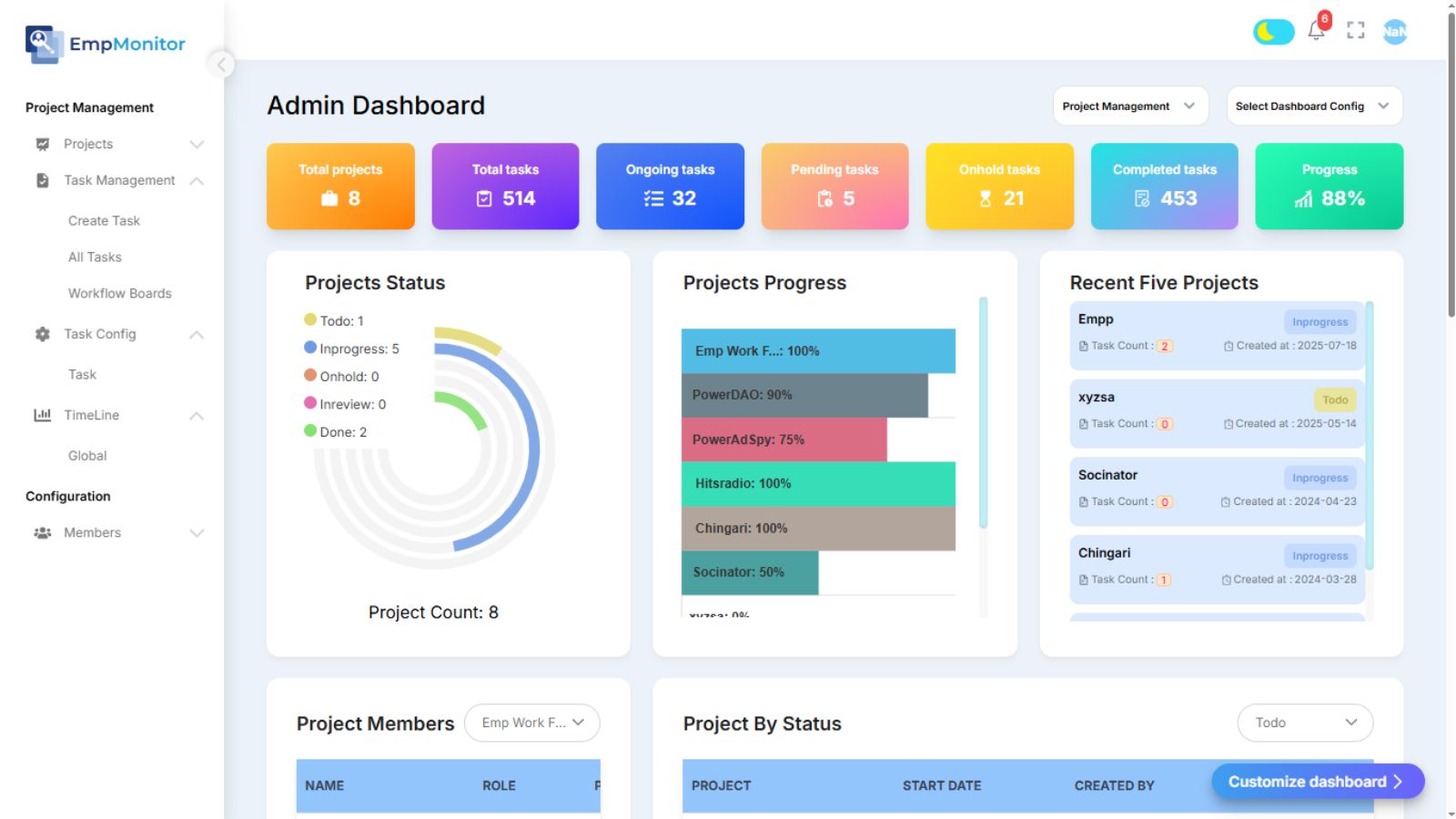
EmpMonitor includes project management tools that let you plan, assign tasks, and track progress, all within the same dashboard. No third-party integrations required.
ActivTrak does not offer built-in project management. It focuses on analytics and reporting rather than project workflows.
Winner: EmpMonitor
How Can AI Enhance Workforce Productivity?
This is one of the most-asked questions in the HR and operations world right now. The answer is clear: AI helps by automating patterns, predicting problems, and surfacing insights that humans would miss.
EmpMonitor uses behavioral analysis to give you deep reports on working patterns. It tracks how employees work, not just what they do, so you can identify burnout risks, high performers, and workflow bottlenecks before they become serious problems.
ActivTrak has invested in AI-powered coaching (available on its Professional plan) and offers productivity benchmarks. These are solid features — but they come at a steep price point of $19/user/month.
EmpMonitor delivers similar behavioral intelligence at a significantly lower cost, making it the smarter choice for teams who want AI-powered insights without enterprise-level pricing.
ActivTrak vs EmpMonitor: Pricing Comparison
When comparing workforce monitoring tools, pricing alone does not tell the full story. What truly matters is what you get for that price. In this ActivTrak vs EmpMonitor pricing comparison, the gap becomes very clear.
🔹 Entry-Level Paid Plan
EmpMonitor’s entry paid plan starts at $3.83 per user/month (yearly), while ActivTrak’s entry paid plan begins at $10 per user/month (yearly).
That is nearly 3x higher for ActivTrak at the starting level.
For small businesses or startups building their first monitoring system, this difference significantly impacts annual budgeting. With EmpMonitor, companies can onboard more employees at a lower operational cost without sacrificing essential monitoring capabilities.
🔹 Mid-Tier Pricing
At the mid level, EmpMonitor offers pricing as low as $3 per user/month (51–200 users). ActivTrak’s mid-tier plan costs $15 per user/month.
This is a substantial pricing gap, especially for growing companies scaling beyond 50 employees. Over a year, the savings compound dramatically. For example, a 100-user company would save thousands annually with EmpMonitor.
🔹 Top Tier Comparison
EmpMonitor offers custom pricing for enterprises (200+ users), allowing flexibility based on company needs and scale.
ActivTrak’s highest tier is priced at $19 per user/month (yearly), with certain advanced capabilities still structured separately.
For enterprises managing hundreds of employees, predictable and flexible pricing plays a critical role in long-term planning.
🔹 Free Trial Advantage
EmpMonitor provides a 15-day free trial with full features included. Businesses can test every monitoring capability without limitations.
ActivTrak’s free plan offers a 14-day trial of its Professional plan, but feature depth may still vary depending on add-ons.
When evaluating serious workforce control tools, full access during trial matters.
🔹 Feature Inclusion: Where the Real Difference Shows
Pricing is only one side of the equation. Feature access defines real value and the Activtrak vs empmonitor comparison makes this difference clear.
- Screenshots: Included in EmpMonitor plans. ActivTrak requires a paid add-on for screen details.
- Keylogging: Available in EmpMonitor. Not available in ActivTrak.
- Linux Support: Supported by EmpMonitor. Not supported by ActivTrak.
These are not minor features. Screenshots and keylogging are core monitoring tools for businesses that require strict accountability and security oversight.
Who Should Use EmpMonitor?
EmpMonitor stands out in the Activtrak vs empmonitor comparison and is the best workforce software for productivity tracking if you:
- Need full monitoring without add-ons eating into your budget
- Want keystroke logging for compliance or security
- Manage a team of remote or hybrid workers
- Need Linux support or GPS tracking
- Want built-in project management alongside monitoring
- Are looking for the most affordable workforce productivity software on the market
Who Might Prefer ActivTrak?
ActivTrak may suit you better if you:
- Need enterprise-grade workforce analytics dashboards
- Want deep HRIS and calendar integrations out of the box
- Prioritize compliance tools like HIPAA, SOC 2, and GDPR certification
- Already use Microsoft or Slack ecosystems for notifications
Final Verdict
Both tools serve similar goals, but they serve different audiences. ActivTrak is a strong analytics platform — but it comes at a high price and locks core features behind add-ons.
EmpMonitor wins the ActivTrak vs EmpMonitor showdown for most businesses. Here’s why:
- More features included — no surprise add-ons
- Significantly lower pricing — up to 5x cheaper
- Broader monitoring capabilities — keylogging, stealth mode, GPS, Linux
- Built-in project management — no extra tools needed
- 15-day free trial — try everything before paying
If you’re serious about boosting workforce productivity without draining your budget, EmpMonitor is the clear, data-backed choice.
Ready to Take Control of Your Team’s Productivity?
Don’t spend more to get less. Start your free 15-day trial of EmpMonitor today and see the difference for yourself — no credit card required.
👉 Start Free Trial at EmpMonitor
Frequently Asked Questions
- Is EmpMonitor really better than ActivTrak for employee monitoring?
If your priority is deep monitoring and strict workforce control, EmpMonitor typically offers more built-in capabilities. In the Activtrak vs empmonitor comparison, ActivTrak focuses more on analytics, while EmpMonitor provides broader visibility and hands-on oversight for employers. - Which tool gives more value for growing teams, ActivTrak or EmpMonitor?
For scaling businesses, EmpMonitor often delivers more features within its core platform. As seen in the Activtrak vs empmonitor analysis, companies watching budgets usually prefer tools that include monitoring essentials without requiring multiple upgrades or add-ons. - Does ActivTrak offer the same level of tracking as EmpMonitor?
Not exactly. In the Activtrak vs empmonitor comparison, ActivTrak is designed more for productivity insights and behavior trends. EmpMonitor, on the other hand, is built for comprehensive monitoring, making it better suited for businesses that need tighter employee supervision. - Can small businesses use EmpMonitor effectively?
Yes. EmpMonitor is designed to work well for startups, SMBs, and large enterprises. As highlighted in the Activtrak vs empmonitor analysis, its scalable structure makes it suitable for businesses that want strong workforce visibility from day one. - 5. What should employers look for before choosing workforce monitoring software?
Employers should evaluate real-time tracking depth, reporting clarity, scalability, platform support, and total cost of ownership. In the Activtrak vs empmonitor comparison, the best workforce software for productivity tracking should provide both visibility and control without hidden limitations.