Let’s start with a story about Idle Time that no one initially noticed.
A client came to us not in panic, but clearly at his wit’s end. He ran a remote design and development firm with 18 employees spread across multiple time zones. On paper, his team was humming along. Deadlines were mostly met. Project calls happened on schedule. Activity logs showed a consistent, healthy level of work.
Yet something didn’t sit right.
The hours being logged were not matching the output being delivered. He had a gut feeling that some of his paid work hours were silently disappearing, and he could not figure out where.
As it turned out, his instincts were right on the money.
The Employee Who Seemed To Work The Hardest
A Designer Who Never Appeared to Slow Down:
One team member stood out almost immediately. A senior UI designer consistently logged full 8-hour days. His existing time tracking tool showed regular keyboard strokes and mouse movement throughout the day. On the dashboard, he appeared to be one of the team’s hardest workers.
But something didn’t add up.
Output That Quietly Started to Slip:
Over four to six weeks, his actual project contributions had been steadily declining. Design revisions arrived late. Client feedback mentioned a noticeable dip in quality. The hours he logged simply did not align with the work hitting the project board.
How The System Was Being Fooled?
After a deeper look, the manager discovered the setup the employee was using:
- One monitor displayed design tools such as Figma and Adobe XD
- The second monitor streamed television series in the background
To prevent the tracker from flagging him as idle, the employee would occasionally tap a key or nudge the mouse. The old software logged it all as productive time. From the system’s perspective, he was one of the most active people on the team.
The Real Cost
In reality, the company was paying for a full-time professional while receiving a fraction of that person’s actual effort. This is a textbook case of time theft, and it is far more common in remote teams than most managers are willing to admit.
When One Problem Turns Into a Pattern
As the client dug deeper, what started as a suspicion about one employee expanded into something much larger.
The Numbers Looked Fine. The Work Did Not.
Reviewing five weeks of project logs, the client noticed a consistent pattern. Attendance records were clean. Hours were being logged faithfully. But when those hours were compared against actual deliverables, the gap was hard to ignore.
Recurring warning signs began to surface:
- Projects were routinely running over their estimated timelines
- Revisions that should have been caught early were slipping through to clients
- Sprint deliverables were falling short by small but consistent margins
None of these individually seemed alarming. Together, they told a different story.
How Big Was the Leak?
After a closer analysis, the client estimated that somewhere between 25 and 30 percent of all logged work hours were not translating into meaningful output. Across 18 employees, that represented a significant chunk of payroll going nowhere.
Why The Old Tool Was Never Built For This?
The company already had time tracking software in place. The problem was not that it was broken. It was simply designed to solve a different problem.
What It Did Well:
- Accurately recorded clock-in and clock-out times
- Detected keyboard and mouse activity as signals of presence
- Generated basic attendance reports
Where It Fell Short:
- No visibility into what was actually happening on screen
- Could not differentiate between real work and artificial activity
- A single key press every few minutes was enough to register a user as fully active
- No insight into which applications were open or what websites were being visited
In a remote environment where trust is everything, the client needed a tool that could show not just whether employees were at their computers, but what was genuinely being done during those hours.
That search led him to EmpMonitor.
Bringing Empmonitor Into The Picture
Rather than switching the entire team overnight, the client started with a focused two-week pilot. Eight employees were selected, a mix of strong performers and individuals he had concerns about.
The team was informed upfront. Transparency mattered to him. The goal was never to catch people in the act. The goal was to manage workplace activities more effectively and build a more honest, accountable work culture
Several features stood out right away.
- Automated screenshot monitoring: gave the manager periodic, timestamped snapshots of each employee’s screen throughout the day. Not intrusive, just honest. He could see at a glance what was actually being worked on at any given moment, including what was running on secondary screens.
- App and website tracking: logged every program opened and every site visited during work hours. Productive activity and non-work browsing could finally be separated clearly and objectively.
- Idle time detection: went beyond keyboard and mouse signals. EmpMonitor accurately identified genuine work activity versus artificial attempts to stay active, closing the loophole the designer had been exploiting for weeks.
- Attendance and shift reports: automatically tracked login and logout times without relying on manual entries, removing another layer of guesswork entirely.
- Real-time activity dashboard: gave the manager a live, centralized view of all active employees, who was working, who was idle, and which apps were currently running, all from a single panel.
- Live screencasting: (EmpMonitor’s newly launched feature) allowed the manager to view any employee’s screen in real time without disruption, providing an additional layer of visibility when needed.
Within just 48 hours of the pilot launch, the client had more practical, actionable insight into his team’s daily working patterns than he had gained in the previous several months.
What The Data Actually Showed?
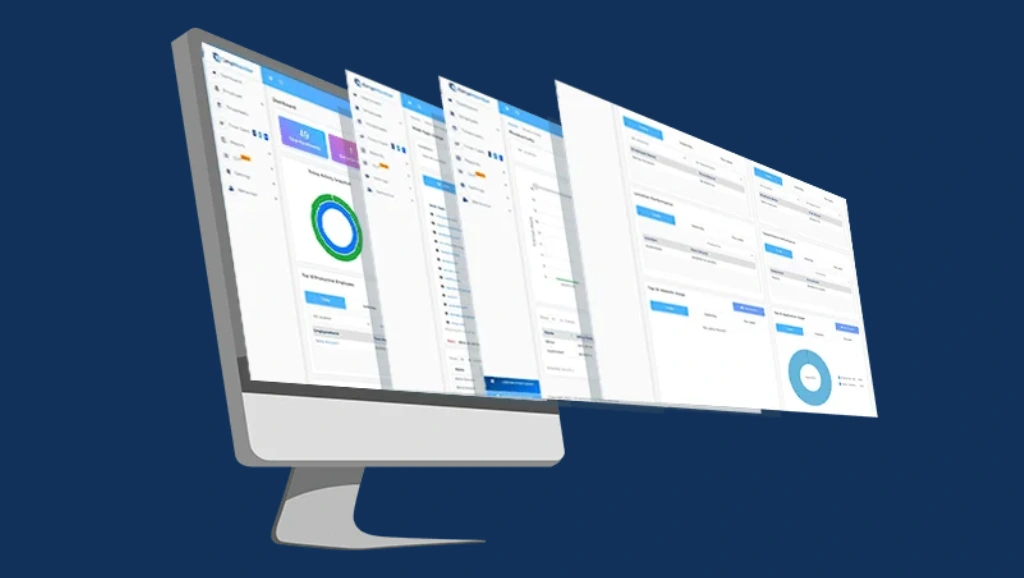
The results from the pilot were eye-opening.
1. Hidden Non-Work Time During Paid Hours:
Across the pilot group, activity reports showed an average of nearly 2 hours per employee per day being spent on non-work activities during paid work time.
2. The Most Common Productivity Drains:
The logs revealed clear recurring patterns:
- Extended social media sessions during work hours
- Streaming platforms running in the background while tasks sat open
- Personal errands and shopping handled through the browser
- Lunch breaks stretching well beyond what attendance records showed
3. The Dual-Screen Setup Exposed:
The designer flagged in the pilot was identified on day one. Screenshots captured Figma open on one screen and a streaming service running on the other. The data made the situation clear without the need for assumptions or confrontation.
4. A Conversation Grounded in Data:
The discussion that followed was calm and professional. There was no drama because there did not need to be. The data said everything. Once expectations were clearly reset and monitoring was in place, the situation corrected itself within days.
5. Recovery Was Fast:
Within two weeks, the designer’s output returned to expected levels. His productivity metrics in EmpMonitor reflected the shift almost immediately.
Also read:
Idle Time: The Silent (Productivity) Killer
The Shift: Before And After Empmonitor
Encouraged by the pilot, the client rolled EmpMonitor out to all 18 employees within the following month. Within 60 days, idle time and time theft dropped by 28 percent. But the real change went deeper than the numbers.
Before EmpMonitor:
- No visibility into what employees were actually doing during work hours.
- Activity tracking relied on keyboard and mouse signals only.
- Logged hours rarely aligned with project deliverables.
- Project timelines stretched unpredictably.
- 25–30% of paid hours showed weak links to actual output.
After EmpMonitor
- Real-time visibility via screenshots, app tracking, and activity dashboard.
- Idle time detection closed the gap between logged hours and real output.
- Managers could rely on concrete productivity data instead of assumptions.
- Delivery estimates became more consistent and reliable.
- Time theft dropped by 28% within 60 days of full rollout.
When employees know their work activity is being tracked in a meaningful, transparent way, the nature of the workday changes. Breaks are taken honestly. Focus during work hours improves. Managers stop spending time chasing updates because the data is already there.
This Is Not About Watching Over Shoulders
It is worth being clear about what this case is not.
EmpMonitor was not implemented to build a culture of suspicion. The client did not roll it out to punish his team. He implemented it because he was responsible for a business, real salaries, and real deliverables, and he needed to ensure that work was actually being done.
Employees who were already performing well noticed very little change, except that their contributions were now clearly reflected in the data. Those who had been underperforming had the opportunity to course-correct. Most of them did.
The Bottom Line
Time theft in remote teams rarely looks like obvious misconduct. More often, it shows up quietly as a growing gap between hours logged and work completed. When that gap repeats across multiple employees and weeks, the cumulative productivity loss becomes impossible to ignore.
The right monitoring tool does not replace trust. It creates the transparency that makes trust sustainable.
If you manage a remote team and your reports look clean but your results are not adding up, it may be time to look closer.
EmpMonitor might be exactly where to start.
FAQs
1. What exactly is idle time theft in a remote team?
Idle time theft happens when employees are paid for hours they are not genuinely working. In remote environments, this includes long unproductive stretches, personal browsing during work hours, background streaming, or deliberately keeping activity trackers active without doing real work.
2. How does EmpMonitor help recover lost productive hours?
EmpMonitor provides genuine visibility into how work hours are being spent through screenshot monitoring, app and website tracking, idle time detection, real-time activity dashboards, and live screencasting, allowing managers to identify and address productivity gaps with data rather than guesswork.
3. Does monitoring software hurt team morale or trust?
Not when introduced transparently. When employees understand what is being tracked and why, most respond positively. Top performers often appreciate that their effort is now objectively visible and recognized.
4. Is EmpMonitor suitable for small remote teams?
Absolutely. EmpMonitor offers plans starting from 1 to 10 users, making it equally effective for small and large remote teams without complex setup or hidden fees.
5. How quickly can a team see results after implementing EmpMonitor?
Meaningful insights typically appear within 48 hours of setup. Broader improvements in team accountability were visible within two weeks in this case, and a 28% reduction in time theft was recorded within 60 days of the full rollout.