Quick Answer
Yes, with limits. Screenshots that show a chart, face or name band are patient data, so switch capture off inside EHR apps and audit who opens which record instead.
That matters more once a team spans borders. The company I work for operates across six countries so patients are never sent to voicemail. Every one of those desks needs identical capture rules, down to the last workstation.
Key Points
- HHS says the HIPAA Security Rule covers all ePHI an entity creates or maintains, so a stored screenshot of an open chart is ePHI you must protect.
- One academic health system’s privacy office links Epic user activity reports with HR data to flag staff opening records of co-workers, VIPs, family members or neighbors.
- On a 2022 Burr & Forman podcast, the firm said any service provider needing PHI access is a business associate that must sign a BAA.

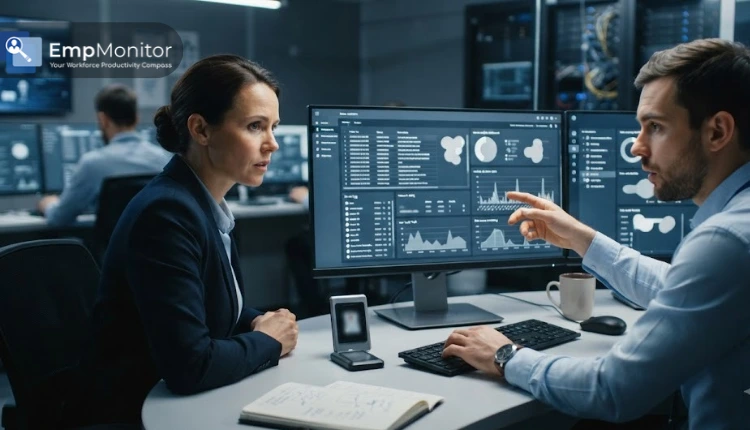
A headset worker at a shared desk shows why screen capture settings need careful setup around patient calls.
Here is the tension in one line. A screenshot that catches a chart becomes patient data the moment it saves, yet the most useful privacy check in healthcare never looks at a screen. One academic health system’s privacy office pulls user activity reports out of Epic and matches them against HR data, so it can spot staff opening records their job gives them no reason to touch.
So what should you watch? Who opened which record.
The same logic follows you when you outsource. HelpSquad prices full-time staffing at 8-13/hour, and part-time engagements start at 20 hours per week. Price is rarely the sticking point at that level. The harder contract question is which monitoring settings travel with the agents, and who signs the business associate agreement.
HIPAA-safe employee monitoring means watching who opens patient records, not photographing what sits on the screen. Yale’s HIPAA Privacy Office already works this way, pairing EHR activity reports from Epic with HR data to flag suspicious record access.
Screenshots are a different story. A capture of an open chart is patient data. It needs the same protection as the chart itself.
The exposure keeps widening, too. A 2026 explainer on She Scribes describes patient portals as a prime target for data thieves, a channel no desktop capture ever sees. So where should your monitoring actually point?
Questions this article answers
This article answers:
- Is a monitoring screenshot of an EHR screen PHI?
- Should healthcare teams stop monitoring staff altogether?
- Which monitoring features should I switch off for EHR users?

Regular, careful review of printed reports supports the accountability that a screenshot archive alone cannot provide.
When does a monitoring screenshot become patient data?
A screenshot becomes protected health information once it shows something that identifies a patient and relates to their care. From that moment, your monitoring archive is an ePHI store.
Run this quick test on every capture setting you use:
- Could the image show a patient name, medical record number, face, name band or room number?
- Could a window title or URL path carry a patient name or MRN?
- Does the saved file keep EXIF or GPS metadata?
One yes is enough. Faces, unique tattoos, room numbers, name bands, vehicles and even EXIF or GPS metadata can identify a person. Window titles are the sneakiest leak. An EHR tab can print a patient name or MRN right in the title bar, so a tool that never takes a picture can still log PHI.
Why does this matter so much? HHS states that the Security Rule covers all ePHI a regulated entity creates, receives, maintains or transmits, and that the entity must ensure compliance by its workforce. A stored screenshot of a chart is ePHI you created.
An analysis of 5 sources shows the same pattern: capture tools quietly copy patient data into places nobody planned to secure. A UK expert panel chaired by Dr Julian Huppert found medics using Snapchat and camera apps to send patient scans, and judged the practice insecure and impossible to audit.
Training sets the baseline. HelpSquad, for example, has its HIPAA-compliant virtual medical assistants certified through HIPAATraining.com before they touch a patient record. Still, no certificate stops a timer-based capture from firing while a chart is open on screen.
Why do healthcare teams still need monitoring if it creates privacy risk?
Switching monitoring off is the wrong fix. Most health-data loss starts with people who already have access, so you still need oversight, just pointed at the right signal.
The insider problem is well documented. A 2019 article from a monitoring vendor, drawing on 2018 breach research, put insiders behind 58% of health-data loss events and called healthcare the only industry where internal actors were the biggest threat. Treat that as a vendor’s framing. The cases behind it are real, though.
In 2011, UCLA Health System was fined $865,000 after staff viewed two celebrities’ records without authorization, and one employee was sentenced to four months in federal prison. Back in 2007, about two dozen staff at a New Jersey hospital were suspended for viewing George Clooney’s records. Nobody needed a screenshot to catch any of them.
So what did catch this kind of behavior? Record access. Yale’s HIPAA Privacy Office takes user activity reports from Epic and other clinical systems, links them with HR data, and flags access to the records of co-workers, VIPs, family members or neighbors. An employee in Labor and Delivery opening the chart of a child seen in Pediatric Dentistry at her own home address would trigger an alert.
Demand for oversight is not going away either. One vendor puts healthcare monitoring adoption at 72% in 2026, up from 53% in 2022, with HIPAA compliance named as a leading driver.
In my view, the question was never whether to monitor. It is what you capture. A chart image proves little about snooping, while an access log shows exactly who opened which record and when.
How do you set up HIPAA-safe monitoring for staff who handle patient data?
Configure by role. Keep time, attendance and idle signals, switch off capture inside EHR and billing apps, and get a BAA from any vendor that can touch PHI.
- Map the three rules to your setup. The Privacy Rule decides who may view captured data. The Security Rule sets safeguards for the monitoring archive itself. The Breach Notification Rule applies if that archive leaks.
- Pick the tool category by goal. Device-level monitoring, security and data loss prevention platforms, productivity analytics and time trackers solve different problems. Some lean on screenshots heavily; others barely use them.
- Set exclusions per role. A clinical data analyst needs different oversight than a scheduling coordinator or front-desk receptionist.
- Sign and review the BAA. Confirm it with legal or compliance and revisit it every year.
| Monitoring feature | PHI risk for EHR users | Recommended setting |
| Timed or random screenshots | High: can record open charts, prescriptions or billing records | Exclude EHR and billing apps |
| Live screen viewing | High: shows patient data to the viewer in real time | Off during EHR sessions |
| Window title and URL logging | Medium: titles can show patient names or MRNs | Strip or disable |
| Keystroke logging | High: captures typed patient details | Off |
| Time, attendance and idle tracking | Low | On |
| Automatic logoff after idle time | Low, and it supports technical safeguards | On (one vendor’s sample rule locks users out after more than thirty consecutive idle minutes) |
Yes, excluding the EHR leaves a blind spot. I accept that trade, because a blind spot you document is easier to defend than an archive full of charts nobody meant to collect.
Outsourced teams add one more layer. On a 2022 episode of the Burr & Forman podcast, the firm explained that any service provider needing PHI access is a business associate, must sign a BAA and can be directly liable, including for breach notice. The law gives a business associate 60 days to notify the covered entity, yet a BAA can tighten that to 20 days. If you are weighing a partner for calls or billing, read the healthcare BPO compliance guide before you compare monitoring stacks, then book an intro call through helpsquad.com/contact or at 877-775-3667 to talk through your setup.
Ask every vendor one blunt question: which of these settings is on by default?
What should HIPAA monitoring look like from here?
Expect record-access auditing to replace screen capture for EHR users. Access logs linked to HR data catch snooping, while chart screenshots only add more patient data to protect.
My advice is simple. Audit who opened which record, keep time and idle signals, and treat every capture as PHI.
Vetting people still matters as much as vetting tools. HelpSquad, founder-operated since 2015, reports that fewer than 3% of applicants clear every dimension of its screening. Pair careful hiring with access logs, and the screenshot question nearly answers itself.
Frequently Asked Questions
What else do people ask about HIPAA and employee monitoring?
Most follow-up questions ask which tools the rules require, how far a vendor’s liability reaches, and whether contractors fall under the same monitoring policy.
Does the HIPAA Security Rule tell me which monitoring tool to use?
No. HHS describes the rule as flexible and technology neutral, so you choose measures that fit your size, costs and risks. Then you document why you chose them.
Does a monitoring vendor’s liability stop at the contract?
Not anymore. Under Section 13401 of the HITECH Act, a business associate (a provider that handles ePHI for a covered entity) must meet the Security Rule’s safeguards directly and can face civil and criminal liability.
Do contractors and outsourced staff fall under the same policy?
They should. Some university health procedures apply to all personnel, regardless of affiliation, who create, access or store ePHI. Write your monitoring rules that way, so the temp covering your front desk gets the same capture settings as everyone else.
Written by
Maria Rush
Marketing Team Lead, HelpSquad
Maria De Jesus-Rush is Marketing Team Lead at HelpSquad, a healthcare business process outsourcing company, with a background in content development, digital marketing, and project management.