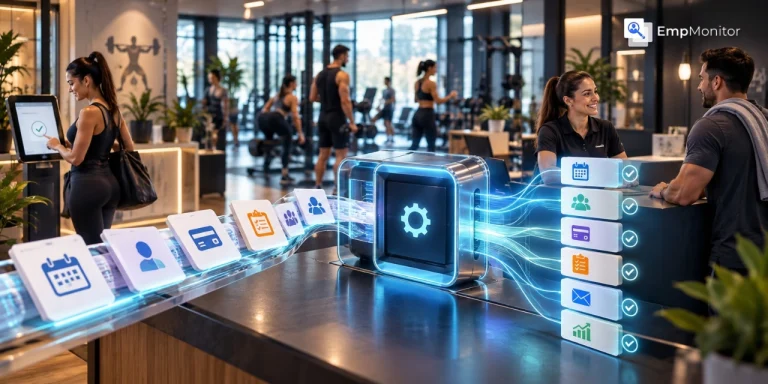
A member wants to change a booking. A new member still needs to complete a waiver. None of these tasks is particularly complicated. The problem is that they keep coming back. For a fitness studio, administrative work is often spread across bookings, memberships, payments, communication, attendance, lead follow-ups, and reporting. When each task is handled manually, small jobs can quickly become a large part of the front desk team’s day.
Gym software can reduce this workload and make a practical difference. Instead of asking staff to repeat the same steps for every member, a connected system can automate predictable processes, keep information in one place, and give members more ways to handle routine tasks themselves. The goal is not to replace staff, but it is to reduce the repetitive work around them so they have more time for member service, problem-solving, and other responsibilities that still need human attention.
Where does all the administrative work in a fitness business come from?
Administrative work is not limited to paperwork or sitting behind a desk. A staff member may need to update a membership after a plan change, check whether a payment went through, move someone from a waitlist, record attendance, send a reminder, respond to a booking question, or follow up with a new lead. Individually, these jobs are manageable. The difficulty comes from repetition. A fitness business may also have information spread across several places. Membership details could be stored in one system, bookings in another, payments through a separate processor, and leads in a spreadsheet or inbox. Staff then spend additional time moving information from one place to another. The more often staff have to copy, check, update, and reconcile information manually, the more time they spend on administration rather than member-facing work.
Which everyday gym tasks can software take off the staff’s plate?
The biggest benefit of gym management software is not a single feature. It is the ability to connect several routine processes so that one action does not create several additional tasks. Here are some of the areas where that can happen.
Are membership changes creating too much manual record-keeping?
Membership administration can involve much more than adding a new member. Staff may need to create profiles, assign membership plans, process renewals, update freezes, record upgrades, collect forms, and check payment status. If those details are maintained manually, the same information may need to be entered or checked more than once. Gym software can bring member profiles, plans, renewals, forms, and related records into one system. When a member’s information changes, staff can work from a central system instead of updating separate files. Digital forms can also remove some of the paperwork involved in onboarding. Members can complete forms and related records in one system. When a member’s information changes, staff can work from a central record instead of updating separate files. Members can complete forms online, while staff have a digital record available when they need it.
Bookings and scheduling
Scheduling is another area where small administrative tasks can pile up. Without online booking, staff may spend part of the day answering calls, messages, or emails from members who want to reserve a class. A cancellation can require another update. A full class can mean maintaining a separate waitlist. Schedule changes may also require individual reminders. An online booking system moves much of this process away from the front desk. Members can see available sessions, book a place, make relevant changes, and join a waitlist without asking staff to handle every setup. Staff still need to manage the schedule and deal with expectations, but they do not have to act as the middle person for every booking.
What happens when staff have to chase payments manually?
Payment administration can become especially repetitive when a gym has recurring memberships. Staff may need to check payment records, identify failed transactions, send reminders, answer payment questions, and update membership records. A software-assisted billing workflow can automate recurring charges and keep payment history connected to the member record. Depending on the platform, failed payments and reminders can also be handled through automated workflows.
That does not mean every payment issue disappears. Some transactions will still require staff attention. The difference is that employees can focus on exceptions instead of checking every routine transaction themselves. This distinction matters when evaluating automation. Good automation does not remove human involvement from a process that needs judgment. It reduces the number of routine cases that reach the staff in the first place.
Can members handle more routine requests themselves?
Checking a class schedule, booking a session, viewing account information, receiving a reminder, or checking in are all examples of tasks that can potentially be handled through member-facing tools. A member mobile app can give customers access to these functions without requiring a phone call or front desk interaction. That does not make staff less important. It changes where their time goes. Instead of spending several minutes helping a member book a standard class, a staff member can deal with a membership issue, answer a more complex question, or spend time with someone who needs personal assistance.
Can routine communication happen without someone sending every message?
Fitness businesses communicate with members throughout the customer journey. There are booking confirmations, class reminders, membership notifications, payment messages, follow-ups, schedule updates, and other routine communications. Sending every message individually is difficult to maintain as the member base grows. Automation can handle predictable communication based on defined events or workflows.
For example, a booking can trigger a confirmation, while an upcoming session can trigger a reminder. The important point is consistency. A process that depends entirely on someone remembering to send a message is more vulnerable to being missed during a busy day. Automated communication can handle the predictable parts while staff remain responsible for conversations that need context or personal attention.
Are leads getting lost between inboxes, calls, and spreadsheets?
Lead administration often becomes messy because prospects can arrive through several channels. A person might submit a website form, send a social media message, call the gym, walk in, or be referred by an existing member. If each lead is recorded differently, staff may have to search through inboxes, spreadsheets, notes, and phone records to understand what happened next. A CRM can bring those prospects into a more organized workflow. Staff can see contact details, follow-up activity, lead status, and other relevant information from one place. This does not guarantee that every lead will become a member. It simply gives staff a more structured way to manage the follow-up process and reduces the administrative work involved in keeping track of prospects
Does check-in still require manual attendance tracking?
Attendance is another area where technology can remove repetitive record-keeping. Instead of marking attendance manually, a gym may use QR check-in, mobile check-in, a kiosk, or access-control technology connected to membership status. When the system records the entry, staff do not have to enter the same attendance information separately. The exact setup depends on the gym and the technology it uses. Some businesses may need staffed check-in, while others may require access control for extended or 24/7 entry. The useful part is the connection between check-in and the member record. When those systems work together, attendance information becomes easier to track and retrieve.
Why does using separate systems create more admin work?
The number of tools a fitness business uses is not necessarily the problem. The problem is when those tools do not share information effectively. Consider a gym that uses one system for memberships, another for bookings, a separate payments platform, a spreadsheet for leads, and another tool for communication. Each system may work perfectly well on its own. Staff still have to move information between them. A new member might be entered into the membership system, added to a booking platform, recorded in a spreadsheet, and then added to a communication list.
Connected gym and studio management software can reduce some of this repetition by bringing related processes into one platform. A member record can support scheduling, billing communication, attendance, and reporting without staff having to recreate the same information in several places. The objective is not necessarily to have fewer software tools at any cost. It is to avoid unnecessary work between those tools.
What does manual work look like compared with a software-assisted workflow
The difference is easier to see when the same administrative tasks are placed side by side.
| Administrative task | Manual approach | Software- assisted approach |
| Membership renewals | Staff check records and follow up | Automated membership workflow |
| Class bookings | Staff handle bookings individually | Online self-service booking |
| Payment follow-up | Staff monitor and send reminders | Automated billing and notifications |
| Attendance | Manual records | Digital check-in and attendance tracking |
| Member communication | Individual routine message | Automated reminders and notification |
What should a fitness business check before choosing gym software
Ease of use matters as much as the feature list. If staff need complicated workarounds to complete everyday tasks, the software may not actually reduce administration. It is also worth considering the business model. A personal training studio, independent gym, class-based studio, and multi-location fitness business may all need different workflows. Before choosing a platform, map out a few real processes. For example, follow what happens from the moment a new member signs up through their first booking and payment. Then look at what happens when a payment fails, or a member changes their plan. Buying more technology does not automatically reduce administrative work. Poorly matched software can create another system for staff to learn and maintain.
Start with the workflows that currently create the most friction.
Look for software that can support:
- Membership and package management
- Scheduling and online booking
- Recurring billing and payment processing
- Member self-service
- CRM and lead management
- Routine communication
- Digital forms
- Check-in and attendance tracking
- Reporting
- Integrations with existing tools
- Mobile access
- Staff permissions
- Scalability as the business changes
- Accessible customer support
How can connected gym software bring these workflows together?
Once the main administrative problems are clear, the value of an integrated platform becomes easier to understand. GymRoute is one example of gym management software built around connected operational workflows. Its official platform information lists membership and package management, billing, scheduling and bookings, lead management, digital forms, access control, POS, inventory, reporting-related tools, and a branded mobile app. The important point is not the number of features. It is how those functions can work together.
For example, digital forms can support member onboarding, while membership information can connect with bookings and billing. A member-facing app can give customers another way to book sessions and manage parts of their gym experience. Check-in and access-control tools can also connect entry with membership status.
Does gym software actually reduce staff workload?
It can, but the result depends on what is being automated and how the software is implemented. If staff are still required to enter the same information into several systems, automation may have limited value. If a platform allows members to complete routine actions themselves and automatically handles predictable steps, there is more potential to reduce repetitive work. There is also an important distinction between reducing work and eliminating work.
A gym will still need employees to resolve unusual payment issues, handle membership exceptions, respond to complaints, support members, manage schedules, and make operational decisions. Software simply changes how much of the routine workload reaches them. This is consistent with the broader productivity principle that automation is most useful when it removes repetitive steps and gives people more time for work that requires judgment or interaction. EmpMonitor’s recent productivity content similarly focuses on using technology to reduce repetitive work and improve how teams use their working time.
What should gym owners take away from all this?
Administrative work is part of every fitness business, but not every administrative task needs to be handled manually. The first step is to identify where staff repeatedly copy information, answer the same routine questions, check the same records, send predictable reminders, or move information between different systems. Those workflows are potential candidates for automation. Gym software can help connect memberships, scheduling, billing, communication, leads, forms, check-ins, and reporting so staff spend less time maintaining routine processes. The best setup will depend on the business. A small studio may need only a few connected functions, while a larger gym may need CRM, gym access control system, inventory, reporting, and multi-location support. The practical goal is simple: use technology where it removes unnecessary repetition, while keeping people involved wherever experience, judgment, and personal service matter.
Bottom Line
Administrative work is part of running any fitness business, but staff do not need to handle every routine task manually. Gym software can automate recurring processes such as bookings, billing, member communication, lead follow-ups, forms, and check-ins while keeping important information in one place. The right system should fit the way your business actually operates. Instead of choosing software based only on its feature list, look at the tasks that take up the most staff time and identify where automation can remove unnecessary steps.
The goal is not to automate everything. It is to reduce repetitive administration, so your team can spend more time on members, service, and the work that requires human attention.