Have you ever realized that the idea behind employee management completely varies from time tracking in the work premises?
Implementing resources that have different features that help to respond and attain different challenges and goals, respectively, is advantageous.
If you are looking out for an appropriate tool, then the first thing to consider is to check out the operational difficulties that are important for your organization.
At times, you could be monetarily compelled to select between employee monitoring software and web-based employee time tracking software. Are you also in a similar situation?
Don’t worry! I will help you to make the right decision.
Listen To The Podcast Now!
ANALYZE THE PROBLEM, OUTLINE THE SOLUTION

Prior to looking for the desired tool, take a close look at the company’s issues.
- Do your workers sit idly in the working hours?
- Are your projects taking a long time to complete for no clear reason?
- Is the company running short of resources?
Getting a good view of the business related-ails will assist you to determine whether to start monitoring employees or measure the time employees spend in the workplace.
Keeping track of employees’ work time and looking up to employee management becomes a priority once you start getting complaints from the clients about being unable to contact your customer service or co-workers within the proper time.
It might make the business owner feel like their team members are continually late to work. Therefore, it’s important to take initiative for employee management. We must also accept that losing clients and overpaying workers will have adverse consequences on the bottom line, which can be only addressed by the introduction of collective time tracking.
That is why any employee’s conduct that affects your company reputation, bad interpersonal relationships, lack of responsibility needs to be supervised as soon as there is even a small sign of such behavior.
In a similar way, if you plan to hire an extrinsic partner for some project or on a regular basis. If the demand comes from particular business dynamics, with the latest time-sensitive market changes, HR policies, or some other causes. It’s advisable to implement new time tracking software to avoid wasting time while employees are working on a particular payroll.
Although before implementing, you need to need to clarify why this is important and should not be regarded as machine snooping software, but is a resource with several professional advantages.
The first and most important thing which most people fear is employee privacy and the sharing of personal details.
With the use of a good employee monitoring software, both the employers and employees (remote and conventional) can rely on the fact that none of the details about the daily work activities and other used tools are stored safely — on the company’s main server. Moreover, it’s only accessible to the admins or authorized users, which helps to prevent misuse of the data, also while holding them in line with the new regulations as well.
Moreover, it also helps you to provide you with accurate bills about the amount of money spent on each project and allows the managers to know about the completion of the work. This practice not only minimizes the waste of time going back and forth when reporting to customers but provides you with a mechanism to hold employees accountable for their work.
On the other side, you can also gain direct insight into your employee’s workplace practices and have effective employee management by managing working as well as productivity hours. Hence, it’s beneficial to implement employee management software.
In case you, being the employer, suspect something wrong about any employee or come across some unprofessional behavior, the commonly available screenshot monitoring feature in employee monitoring software can provide you with a detailed list of complete work done by the employees the whole day. This data helps in painting a clear picture of the person in which out-dated management-based performance reviews just don’t.
In addition, cloud employee monitoring software such as EmpMonitor gives you real-time information on the performance of workers, along with alert messages by employees long idle time or their unprofessional behavior. In addition, managers may also take snapshots of staff monitors — either manually or automatically at random times, or when unusual behavior occurs.
EmpMonitor also helps to show information on the performance of staff in real-time, with warnings caused by unprofessional behavior, or too long idle periods. In addition, managers may also take snapshots of employee systems — either manually or automatically at random times, or when suspicious behavior occurs.
Benefits of Integrating Time Tracking & Employee Management Software
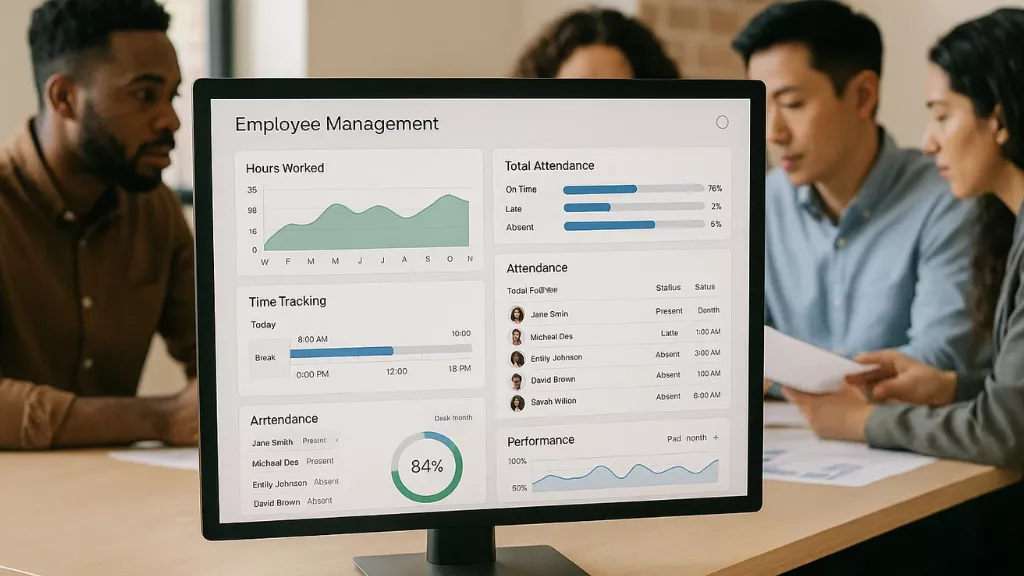
Bringing time tracking and employee management together creates a smoother, more transparent workflow. Instead of managing people and hours separately, teams can rely on one system that connects performance, productivity, and accountability.
1. Transparent Performance Evaluation
When time records and activity data align, evaluating performance becomes more accurate. Managers can see how time is distributed across projects and tasks, making feedback more factual and fair. It encourages clarity and removes guesswork from reviews.
2. Smarter Scheduling and Resource Allocation
Accurate time insights help identify who’s overworked and who can take on more. This balance prevents burnout, supports better planning, and ensures that projects stay on schedule with the right resources in place.
3. Improved Payroll Accuracy and Compliance
With precise time tracking, every working hour, break, and leave is automatically recorded. This reduces payroll errors, prevents disputes, and supports compliance by maintaining reliable attendance records.
4. Accountability and Motivation
When employees can see their progress reflected in tracked data, they tend to take more ownership of their work. Transparent tracking systems encourage consistency and self-improvement without adding unnecessary pressure.
5. Informed Decision-Making
Integrated reports give managers a complete view of productivity trends. These insights help identify inefficiencies, adjust workloads, and plan ahead based on real data rather than assumptions.
Also Read
Even-handled Timesheets: Quick, Easy & Accurate Time Tracking Software
Getting Employee Time Management On Track And Why It Matters?
TEST BOTH, THEREFORE CHOOSE
Press enter or click to view image in full size
While identifying the problems faced by your company and checking out goals which you are willing to achieve with the use of different software that helps you in getting complete insights into the employee’s daily attendance and ongoing tasks. It will help you to know what works for others may not work for you.
Subscribe
One way of finding out what sort of tool (employee management or time tracker) to use is to only use both before committing.
Different free employee management and time tracking software are available, using which you can easily manage your employees. Nearly one or two weeks are enough to try all the features of a particular software and then choose which is a good fit for the organization.
When reviewing, the most significant thing to look out for is whether they suit the corporate culture, how it can fix burning problems, and what you need to spend to do that.
Another important thing to look out for is how it suits your company, whether it can resolve the issues or the resources you need to invest in.
Never get influenced by the available options, for example, if you need a time tracking software, but the features they are providing don’t benefit you much, then it’s no use having a time tracking software and would be a simple wastage of money.
Similarly, if you have tons of issues with your remote as well as conventional employees, then simply tracking their time isn’t worthy, hence, requires a perfect solution to easily manage your employees.
Overall, understanding your company’s needs and the things required for smooth functioning will help you decide which tool to go with.
PROVIDES EASY INTEGRATION
Press enter or click to view image in full size
Instead of selecting amongst the two available options, consider the requirements. In my opinion, the best solution for a company could be employee workforce analytical software which easily integrates both time tracking and employee management as per the requirement.
The two tools work best hand-in-hand, delivering wholesome results-as is evident in the top leading analytics platform for the workforce i.e. EmpMonitor. The insightful and thorough insights it offers are useful for improving employee, team, and company-level organizational processes-as it encompasses all facets of professional behavior. Only such an all-encompassing approach can be incorporated easily with your internal processes, eliminate potential issues, and eventually help the organization grow.
Now, let us dive more deeply into empMonitors’ advanced features
EmpMonitor: Employee Tracking Software

EmpMonitor is designed to give managers complete visibility into employee activities while promoting accountability and productivity. Its features combine real-time monitoring, time tracking, and analytical insights to make workforce management simpler and more efficient.
Real-Time Monitoring
Gain instant visibility into all employee activity, including live app and web usage, as well as active or idle status. All this information is available on a single, centralized dashboard, helping managers stay informed at a glance.
Screen Recordings
Access recorded sessions of employee screens to review activities, ensure compliance, and maintain transparency across the team. This feature helps managers track workflows without relying solely on manual reporting.
Screencast (Hands-On Control)
Securely connect to employee devices to troubleshoot problems, provide real-time guidance, or resolve issues efficiently. Screencast tools allow managers to guide tasks directly, reducing delays and enhancing collaboration.
Live Screen Monitoring
Monitor live screens of all employees from a unified panel, improving accountability and workflow efficiency. This feature allows managers to quickly spot and address bottlenecks as they happen.
Time Tracking
Track every minute of employees’ working hours to identify time gaps, optimize productivity, and ensure fair workload distribution. Time tracking data provides a clear picture of how work is progressing across the team.
Automated Screenshots
Capture screenshots at customized intervals to monitor workflow details. This provides a visual trail of daily activities, helping managers evaluate productivity and identify areas for improvement.
Chat Monitoring
Track time spent on chat and social applications during work hours. This helps increase focus, reduce distractions, and ensure that communication tools are used effectively for work purposes.
Insightful Reports
Visualize employee engagement with graphic-rich analytical reports and automated timesheets. These reports simplify team analysis, help spot trends, and provide data-driven insights for better decision-making.
CONCLUSION
When choosing either a time tracking tool or an employee management tool, take a quick look at the processes, graded structure or internal culture of your business and identify the targets you want to accomplish in the future.
In the settings tab, check both to ensure that the findings given are applicable to your specifics. Then consider also a solution that combines the two, as this may be the best match for your company.
As mentioned above, the one tool which I feel is the perfect combination of both the services is EmpMonitor.
EmpMonitor is an advanced tool, including both time tracking and employee management services in the market. It allows you to manage employee management and track the work of your staff in your team to enhance efficiency, coordination, and collaboration. Its automated monitoring features make it a perfect unified framework for project management.
Using EmpMonitor, you can easily track the participation of your staff, monitor, and assign budgets, and supervise all project phases. It has all the components you need to remain constantly on top of the job and be ahead of your rivals!
Frequently Asked Questions (FAQs)
1. How does time tracking improve employee productivity?
Time tracking helps employees become more aware of how they spend their work hours. When they can visualize where time goes—whether on core projects or smaller, non-billable tasks—they naturally learn to prioritize better. For managers, it provides clarity to identify bottlenecks and assign tasks more effectively, which collectively boosts productivity.
2. Is time tracking the same as employee monitoring?
Not exactly. Time tracking focuses on recording the time spent on various activities, while employee monitoring provides deeper visibility into work patterns, performance, and behavior. Combined, both create a balanced system that promotes accountability without invading privacy.
3. Can time tracking work for remote or hybrid teams?
Yes, absolutely. Tools like EmpMonitor are built to support hybrid and remote work environments. They track productive hours, idle time, and project progress in real-time—regardless of where your team is working from—ensuring transparency and smooth collaboration.
4. How can employee management software help reduce workload stress?
Good employee management software streamlines daily operations by automating routine tasks like attendance tracking, reporting, and leave approvals. When employees don’t have to handle these manually, it reduces administrative pressure and allows them to focus on meaningful work.