AI agents are moving into SaaS products faster than most teams can design for them. Gartner predicts that 40% of enterprise applications will include task-specific AI agents by the end of 2026, up from less than 5% in 2025. At the same time, the firm expects over 40% of agentic AI projects to be canceled by the end of 2027, citing escalating costs, unclear business value, and inadequate risk controls.
Both numbers can be true because they describe different projects. The agents that survive are built as product features with defined jobs, clear boundaries, and a place in an existing workflow. A SaaS AI agent succeeds or fails on product decisions, not model choice, and that is the premise behind how Altamira AI approaches this work.
Why SaaS AI agents need product thinking
The default way to add AI to a SaaS product is a chat window in the corner of the screen. It demos well and ships fast, but it asks users to leave their workflow, describe their problem in prose, and hope the answer maps back to something actionable. Most users try it twice and go back to doing the task manually.
The market is full of this pattern. Gartner estimates that of the thousands of vendors claiming agentic AI capabilities, only around 130 offer the real thing. The rest have rebranded chatbots and scripted automation, a practice the firm calls agent washing.
AI agents for SaaS earn their place when they attach to a specific job the product already does: triaging support tickets, reconciling records, drafting a renewal quote, flagging an anomaly in usage data. That requires the same discipline as any other feature: someone has to define the user, the trigger, the output, and the failure state. AI product automation is still product work, and skipping that step is how projects end up in Gartner’s cancellation statistic.
What makes SaaS agent UX different
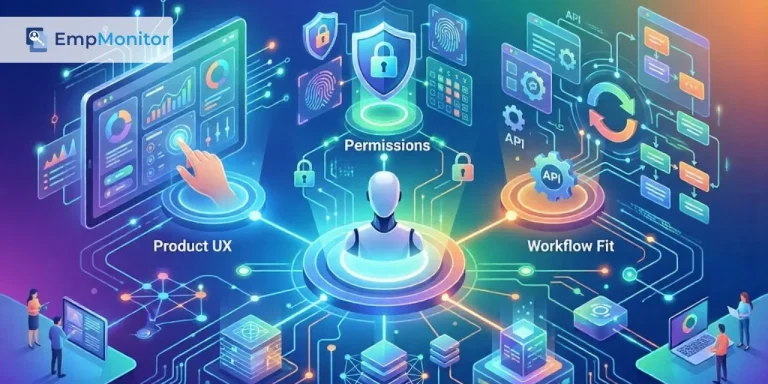
Traditional software is deterministic: the same input produces the same output. Agents are probabilistic, which means AI agent UX has to be designed around uncertainty. Three patterns matter most.
Clear user actions
Users should never wonder what the agent can do or how to invoke it. Good agent UX replaces open-ended prompts with visible, scoped actions: a “summarize this thread” button, a “draft response” option on a ticket, a suggested next step in a pipeline. Each action has a predictable output the user can review before anything is committed. A blank text box is not a feature; it is a design gap passed on to the user.
Transparent fallback logic
Agents will hit cases they cannot handle. What matters is how visibly they fail. The agent should say what it could not do and why: missing data, low confidence, a permission boundary. It should then offer a concrete next step rather than a generic apology. Users who understand where the edges are will trust the agent inside them. Users who see vague failures stop using the agent entirely.
Human handoff points
Some decisions should never be fully automated: refunds above a threshold, contract changes, anything customer-facing with legal weight. The agent prepares the work, shows its reasoning, and hands the decision to a person with full context attached. The handoff is a designed moment in the interface, not an error state.
Why permissions matter in SaaS AI agents
Gartner named inadequate risk controls as one of the three reasons agentic projects get canceled. In SaaS products, risk control mostly means permissions. An agent that can act inside your product needs the same access discipline as a human user, applied at three levels.
User roles
An agent acts on behalf of someone, and it should inherit that person’s role, not exceed it. If a support rep cannot see billing data, the agent working their queue should not see it either. Many implementations instead run agents on a shared service account with broad access, which turns every interaction into a potential privilege escalation. Role inheritance keeps the audit trail honest: every agent action maps to a specific user and their entitlements.
Data access
Agents often need to read across modules to be useful, and that is where scope creep starts. The working rule is minimum necessary access, defined per task rather than per agent. An agent drafting a renewal email needs the account record and contract dates. It does not need the full CRM. Scoping data access per task also limits the blast radius of prompt injection, where malicious content in a document or message tries to redirect the agent.
Action limits
Reading data is one risk tier. Writing, sending, and deleting are another. Each write action needs an explicit limit: maximum refund value, number of records changed per run, which external systems the agent can touch. Anything above the limit routes to a human, and the thresholds should live in configuration that product and security teams can adjust, not in a prompt.
How Altamira connects AI agents with SaaS workflows
Altamira works with SaaS companies as a product and engineering partner, which shapes how agent projects start. The first step is not model selection. It is mapping the AI agent workflow: where the task begins, what data it touches, who reviews the output, and what happens when the agent is wrong.
From there, the work is standard engineering with agent-specific additions. Altamira teams design the permission model against the product’s existing role structure, build the integration layer that connects the agent to the product’s data and APIs, and instrument the full path so the client can see what the agent did and why. UX design happens alongside, so scoped actions, fallbacks, and handoff points ship as part of the product.
The goal is an agent that behaves like a well-built feature: predictable to users, auditable to security teams, and measurable to product owners.
Conclusion
The economics of SaaS are already bending around agents. Gartner expects at least 40% of enterprise SaaS spend to shift toward usage-, agent-, or outcome-based pricing by 2030, which means agents will increasingly be what customers pay for, not a bonus feature. An agent billed on outcomes has to fit the workflow, respect permissions, and fail gracefully, because customers will measure it like the rest of the product.