Workforce management software usually shows its value when small issues arise. Payroll hours do not match the schedule, a team lead cannot tell why one group is falling behind, HR changes an employee’s role but the old access settings are still active, or a support agent gets marked as idle for time spent on calls and internal tools. These details may look minor from outside the product, but they affect attendance, employee records, HRMS workflows, permissions, project activity, alerts, payroll exports, compliance notes, and private workplace data. A platform in this niche has to connect those pieces carefully so managers and HR teams can see what is really happening before they make decisions based on incomplete numbers.
Why AI-Augmented Development Services Belong in Workforce Management Software

Workforce management software gets sensitive quickly because it deals with people’s working day, not just with numbers on a screen. If an attendance record is wrong, payroll may be questioned. If a productivity label is too blunt, a normal part of someone’s job can look like a problem. If access rules are loose, private HR details or activity data may be seen by someone who has no reason to see them. That is why these platforms need more care than a standard business dashboard.
For that reason, AI augmented development services should not be viewed as a faster way to produce more code. In this niche, they are more valuable when they help software teams analyze product logic, document connected workflows, review old modules, expand testing coverage, and improve reporting without removing human judgment from the process.
A platform focused on workforce management, employee management, HRMS, and productivity tracking has to answer practical questions:
- Who is working, when, and under which schedule?
- Which teams are overloaded or underused?
- Which apps and websites support real work for each department?
- Which activity patterns deserve review rather than automatic judgment?
- Which reports should managers, HR, executives, and employees be allowed to see?
- How should productivity data connect with projects, attendance, payroll, and HR records?
Employee Management Starts With Reliable Workforce Data
Every employee management system depends on clean records. Names, roles, departments, managers, locations, schedules, employment status, access levels, payroll categories, and policy acknowledgements may look like basic admin fields, but they shape the whole product.
If an employee is on the wrong team, dashboards may show inaccurate data. If a department field is outdated, productivity reports may group people incorrectly. If time zone settings are weak, attendance data can be misread. When role permissions are overly broad, sensitive HRMS records may be visible to individuals who should not have access to them.
This is where AI-augmented engineering support and disciplined development services need to work together. AI-supported analysis can help teams map relationships between employee records, time logs, project activity, reporting filters, and permissions. Engineers still need to decide how those relationships should behave in real business situations.
Why Productivity Tracking Needs Context Before Automation
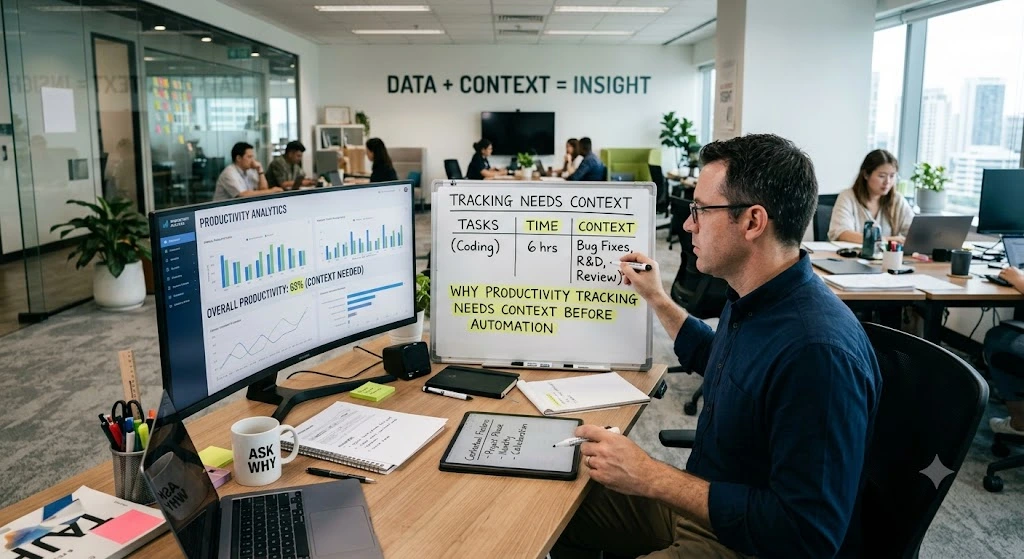
Productivity tracking can help managers understand work patterns, but it becomes unreliable when raw activity is treated as proof of performance. Ten hours online does not automatically mean ten hours of productive work. A short idle period does not always mean someone is avoiding tasks. Heavy browser usage may be normal for a recruiter, suspicious for one department, and essential for a support team.
Good productivity tracking software should help managers ask better questions. It should show patterns, context, and trends, not isolated moments that invite unfair judgment.
| Productivity signal | Risk when shown without context | Better product behavior |
| Idle time | May punish thinking, calls, meetings, or offline work | Show trends with role and schedule context |
| App usage | A tool may be useful for one department and irrelevant for another | Allow custom categories by team or role |
| Website activity | Research work can look like distraction | Add classification rules and manager review |
| Online hours | Long presence may be mistaken for high output | Connect time data with tasks or projects |
| Screenshots | Can feel intrusive without clear access rules | Add permission limits and retention settings |
| Productivity score | Can oversimplify different work styles | Let managers drill into data before acting |
Building Dashboards Managers Can Trust
Managers do not need endless charts. They need dashboards that answer real operational questions without forcing them to become data analysts. A team lead may want to know whether work is balanced. HR may need attendance exceptions. Operations may need to spot process delays. Finance may need cleaner time records for billing or payroll.
A useful workforce dashboard should show the right level of detail for each role. Executives may need trends. Team leads may need task and time patterns. HR may need employee records and attendance. Employees may need visibility into their own data so the system feels less one-sided.
The best dashboards usually share a few habits:
- They show trends over time instead of judging one moment.
- They use clear labels that employees and managers can understand.
- They allow filtering by department, project, schedule, and role.
- They explain how metrics are calculated.
- They separate unusual patterns from normal daily variation.
- They support action, not surveillance for its own sake.
Alerts Should Help Managers Act, Not Create Pressure
Alerts can improve workforce management when they point to something worth reviewing. They can also create stress if they fire too often or treat normal work patterns as problems. A useful alert should be specific, adjustable, and tied to a reasonable action.
For example, an alert about repeated missed check-ins may help a manager notice a scheduling issue. An alert about unusual app usage may be useful if the category is accurate for that employee’s role. An alert about overtime trends may help leaders prevent burnout. But constant warnings about short idle periods or ordinary context switching will only teach users to ignore the system.
A better alert model should account for:
- Department differences;
- Flexible schedules;
- Shift-based work;
- Remote and hybrid teams;
- Project deadlines;
- Approved breaks;
- Tool categories;
- Manager review before escalation.
Privacy, Permissions, and Trust in Employee Management Software
Workforce management platforms handle sensitive information. Attendance records, activity logs, screenshots, app usage, websites, HR documents, performance notes, and productivity reports all need clear boundaries. Without strong access control, the product can create risk for both the company and its employees.
When AI augmented development services support this type of work, they can help review permission flows, generate security-related test cases, document access rules, and find inconsistencies in older modules. Engineers and security specialists still need to approve the final design because privacy mistakes in employee management software are rarely small.
A Mini Case Study: Improving a Workforce Dashboard Without Adding Noise
Imagine a 400-person hybrid company using a workforce platform for attendance, productivity tracking, project activity, and HRMS records. Managers complain that reports are too broad. HR says attendance exceptions take too long to verify. Employees say productivity labels feel unclear. Finance wants cleaner time reports for billing.
A weak product response would add more charts. A stronger response starts with the actual workflow. We would review what each team needs to know, which metrics are trusted, where records are inconsistent, and which labels create confusion.
The development team might then improve the platform in stages:
- Clean employee records, roles, and department mappings.
- Rework productivity categories so each department can classify tools properly.
- Improve time-zone and schedule logic for hybrid workers.
- Redesign dashboards around manager questions rather than raw data volume.
- Add clearer explanations for productivity labels.
- Test permissions across HR, team lead, executive, and employee views.
- Adjust alerts so they highlight repeated patterns, not harmless daily variation.
- Improve export logic for finance and payroll review.
What Development Teams Should Standardize Before Adding Smarter Features
Before a workforce platform adds advanced reporting or automation, the basics must be stable. Smart features built on weak records only make bad data look more convincing.
A practical checklist includes:
- Define how work hours, breaks, idle time, and offline time are calculated;
- Keep employee records connected to teams, projects, schedules, and permissions;
- Allow productivity categories to differ by role and department;
- Test dashboards against remote, hybrid, office, and shift-based teams;
- Make HRMS workflows traceable from request to approval
- Protect sensitive reports with role-based access;
- Explain productivity metrics in plain workplace language;
- Use alerts only when a manager can take a useful action;
- Review integrations with payroll, HRMS, project management, and identity tools;
- Require human review before AI-supported outputs reach production.
Why Integrations Matter for Workforce Platforms
Employee management software is usually tied to the tools people already use every day: payroll, HR records, project boards, login systems, chats, invoices, and reports. When those tools do not share the same information, the extra work falls on someone inside the company. HR fixes employee names, finance checks hours against payroll periods, managers compare project lists, and operations teams try to understand why one report says something different from another.
The problems often start small. An employee is moved to a new department, but only one system is updated. A project is renamed, but old time logs still use the previous name. A person appears twice because the payroll tool and HRMS store records differently. After a while, these small mismatches make reports harder to trust and turn normal admin work into constant cleanup.