There’s a specific kind of dread that sets in when HR schedules an ‘all-hands meeting’ with no context. And if that meeting happens to be about introducing employee monitoring software, the dread is entirely justified. Because here’s what most employees hear when you announce monitoring: ‘We don’t trust you.’
It doesn’t matter if that’s not what you meant. It doesn’t matter if the decision was driven by compliance requirements, remote work logistics, or a genuine need to understand capacity better. The visceral response to being monitored is rooted in autonomy, dignity, and the assumption that surveillance means suspicion.
But employee monitoring doesn’t have to destroy morale — if you announce it correctly. The difference between a smooth rollout and a trust collapse comes down to how you present employee monitoring to staff: the language you use, the transparency you offer, and whether you treat the conversation as something being done to people or with them.
This guide walks through how to announce monitoring in a way that minimizes resistance, explains why it’s happening, and addresses the inevitable question: Does employee monitoring increase productivity, or does it just make everyone miserable?
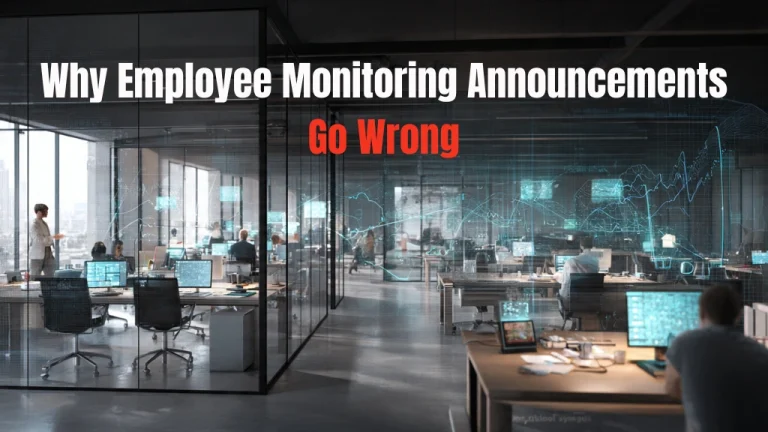
Why Employee Monitoring Announcements Go Wrong?
Most companies don’t intend to botch the employee monitoring rollout. But they do — consistently — because they make a handful of predictable mistakes.
Announcing Monitoring as a Fait Accompli
The worst way to introduce monitoring is to present it as a decision that’s already final, non-negotiable, and starting immediately. ‘We’ve implemented monitoring software. It went live yesterday. Here’s what it tracks.’ That approach treats employees like children who need to be managed rather than adults who deserve context.
Even if the decision is final — and in most cases, it is — the way you frame it matters enormously. People can accept monitoring if they understand why it’s necessary. They can’t accept it if it feels like something being imposed on them without explanation or input.
Leading with Compliance or Legal Language
Another common mistake is opening with legalese. ‘Per our updated acceptable use policy and in accordance with data protection regulations…’ That might be accurate, but it’s also the fastest way to signal that this conversation is about covering the company’s liability, not supporting the team.
Compliance matters. But it shouldn’t be the first thing employees hear. Lead with the business reason and the employee benefit before you get into the legal justification.
Avoiding the Productivity Question
Here’s the question everyone wants answered but nobody asks directly: Does employee monitoring increase productivity, or is this just about catching people who aren’t working? If you don’t address that question proactively — with honesty — employees will assume the worst.
The research on this is mixed, and that’s worth acknowledging. Some studies suggest that monitoring can improve output by identifying bottlenecks and optimizing workflows. Others show that excessive surveillance reduces intrinsic motivation and increases stress, which ultimately harms performance. The answer depends entirely on what you’re monitoring, how you’re using the data, and whether the culture treats monitoring as a tool for support or a mechanism for punishment.
How To Present Employee Monitoring to Staff (The Right Way)

If you want the announcement to land well — or at least, not disastrously — here’s the framework that works.
Start with the Why, Not the What
Before you explain what’s being monitored, explain why monitoring is being introduced. Is it to improve remote work accountability? Ensure compliance with client contracts? Identify capacity issues so you can hire appropriately? Give people the context before you give them the details.
Good framing sounds like this: ‘We’ve struggled to get accurate visibility into workload distribution across the team, which has led to some people being consistently overloaded while others have capacity we didn’t realize existed. Employee Monitoring gives us the data to allocate work more fairly and identify when someone’s at risk of burnout before it happens.’
Bad framing sounds like this: ‘We’re implementing monitoring software to track productivity.’ One explains a problem the team can relate to. The other just sounds like surveillance.
Be Transparent About What’s Being Tracked
Vagueness breeds suspicion. If employees don’t know exactly what’s being monitored, they’ll assume the worst. Be explicit. Are you tracking active hours? Application usage? Websites visited? Screenshots? Keystrokes? Email content?
List what’s being tracked, what’s not being tracked, and who has access to the data. If screenshots are being captured, explain how often and under what circumstances. If emails are being monitored, clarify whether that includes personal accounts accessed on company devices.
Transparency doesn’t mean you have to justify every single data point. But it does mean employees should never be surprised by what the monitoring software is doing.
Explain How the Data Will Be Used
Knowing what’s tracked is only half the equation. Employees also need to know how that data will be used. Is it being reviewed daily by managers? Weekly in aggregate? Only pulled when there’s a specific performance concern?
Here’s where companies often lose credibility: they say the data is for ‘capacity planning and process improvement,’ but then three months later, someone gets written up for low utilization based on monitoring reports. If the data will be used in performance reviews, say that upfront. If it won’t, say that too — and then don’t use it that way later.
Address Privacy and Boundaries Directly
One of the biggest anxieties around employee monitoring is the fear that it’s invasive. Acknowledge that directly. Explain what boundaries are in place to protect privacy. Does monitoring only run during work hours? Is personal device monitoring prohibited? Are there categories of data — like private messages or health information — that are explicitly off-limits?
If your remote employee monitoring software allows employees to pause monitoring during breaks or when handling personal matters, mention that. If it doesn’t, be honest about that too. The goal isn’t to pretend monitoring is less intrusive than it is. The goal is to show that you’ve thought about the privacy implications and built in protections where possible.
Make Room for Questions and Feedback
This can’t be a one-way announcement. If you deliver the news and then immediately end the meeting, you’ve just told your team that their concerns don’t matter. Leave time for questions — real questions, not scripted softballs. And if you don’t have an answer to something, say that. ‘That’s a fair concern. Let me follow up with you on that specifically.’
Consider offering an anonymous feedback channel for people who don’t feel comfortable asking questions publicly. You might not like everything you hear, but it’s better to surface concerns early than to let resentment build quietly.
Does Employee Monitoring Increase Productivity? (The Honest Answer)

This is the question that matters most, and the answer is: it depends. Employee monitoring can increase productivity — but only under specific conditions.
Monitoring works when it’s used to identify systemic problems rather than police individual behavior. If your data shows that developers are spending two hours a day in redundant meetings, that’s actionable. You can fix the meeting culture. If your data shows that a project manager is consistently working 60-hour weeks while the rest of the team is at 40, that’s a resourcing problem you can address.
Monitoring fails when it’s used punitively. If employees know that low activity metrics will result in disciplinary action, they’ll game the system. They’ll keep their mouse moving. They’ll leave applications open. They’ll optimize for looking busy rather than being productive. And in the process, you’ll destroy exactly the intrinsic motivation that drives high performance in the first place.
The research backs this up. Studies show that monitoring can improve output in highly structured, task-based roles where performance is easy to measure objectively. But in creative, knowledge-based work — the kind most office jobs involve — excessive Employee monitoring reduces autonomy, increases stress, and ultimately lowers performance.
So the real answer to ‘does employee monitoring increase productivity’ is this: only if you use it as a diagnostic tool to support your team, not as a weapon to catch underperformers.
Read More:
How Employee Monitoring Supports Work From Home Teams?
The Role Of Employee Monitoring Software In Successful Workplaces
How Remote Employee Monitoring Software Changes the Conversation?
Remote work has made employee monitoring both more common and more complicated. When your team is distributed across cities, time zones, or even countries, the passive visibility that physical offices provide — seeing who’s at their desk, who’s in a meeting, who seems stressed — disappears entirely. Remote employee monitoring software is often introduced specifically to fill that gap.
But the announcement has to account for the fact that remote workers already feel more isolated and less trusted than their in-office counterparts. If monitoring is framed as ‘we need to make sure remote employees are actually working,’ you’ve just confirmed their worst fear: that working from home means being treated like you’re inherently less reliable.
A better framing: ‘Remote work has made it harder to see when someone’s overloaded or when projects are hitting bottlenecks. This tool gives us the visibility we need to support you better — not to micromanage, but to make sure workloads are fair and that we’re catching problems before they become crises.’
That framing still introduces monitoring. But it positions it as something that benefits employees, not just the company.
How EmpMonitor Supports Transparent, Responsible Monitoring?

If you’re going to introduce monitoring, the tool you choose matters as much as how you announce it. The right platform should support visibility and accountability without turning into a culture of suspicion. EmpMonitor is designed to give organizations structured, centralized insight into team activity while still allowing leadership to use data as a diagnostic tool rather than a disciplinary weapon.
Real-Time Monitoring
Gain instant visibility into employee activity through a centralized dashboard that displays live application and website usage, along with active and idle status. This allows managers to understand workflow patterns without relying on assumptions.
Screen Recordings
Access recorded screen sessions to assess work processes, ensure compliance as necessary, and maintain team oversight.
Screencasting
Connect securely to employee devices for troubleshooting, providing real-time assistance, and supporting employees, making them especially useful for remote and dispersed teams.
Live Screen Monitoring
Access live screens from a single interface for enhanced workflow visibility, assurance of accountability and timely response to immediate operational issues.
Time Tracking
Accurately track working hours to identify time gaps, capacity issues, and workload variances which will help managers in their staffing and allocating.
Automated Screenshots
Scheduled screenshots to create transparency in workflow and provide context to how employees spend work time.
Chat Monitoring
Monitor time spent using chat and social media applications during work hours, to create focus and avoid productivity losses.
Insightful Reports
Generate visual reports based on data and create automated timesheets for use by leadership to evaluate engagement, workload and team performance.
By using tools such as EmpMonitor, thoughtfully implemented and clearly communicated, organizations can achieve operational clarity while respecting the boundaries necessary for effective and sustainable monitoring.
Conclusion: Transparency Beats Surveillance Every Time
In conclusion, for any organisation where employees are monitored, the key is to avoid a backlash against the organisation’s policies. In sporting terms, if a coach has a team of players who are all adults, and can be trusted to act professionally, there is no reason why the coach should not inform and encourage each player to make their own decisions. This will help build trust between the players and the coach, improve performance as a team and as individuals, and ultimately create a better workplace.
The decision to monitor is likely made for reasons other than their compliance, so it is important to explain those reasons when communicating with the staff. It is also important to provide detailed descriptions of all aspects of the monitoring process. Finally, the goal of Employee monitoring should be to help the staff make better decisions, rather than to catch someone doing something wrong.
Frequently Asked Questions
- When should I announce Employee Monitoring (EM)?
You should announce EM before it goes live. If you announce after the fact perhaps you will come off as deceptive. More importantly, by announcing EM in advance, your employees will be better prepared for the changes in how they will be monitored. This should be communicated no less than two weeks prior to implementation date along with where they can obtain more information. - What happens if an employee refuses to consent to monitoring?
This depends upon your jurisdiction and your Employee monitoring Handbook (e.g. EM may be part of your policy). Generally speaking, in many jurisdictions you are allowed to monitor employee’s activities on company equipment without requiring their consent where the policy has been disclosed in employee handbook or acceptable use policy. If an employee refuses because of a valid reason, it may be due to a misunderstanding. If this is true, the employer will want to seek clarification through effective communication. If the objection is based on personal conviction or core values, an employer will want to determine whether they are able to accommodate. - How do I address employees who think monitoring means we don’t trust them?
Acknowledge the feeling rather than dismissing it. ‘I understand why it might feel that way’ is a far better response than ‘That’s not what this is about.’ Then reframe: Employee monitoring isn’t about distrust, it’s about visibility. You can trust someone and still need data to make informed decisions about workload, capacity, and resource allocation. If the monitoring is genuinely punitive or trust-based, employees will see through any reframing — so make sure your intentions match your messaging. - Does monitoring really increase productivity, or is it just a control mechanism?
It depends entirely on how you use it. Monitoring increases productivity when it identifies structural problems — process bottlenecks, uneven workload distribution, capacity gaps — that you can fix. It becomes a control mechanism when it’s used to police behavior, punish low activity scores, or create a culture of surveillance. If your monitoring data is being used to support employees and improve systems, it can genuinely help. If it’s being used to micromanage or build cases against underperformers, it will backfire.