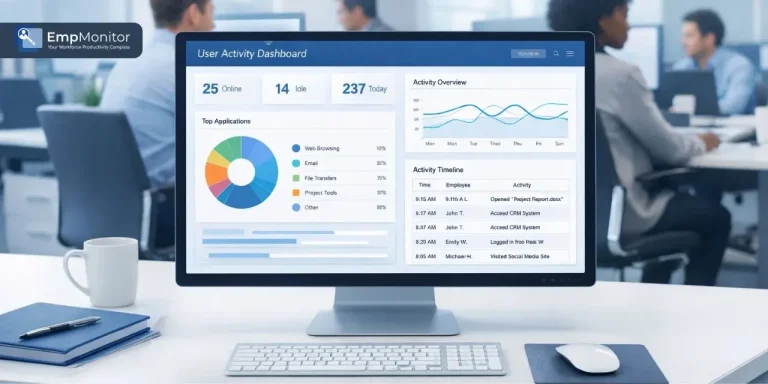
Picking the right user activity monitoring software is not as simple as it sounds. With so many options flooding the market today, businesses often end up choosing tools that either do too little or overwhelm their teams with unnecessary complexity. The truth is, the right UAM Software can completely transform how you manage productivity, protect sensitive data, and keep your workforce accountable.
Whether you are running a small team or managing a large enterprise, making the right choice from the beginning saves you a lot of time. Factors like scalability, ease of use, feature depth, and pricing all play a role in determining which tool is actually worth your investment. This guide walks you through everything you need to know before making that final decision with clarity and confidence.
Listen To The Podcast Now!
What Is User Activity Monitoring Software?
User activity monitoring software is a technology solution that tracks, records, and analyzes what employees do on their work devices during working hours. It captures data such as websites visited, applications used, time spent on tasks, keystrokes, and screenshots of active screens. Businesses rely on this kind of tool to get a transparent view of how their workforce operates daily. It is not about surveillance; it is about having the right data to make smarter decisions.
From identifying productivity gaps to detecting potential security threats before they escalate, this technology serves as a reliable foundation for modern workforce management. Small businesses, mid-sized companies, and large enterprises across industries are all turning to it as a practical and scalable solution for their day-to-day operational challenges.
Why Businesses Need User Activity Monitoring Software?
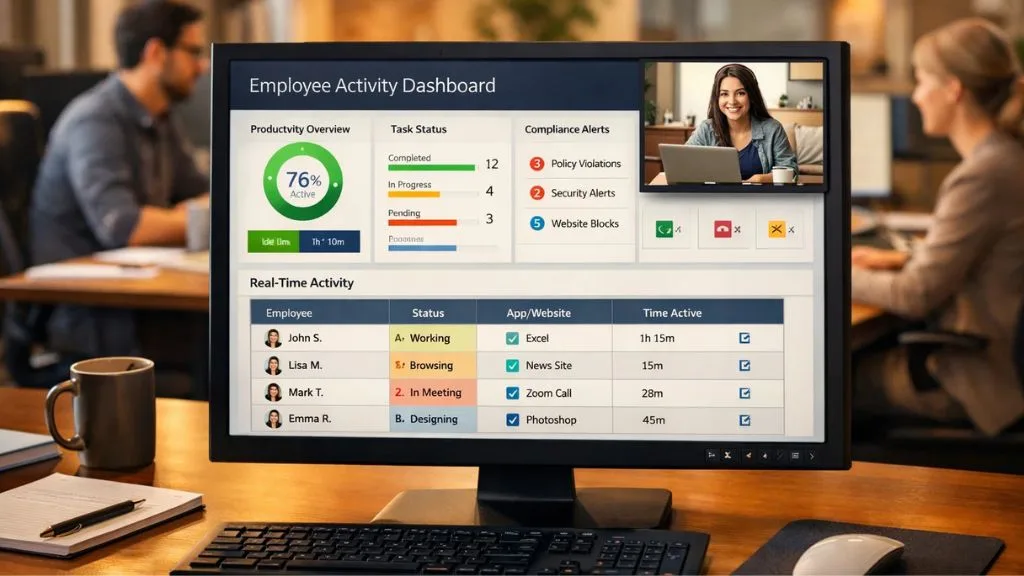
The demand for user activity monitoring software has grown rapidly, especially with the rise of remote and hybrid work models across the globe. When employees are not physically present in the office, managers lose visibility into what their teams are actually doing during work hours.
This lack of visibility directly impacts productivity, project timelines, and overall data security. The right monitoring tool bridges that gap by providing real-time insights into employee behavior and work patterns throughout the day.
Companies that invest in this technology consistently report improvements in output quality, faster detection of non-compliant behavior, and stronger data protection practices. Beyond security, it also helps managers understand workload distribution better, identify burnout risks early, and offer more targeted support to team members who may be struggling with their responsibilities.
Key Features To Look For In User Activity Monitoring Software:
Not every user activity monitoring software solution is built the same, and knowing which features matter actually will save you from making a costly mistake down the line. Real-time monitoring is non-negotiable; you need to see what is happening on employee devices as it happens, not hours later. Delays in visibility can mean missed incidents, unresolved compliance issues, or productivity problems that spiral before anyone notices.
Screenshot capture gives you visual proof of employee activity at any given moment, which is especially useful for compliance and performance reviews. Application and web usage tracking helps you understand whether your team is focused on the right tasks or getting distracted during productive hours. Having a clear breakdown of how time is spent across different tools and platforms gives managers a realistic picture of where improvements are needed.
Keystroke logging adds an important layer of insight, particularly when it comes to identifying unusual behavior or potential internal data leaks. Clean, detailed reporting with graphs and charts turns raw data into actionable intelligence that managers can use to make confident, well-informed decisions every single day without spending hours interpreting numbers. The best solutions also offer customizable alerts so that your team is notified immediately when something suspicious or policy-violating occurs, rather than discovering issues only during scheduled reviews.
How To Evaluate User Activity Monitoring Software For Your Business?
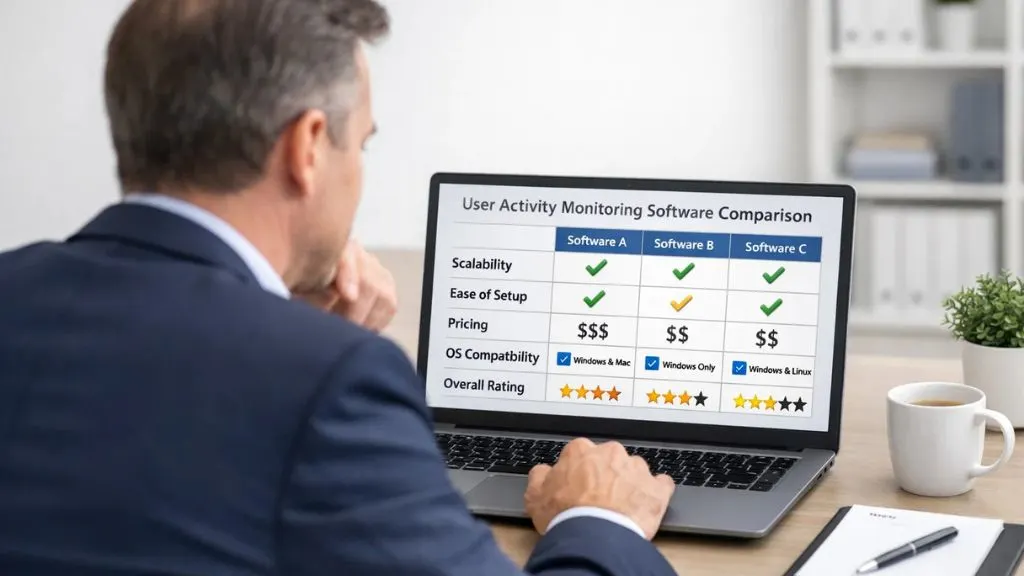
Before choosing any tool, ask yourself a few important questions. Does the solution scale with your team size? Can it handle 10 users today and 500 users next year without a complicated migration process? Scalability is a factor many businesses overlook until they are already locked into a contract.
How easy is the setup? Good user monitoring software should not require a full IT team to get running. A clean dashboard and intuitive interface make a massive difference in how your managers use the tool daily. If employees who handle oversight need hours of training just to pull a basic report, that is a red flag worth taking seriously.
What does the pricing look like? Transparent pricing without hidden fees is a strong sign of a trustworthy vendor. Watch out for tools that advertise a low base price but charge extra for essential features like reporting, alerts, or integrations. These add-ons can quietly double your actual cost.
Finally, always confirm that the software supports the operating systems your team uses, Windows, Mac, or Linux. Also check whether remote and hybrid work environments are fully supported, since many modern teams are no longer working from a single office location. And always look for a free trial before you commit to any paid plan, as hands-on experience with the tool is far more revealing than any feature list on a pricing page.
The Role of User Activity Monitoring Software in Data Security:
One of the most important reasons to invest in user activity monitoring software is data security. Insider threats remain one of the most serious cybersecurity risks that businesses face in today’s digital environment.
Employees, whether acting intentionally or accidentally, can expose sensitive company data by visiting unauthorized websites, transferring files to personal storage devices, or using unapproved applications on work computers. A dependable monitoring solution acts as an early warning system by flagging suspicious behavior before it turns into a full-blown security incident that costs the company significantly.
USB detection alerts, insider risk analysis, and behavior-based notifications are features that directly and measurably strengthen your overall security posture. When properly configured and deployed, this technology adds a proactive, intelligent layer of protection around your most critical business data and infrastructure around the clock.
User Activity Monitoring Software for Remote and Hybrid Teams:
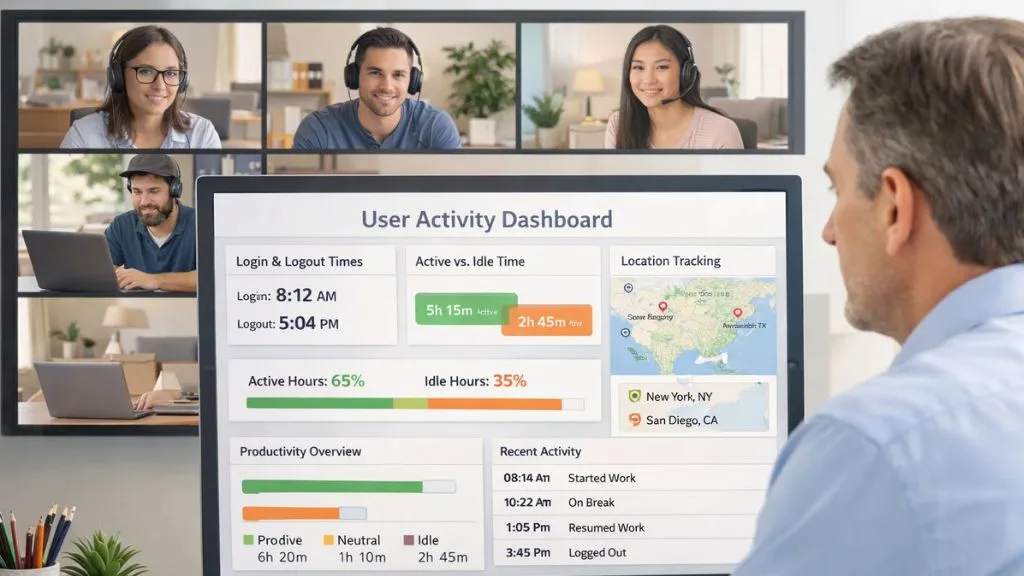
User activity monitoring software gives managers the clarity and confidence they need to lead distributed teams effectively without resorting to constant micromanagement. Think about it this way: when a remote employee knows their work hours and activity are being tracked fairly, they naturally become more focused, more structured in their approach, and more aligned with company goals.
This shift in mindset alone can produce measurable improvements in team output over time. Beyond performance, it also helps HR teams spot patterns of disengagement early, giving leadership the chance to step in with support before a valued employee decides to leave. It tracks login and logout times, measures active versus idle hours, and produces a reliable daily picture of how productive each team member actually is.
Geo-location tracking takes it a step further by helping organizations understand exactly where employees are working from at any given time. When employees know that monitoring is transparent, fair, and clearly communicated, it stops feeling like surveillance and starts functioning as a genuine support system that sets shared expectations and cultivates real accountability.
Also Read:
EmpMonitor: A Smart Choice for User Activity Monitoring:
If you are searching for the best user activity monitoring software on the market, EmpMonitor is a name that deserves serious attention. Trusted by over 15,000 companies across 100+ countries and actively monitoring more than 500,000 employees worldwide, EmpMonitor delivers a powerful and well-rounded suite of tools designed for businesses of every size and industry.
- Real-time screenshot monitoring with fully customizable capture frequencies
- Keystroke logging for comprehensive records of all digital interactions on work devices
- Web and application usage tracking to clearly identify productive versus unproductive behavior
- Activity-based alerts that instantly notify managers about idle, offline, or suspicious employee actions
- USB detection to flag unauthorized data transfers on company devices in real time
- Insider risk analysis with proactive behavior monitoring and intelligent anomaly detection
- Geo-location tracking to monitor IP addresses, device types, and employee locations globally.
- Interactive reports loaded with graphs and charts for fast, well-informed decision-making
- Full cross-platform compatibility with Windows, Mac, and Linux operating systems
What really sets EmpMonitor apart is not just the breadth of its features, but also how effortlessly everything works together inside one clean, centralized dashboard. Unlike many tools that require separate integrations or third-party plugins to function properly, EmpMonitor brings everything under one roof.
Common Mistakes Businesses Make When Choosing Monitoring Tools:
Many organizations rush into purchasing a monitoring solution without a clear strategy, and this almost always leads to poor outcomes that are difficult to reverse. One of the most frequent mistakes is choosing a tool based solely on price without verifying whether it covers all the features the business genuinely needs.
Another significant error is failing to communicate the use of the best user activity monitoring UAM software to employees beforehand, which quickly breeds distrust and negatively impacts team morale.
Transparency is absolutely critical; when employees understand the purpose behind monitoring and know it is being used fairly, they are far more likely to embrace it positively. Companies also tend to choose tools that do not integrate smoothly with their existing HR, payroll, or project management systems, which creates data silos and reduces overall operational efficiency. Always run a free trial before making any long-term investment.
Legal and Ethical Considerations Before You Deploy:

Before rolling out any monitoring solution company-wide, it is essential to understand the legal landscape in your specific region and industry. In most countries, employers are fully permitted to monitor employee activities on company-owned devices, but they are required to notify employees about the monitoring policy before it goes live. Having a clearly drafted, legally reviewed, and well-communicated monitoring policy protects the organization from liability and the employee from any sense of unexpected intrusion.
Ethical deployment means using the data you collect to genuinely improve workflows, support employee development, and strengthen organizational security, not to punish or surveil unfairly. When user activity monitoring software is used with the right intent and full transparency, it becomes a powerful tool that elevates trust, improves accountability, and helps build a more focused and high-performing workplace for everyone involved.
Conclusion:
Choosing the right user activity monitoring software is one of the most impactful decisions a growing business can make in today’s fast-moving digital environment. From strengthening data security and boosting team productivity to managing remote workers with total confidence, the right tool touches nearly every dimension of how a modern organization operates. Evaluate your needs carefully, test your options thoroughly, and always prioritize both security and transparency when making your final call.
FAQ’s:
Q1. What does user activity monitoring software actually track?
Ans: It tracks websites visited, applications used, active and idle time, keystrokes, screenshots, and USB activity on company-owned devices during official work hours.
Q2. Is it legal to use user activity monitoring software in the workplace?
Ans: Yes, it is legal in most regions, provided employees are informed about the monitoring policy in advance, and monitoring is limited to company-owned devices.
Q3. What is the difference between UAM software and standard employee monitoring tools?
Ans: UAM software focuses specifically on individual user actions and digital behavior, while broader monitoring tools may also cover attendance, payroll, and project management functions.
Q4. Can user activity monitoring software effectively support remote and hybrid teams?
Ans: Absolutely. It provides real-time visibility into productivity levels, login times, and daily work patterns, making it especially valuable for teams working outside the office.
Q5. How long does it take to set up user activity monitoring software?
Ans: Solutions like EmpMonitor can be fully set up in under five minutes with no technical expertise needed, making them practical for businesses of any size.
Q6. Does user activity monitoring software affect employee performance or morale?
Ans: When implemented transparently with a clear monitoring policy, it rarely disrupts morale. In fact, many employees report feeling more accountable and focused knowing that work hours are being tracked fairly and consistently across the entire team.