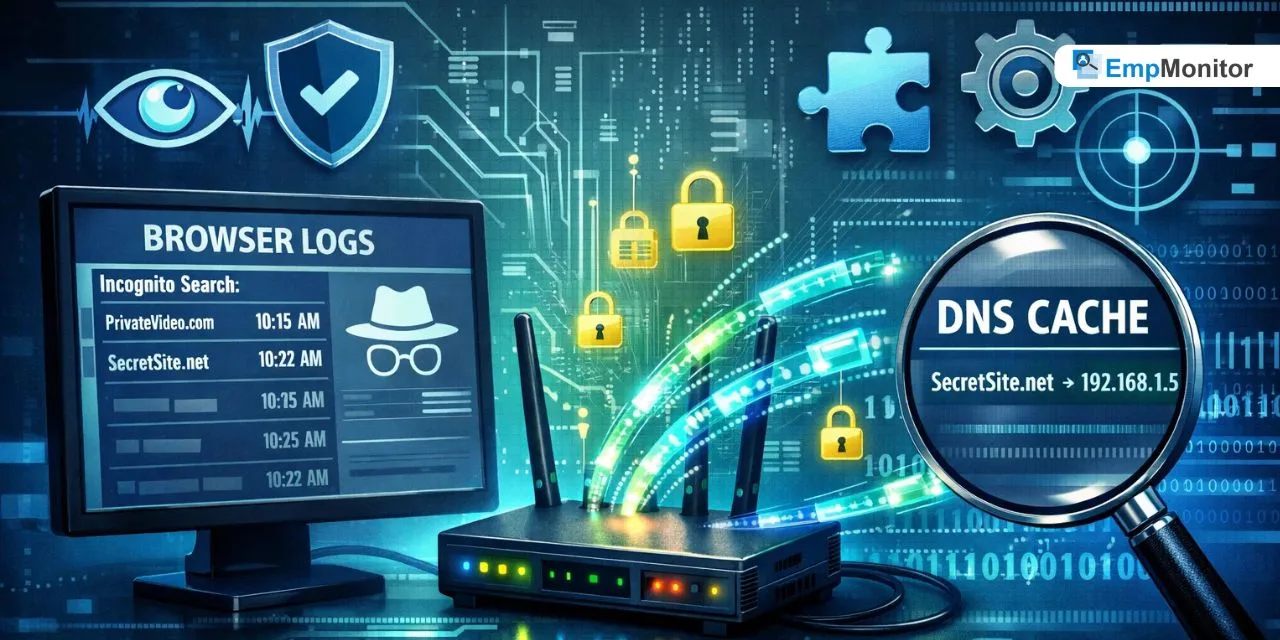
Most people believe that going incognito means going completely invisible. But that’s far from the truth. If you’re a parent trying to protect your child online, or an employer wanting to ensure responsible internet use at work, you’ve probably asked, can you actually monitor incognito browsing history? The answer is yes.
Despite what many users think, incognito mode does not make online activity untraceable. There are several reliable methods to monitor incognito browsing history, and knowing how to use them can make all the difference. Bossware Explained: It is the term used for software that allows employers to monitor employee activity, even in incognito mode. In this blog, we’ll break down everything, from what incognito mode actually does to the best tools and techniques you can use to monitor incognito browsing history effectively.
Listen To The Podcast Now!
What Is Incognito Mode, Really?
Incognito mode, also known as private browsing, is a feature available in most modern browsers like Chrome, Firefox, and Edge. When activated, it prevents the browser from saving your search history, cookies, and form data locally on the device. That means once you close the session, those traces disappear from the browser itself.
However, the keyword here is locally. Incognito mode only clears data from the device’s browser. It does not hide activity from your Internet Service Provider (ISP), your network router, your employer’s monitoring tools, or any third-party software installed on the system. So while the browser forgets what happened, the network and the system often don’t. This is the fundamental gap that makes it possible to monitor incognito browsing history even without direct browser access.
Does Incognito Mode Really Keep You Private?
This is a question many users get wrong. Incognito browsing history is not as private as most people assume. Here’s what incognito mode does NOT protect you from:
- Your ISP can still see every website you visit, regardless of incognito mode.
- Network administrators at schools, offices, or homes with parental controls can track all web traffic.
- Websites themselves can still see your IP address and collect data.
- Monitoring software installed on the device operates at a system level and bypasses browser privacy settings entirely.
So if someone is trying to monitor incognito browsing history using the right tools, they absolutely can, and without the user ever knowing. This is why relying on incognito mode as a privacy shield is not as safe as most people believe.
Who Has the Ability to Track Private Browsing?
It’s important to understand who has the ability and the legal right to track private browsing activity in various situations:
Employers: In a workplace environment, companies have both the technical capability and, in most regions, the legal authority to monitor incognito browsing history on company-owned devices and networks.
Parents: Parents can use parental control software and DNS monitoring tools to monitor incognito browsing history on their children’s devices at home.
Network Administrators: Anyone managing a network, whether at a school, office, or home, can access router logs that record all web traffic, including incognito sessions.
Law Enforcement: With a court order, authorities can request ISP logs that reveal a user’s full browsing activity, even in private mode.
Understanding who monitors what helps set clear expectations around digital privacy.
Methods to Track Private Browsing Activity:

Knowing how to check the browsing history of incognito mode might seem complicated, but there are several practical methods available depending on your access level and technical comfort. The most common approaches include checking DNS cache logs, using dedicated monitoring software, reviewing router logs, and using browser extensions designed for this purpose.
Each of these methods works at a different level, some at the device, some at the network. The key is to use the right method for your situation. For home users, DNS cache checking is a quick and free option. For businesses and organizations, a professional employee monitoring tool offers a more structured, reliable, and legally compliant way to track private browsing activity at scale.
Method 1: Using DNS Cache to Track Private Browsing:
One of the simplest ways to monitor incognito browsing history on a Windows device is by checking the DNS cache. Here’s how it works:
When a device visits any website, even in incognito mode, the operating system stores a temporary record of that domain lookup. This is called the DNS cache, and it survives even after the incognito session is closed.
To access it, open Command Prompt and type: ipconfig /displaydns
This will show a list of all recently visited domains. While it doesn’t show timestamps or full URLs, it gives a solid indication of which sites were accessed. Keep in mind that this cache resets after a system restart, so it’s best to check it regularly if you want consistent visibility into private browsing activity through this method.
Method 2: Router Logs to See Browsing History in Incognito:
Another reliable method to how to see browsing history in incognito is by checking your router’s activity logs. Every time a device on your network visits a website, the router records that request, regardless of whether incognito mode was active.
To access router logs, you typically log into your router’s admin panel (usually at 192.168.1.1 or 192.168.0.1), find the traffic or activity log section, and review the list of visited domains. Some routers provide detailed logs, while others only show basic traffic summaries.
This method is particularly useful for parents who want to monitor incognito browsing history across all devices in the home network. Pair it with a tool like OpenDNS for even more detailed filtering and reporting without needing to install software on each individual device.
Method 3: Third-Party Monitoring Software:
For more comprehensive visibility, third-party monitoring software is the most effective way to monitor incognito browsing history consistently. These tools operate at the system level, meaning they track all online activity regardless of browser settings.
Unlike DNS cache or router logs, monitoring software can capture:
- Exact URLs visited, even in private mode
- Time and duration of each visit
- Screenshots of active sessions
- App usage data alongside browsing behavior
This makes them ideal for workplace environments where employers need a complete and accurate picture of digital activity. Professional tools also come with dashboards that make it easy to review, report, and act on the data they collect. If your goal is to monitor incognito browsing history with precision, this is the approach that delivers the most reliable results.
Why Businesses Need to Track Employee Private Browsing?
For organizations handling sensitive data, compliance requirements, and intellectual property, the ability to monitor incognito browsing history is not just a nice-to-have; it’s a business necessity. Employees who use incognito mode to bypass company internet policies may unknowingly or intentionally expose the organization to serious risks.
Consider these real-world scenarios:
- An employee uses private browsing to upload confidential files to a personal cloud account.
- A team member visits competitor websites or engages in unauthorized data collection.
- Staff members stream videos or access entertainment platforms, reducing productivity significantly.
None of these activities would show up in standard browser history, but they all leave traces in network logs and system-level monitoring tools. When businesses monitor incognito browsing history, they can identify these risks before they become bigger problems. It also creates a transparent accountability culture where employees know their professional activity on work devices is subject to monitoring, which, in itself, encourages responsible usage.
Common Myths About Incognito Mode Debunked:
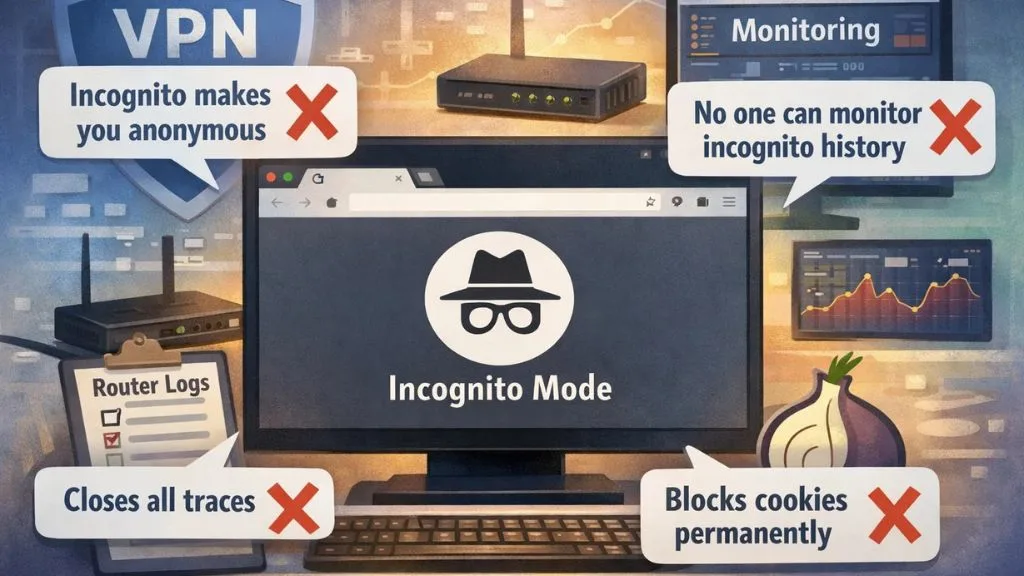
There’s a lot of misinformation floating around about what incognito mode can and cannot do. Let’s clear some of it up:
Myth 1: Incognito mode makes you anonymous online. Reality: Your IP address is still visible to websites, your ISP, and network administrators. True anonymity requires more advanced tools like a VPN combined with a Tor browser.
Myth 2: No one can monitor incognito browsing history. Reality: As we’ve discussed throughout this blog, system-level tools, DNS caches, and router logs all retain traces of incognito activity. Employers and parents can absolutely monitor incognito browsing history using the right solutions.
Myth 3: Closing the incognito window erases all traces. Reality: It erases local browser data but not DNS cache records, router logs, or data captured by monitoring software.
Myth 4: Incognito mode blocks tracking cookies permanently. Reality: It blocks cookies within the session, but once you open a regular tab or a new browser session and revisit those sites, tracking begins again.
Understanding these myths helps users and administrators alike make more informed decisions about online privacy and digital oversight.
Also Read:
EmpMonitor: The Smart Way to Monitor Incognito Browsing History:

When it comes to professional-grade solutions that help you monitor incognito browsing history, EmpMonitor stands out as one of the most capable and easy-to-use platforms available. Trusted by 15,000+ companies across 100+ countries, EmpMonitor works silently at the system level, making incognito mode completely transparent to administrators.
Key Features:
- URL & App Tracking – Captures all visited URLs, even those accessed in incognito or private mode
- Real-Time Dashboard – Monitor employee activity live, at any time
- Screenshot Monitoring – Automatically takes periodic screenshots of active sessions
- Keystroke Logging – Records typed content for deeper behavioral insights
- Idle Time Tracking – Identifies unproductive periods during work hours
- Productivity Calculation – Scores employee performance based on app and web usage
- Data Loss Prevention – Flags suspicious or unauthorized online behavior
- Attendance Tracking – Tracks login/logout times alongside browsing activity
Legal Considerations When Employers Track Browsing Activity:
Before deploying any monitoring tool, it’s important to understand the legal side. Employers who want to monitor incognito browsing history must ensure they’re operating within the law. In most countries and regions, monitoring on company-owned devices is legal, provided employees are informed in advance.
Best practices for legal monitoring include:
- Having a clear, written internet usage policy
- Informing employees that monitoring is in place
- Monitoring only work-related devices and networks
- Ensuring data collected is stored securely
When done transparently and responsibly, businesses can monitor incognito browsing history while maintaining trust with their teams. The goal should always be productivity and security, not surveillance for its own sake. Ethical monitoring protects the organization and keeps employees accountable in a fair, professional environment.
How to Clear and Delete Incognito Browsing History?
While incognito mode doesn’t save history in the browser, traces can still exist elsewhere. If you’re looking to clear incognito browsing history, you need to go beyond just closing the private window. Here’s what to address:
- Flush DNS Cache – On Windows, run ipconfig /flushdns in Command Prompt to remove domain lookup records.
- Restart Your Device – This clears the DNS cache automatically.
- Clear Router Logs – Log into your router admin panel and reset the activity log.
If you want to remove these traces more thoroughly, you can also use privacy-focused browsers or VPNs, though these still won’t hide activity from system-level monitoring tools. Understanding what leaves a trace and what doesn’t is the first step toward genuine digital awareness, whether you’re a user, a parent, or an IT professional trying to monitor incognito browsing history in your environment.
Conclusion:
Incognito mode offers limited privacy; it only prevents browser-level history from being stored. Parents, employers, and network admins can still track all private browsing sessions using DNS logs, router records, and professional tools like EmpMonitor. Whether for safety or productivity, the right approach makes monitoring straightforward and effective.
FAQ’s:
Q1. Can incognito mode be monitored by employers?
Ans: Yes. Employers can use system-level monitoring tools like EmpMonitor to monitor incognito browsing history on company devices, regardless of browser settings.
Q2. Does restarting a device erase incognito traces?
Ans: Restarting clears the DNS cache, but router logs and monitoring software records remain intact.
Q3. Is it legal to monitor employee browsing in incognito?
Ans: In most regions, yes,s as long as employees are informed and monitoring is done on company-owned devices. Always consult local laws before implementation.
Q4. Can a VPN prevent incognito monitoring?
Ans: A VPN can mask traffic from ISPs and routers, but system-level monitoring software installed on the device can still capture activity.