Running daily operations shouldn’t feel chaotic but for many teams, it often does. Tasks get assigned over chats, updates come through emails, and tracking progress turns into constant follow-ups. Over time, this scattered way of working slows everything down.
A workflow tracker brings structure to this chaos.
It helps you organize tasks, assign responsibilities clearly, and keep track of progress without needing to chase updates. When everything is visible in one place, teams spend less time figuring out what’s going on and more time actually getting work done.
Many businesses today rely on workflow management software to simplify their processes and reduce unnecessary back-and-forth. Whether it’s managing daily tasks or handling larger projects, having a clear system in place makes operations smoother and more predictable.
Listen To The Podcast Now!
Why Daily Operations Need a Workflow Tracker
 Daily operations often break down not because of a lack of effort, but because of a lack of clarity. Tasks are assigned, but not followed through. Deadlines are set, but not tracked properly. Over time, this creates confusion and slows down progress.
A workflow tracker helps fix this by bringing structure and visibility to everyday work.
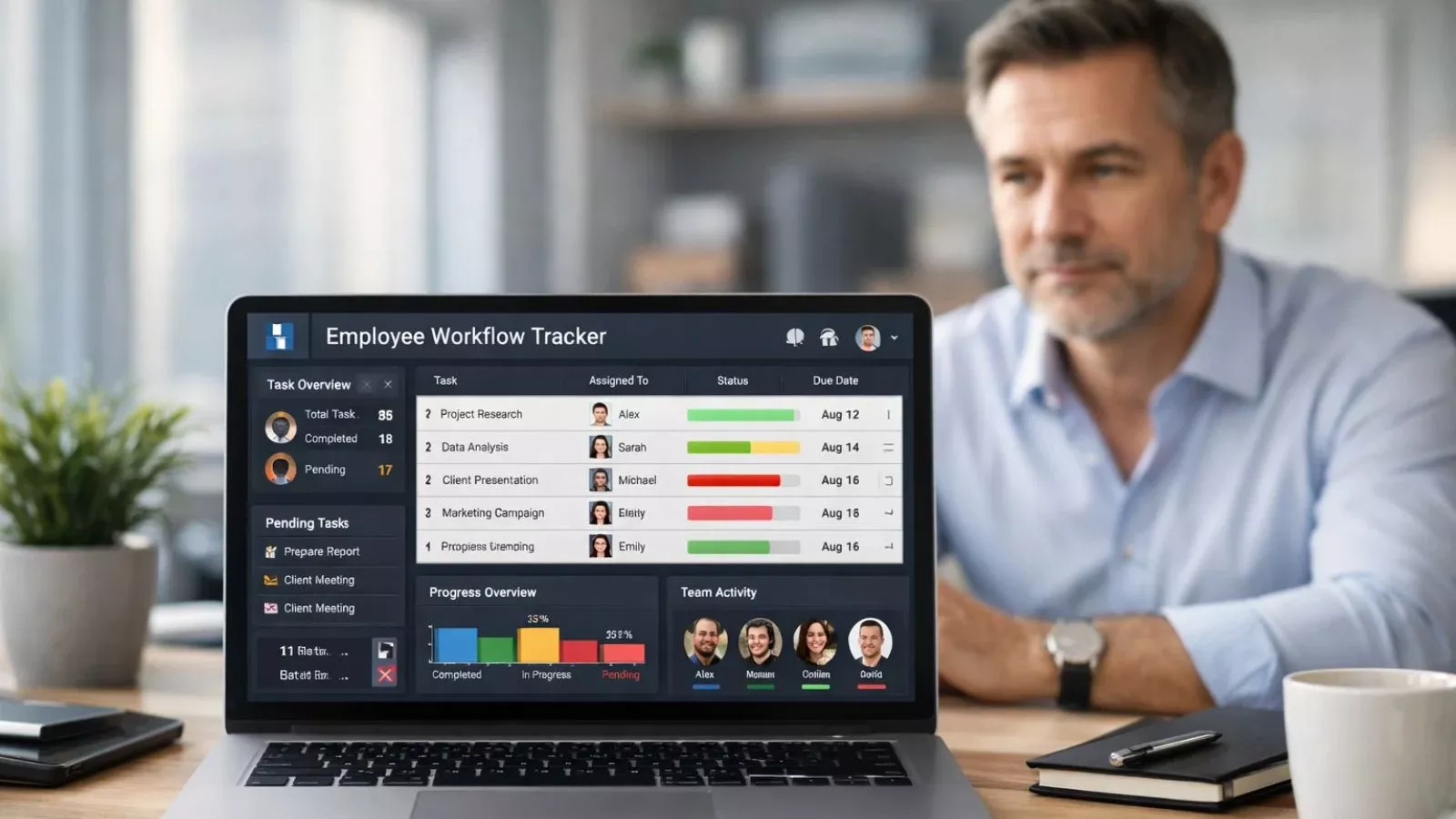
When you have a system in place, it becomes easier to see who is working on what, which tasks are pending, and where delays are happening. Instead of constantly checking in with team members, managers can quickly view progress and make decisions based on real-time updates.
For teams handling multiple responsibilities, even small gaps in communication can lead to missed deadlines or duplicated work. An employee workflow tracker reduces these gaps by keeping everyone aligned. Each person knows their responsibilities, and updates are visible to the entire team.
It also helps in identifying bottlenecks. If a task is stuck at a particular stage, it becomes immediately noticeable, allowing you to take action before it affects the entire workflow.
Over time, this kind of visibility and control makes daily operations more predictable, efficient, and easier to manage without adding extra pressure on the team.
Also Read
What Is Workforce Management? 7 Powerful Truths Revealed
Key Features of a Workflow Tracker
Not all tools are built the same, but a good workflow tracker usually comes with features that make managing daily operations much easier and more organized.
One of the most important features is task assignment and tracking. You can assign tasks to specific team members, set deadlines, and track progress without needing constant follow-ups. Everyone knows what they’re responsible for, which reduces confusion.
Another key feature is real-time updates. As tasks move forward, the status gets updated instantly. This helps managers and teams stay informed without relying on meetings or long message threads.
A clear workflow view is what sets a workflow tracker apart from simple task lists. Tasks move through different stages like pending, in progress, and completed so you can easily understand how work is flowing at any given time.
Many tools also include reporting and insights. These reports help you understand how work is being handled, where delays are happening, and how productivity can be improved. Over time, this data becomes useful for making better decisions.
Integration is another useful feature. A good work management software can connect with other tools your team already uses, making it easier to manage everything without switching between platforms.
Lastly, access control and role management ensure that the right people have access to the right information, keeping workflows organized and secure.
These features work together to create a system where tasks are not just assigned but actually completed efficiently.
How a Workflow Tracker Streamlines Daily Operations
The real value of a workflow tracker shows up in how smoothly your day-to-day work starts running once everything is structured properly.
To begin with, it brings clarity to tasks and responsibilities. Instead of relying on scattered instructions, every task is clearly assigned with deadlines and priorities. This reduces confusion and helps teams focus on execution rather than figuring out what to do next.
It also cuts down the need for constant follow-ups. When progress is visible in a workflow tracker, managers don’t have to chase updates. Team members update their tasks, and everyone stays informed without extra communication overhead.
Another major advantage is faster decision-making. Since all work is tracked in one place, it’s easier to identify delays or overloaded team members. Managers can quickly reassign tasks or adjust timelines before small issues turn into bigger problems.
A workflow tracker also helps standardize processes. When tasks follow a fixed sequence, teams don’t have to reinvent the process every time. This is especially useful for repetitive work like approvals, onboarding, or content workflows.
Over time, this leads to better consistency and fewer errors.
For teams that rely on coordination, an employee workflow tracker ensures that everyone stays aligned. Each team member understands their role in the bigger process, which improves collaboration and reduces miscommunication.
Another important benefit is accountability. Since every task is tracked, it’s clear who is responsible and what the current status is. This naturally encourages ownership without the need for micromanagement.
Also Read
How To Manage A Remote Workforce Smoothly?
Benefits of Using a Workflow Tracker for Businesses
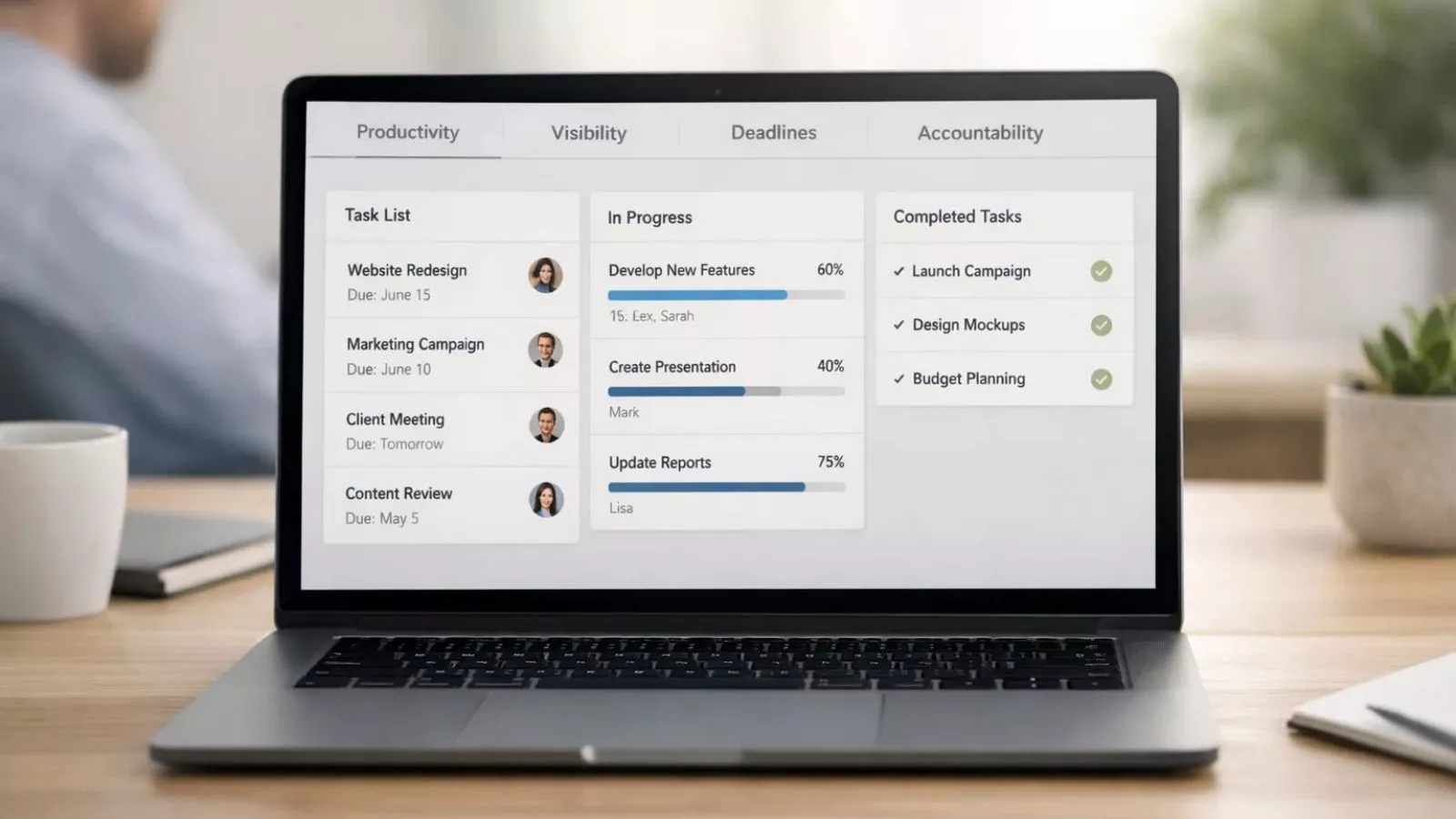 A workflow tracker does more than just organize tasks it improves the way a business operates on a daily basis.
One of the biggest benefits is better productivity. When employees know exactly what they need to work on and by when, less time is wasted on back-and-forth communication or task confusion. Work moves faster because priorities are clear.
Another major benefit is improved visibility. Business owners and managers can quickly see the status of tasks, projects, and team workloads. This visibility helps in planning resources better and making informed decisions without waiting for manual updates.
A workflow tracker also reduces the chances of missed deadlines. Since every task is linked to timelines and status updates, it becomes easier to spot delays early and take action before they impact the larger workflow.
For growing teams, consistency is another big advantage. A proper workflow management software helps standardize processes so the same tasks are completed in a structured way every time. This reduces errors and improves the quality of output.
It also strengthens accountability. With an employee workflow tracker, every task has clear ownership, making it easy to understand responsibilities across the team.
For businesses aiming to improve efficiency, reduce delays, and keep teams aligned, a workflow tracker becomes an essential part of daily operations.
How EmpMonitor Helps Track and Improve Workflow
 Understanding a workflow tracker is one thing but using the right tool is what actually improves your day-to-day operations. EmpMonitor is built to give businesses better control, visibility, and consistency across their workflows without making things complicated.
It helps teams stay organized, track progress clearly, and identify gaps in execution so work moves forward without unnecessary delays.
Key Features of EmpMonitor
- Real-time activity tracking
Monitor what employees are working on without constant check-ins, helping managers stay informed without disrupting workflow. - Task and workflow visibility
Get a clear view of ongoing, pending, and completed tasks so nothing slips through the cracks. - Employee productivity insights
Understand how time is being spent across tasks and identify areas where efficiency can be improved. - Detailed reports and analytics
Access structured reports that highlight performance trends, delays, and workflow patterns. - Automated tracking system
Reduce manual effort by automatically capturing work activity and progress. - Remote team monitoring
Manage remote workforce easily with complete visibility into their daily operations. - App and website usage tracking
See which tools and platforms are being used during work hours to better understand workflow behavior. - Attendance and time tracking
Keep accurate records of work hours, helping streamline payroll and performance evaluation.
With tools like EmpMonitor, a workflow tracker becomes more than just a tracking system it turns into a practical way to improve how work gets done every day.
Common Challenges Without a Workflow Tracker
Before using a workflow tracker, many teams struggle with scattered processes and unclear responsibilities.
Tasks often get assigned through emails or chats, making it hard to track progress. This leads to missed deadlines, duplicated work, and confusion about ownership.
Another common issue is the lack of visibility. Managers don’t have a clear picture of what’s happening, which results in constant follow-ups and unnecessary meetings.
Over time, these small inefficiencies add up and slow down the entire operation. Without a proper system, even simple workflows become difficult to manage.
Workflow Tracker vs Work Management Software
A workflow tracker and work management software are often used interchangeably, but they serve slightly different purposes.
A workflow tracker focuses on tracking the movement of tasks through defined stages. It helps ensure that processes are followed step by step and nothing gets stuck in between.
On the other hand, work management software is broader. It includes task management, communication, reporting, and sometimes even resource planning.
In simple terms, a workflow tracker is more focused on process flow, while work management software covers the entire work ecosystem. Many modern tools combine both, giving businesses a complete solution.
How to Choose the Right Workflow Tracker
Choosing the right workflow tracker depends on how your team operates and what kind of processes you handle daily.
Start by identifying your needs. If your work involves repetitive processes, look for a tool that allows you to create structured workflows. If your team is remote, real-time tracking and visibility become more important.
Ease of use also matters. A complicated system can slow things down instead of improving them. The goal is to simplify work, not add another layer of complexity.
You should also consider features like reporting, integrations, and scalability. As your team grows, your workflow tracker should be able to handle increased workload without breaking your process.
Best Practices for Using a Workflow Tracker Effectively
Simply using a workflow tracker is not enough you need to use it the right way to see real results.
Start by clearly defining your workflows. Every task should have a proper sequence so there’s no confusion about what comes next.
Keep your workflows simple. Overcomplicating processes can make the tool harder to use and reduce adoption among team members.
Regularly review your workflows and make improvements where needed. If something is slowing down the process, adjust it instead of sticking to an inefficient structure.
Most importantly, ensure that your team actually uses the system consistently. A workflow tracker only works when it becomes part of your daily routine.
Conclusion
A workflow tracker brings much-needed structure to everyday work. Instead of relying on scattered updates and constant follow-ups, it creates a clear system where tasks are organized, progress is visible, and responsibilities are well defined.
When used properly, it helps teams avoid delays, reduce confusion, and stay focused on completing work efficiently. From improving accountability to making operations more predictable, a workflow tracker supports smoother day-to-day execution without adding unnecessary complexity.
As teams grow and processes become more layered, having a reliable way to track and manage work becomes essential. With the right approach and the right tools businesses can turn their daily operations into a more streamlined, consistent, and manageable system.
FAQs
1. What is a workflow tracker?
A workflow tracker is a tool that helps teams organize tasks, track progress, and manage workflows in a structured way. It ensures that every step in a process is completed on time and nothing gets missed.
2. How does a workflow tracker improve daily operations?
A workflow tracker improves daily operations by providing clear visibility into tasks, reducing the need for constant follow-ups, and helping teams stay aligned on priorities and deadlines.
3. What is an employee workflow tracker?
An employee workflow tracker focuses on tracking individual responsibilities, task progress, and productivity within a team. It helps managers understand how work is being handled at a team level.
4. Is a workflow tracker the same as workflow management software?
No, a workflow tracker mainly focuses on tracking task progress through different stages, while workflow management software offers a broader set of features like reporting, collaboration, and project management.
5. Can small businesses benefit from a workflow tracker?
Yes, a workflow tracker is useful for businesses of all sizes. It helps small teams stay organized, improve efficiency, and manage growing workloads more effectively.
6. What features should I look for in a workflow tracker?
Look for features like task tracking, real-time updates, reporting, ease of use, and scalability to ensure the tool fits your team’s needs.