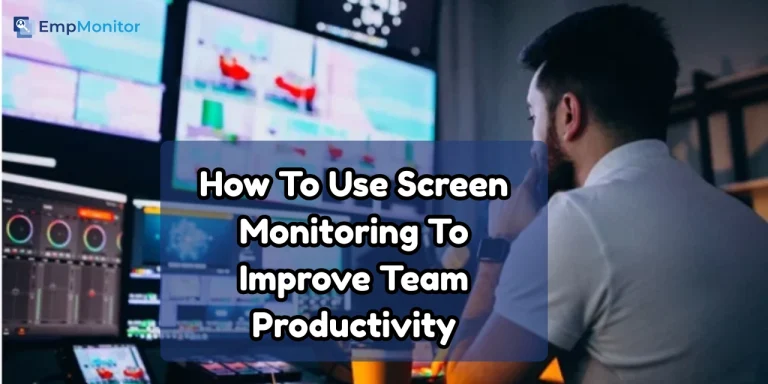
The modern digital workplace depends on flexibility, speed, and accountability. With teams working remotely or in hybrid setups, leaders need clear visibility into daily workflows without compromising trust. Screen monitoring helps provide that clarity by offering insights into productivity patterns, time usage, and potential security risks.
Rather than focusing on control, effective screen monitoring highlights workflow trends, identifies bottlenecks, and protects sensitive data. It allows managers to make informed decisions, support team performance, and address inefficiencies before they grow.
When implemented transparently and ethically, screen monitoring becomes a productivity tool instead of a surveillance tactic. It strengthens accountability, improves operational efficiency, and supports a more secure and balanced work environment.
Hit ‘Play’ Button & Tune Into The Blog!
What Is Screen Monitoring?
It refers to the practice of viewing, recording, or analyzing employee screens to understand how work is happening during business working hours. The primary goal is to enhance focus, reduce risks, and ensure that tasks get completed within expected timelines.
Unlike traditional tracking systems, modern screen monitoring tools offer:
- Real-time visibility
- Automated activity insights
- Productivity analytics
- Compliance and security features
- Custom monitoring levels
When used with transparency and clear communication, screen monitoring becomes a business enabler rather than a control mechanism.
Why Smart Screen Monitoring Is Key To Boosting Productivity And Security?
Digital transformation expanded the number of apps, browsers, and communication channels employees use daily. With this shift, businesses face challenges like distraction, time misuse, data exposure, and workflow inconsistencies. Screen monitoring solves these problems while empowering teams to perform better.
Here’s why companies implement screen monitoring:
Optimized productivity:
Teams often juggle multiple tools and tasks. With the right visibility, managers can identify workflow delays, recurring distractions, and areas where processes can be streamlined for smoother operations.
Data security assurance:
Organizations dealing with sensitive information need strong safeguards. Modern tools help spot unusual activities, risky applications, or potential threats early, reducing chances of data breaches.
Accurate project tracking:
Managers get a clear picture of how tasks are progressing without constantly checking in. This helps in better planning, quicker decision-making, and ensuring deadlines stay on track.
Operational transparency:
As hybrid and remote setups grow, maintaining consistency becomes crucial. Visibility into work patterns helps ensure everyone follows the same standards, no matter where they’re located.
Improved team performance:
Insights generated by these tools support coaching, performance discussions, and identifying areas where employees may need help or training, leading to steady performance improvement.
The value it provides goes far beyond mere observation. It becomes a strategic pillar for digital productivity.
How Screen Monitoring Works?
Screen monitoring works by giving organizations insight into how work happens on employees’ computers without constantly hovering over them.
Modern tools do this in a few key ways:
- Real-Time Screen Viewing: Managers can see live screens when needed, which is especially useful for high-security roles or sensitive tasks. This isn’t about micromanaging; it’s about ensuring critical processes run safely.
- Automated Captures: Screenshots or activity logs can be scheduled or triggered by specific events, like unusual app usage. This keeps monitoring targeted and relevant, avoiding unnecessary intrusion.
- Activity and App Tracking: The software records which apps are used, websites visited, and time spent on tasks. This helps identify distractions, bottlenecks, or inefficient workflows.
- Productivity Analysis: Tools categorize activities as productive or unproductive, giving managers insight into how teams spend their time.
- Reports and Dashboards: Collected data is summarized in easy-to-read dashboards, helping leaders make informed decisions, optimize processes, and support employees effectively.
By combining automation with smart analysis, screen monitoring offers visibility while staying non-intrusive, turning raw activity data into actionable insights.
What Are The Key Benefits Of Screen Monitoring For Businesses?
Organizations today need better visibility into daily operations, especially when managing remote teams or handling sensitive workflows. These tools offer valuable insights that improve efficiency, strengthen security, and support smarter decision-making.
Higher Productivity Across Teams:
Employees stay more focused when they know their work processes are measured fairly. These tools highlight where time gets wasted and help streamline workflows. Instead of policing teams, managers use insights to guide improvements.
Better Decision-Making for Managers:
Data-driven leadership becomes easier with visibility into workloads, actual execution time, and resource utilization. This helps managers allocate tasks more effectively.
Stronger Data Protection:
Cyber threats often arise from unauthorized downloads, unsafe websites, or unexpected external interactions. Activity-tracking solutions identify harmful behavior instantly, reducing risks.
Reduced Operational Costs:
Unproductive hours, repeated mistakes, and inefficient workflows increase expenses. These monitoring solutions minimize such issues and improve output.
Enhanced Commitment and Accountability:
Teams perform better when expectations are clear. Transparent activity insights create a sense of responsibility and help maintain consistent performance standards.
Compliance & Audit Support:
Industries like finance, healthcare, IT, and legal services require detailed logs for compliance. These systems provide documented proof of workflow integrity.
Ethical Use Of Screen Monitoring: Building Trust First
Ethical implementation ensures employees feel respected, not controlled. Companies must prioritize fairness, clarity, and purpose-driven monitoring.
Here’s how to maintain ethical standards:
- Communicate Clearly: Monitoring employee activity is necessary because when teams understand the intention, resistance decreases.
- Focus on Productivity, Not Surveillance: Use insights to improve work processes rather than scrutinizing personal behavior.
- Avoid Personal-Time Monitoring: Monitoring should apply only during office hours on company-managed systems.
- Limit Monitoring to Professional Tasks: Capture only what is needed, and avoid accessing private data.
- Provide Access Transparency: Employees should know what gets recorded and how it informs business decisions.
A transparent approach ensures screen monitoring drives growth, not discomfort.
How Can Businesses Effectively Manage Remote And Hybrid Teams?
Remote work has become a global norm, and with it, companies face the challenge of maintaining productivity and oversight without being physically present. Effective management in this environment ensures that employees stay aligned with company goals, meet deadlines, and maintain consistent quality.
Key benefits of proper monitoring and management include:
- Maintaining consistent workflows: Ensures projects progress smoothly even when teams are dispersed.
- Increasing accountability: Helps employees stay responsible for their tasks and deliverables.
- Reducing communication gaps: Facilitates clearer coordination between team members across locations.
- Providing accurate performance insights: Allows managers to identify strengths, areas for improvement, and allocate resources effectively.
- Preventing unauthorized activities: Protects sensitive data and ensures compliance with company policies.
In hybrid work setups, structured oversight balances autonomy with guidance. Clear visibility improves collaboration, reduces misunderstandings, and boosts efficiency, helping organizations build a motivated and accountable workforce.
Windows indicate inefficiency. Always look at insights alongside employee responsibilities.
Also Read:
How To Choose The Best Employee Screen Monitoring Software In 2025?(Challenges & Best Practices)
Revealing Why You Need Live Screen Monitoring Software
How Do You Choose The Right Screen Monitoring Solution?
A good monitoring system must balance transparency, accuracy, and ease of use. Before selecting one, evaluate these criteria:
- Real-Time Visibility Options: Live monitoring helps industries with higher compliance needs.
- Automated and Smart Alerts: Systems that flag risky actions save time and enhance security.
- Compatibility with Business Tools: The software must work seamlessly with devices and applications your teams use.
- Flexible Monitoring Levels: Options like time-based, role-based, or activity-triggered monitoring empower organizations to stay fair.
- Scalability: Choose a solution that supports future workforce expansion.
While discussing reliable tools, it’s worth mentioning that many companies now prefer modern, all-in-one solutions like EmpMonitor, which goes far beyond traditional screen monitoring. It not only offers real-time visibility but also provides detailed productivity insights, automated reporting, and complete workforce analytics, making it easier for organizations to manage distributed teams with confidence.
How Can Empmonitor Serve As A Complete Workforce Management & Screen Monitoring Solution?
If a business wants a powerful, scalable, and intuitive platform for productivity and employee activity tracking, EmpMonitor stands out as one of the most advanced solutions. It seamlessly unifies monitoring, analytics, and workforce management into a single dashboard, giving companies 360-degree visibility over daily operations.
With its simple interface and enterprise-grade intelligence, EmpMonitor empowers teams to work smarter and stay secure.
1. Employee Monitoring & Productivity Tracking:
EmpMonitor, a leading employee monitoring software, helps organizations strengthen performance across distributed teams. It provides deep insights into daily activities, app usage, and time distribution. Managers can clearly see what improves productivity and what slows it down, enabling data-backed decision-making.
Key capabilities include:
- Detailed daily and hourly activity reports
- Context-rich monitoring insights
- Enhanced productivity tracking for improving team performance
2. Advanced Time-Tracking & Automated Timesheets
Understanding how employees utilize their work hours is essential for accountability. EmpMonitor’s time-tracking module delivers real-time timesheets and detailed work-hour analytics.
Top benefits:
- Identifies productive vs idle hours
- Generates accurate, automated timesheet reports
- Improves accountability with meticulous time data
- Helps evaluate performance fairly and transparently
3. User Activity Monitoring for Complete Visibility
For businesses that want clarity into digital behavior, EmpMonitor provides deep user activity analytics. From browsing habits to software usage trends, every insight helps managers optimize workflows.
What it offers:
- Detailed team activity breakdown
- Daily and hourly behavioral insights
- Context-rich activity reporting
4. Insider Threat Detection & Prevention
Security risks can occur at any level. EmpMonitor strengthens internal security by identifying suspicious actions, unauthorized platform usage, or harmful behavior in real time.
Security advantages:
- Detects negligent or malicious insider activity
- Prevents access to compromised platforms
- Reduces operational risk by flagging unsafe behavior
5. Attendance Monitoring & HR Integration
EmpMonitor simplifies attendance and leave management through its centralized, paperless attendance system—ideal for HR teams wanting streamlined processes.
What makes it valuable:
- Accurate, real-time attendance tracking
- Error-free leave and shift management
- Easy payroll integration with attendance logs
6. Workforce Productivity & Engagement Tools
Beyond monitoring, EmpMonitor enhances engagement and workplace efficiency through intelligent HR, project tracking, and workflow insights.
Key strengths:
- Enterprise-level analytics for productivity improvement
- Better project alignment and collaboration
- Seamless compliance monitoring
- Enhanced workforce efficiency with deep insights
7. Live Screencasting for Instant Support & Collaboration
With live screen monitoring software, managers can view and control employee screens in real time, making it easy to assist team members or troubleshoot issues instantly.
Benefits include:
- Direct on-screen troubleshooting
- No employee approvals required during sessions
- Faster collaboration and problem resolution
8. Automated Screen Recording & Secure Storage
For compliance and quality assurance, EmpMonitor captures screen activity in short, time-stamped recordings stored securely in the cloud.
Advantages:
- Continuous segmented recordings for easier review
- Encrypted cloud storage
- Helps resolve disputes or audits with verifiable evidence
9. Real-Time Activity Tracking Dashboard
Managers can track apps, websites, and productivity in real time on a unified dashboard.
Key insights available:
- Live active vs idle user status
- App and website usage patterns
- Task or role-based productivity filters
10. Smart Project Management Tools
With integrated project management, EmpMonitor helps teams plan, track progress, and manage workloads efficiently.
Features include:
- Task creation and assignment
- Resource allocation insights
- Milestone tracking for timely project execution
- Improved team collaboration
EmpMonitor aligns with the business’s needs by combining real-time visibility, analytics, compliance, and automation. As a leading employee screen monitoring software, it keeps teams accountable without compromising trust, offering the perfect balance between monitoring and empowerment.
Whether you manage remote teams, secure sensitive data, or aim to boost productivity, EmpMonitor delivers the end-to-end capabilities required to transform workforce performance.
How Can Monitoring Improve Employee Performance Analysis?
Performance analysis becomes more accurate when backed by real data. Effective monitoring supports performance management by:
- Revealing work patterns: Helps identify how tasks are completed.
- Identifying training needs: Shows areas where employees may need skill development.
- Highlighting exceptional performers: Recognizes top contributors.
- Offering clarity during evaluations: Provides objective insights for reviews.
- Supporting reward systems: Ensures fair recognition and incentives.
Managers can make fairer decisions when insights are based on validated data rather than assumptions.
Also Read:
The Role Of Employee Monitoring Software In Successful Workplaces
Integrating Screen Monitoring With Other Workplace Tools
Pairing screen monitoring with digital productivity ecosystems creates stronger management systems.
It can integrate with:
- Task management tools
- Attendance systems
- HR management software
- Security and compliance tools
- Project management platforms
This creates a comprehensive and unified performance-tracking infrastructure.
What Are The Future Trends In Screen Monitoring?
Technology continues advancing, and monitoring evolves with it. Future trends include:
1. AI-Powered Monitoring:
AI will predict performance gaps, detect unusual activities, and automate workflow recommendations.
2. Behavioral Analytics:
Software will understand work patterns to improve decision-making.
3. Advanced Data Visualization:
Dashboards will transform complex insights into easy-to-understand visuals.
4. Stronger Data Security Measures:
Next-generation monitoring systems will embed encryption and smart authentication.
5. Automated Compliance Checks:
Regulated industries will gain more automated audit-ready reports.
The future of workplace monitoring promises higher productivity, stronger security, and smarter work environments.
Conclusion
As businesses embrace digital ecosystems, screen monitoring becomes an essential part of sustainable growth. Tools like EmpMonitor make it easy to track productivity, secure sensitive data, and gain actionable insights without disrupting employee autonomy.
It enhances efficiency, protects information, strengthens accountability, and guides better leadership decisions. When implemented ethically, it empowers employees rather than restricting them.
Organizations that adopt it correctly gain a competitive edge through improved clarity, smoother workflows, and greater operational confidence. It becomes not just a monitoring tool but a long-term driver of business excellence. By prioritizing transparency and purpose, businesses build a workplace where efficiency and trust grow together.
FAQs
1. Is screen monitoring required for every type of workplace?
Not always. Some industries need it for compliance or data-sensitive work, while others use it strictly for productivity improvement.
2. Can monitoring tools detect unapproved software usage?
Yes. Many solutions can identify when employees install or run applications that violate company policy.
3. How can companies protect employee privacy during monitoring?
By setting clear boundaries, limiting access to authorized managers, and avoiding data collection during non-work hours.
4. Does screen monitoring help manage remote teams more effectively?
Yes. It provides visibility that helps managers support remote employees, reduce miscommunication, and maintain consistent output.
5. Do monitoring systems work across different operating systems?
Most modern solutions support Windows, macOS, and sometimes Linux, ensuring compatibility for diverse teams.