



The last goodbye shouldn’t be the worst one.
Most companies often mess up when providing the final settlement, reimbursements, or other payments, or when creating a little extra paperwork.
All of these, when piled up, ruin the brand’s image and create unpleasant relations with ex-employees.
In this blog, we’ll discuss how companies can effectively handle employee offboarding without mismanagement.
Read Aloud –
Why Is Employee Offboarding Management Important?


Offboarding management is an important step because it ensures that an employee’s exit is handled in a structured, secure, and professional way. A well-managed offboarding process helps the organization protect its data, complete important administrative tasks, transfer knowledge, and maintain a positive relationship with departing employees.
Key Reasons Why Offboarding Matters
- Protects company data: Access to email accounts, software, systems, and confidential information can be reviewed and revoked at the appropriate time.
- Ensures a smooth knowledge transfer: Employees can document their responsibilities, projects, processes, and important information before leaving.
- Reduces operational disruption: Proper handovers help teams continue their work without unnecessary delays.
- Improves compliance: Completing documentation, final payments, benefits-related tasks, and other required procedures helps organizations maintain proper records.
- Creates a better employee experience: A professional exit process can leave departing employees with a positive impression of the organization.
- Supports future hiring: Former employees may become valuable professional connections, referrals, or even return to the organization later.
- Keeps records organized: HR teams can maintain accurate employee records and ensure that all offboarding steps are completed.
- Identifies areas for improvement: Exit interviews and feedback can reveal recurring workplace issues and help HR improve employee retention and processes.
Why Does the Employee Offboarding Process Get Messy?

The offboarding process can quickly become complicated when HR, managers, IT, finance, and the departing employee are not properly coordinated. Because several tasks must happen within a limited timeframe, even a small communication gap can cause delays or security risks.
Here are some common reasons why employee offboarding gets messy:
1. Poor Communication Between Teams
HR may know an employee’s last working day, but IT, finance, or the employee’s manager may not receive the needed information on time, which leads to delays in tasks such as access removal, payroll processing, and knowledge transfer.
2. No Standardized Offboarding Process
Without a clear employee offboarding checklist, every department follows its own process. Important steps can easily be forgotten or completed inconsistently.
3. Manual Paperwork and Approvals
Handling resignation documents, clearance forms, asset returns, exit interviews, and approvals manually can create unnecessary paperwork and increase the chances of errors.
4. Delayed Access Revocation
If system access has not been removed from the employee, there is a chance that former employees may retain access to company accounts, applications, or sensitive information. Coordinating access removal across multiple systems can be particularly challenging.
5. Incomplete Knowledge Transfer
Employees often leave with valuable knowledge about projects, clients, processes, and ongoing tasks. Without a structured handover, important information may be lost.
Also Read –
How To Pick Monitoring Software With 7 Best Project Management Features In 2025?
17 Essential Time Management Activities For Employees In 2026
7 Effective Tips To Handle Employee Offboarding.
A well-structured exit process with planning and resources helps HR teams make an employee’s exit smooth while protecting company data, completing essential paperwork, and ensuring a proper handover.
Here are seven practical tips to make offboarding more organized:
1. Creating a Standard Offboarding Checklist
Use a standardized checklist covering every important task, such as resignation documentation, asset collection, access removal, final payroll, knowledge transfer, and exit interviews. This reduces the chances of missing critical steps.
2. Efficient Communication To Every Department
Inform the relevant teams about the employee’s departure and clearly assign responsibilities. HR, IT, finance, managers, and other stakeholders should know what needs to be completed and by when.
3. Early Knowledge Transfer
Give the departing employee enough time to document ongoing projects, responsibilities, important contacts, processes, and pending work. A structured handover can reduce disruption after they leave.
4. Revoking System Access on Time
Coordinate with IT to review and remove access to email accounts, internal systems, applications, cloud platforms, and company devices at the appropriate time. This helps protect sensitive business information.
5. Tracking Company Assets
Maintain a record of company-owned laptops, phones, ID cards, keys, and other equipment assigned to the employee. Confirm that all required assets are returned and documented.
6. Conducting a Meaningful Exit Interview
An exit interview can allow employees to share feedback about their experience. HR can use recurring feedback to identify areas where workplace policies or processes could be improved.
7. Automating Repetitive Tasks Where Possible
Using an employee offboarding management system can help automate notifications, task assignments, approvals, access-related workflows, and documentation. This reduces manual coordination and gives HR greater visibility into the overall process.
How to Secure Company Data During Employee Offboarding
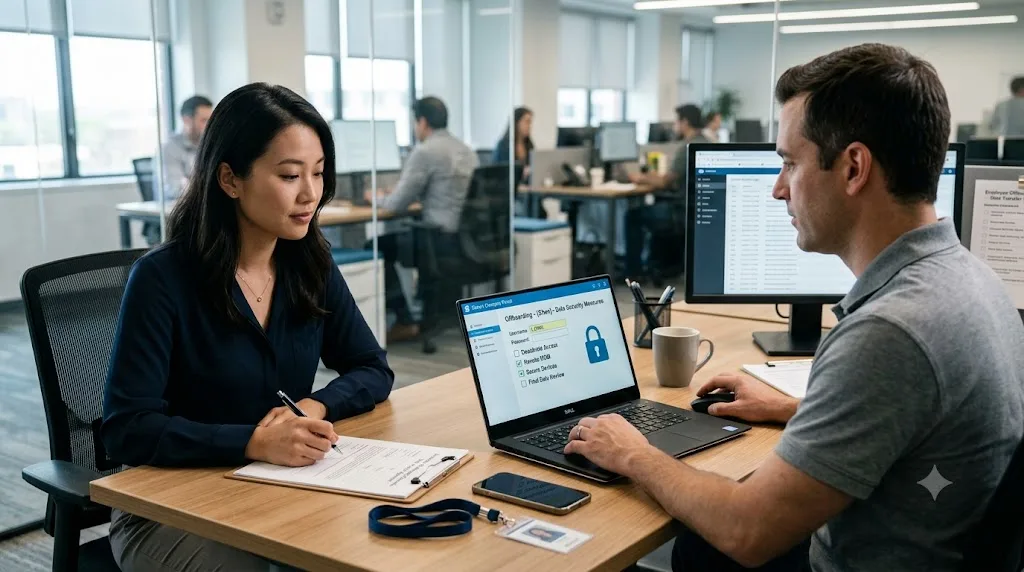
Securing company data during offboarding starts with a clear and organized process. Revoke access to company accounts and systems, recover company devices, review file-sharing permissions, transfer important files to authorized team members, and remove access to confidential information. It is also important to monitor unusual data transfers and maintain an offboarding checklist so nothing is missed. This helps reduce the risk of unauthorized access, data leaks, or accidental loss of important company information.
About EmpMonitor.
EmpMonitor is an employee monitoring and workforce management software that simplifies employee onboarding and offboarding. It is a management system designed to manage the entire employee lifecycle. It helps organizations track employee activity, attendance, working hours, application and website usage, and productivity from a centralized dashboard. The platform says it supports teams across Windows, Mac, and Linux/Ubuntu.
Why Choose Empmonitor?
- Employee Monitoring
EmpMonitor provides visibility into employee activities, including app and website usage, active and idle time, and other work-activity information. - Time Tracking
The platform tracks working hours, idle time, productive time, and breaks. It can also generate timesheets and activity reports for workforce analysis. - Attendance Management
EmpMonitor can record login and logout times and provide attendance and leave-management capabilities through its dashboard. - Screenshots and Screen Monitoring
The software offers screenshot monitoring, live screen monitoring, screen recordings, and screencasting features for workplace visibility and troubleshooting. - Website and Application Tracking
Managers can see which websites and applications employees use and how much time is spent on them. The platform also provides website and application blocking capabilities. - Data Security and Loss Prevention
EmpMonitor includes features such as USB detection and blocking, alerts, activity monitoring, and data-loss-prevention controls intended to help organizations protect sensitive information. - Project Management
The platform also includes tools for creating, assigning, and tracking tasks and projects, allowing teams to monitor progress from the same system.
How EmpMonitor Can Help HR Teams
For HR and management teams, EmpMonitor can bring several workforce-management activities into one platform. Instead of maintaining separate systems for attendance, time tracking, activity monitoring, and productivity reporting, organizations can access these functions through a centralized dashboard.
It can be particularly relevant for remote and hybrid teams, where managers may need centralized visibility into working hours, attendance, application usage, and team activity. EmpMonitor also describes use cases across industries including IT, banking, healthcare, call centers, education, and others.
EmpMonitor for Employee Onboarding and Offboarding
EmpMonitor is primarily positioned around employee monitoring, productivity, attendance, and workforce management, rather than being solely an onboarding/offboarding platform. Its documentation describes employee management functions such as adding, importing, deleting, and restoring employees, as well as managing employee profiles and monitoring settings.
This means it can form part of an employee lifecycle workflow. At the same time, organizations may still use dedicated HRMS or onboarding/offboarding tools for tasks such as document collection, formal onboarding workflows, and exit processes.
Conclusion
A well-planned offboarding process helps businesses protect company data, complete knowledge transfers, and maintain accurate employee records while ensuring a smooth exit for the employee.
EmpMonitor can support this process with features such as activity monitoring, time tracking, automated reports, data-loss prevention, USB detection, and insider-risk analysis.
By bringing workforce visibility and security tools together in one platform, EmpMonitor can make an employee’s last days in the company more organized, secure, and data-driven.
Frequently Asked Questions
1. What is employee offboarding?
Employee offboarding is the process of managing an employee’s exit from a company, including knowledge transfer, returning company assets, and removing system access.
2. Why is employee offboarding important?
A proper offboarding process helps protect company data, ensure a smooth transition, and maintain a positive relationship with departing employees.
3. What should be included in an employee offboarding checklist?
It should include resignation confirmation, knowledge transfer, asset collection, access removal, final payments, exit interviews, and necessary documentation.
4. When should employee access be removed?
Employee access to company systems should be removed according to the company’s security policy and the employee’s final working arrangements to prevent unauthorized access.
5. How can companies make employee offboarding easier?
Companies can use a clear offboarding checklist, automate routine tasks, communicate responsibilities clearly, and use HR or employee monitoring tools to manage the process efficiently