


Every day, employees send and receive thousands of file transfers across corporate networks. Whether it’s sharing project documents, sending client data, or moving sensitive reports between departments, file transfers form the backbone of modern business operations. But here’s the thing: not all file transfers are safe, authorized, or even noticed until it’s too late.
A single unmonitored transfer can lead to data breaches, compliance violations, or serious insider threats that cost businesses millions. That’s why organizations today need a clear, well-defined strategy to track, control, and secure their file transfers before any damage is done. Getting this right isn’t optional anymore; it’s a core business responsibility that no company can afford to overlook.
Listen To The Podcast Now!
Why File Transfers Are a Major Security Concern?
Types of File Transfers You Should Be Monitoring:
Not all file transfers carry the same level of risk. Knowing which ones to watch most closely helps your security and IT teams allocate their time and resources far more wisely. Here are the most common types of risky file transfers that organizations should be actively tracking:
- Email attachments containing sensitive or confidential data are often sent outside the organization, often without encryption or proper management authorization
- USB or removable storage device transfers that completely bypass network-level monitoring and leave no centralized log trail
- Cloud uploads to unauthorized personal platforms like Google Drive, personal Dropbox accounts, or unapproved OneDrive folders that haven’t been cleared by IT
- FTP and SFTP transfers that can silently carry large volumes of business-critical data without proper oversight, authentication checks, or access restrictions
- Peer-to-peer file transfers that move sensitive information directly between devices without passing through any IT-controlled or audited channel
Each of these transfer methods can expose your organization to serious, lasting risk if left completely untracked. Building internal awareness around these categories and ensuring that all employees clearly understand the governing policies is essential for any security-conscious team that wants to stay ahead of both internal and external threats.
How to Monitor File Transfers on the Network Effectively:
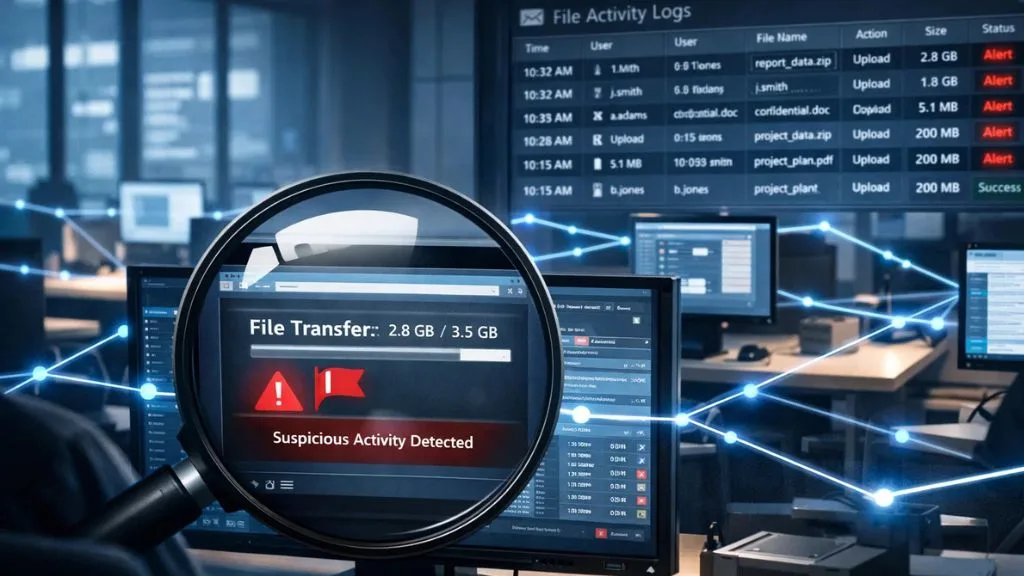

To monitor file transfers on network environments, organizations need far more than just a standard firewall. A firewall tells you what’s coming in from outside, but it has very little to say about what’s quietly leaving through an employee’s personal laptop late at night. You need dedicated, intelligent tools that can log, analyze, and flag unusual transfer behavior in real time without creating friction for legitimate users.
Here’s what a truly effective monitoring approach looks like in practice. First, set up centralized logging so that every single file transfer, inbound or outbound, is automatically recorded with timestamps, user identity details, and full file metadata. Second, define what “normal” looks like specifically for your organization, so that genuine anomalies are immediately obvious.
A 3 GB transfer from an HR account at midnight should instantly raise a red flag. Third, implement strict role-based access controls so employees can only access and transfer the files they genuinely need for their specific role. Fourth, integrate your monitoring tools with existing HR and IT infrastructure to build a unified, complete view of all employee digital activity. When executed properly, monitoring file transfers stops being about surveillance and becomes entirely about keeping your data ecosystem transparent, healthy, and reliably secure.
Key Features to Look for in a File Transfer Monitoring Tool:
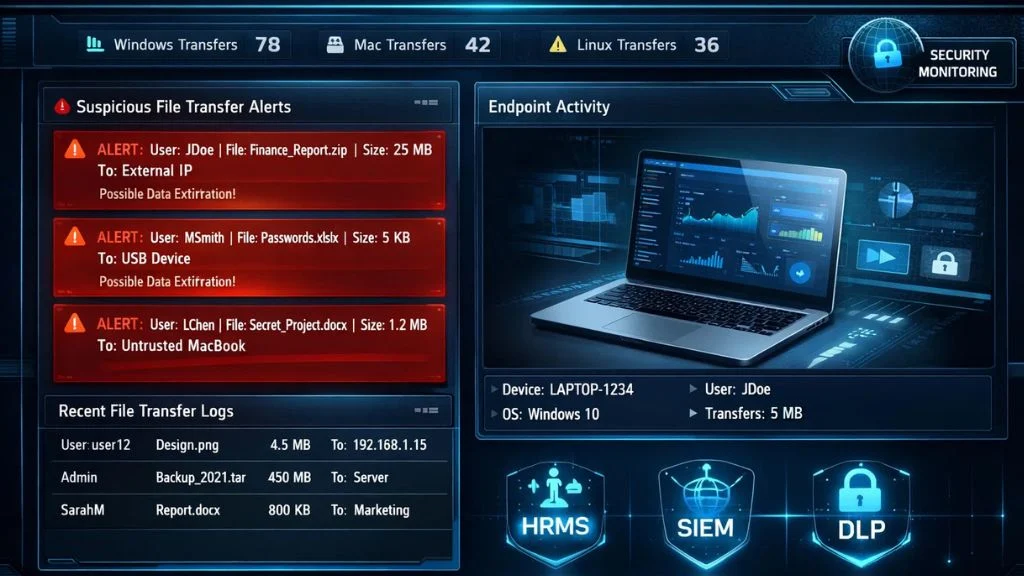
Choosing the right tool for monitoring file transfers can feel genuinely overwhelming, given how crowded the market has become. The key is to stay focused on what your organization actually needs operationally, rather than getting distracted by flashy features that deliver little real security value. Here are the essential capabilities worth prioritizing:
- Real-time alerts that immediately notify administrators the moment suspicious, unauthorized, or unusually large file transfers are detected anywhere on the network
- Detailed audit logs that capture full user identity, file names, file sizes, transfer destinations, and precise timestamps for every single transfer event without exception
- Cross-platform support, ensuring the tool works consistently across Windows, Mac, and Linux environments with absolutely no blind spots or coverage gaps.
- Integration capabilities with existing HRMS, SIEM, or other security and productivity tools your team already depends on daily
- Data Loss Prevention (DLP) features are powerful enough to automatically block unauthorized file transfers in real time before they escalate into a full incident.
- Endpoint monitoring that tracks activity directly on individual devices, not just traffic flowing through the central network infrastructure
Without all of these features working together, significant vulnerabilities remain. The ultimate goal is continuous, comprehensive visibility over every file transfer happening across your entire network, not just the ones a basic antivirus tool happens to catch after the damage is already done.
Also Read:
How EmpMonitor Helps You Track and Secure File Transfers:


EmpMonitor is a powerful, enterprise-grade employee monitoring and workforce management platform that helps businesses of all sizes take complete control of their data security posture.
When it comes to managing file transfers, EmpMonitor provides real-time activity tracking so managers and security teams can see exactly what employees are doing across all their connected systems, with zero guesswork involved. Here’s how EmpMonitor delivers real, measurable results:
- User Activity Monitoring comprehensively tracks all system activity, including file access, movement, and detailed application usage patterns.
- Insider Threat Prevention, proactively detects and alerts on suspicious or abnormal employee behavior before any damage occu.rs
- Data Loss Prevention actively prevents unauthorized or sensitive data from ever leaving your secured network environment.
- Live Screen Monitoring & Recording delivers real-time visibility into exactly what’s on employee desktops as events unfold.
- Cross-platform support operates seamlessly across Windows, Mac, and Linux/Ubuntu systems without any gaps.
Trusted by over 500,000 employees across 100+ countries and 15,000+ companies globally, EmpMonitor is a proven, reliable choice for any organization serious about data security. Whether you manage a fully distributed remote team or a large on-site workforce, EmpMonitor gives you the confidence and tools to stay consistently ahead of data risks every single day.
Best Practices for Managing File Transfers in the Workplace:
Having the right monitoring tool is only part of the equation. Without clear written policies and consistent human practices supporting it, even the most advanced software will fall short of expectations. Your organization needs a solid, practical framework that governs how file transfers are handled every working day, not just scrambled together during security audits or pulled out after an incident has already occurred.
Start by drafting a detailed acceptable use policy that clearly defines which platforms, methods, and file sizes are officially approved for transfers. Ensure every employee reads, understands, and formally acknowledges this policy during onboarding and whenever it’s meaningfully updated. Conduct regular training sessions, so staff understand not just the rules but the genuine reasons behind them. People comply far more consistently when they understand the real-world consequences of getting it wrong.
Apply strict need-to-know access controls and schedule quarterly permission reviews so outdated access is revoked promptly. Configure automated alerts for suspicious patterns like after-hours transfers, bulk data movements, or repeated failed access attempts. Run regular audits of your transfer logs to uncover behavioral trends, recurring violations, and coverage gaps before they become costly incidents.
The Role of Monitoring File Transfers in Regulatory Compliance:
Monitoring file transfers isn’t just a smart operational habit; in many industries, it’s a direct, non-negotiable legal obligation. Regulations like GDPR, HIPAA, and PCI-DSS explicitly require businesses to maintain strict, documented control over how sensitive data is shared, stored, and transferred between parties and systems.
Failing to comply doesn’t just bring fines; it can trigger full-scale regulatory investigations, drawn-out legal battles, and the kind of reputational scandal that takes years to fully recover from. The detailed audit trails generated by monitoring tools serve as critical, credible evidence during compliance reviews, proving to regulators and auditors that your organization has implemented meaningful, operational controls, not just policies written on paper.
Healthcare providers, financial institutions, legal firms, and educational organizations all face heightened regulatory scrutiny around data movement specifically. By proactively tracking every file transfer, your business demonstrates genuine accountability and operational due diligence, two qualities that regulators consistently look for and actively reward with reduced penalties and smoother audit outcomes.
Common Mistakes Organizations Make with File Transfer Oversight:
Even organizations that genuinely understand the importance of managing file transfers often fall critically short when it comes to real-world execution. These execution gaps can be just as dangerous as having no monitoring framework in place at all. One of the most widespread mistakes is relying entirely on perimeter security tools like firewalls, which do a reasonable job of blocking external threats but do almost nothing to track internal data movement between employees or departments.
Another common and costly pitfall is failing to revoke or update access permissions when employees change roles, go on extended leave, or exit the company entirely. Stale credentials sitting on active accounts are a significant and easily exploited vulnerability. Many businesses also neglect endpoint-level monitoring, leaving laptops, home office devices, and USB connections as completely blind spots in their security coverage.
Ignoring cloud-based file transfers is equally dangerous, particularly as hybrid and remote work environments continue to expand rapidly. And perhaps the most avoidable mistake is simply not reviewing audit logs on a consistent, scheduled basis, allowing critical red flags to sit unaddressed for weeks or months until they’ve already caused serious damage. Avoiding all of these mistakes requires the right mindset, strong internal culture, and reliable technology, all working together every single day.
Conclusion:
Unmonitored file transfers remain one of the most underestimated and overlooked risks in today’s modern workplaces. From accidental data exposure to deliberate insider threats, the consequences of ignoring file transfer activity can be severe, wide-ranging, and extremely difficult to recover from.
By implementing strong monitoring practices, enforcing clear and consistent policies, and partnering with a reliable platform like EmpMonitor, your organization can get well ahead of these risks, protecting sensitive data, maintaining full regulatory compliance, and building a genuinely secure, trustworthy work environment for employees and clients alike. Don’t wait for a costly breach to take action. Start taking real, meaningful control of your file transfers today.
FAQ’s:
Q1. What is the best way to monitor file transfers in a large organization?
Ans: The most effective approach is using a centralized employee monitoring platform like EmpMonitor that provides real-time activity tracking, detailed audit logs, and built-in DLP features across all endpoints and operating platforms, giving your entire security team complete, actionable visibility at scale without overwhelming them with noise.
Q2. Are file transfer monitoring tools legal to use in the workplace?
Ans: Yes, absolutely. When deployed with proper employee disclosure, clear acceptable use policies, and in full compliance with local privacy laws and regional regulations, monitoring file transfers on company-owned devices and corporate networks is entirely legal in the vast majority of jurisdictions worldwide.
Q3. Can monitoring tools effectively track file transfers happening through cloud platforms?
Ans: Yes. Advanced solutions like EmpMonitor can track uploads, downloads, and sync activity across cloud services by actively monitoring application usage patterns and outbound network activity directly on employee devices, regardless of which cloud platform is being used.
Q4. How do unmonitored file transfers create compliance risks for businesses?
Ans: Regulations like GDPR, HIPAA, and PCI-DSS all require documented control over data movement. Without proper monitoring in place, organizations have no audit trail to prove compliance, leaving them exposed to regulatory penalties, investigations, and significant legal liability during any formal review or data breach inquiry.
Q5. What should a business do immediately after detecting an unauthorized file transfer?
Ans: Act quickly and methodically. First, isolate the affected device or user account to prevent further data movement. Then review the full audit log to understand exactly what was transferred, where it went, and how it happened.
