


Most people believe they know how they spend their working hours. Research consistently shows they’re wrong by as much as 30 percent. Work time tracking is the practice of systematically recording how working hours are spent across tasks, projects, and clients. Done well, it turns vague impressions about productivity into concrete data that drives better decisions.
In 2026, work time tracking has evolved from a billing mechanism into a genuine productivity intelligence tool. AI-powered apps now capture time automatically, analyse patterns, and surface insights that were previously invisible. This guide covers everything you need, from the basics of tracking time at work to advanced strategies, team implementation, legal considerations, and how to choose the right tool for your situation.
In a hurry? Listen to the blog instead!
What Is Work Time Tracking?
Work time tracking is the systematic process of recording how working hours are allocated, which tasks they’re spent on, how long each takes, and how that time maps to projects, clients, or goals. At its simplest, it’s a log. At its most sophisticated, it’s a continuous data stream that feeds productivity analytics, project forecasting, and business intelligence.
Why Tracking Time at Work Matters in 2026
The shift to remote and hybrid work has made work time tracking more important and more complex simultaneously. Without shared physical space, visibility into how work time is actually distributed, across focused work, meetings, administration, and collaboration, requires deliberate measurement. Teams that track time have data to answer the questions that previously required guesswork: which projects are consuming disproportionate resources, which clients are unprofitable, and which team members are overloaded.
For individuals, tracking time at work builds the self-awareness that underlies genuine productivity improvement. Most people are surprised by what the data shows, how much time disappears into email, how short focused work blocks actually are, and how meetings expand to fill available space.
The Evolution From Manual to AI-Powered Tracking
Work time tracking has moved through three distinct phases. Manual tracking, paper timesheets, and spreadsheet logs required conscious effort and produced data that was as accurate as the person’s memory and diligence allowed. Timer-based apps introduced digital precision but still required the user to start and stop tracking for each task. AI-powered automatic tracking, the current frontier, captures time passively by observing which applications are active, which documents are open, and what calendar events are occurring, then categorises and attributes that time without any manual input.
Manual vs Automated Work Time Tracking: Which Is Better?


Manual Methods of Tracking Work Time
Manual work time tracking, logging hours in a spreadsheet, noting start and stop times in a notebook, or filling in end-of-day timesheets, has one significant advantage: it requires thinking about time, which builds awareness in itself. The discipline of manually recording what you worked on creates a reflective habit that automated tracking doesn’t force.
The disadvantages are substantial: time entries are reconstructed from memory rather than recorded in the moment, which introduces systematic underreporting of shorter tasks and overreporting of longer ones. Studies of timesheet accuracy consistently find that manually recorded time differs from actual time by 20 to 30 percent. For billing purposes, this is a real financial cost.
Automated Work Time Tracking Tools Explained
Automated work time tracking tools operate in the background, capturing activity data without requiring the user to remember to start or stop a timer. App usage is logged by application and document. Calendar events are imported as time blocks. Websites visited during work hours are recorded and categorised. The system then presents this data in a structured timeline that can be reviewed, edited, and approved.
The accuracy advantage is significant; automated tracking captures the actual distribution of time rather than a reconstructed version of it. The trade-off is a small privacy consideration: automated tracking captures detailed activity data, which requires thoughtful configuration for personal use and employee communication for team deployments.
Best Approach for Modern Teams in 2026
For most teams in 2026, a hybrid approach works best: automated capture for passive tracking of application and meeting time, combined with manual task tagging that adds context the automatic capture can’t infer. The user doesn’t manually track time but does review and categorise the automatically captured data. This produces accuracy close to fully automated tracking with contextual richness that pure automation misses.
How to Start Tracking Time at Work: Step-by-Step Guide
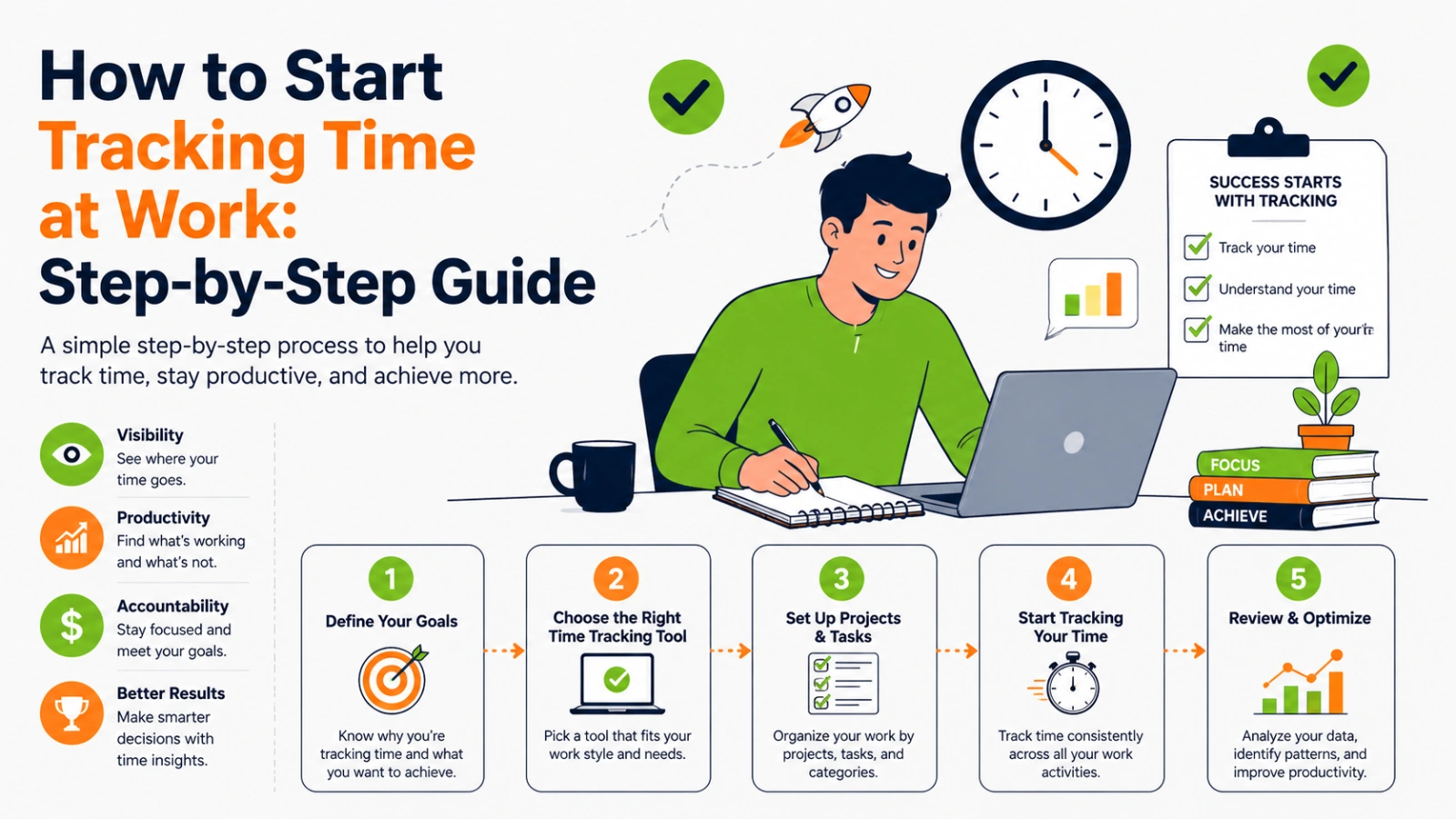

Step 1: Define Your Time Tracking Goals
Work time tracking without a defined purpose produces data you won’t act on. Before choosing a tool or starting to log, answer two questions: what decisions do you want this data to inform, and what does success look like after three months of tracking? Common goals include understanding where focus time is actually going, improving billing accuracy, identifying which projects are over-budget, or building a case for hiring.
Step 2: Choose the Right App for Tracking Work Time
The right work time tracking app depends on your primary use case. Freelancers and agencies with billing needs require accurate time logging tied to clients and projects with invoice export. Individuals focused on personal productivity benefit from automatic capture with productivity categorisation. Teams need collaborative features, reporting dashboards, and integrations with project management tools. The tools section below covers the main options in detail.
Step 3: Set Up Tasks, Projects, and Categories
Effective work time tracking requires a category structure that matches how you actually work, granular enough to produce useful insight but not so detailed that categorisation becomes a burden. A useful starting structure: clients or departments at the top level, projects or workstreams in the middle, and task types (deep work, meetings, admin, review) as categories. Most tracking apps support this hierarchy natively.
Step 4: Track, Review, and Optimise
Work time tracking only produces value when the data is reviewed and acted on. A weekly review of the previous week’s time log, identifying where time went versus where you intended it to go, flagging tasks that took longer than estimated, noting the proportion of deep work versus reactive work, is the habit that converts raw tracking data into productivity improvement.
Also Read!
Common Mistakes in Tracking Work Time
- Tracking everything at maximum granularity from day one, start with broad categories and add detail where it’s genuinely useful
- Reviewing data monthly instead of weekly, patterns are invisible at monthly resolution; weekly review is the minimum for useful insight
- Treating the tracker as a surveillance tool rather than a decision support tool, the data is for improving how you work, not for judging whether you worked
- Not tracking meeting time, meetings are often the largest single category of time for knowledge workers, and the most actionable area for reduction
Best Apps For Tracking Work Time In 2026
EmpMonitor is a powerful app for tracking work time designed for businesses that want deeper visibility into employee productivity. It goes beyond basic work time tracking by combining time tracking, employee monitoring, and productivity analytics in one platform.
For teams, especially remote or hybrid setups, EmpMonitor helps track how time is spent, identify productivity gaps, and improve overall efficiency without guesswork.
Key Features
Automatic Work Time Tracking: Tracks employee work hours in real-time without manual input
Employee Activity Monitoring: Monitors app usage, website activity, and work patterns
Productivity Analysis Dashboard: Provides insights into productive vs unproductive time
Screenshot Monitoring (Optional): Captures screenshots for better work visibility
Remote Team Management: Ideal for tracking time at work across distributed teams
Detailed Reports & Analytics: Generates reports for performance management, attendance, and time usage
Idle Time Detection: Identifies inactive time to improve accuracy in tracking work time
Advanced Work Time Tracking Strategies to Boost Productivity

Time Blocking Combined With Work Time Tracking
Time blocking, pre-scheduling specific tasks into defined calendar slots, works best when combined with work time tracking that reveals whether reality matched the plan. The tracking data answers the questions that time blocking alone can’t: did the blocked time actually get used for the intended task, how accurate were the time estimates, and which categories of work consistently overflow their allocated blocks? Over several weeks, this combination builds calibrated time estimation skills that make planning progressively more accurate.
Using Time Tracking Data to Eliminate Time Wasters
The most actionable output of consistent work time tracking is a clear view of which activities consume disproportionate time relative to their value. Common findings: email and messaging consume two to three times more time than people estimate, context switching between tasks absorbs 20 to 30 minutes per switch in recovery time, and low-value recurring meetings account for a significant proportion of total meeting time. Each of these is addressable once the data makes it visible.
Deep Work and Time Tracking
Cal Newport’s deep work framework, protecting extended blocks of uninterrupted focused time, is significantly more effective when combined with work time tracking that measures how much deep work is actually happening versus reactive or administrative work. Most knowledge workers find they have fewer than two hours of genuine deep work per day when they track honestly. Tracking creates the baseline; the goal is to systematically increase the deep work proportion over weeks and months.
Turning Time Reports Into Business Insights
At the team and business level, aggregated work time tracking data answers strategic questions: which service lines are more profitable relative to time invested, which clients have scope creep patterns that aren’t reflected in billing, and which team members have unsustainable workloads that predict attrition risk. These insights require data at scale, which is why consistent team-wide tracking compounds in value over time.
Work Time Tracking for Teams and Businesses
Remote Team Best Practices
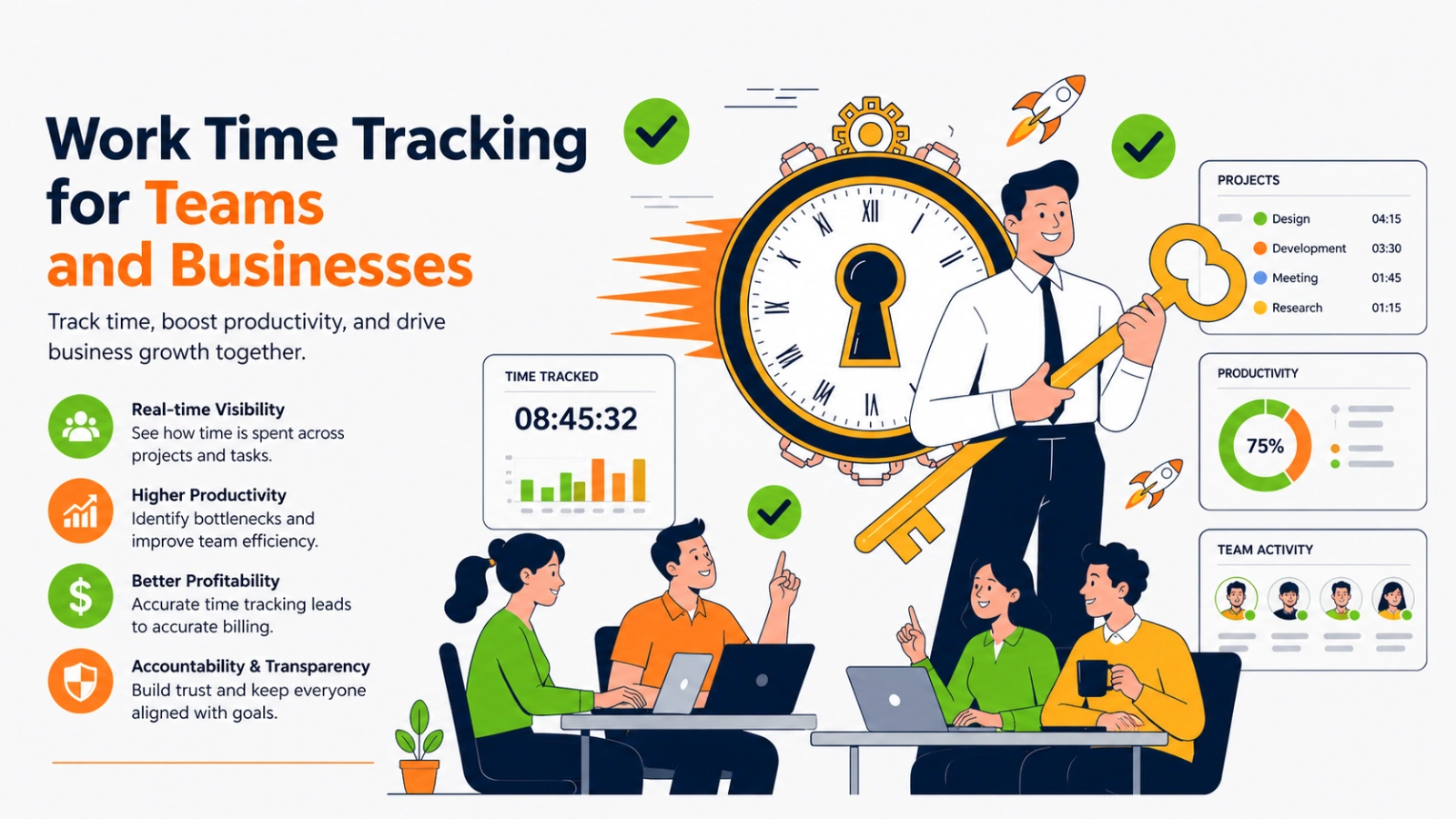
For distributed teams, work time tracking replaces the ambient visibility that physical co-location provides; managers can see that work is happening and understand how it’s distributed without requiring status meetings or micromanagement. The most effective remote team implementations combine automated tracking with regular team-level reviews of aggregated data, focusing on workload balance and project progress rather than individual hour counts.
Employee Monitoring vs Work Time Tracking
The distinction between work time tracking and employee monitoring is real and important to communicate clearly to teams. Work time tracking logs what tasks and projects time is allocated to, and it answers the question of how work time is distributed. Employee monitoring goes further, capturing screenshots, keystrokes, and website visits at an individual surveillance level. Most teams respond positively to transparent work time tracking when the purpose is productivity improvement and project management; the same teams respond negatively to monitoring that feels like surveillance without a clear business purpose.
Time Tracking for Business Growth and Profitability
Businesses that track time systematically across client projects consistently identify the same insight: a minority of clients account for a majority of revenue at acceptable margins, while another segment consumes disproportionate time at lower margins. Work time tracking makes this visible. Acting on it, renegotiating rates, adjusting scope, or exiting unprofitable client relationships, is one of the most direct paths to improved business profitability that consistent tracking enables.
Industry-Specific Use Cases of Work Time Tracking
| User Type | Primary Use Case | Key Benefit |
|---|---|---|
| Freelancers | Billing clients accurately by logged hours | Eliminates billing disputes, improves invoice credibility |
| Agencies | Tracking billable vs non-billable time across projects | Identifies unprofitable clients, improves capacity planning |
| Developers | Logging time per task, sprint, and repository | Improves sprint estimation accuracy over time |
| Remote teams | Verifying distributed team activity and project progress | Replaces status meetings with data-driven updates |
| Personal productivity | Understanding where daily hours actually go | Identifies time leaks and builds a better daily structure |
Challenges, Ethics, and Legal Considerations
Is Tracking Time at Work Ethical?
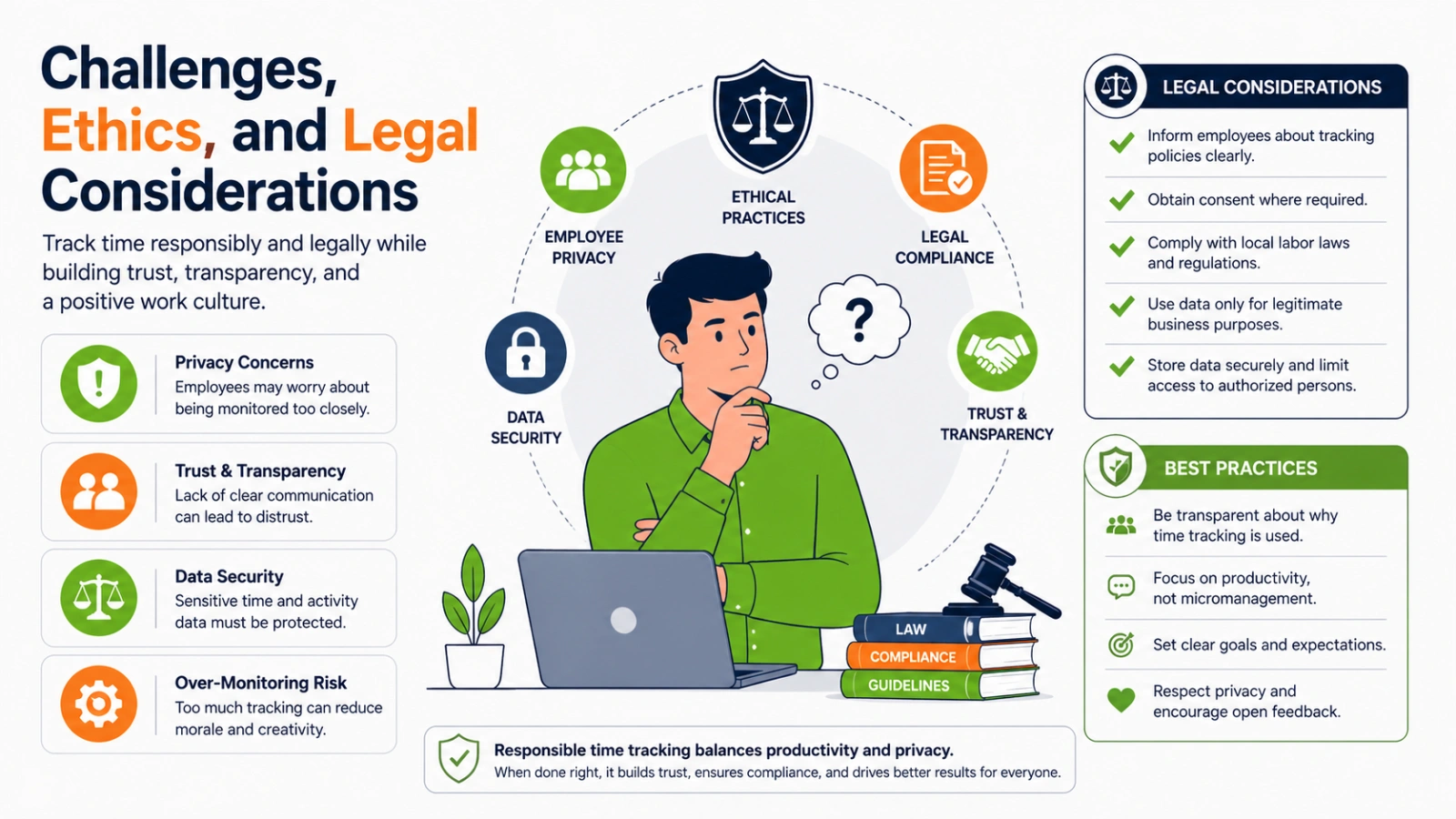
Work time tracking is ethical when it is transparent, purposeful, and proportionate. Employees should know what is being tracked, why it is being tracked, and how the data will be used. Tracking that is disclosed and connected to a clear business purpose, project management, billing accuracy, and workload planning, is broadly accepted. Covert tracking or tracking that goes beyond what is necessary for the stated purpose crosses an ethical line that also has legal implications in many jurisdictions.
Legal Guidelines for Employee Time Tracking
In most jurisdictions, employers can legally track work time during working hours on company-owned devices and systems, provided employees are informed. Key legal considerations: GDPR in the EU requires a lawful basis for data processing and limits data retention; US state laws vary significantly, with some requiring explicit employee consent; employment contracts should reference time tracking practices. Tracking on personal devices or outside working hours requires additional legal justification in most jurisdictions.
How to Implement Work Time Tracking Without Resistance
Team resistance to work time tracking almost always traces to one of two concerns: fear that the data will be used punitively, or belief that tracking adds administrative burden without benefit. Both are addressable. Communicate the specific business purpose (project planning, billing accuracy, capacity management) before rollout. Share aggregated data with the team so everyone can see the collective picture, not just managers. Start with voluntary adoption and build momentum from early adopters before making tracking standard practice.
AI and Automation in Work Time Tracking in 2026
How AI Is Changing Work Time Tracking
AI is transforming work time tracking from a data collection exercise into a productivity intelligence system. Modern AI-powered tracking tools automatically categorise time by activity type, identify patterns in work distribution, flag anomalies like unusual meeting loads or declining deep work time, and surface recommendations for schedule optimisation. The shift is from tracking as input to tracking as insight.
Predictive Productivity Using Time Data
The frontier of work time tracking in 2026 is predictive analytics: using historical time data to forecast project completion timelines, identify team members at risk of burnout before it becomes a crisis, and predict which project types are likely to overrun based on early patterns. Tools like Timely and Hubstaff are building these predictive layers on top of their tracking infrastructure, moving the category toward genuine workforce management.
Integrating Time Tracking With Project Management Tools
The most productive work time tracking implementations are those where tracking data flows directly into the tools where the work goals are managed. Time logged against a Jira ticket updates the ticket’s time estimate. Hours tracked in Harvest sync to the client’s invoice in QuickBooks. Completed tasks in Asana trigger time summaries in the tracking dashboard. These integrations eliminate the double-entry friction that causes tracking habits to break down over time.
Conclusion
Work time tracking is no longer just a tool for logging hours; it’s a powerful system for understanding how work actually happens. In 2026, the shift toward AI-powered tracking has made it easier than ever to move from guesswork to clarity, from assumptions to data-driven decisions.
Whether you’re an individual trying to regain control of your day or a team aiming to improve productivity and profitability, the real value of tracking time lies in what you do with the insights. When you consistently review your data, identify patterns, and make small adjustments, you start to see meaningful improvements, better focus, smarter planning, and more efficient use of your time.
The key is to keep it simple, stay consistent, and focus on outcomes rather than just activity. Start with a clear goal, choose the right approach, and treat your time data as a guide, not a judgment. Over time, this habit compounds into stronger productivity tools, clearer priorities, and better business decisions.
If used correctly, work time tracking doesn’t just show where your time goes; it helps you take control of it.
Frequently Asked Questions About Work Time Tracking
What is the best app for tracking work time?
The best app depends on your primary use case. Toggl Track is the most widely recommended option for freelancers and small teams, with a clean interface, solid free tier, and good project and client structure. Clockify is the best fully free option for teams with no budget for tracking tools. RescueTime is the strongest for automatic personal productivity tracking. Timely is the most advanced AI-powered option for teams that want fully automated capture without manual timer management.
Is tracking time at work necessary?
Necessary depends on your context. For freelancers and agencies billing by the hour, accurate work time tracking is financially essential; the alternative is billing from memory, which consistently undervalues the actual time invested. For knowledge workers and teams, tracking time at work is not strictly necessary but is one of the most reliable paths to understanding where productive capacity is actually going and making evidence-based improvements.
How accurate are work time tracking tools?
Automated tracking tools are significantly more accurate than manual timesheets. Fully automatic tools like RescueTime and Timely that capture activity without requiring manual input are the most accurate, typically matching actual time allocation within five to ten percent. Manual timer-based tools are more accurate than retrospective timesheet completion, but still depend on the user remembering to start and stop the timer consistently.
Can time tracking improve productivity?
Yes, consistently and measurably, for most people who use it beyond the first few weeks. The mechanism is awareness: most people significantly misestimate where their time goes, and seeing accurate data creates the discomfort that motivates change. Research on time tracking consistently shows that people who track time spend more time on high-priority work and less on low-value activities after several weeks of consistent tracking, even without making deliberate changes.

