Data breaches have become one of the biggest threats facing businesses today. From small websites to large enterprises, no one is fully safe from cybercriminals who constantly evolve their tactics and look for any opening—big or small—to infiltrate systems and access sensitive information.
When a breach happens, its impact can be devastating: financial loss, customer distrust, regulatory fines, operational downtime, and long-lasting reputation damage. With so much at stake, organizations are now revisiting the foundation of their digital presence—their hosting environment.
A secure hosting setup is not just a “feature” anymore. It is the front line of defense against modern threats. And while it cannot solve every security challenge on its own, it plays a crucial, irreplaceable role in preventing unauthorized access, detecting malicious activity, and restricting breaches before they escalate.
This blog explores in detail how well-secured hosting helps restrict data breaches, where many businesses go wrong, and why hosting security must work hand-in-hand with internal monitoring tools to create complete protection.
Listen To The Podcast Now!
Why Secured Hosting Is One of the Strongest Shields Against Data Breaches
A website, web application, or online platform is only as safe as the server it lives on. If the hosting layer is weak, outdated, or misconfigured, attackers gain a direct doorway into your system—often without being noticed until the damage is already done.
Let’s break down how secured hosting protects your data at multiple levels.
1. Secure Hosting Eliminates Infrastructure Vulnerabilities
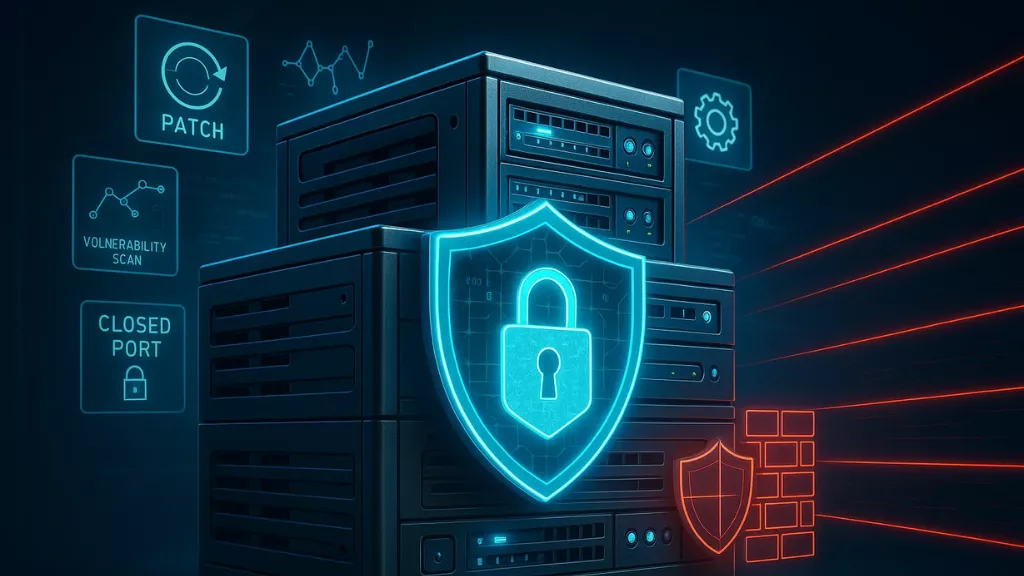

Every server has potential weak points. Outdated software versions, unpatched operating systems, open ports, or poorly configured firewalls leave gaps that attackers actively scan for, creating opportunities for data breaches.
A good hosting provider continuously eliminates these openings by:
- Applying timely security patches
- Updating server software and libraries
- Hardening configurations
- Locking unnecessary ports and modules
- Enforcing strict access rules
- Running vulnerability scans
These practices prevent data breaches and attackers from exploiting loopholes and dramatically reduce the chances of unauthorized entry. For businesses without dedicated IT resources, third-party maintenance can provide ongoing server updates, security checks, vulnerability monitoring, and configuration management to keep the hosting environment secure.
It’s similar to strengthening the walls of your house—if the foundation is strong, intruders struggle to break in.
2. Encryption Ensures Your Data Stays Unreadable Even If Intercepted
Data doesn’t just stay on the server; it frequently moves between your website, your users, and other systems. During this journey, it may pass through several networks—any of which could be compromised, which can lead to data breaches.
Secure hosting ensures everything is encrypted through:
- SSL/TLS certificates for data in transit
- Encrypted file systems for data at rest
- Secure storage environments for databases
- Encrypted backups to prevent extraction
When encryption is implemented properly, even if attackers intercept data packets or access storage elements, the information remains scrambled and useless to them.
This single mechanism alone prevents countless breaches involving credential theft, financial transaction interception, and unauthorized data capture.
3. Firewalls and Intrusion Prevention Systems Block Malicious Traffic
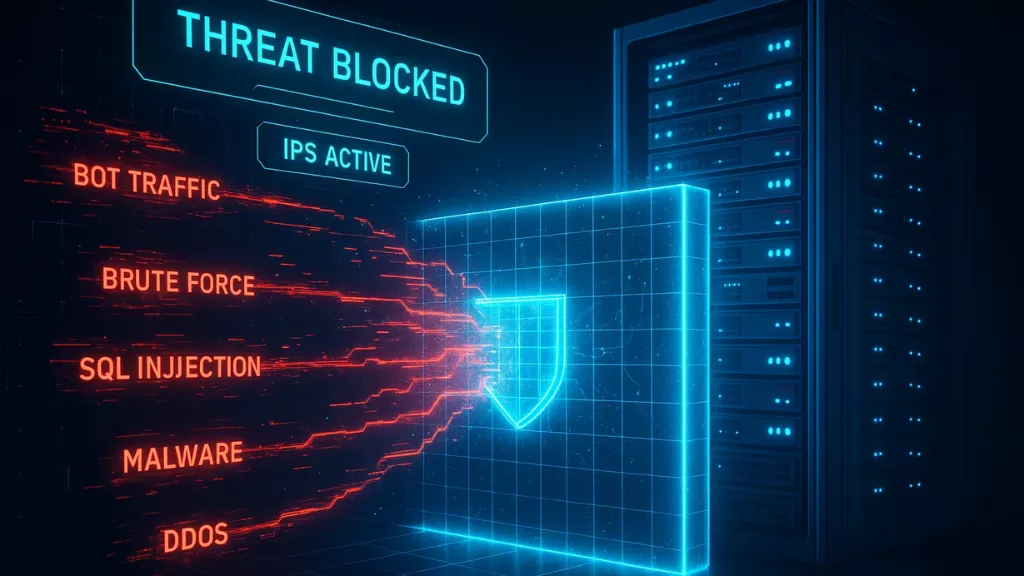
Many data breaches begin with malicious traffic probing your website for weaknesses. This can include:
- Bots running brute-force login attempts
- Scripts testing SQL injection vulnerabilities
- Malware trying to infect the backend
- DDoS attacks overwhelming your server
- IP spoofing attempts
- Automated scanning tools
A secure hosting provider counters this using multiple layers of defense:
- Network firewalls to regulate traffic
- Web Application Firewalls (WAF) to block dangerous inputs
- Intrusion Detection & Prevention Systems (IDS/IPS)
- Bot filtering and rate limiting
- IP reputation databases and blacklists
These tools act as bodyguards standing in front of your website, stopping malicious actors from ever engaging with your system.
When harmful traffic is blocked before it touches your server, the risk of a breach drops significantly.
4. Account Isolation Prevents Attack Spread in Shared Environments
Many businesses—especially smaller ones—use shared hosting due to its affordability. However, basic shared hosting can become a security risk if accounts are not isolated.
Strong hosting providers use technologies like:
- containerized environments
- isolated file permissions
- restricted resource access
- jailed user environments
- separate execution layers
This ensures strong data loss prevention — even if one account is compromised, attackers can’t jump into other accounts on the same server.
5. Regular Security Audits Catch Weaknesses Before Hackers Do
Cyberattacks are sophisticated, and new vulnerabilities appear constantly. A secure hosting provider doesn’t wait for an attack—they proactively test their systems.
This includes:
- log audits
- penetration testing
- risk assessments
- malware scanning
- server configuration audits
- file integrity monitoring
These routine checks ensure that weaknesses, misconfigurations, or unusual activity are detected early, long before any malicious actor can take advantage of them.
Proactive detection is one of the strongest weapons against breaches.
Also Read
How To Prevent Insider Data Breaches In Your Organisation In 2025?
Unlocking the Powerful Benefits of Data Loss Prevention Tools
6. Automated, Encrypted Backups Provide a Safety Net During Attacks
No system is 100% immune. Even with strong hosting, incidents can occur. This is where backups become invaluable.
Secure hosting providers automatically back up:
- databases
- files
- configurations
- logs
These backups are often:
- encrypted
- stored separately
- version-controlled
- protected by strict access rules
In the event of ransomware or a major breach, backups allow businesses to:
- avoid paying ransom
- recover quickly
- restore services without data loss
- maintain business continuity
A breach without backups can cripple a company. A data breach with reliable backups becomes a temporary setback.
7. Secure Hosting Supports Compliance Requirements
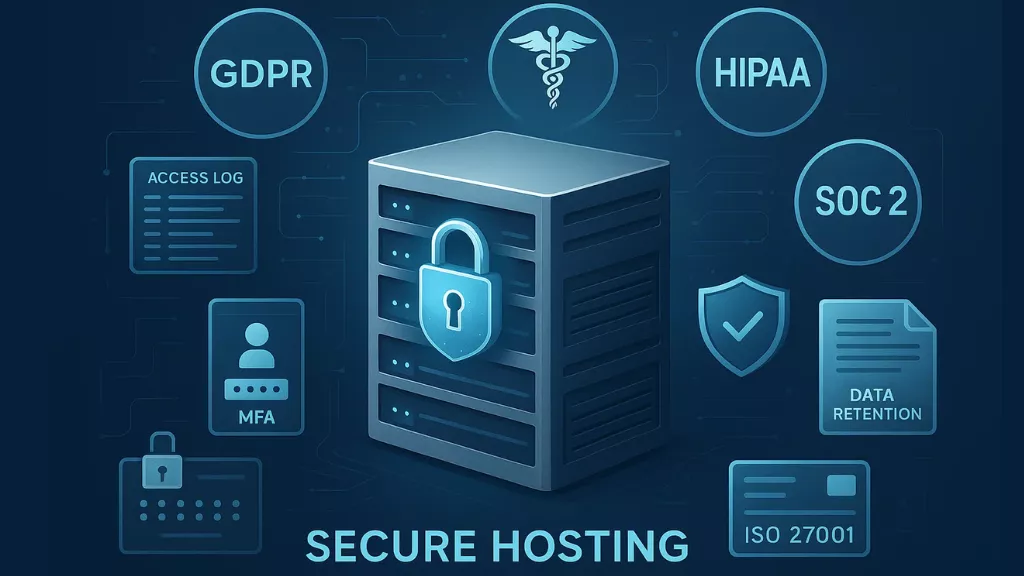
Industries today operate under strict regulations regarding data security and privacy. Compliance standards like:
- GDPR
- HIPAA
- PCI DSS
- SOC 2
- ISO 27001
…require businesses to maintain a secure environment for personal and financial data.
A secure hosting provider helps meet these requirements by providing:
- encrypted servers
- access logs
- secure payment processing environments
- audit trails
- strict authentication
- data retention policies
By aligning early with compliance frameworks, businesses significantly reduce the legal and financial risks associated with data breaches.
The Part Most Organizations Forget: Hosting Security Doesn’t Cover Internal Risks
While secured hosting plays a huge role in preventing data breaches, it’s just one side of the security equation. Internal threats—whether intentional or accidental—are now one of the leading causes of data exposure.
Most breaches today involve:
- weak employee passwords
- unauthorized access to sensitive files
- unsafe downloads
- unsecured remote work devices
- accidental data sharing
- improper storage of confidential information
- insider misuse
- unsafe browsing practices
Even the most secure server cannot protect against these internal actions.
This is where employee activity monitoring and internal security systems become essential.
Why Internal Security Must Work Alongside Secured Hosting
A server can be perfectly protected, but if an employee:
- uploads sensitive files to a public folder,
- downloads malware from an unsafe site,
- shares credentials,
- plugs in an infected USB,
- accesses confidential files without authorization,
…the data breach occurs from the inside. This is why internal visibility matters as much as external protection. Tools like EmpMonitor help bridge this gap:
How EmpMonitor Strengthens Security Through Complete Workforce Visibility


Modern security isn’t only about firewalls or servers — it’s also about understanding what’s happening inside your workspace. Most data breaches start with unnoticed activities: unsafe browsing, unauthorized file sharing, risky app usage, or simple negligence. EmpMonitor closes these gaps by giving organizations real-time visibility into digital behavior across the team.
With activity insights, screen monitoring, and detailed reporting, businesses get the clarity they need to prevent internal mistakes, detect threats early, and maintain a secure, compliant environment.
Below is a refined and humanized breakdown of the features you provided:
Real-Time Monitoring
EmpMonitor lets you see what’s happening across all employee systems at any moment. From app and website usage to active vs. idle status, everything appears on a central dashboard. This kind of real-time insight helps organizations quickly identify unusual behavior, compliance issues, or potential threats — long before they turn into problems.
Screen Recordings
This feature automatically captures and stores employee screen sessions, giving admins visual proof of what’s happening during work hours. Screen recordings are extremely useful for reviewing suspicious actions, identifying workflow gaps, ensuring policy compliance, or supporting investigations during security breaches. It’s visibility that helps build accountability.
Screencast
Screencast lets authorized managers securely connect to an employee’s device. This makes troubleshooting, guiding tasks, or resolving technical issues far easier — without requiring physical access. It also reduces the risk of miscommunication or mishandled support requests, strengthening both security and productivity.
Live Screen Monitoring
Live screen monitoring allows you to see what employees are doing at that very moment. Whether it’s tracking ongoing tasks, ensuring safe digital practices, or detecting risky behavior instantly, this feature provides immediate oversight. It enhances both workflow transparency and security vigilance.
Time Tracking
With EmpMonitor’s precise time tracking, you can see how work hours are being used. It highlights productive time, idle time, and gaps that may indicate distractions — or even risky off-task behavior. This not only improves productivity but also helps detect time misuse patterns that may impact security.
Screenshots
EmpMonitor captures screenshots at customizable intervals, giving you visual checkpoints throughout the day. These snapshots create a reliable audit trail, making it easier to verify activities, detect policy violations, and catch potential data breaches early. Everything is stored neatly on the dashboard for quick review.
Chat Monitoring
Unregulated chat usage is one of the easiest ways data can slip out. This feature tracks the time employees spend on messaging apps, helping organizations maintain focus and reduce the chances of unauthorized sharing. It supports a more secure and distraction-free work environment.
Insightful Reports
EmpMonitor automatically generates detailed reports — from productivity trends to activity breakdowns and timesheets. These visual analytics help managers identify risk patterns, understand engagement levels, and take data-driven decisions. For security teams, these reports act as a valuable audit trail for compliance and internal investigations.
Hosting Security + Internal Security = A Complete Protection Framework
Here’s how the two layers work together in preventing data breaches:
Hosting Security Protects Against:
- hackers and malicious bots
- malware injections
- server vulnerabilities
- brute-force login attempts
- DDoS attacks
- infrastructure-level exploits
- unauthorized external entry
Internal Monitoring Protects Against:
- employee mistakes
- insider misuse
- credential sharing
- unauthorized file access
- unsafe installations
- data copying or transfers
- suspicious behavior
- weak passwords and negligence
Together, they cover everything—from the server to the staff using it.
This dual-layer approach dramatically reduces the chances of data breaches, ensuring that even if an attacker gains access or an employee makes a mistake, the system has protective mechanisms in place.
Conclusion
Well-secured hosting is one of the strongest barriers against data breaches. It fortifies the server, protects data through encryption, prevents malicious traffic, ensures compliance, and provides rapid recovery through backups.
However, hosting security alone cannot address every threat—especially those coming from inside the organization.
The most secure environments today combine:
✔ A strong hosting foundation
to block external attacks and safeguard infrastructure
✔ A reliable internal monitoring system
to track employee activity, regulate access, and prevent data misuse
When these two layers work together, organizations achieve true end-to-end protection—shielding their data from both external attackers and internal vulnerabilities.
This is the level of security modern businesses need to stay resilient in a world where data breaches are no longer rare events but constant, evolving risks.
Frequently Asked Questions
1. Does secure web hosting completely eliminate the risk of data breaches?
No hosting provider can guarantee zero risk, but secure hosting drastically reduces vulnerabilities like malware infections, unauthorized access, and server exploitation. When paired with internal monitoring tools such as EmpMonitor, businesses gain full coverage — protecting both the server environment and employee-side activities where data breaches often begin.
2. If my hosting provider has strong security, do I still need internal monitoring?
Yes. Hosting providers protect your server, but they can’t see what’s happening inside your organization. Most breaches occur due to employee mistakes, unsafe browsing, unauthorized software, or internal misuse — areas EmpMonitor helps you watch in real time.
So hosting covers the external side; EmpMonitor strengthens the internal side.
3. What are the most common internal actions that lead to data breaches?
Some of the biggest internal risks include:
- Visiting unsafe websites
- Downloading unverified files
- Using personal cloud storage
- Excessive chat or unmonitored communication apps
- Copying sensitive data to external drives
These actions are difficult to detect manually, which is why real-time tools like EmpMonitor are essential.
4. How can EmpMonitor help if a data breach has already occurred?
EmpMonitor provides visual logs, activity records, screen recordings, and screenshots that help identify:
- What happened
- Who accessed what
- When the data breach started
- Which applications or sites were involved
These insights are invaluable for forensic investigation and preventing repeat incidents.