


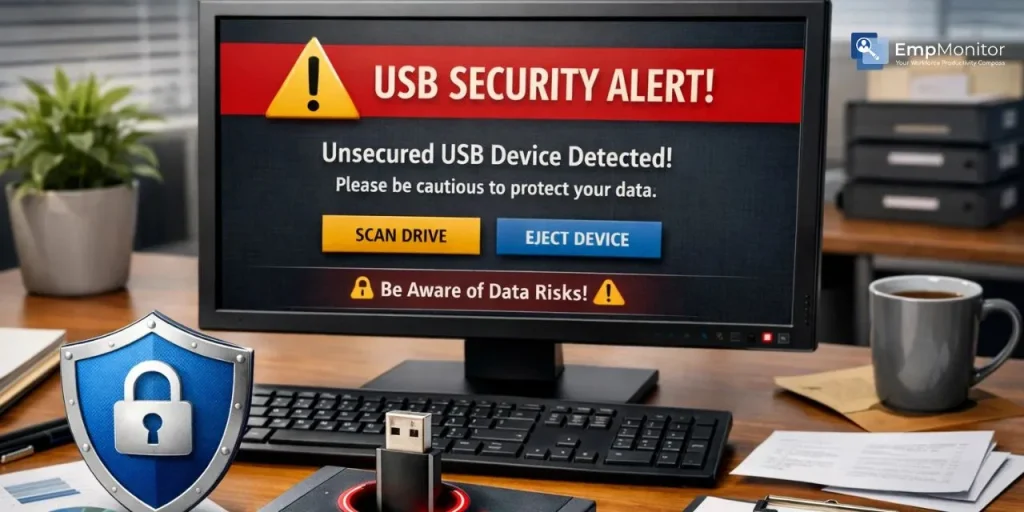
Every business has data worth protecting: client records, financial reports, internal strategies. Yet one of the most overlooked threats sits right on an employee’s desk: a USB drive. The need to prevent employees from copying files to USBs has become a critical part of modern data protection.
But here’s the real challenge: how do you lock down USB access without slowing down the very people keeping your business running? This blog breaks down everything you need to know, from understanding the risks to implementing smart, layered solutions that keep your data safe and your team productive at the same time.
Listen To The Podcast Now!
Why USB Data Theft Is a Bigger Risk Than You Think?
Most companies pour their budgets into firewalls and antivirus tools, but they completely overlook the physical threat sitting right in front of them. A standard USB drive today can hold hundreds of gigabytes of data. In a matter of seconds, an employee can copy entire project folders, customer databases, or proprietary documents and walk right out the door without triggering a single network-level alert.
What makes this threat particularly dangerous is how easy it is to miss. There’s no suspicious email, no unusual login, no firewall flag. The transfer happens locally, quickly, and often invisibly. Whether it’s an intentional leak or simply an employee backing up files on a personal drive out of habit, the damage can be just as serious either way.
To effectively protect your IP (intellectual property), businesses must recognize and address this hidden vulnerability. Data breaches through removable media are responsible for significant financial and reputational losses every year. That’s exactly why businesses must take active steps to prevent employees from copying files to a USB before an incident happens, not after.
Understanding the Real Cost of Unrestricted USB Access:
When you let USB access go unchecked, you’re not just risking file theft. You’re opening the door to malware infections, compliance violations, and unauthorized data sharing. Industries like healthcare, finance, and legal services face strict regulations around data handling.
A single uncontrolled USB transfer can trigger heavy fines and legal consequences. That’s why compliance-driven organizations must prevent employees from copying files to USB as a baseline security requirement, not an optional add-on.
Beyond compliance, there’s the internal trust issue. Employees who know sensitive data can be freely copied might feel less accountable. Companies that actively work to prevent employees from copying files to USBs send a clear message: data is valued and protected here. That cultural shift alone can significantly reduce careless or malicious data handling across the board.
Common Ways Employees Copy Data to USB Drives:
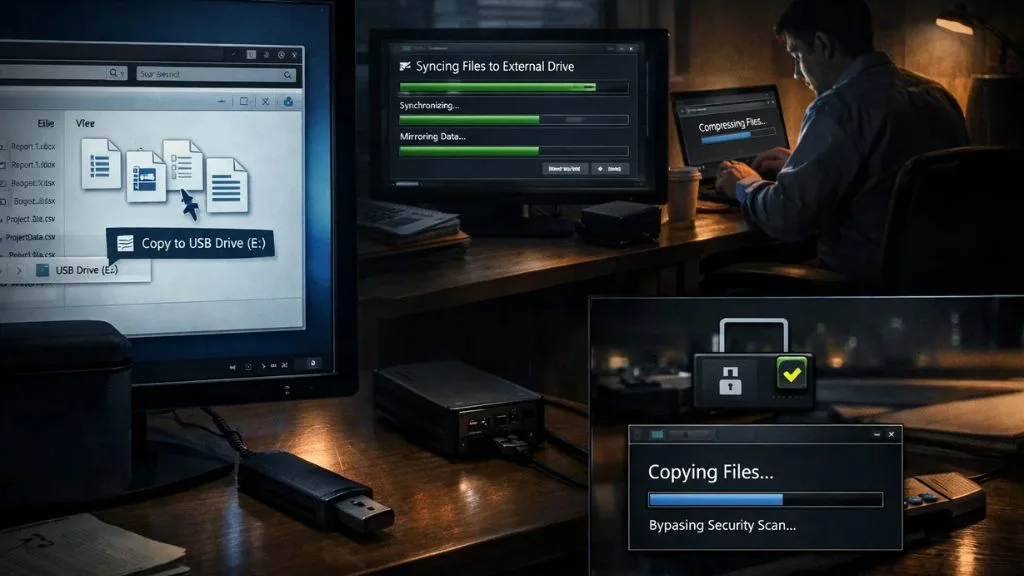

Before you can block USB copying effectively, it helps to understand how it typically happens. Some employees drag and drop files manually using Windows Explorer or Finder. Others use sync tools or third-party software that automatically mirrors folders to external drives in the background. In some cases, employees use their lunch breaks or after-hours time to transfer files when monitoring is perceived to be lighter.
There are also more subtle methods, compressing files into archives before transferring, using encrypted drives that bypass standard scans, or copying data incrementally over multiple sessions to avoid raising flags. Even tools like video compressors can be used to shrink large media files, making them easier to transfer quickly and with less chance of detection. IT teams that aren’t watching closely can easily miss these patterns.
Understanding the full range of tactics helps IT and HR teams design more effective prevention strategies. To truly prevent employees from copying files to USBs, you need a combination of technical controls and behavioral policies working together. Relying on just one layer, like a stern policy document alone, rarely holds up in practice.
Policy-Based Approaches: Setting the Ground Rules:
The first step is straightforward: write and communicate a clear USB usage policy. Businesses that want to prevent employees from copying files to USB effectively know that policy is the starting point; it defines who is allowed to use external drives, under what circumstances, and what types of data can never be copied to personal devices. Employees need to sign off on this policy and understand the consequences of violations.
A well-written policy also sets the tone for your entire USB security strategy. It creates accountability and gives your IT team the authority to enforce technical restrictions without pushback. When people understand the “why” behind the rules, they’re far more likely to comply. You still need technology to back it up, but a strong policy is the non-negotiable foundation for efforts to prevent employees from copying files to USBs.
Technical Controls: The Backbone of USB Blocking:
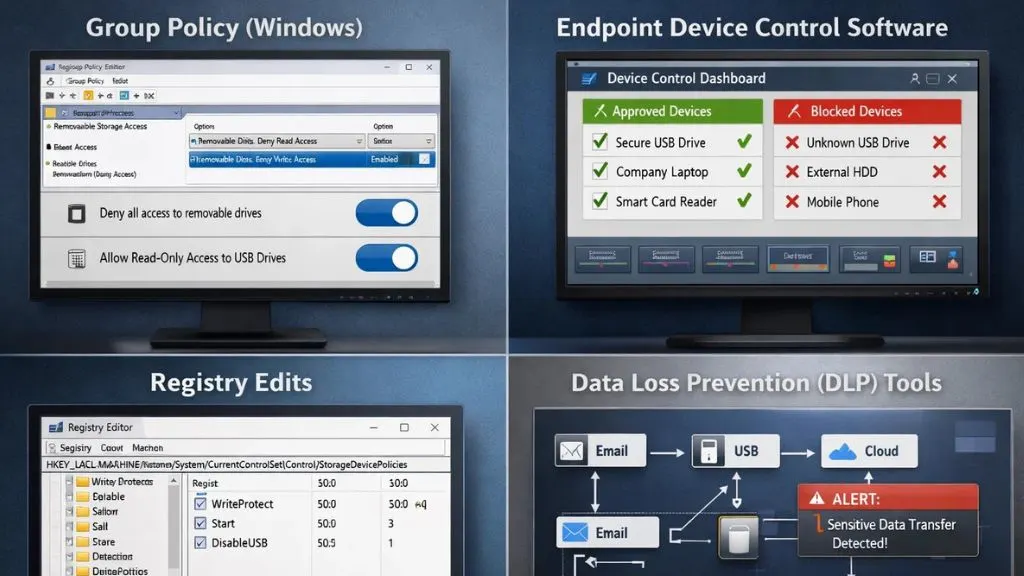
Policies are important, but they need enforcement mechanisms behind them. Organizations serious about the need to prevent employees from copying files to USBs rely on a layered set of technical controls. Here are the main approaches businesses use:
- Group Policy (Windows): IT admins can use Windows Group Policy to disable USB storage devices entirely or allow read-only access. This is a built-in, cost-effective option for Windows-based environments.
- Endpoint Device Control Software: Dedicated USB security software allows granular control; you can whitelist specific approved devices while blocking all others. This is more flexible than blanket blocking.
- Registry Edits: For smaller teams, IT administrators can manually modify the Windows registry to restrict USB storage. This works, but is harder to scale.
- Data Loss Prevention (DLP) Tools: Enterprise DLP solutions monitor and control what data leaves your network, including transfers to removable media. These help prevent employees from copying files to USB while also covering email and cloud channels.
Each of these tools works best when layered together as part of a broader USB security strategy rather than used in isolation.
How to Block USB Access Without Killing Productivity:
This is where many businesses get stuck. A blanket USB ban can frustrate employees who genuinely need removable media for work, such as IT staff, designers, or field workers who transfer large files regularly. The goal isn’t to eliminate USB access; it’s to control it intelligently.
Here’s how you prevent employees from copying files to USB without grinding productivity to a halt:
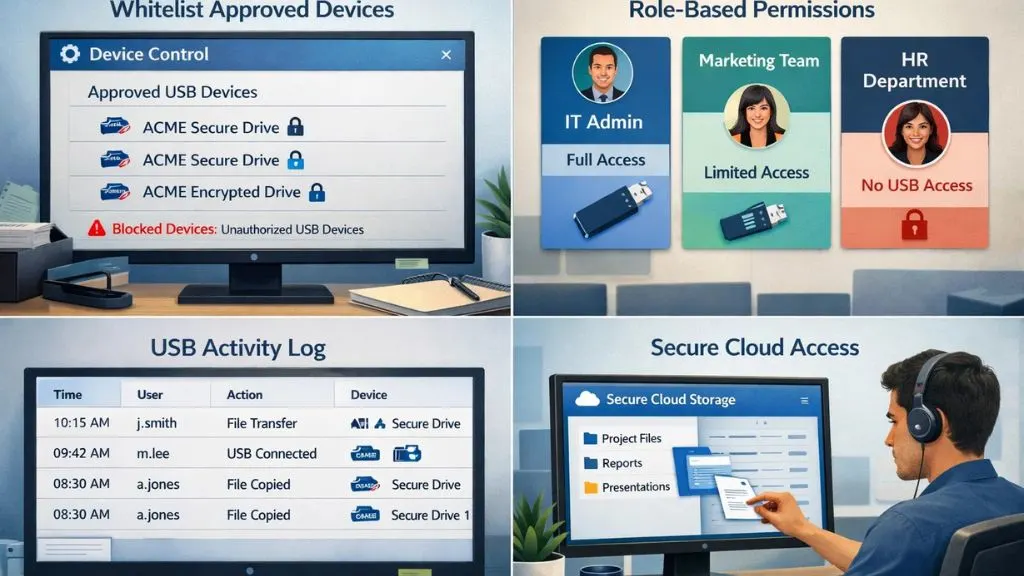
- Whitelist approved devices: Instead of blocking all USB drives, use device control software to allow only company-issued, encrypted drives. Employees who need USB access get it; everyone else doesn’t.
- Role-based permissions: Give USB access only to roles that legitimately need it. Marketing teams, finance staff, and HR rarely need to copy data to external drives. Customize access accordingly.
- Audit logging: Even when you allow certain USB transfers, log everything. Employees who know transfers are tracked tend to be far more careful about what they copy.
- Secure cloud alternatives: Offer employees easy-to-use cloud sharing tools so they don’t feel the need to rely on USB drives for legitimate file sharing.
When you prevent employees from copying files to USB through smart controls rather than blunt blocking, you protect the business without creating friction for your best workers.
The Role of USB Detection Software in Your Security Stack:
You can’t manage what you can’t see. USB detection software gives your IT team real-time visibility into every USB device that connects to company computers. The moment a drive is plugged in, the system logs the device details, the user, the time, and any files that were accessed or transferred. For businesses actively trying to prevent employees from copying files to USB, this visibility is what turns guesswork into certainty.
This kind of insight is invaluable. Even if a transfer slips through your controls, detection software creates a clear audit trail that helps with incident response and compliance reporting. When combined with active blocking controls, USB detection software turns your USB security posture from reactive to proactive, catching threats before they become full-blown breaches.
Also Read:
Protecting Your IP: How To Stop Developers Stealing Source Code
How EmpMonitor Helps You Prevent USB Copying Without Disrupting Work:


EmpMonitor is a comprehensive employee monitoring and workforce management platform trusted by over 15,000 companies across 100+ countries. One of its standout capabilities is helping businesses prevent employees from copying files to USBs through real-time monitoring and activity tracking, without making employees feel micromanaged.
Here’s how EmpMonitor supports your USB security strategy:
- Real-Time Activity Monitoring: Tracks all employee activity on company devices, including USB-related file transfers, the moment they happen.
- USB Device Detection: Instantly logs when any external storage device is connected to a company computer, capturing device details and user identity.
- Data Loss Prevention Support: Works alongside your DLP strategy to monitor and flag suspicious data movement to removable drives.
- Screenshot & Screen Recording: Captures screen activity so you have visual evidence of any unauthorized copying attempts.
- Detailed Audit Reports: Generates comprehensive logs and reports that make compliance easy and incident investigations faster.
- Insider Threat Prevention: Purpose-built features to identify and address internal data risks before they escalate.
EmpMonitor makes it easy to prevent employees from copying files to USB while keeping productivity intact, giving you control without creating a surveillance-heavy culture.
Building a Culture of Data Responsibility:
Technology and policy are only two sides of the triangle. The third and often most underestimated side is culture. When employees understand why data protection matters and see leadership taking it seriously, they become active participants in keeping data safe rather than passive subjects of monitoring tools.
Regular training sessions go a long way here. Walk employees through real-world examples of how USB-related data leaks have hurt businesses. Make the consequences tangible rather than abstract. Clear communication about data handling expectations, combined with recognizing employees who consistently follow best practices, builds a workplace where people naturally understand why the company must prevent employees from copying files to USB and support that goal willingly.
Onboarding is another underutilized opportunity. New hires who are introduced to USB policies and data security norms from day one carry those habits throughout their time at the company. Efforts to prevent employees from copying files to USBs work best when employees genuinely see data protection as a shared responsibility, not just an IT problem that has nothing to do with them.
Steps to Implement a USB Control Strategy:
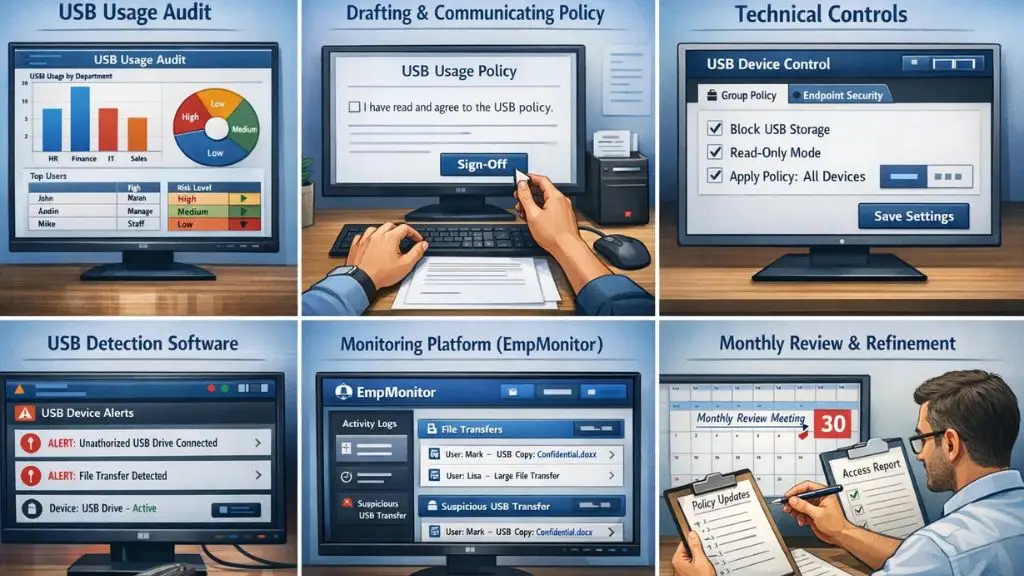
Here’s a straightforward path to get started with efforts to prevent employees from copying files to USB:
Start with a USB usage audit to understand current behavior and identify the biggest risk areas across your organization. Which departments handle the most sensitive data? Which roles currently have unrestricted USB access? That baseline shapes everything that follows.
Next, draft and communicate a formal USB policy. Make sure every employee reads it and signs off. Then work with your IT team to implement Group Policy or dedicated endpoint USB security software to apply technical controls at the system level. Layer in USB detection software for real-time visibility so no transfer goes unnoticed.
From there, deploy a comprehensive monitoring platform like EmpMonitor to connect all your activity data into one place. Set up automated alerts for suspicious USB events, so your team can respond quickly rather than discovering issues days later. Finally, review your access logs monthly and refine permissions as team roles and business needs evolve. The right tools and consistent habits make it far easier to prevent employees from copying files to USB as your organization grows. USB security is not a one-time project; it’s an ongoing commitment to protect what matters most.
Conclusion:
Protecting your company’s data doesn’t have to mean treating your employees like suspects. With the right mix of clear policy, smart technical controls, and a capable monitoring platform, you can prevent employees from copying files to USB without sacrificing the trust and productivity your team needs to thrive. The key is balance, restrict access where it truly matters, provide secure alternatives for legitimate needs, and build a culture where people understand why these rules exist.
FAQ’s:
Q1: Can I block USB drives on just specific computers?
Ans: Yes. Using Group Policy or endpoint USB security software, you can apply USB restrictions to specific devices or user groups rather than company-wide.
Q2: Will employees know they’re being monitored?
Ans: Most monitoring tools, including EmpMonitor, support transparent monitoring policies. It’s best practice, and often a legal requirement,t to inform employees about monitoring.
Q3: What if an employee needs USB access for work?
Ans: Use whitelisting to allow only company-approved, encrypted USB drives for authorized roles. This lets you prevent employees from copying files to USB on unauthorized devices while still supporting legitimate use cases.
Q4: Is USB monitoring enough on its own?
Ans: No. USB detection software works best as part of a broader strategy that includes policy, endpoint controls, and employee training.
