



Nobody schedules team meetings expecting them to fail. Yet an hour later, the calendar clears, the room empties, and nothing has actually moved. No decision made. No clear next step. Just a vague collective sense that an email would have done the job. Harvard Business Review found that 71% of managers consider their meetings unproductive, and that figure has barely shifted in years.
The frustrating part is that meetings are not the problem. The preparation before them is. The facilitation during them is. The silence that follows them is. When meetings are structured well, they cut through confusion, align priorities fast, and push work forward in ways that no a sync tool can replicate.
Tips for organizing team meetings aren’t just about saving time. They’re about making sure every conversation leads somewhere. This guide covers the full picture: how to choose the right meeting format, how to run one from start to finish, the mistakes that quietly kill team energy, and how to make sure the decisions made in the room actually stick once everyone walks out.
Read Aloud!
What Are Team Meetings Really?


Strip away all the calendar politics and meeting culture debates, and a team meeting is straightforward. It’s a scheduled conversation where people come together to decide, solve, or align on something that requires more than one person. Simple enough. Except most meetings don’t do any of those things.
Think of every meeting as a collective invoice. Eight people in a one-hour session means eight hours of combined working time spent on that one conversation. At $40 per hour, that’s $320 before you factor in the focus recovery time people need after switching contexts. MIT research found that well-run meetings can push team productivity up by 20%. The same sessions, run poorly, contribute to the $37 billion lost annually to unproductive meetings across U.S. businesses alone.
Team meetings aren’t the enemy. But they do need to be justified.
When Team Meetings Are Actually the Right Call
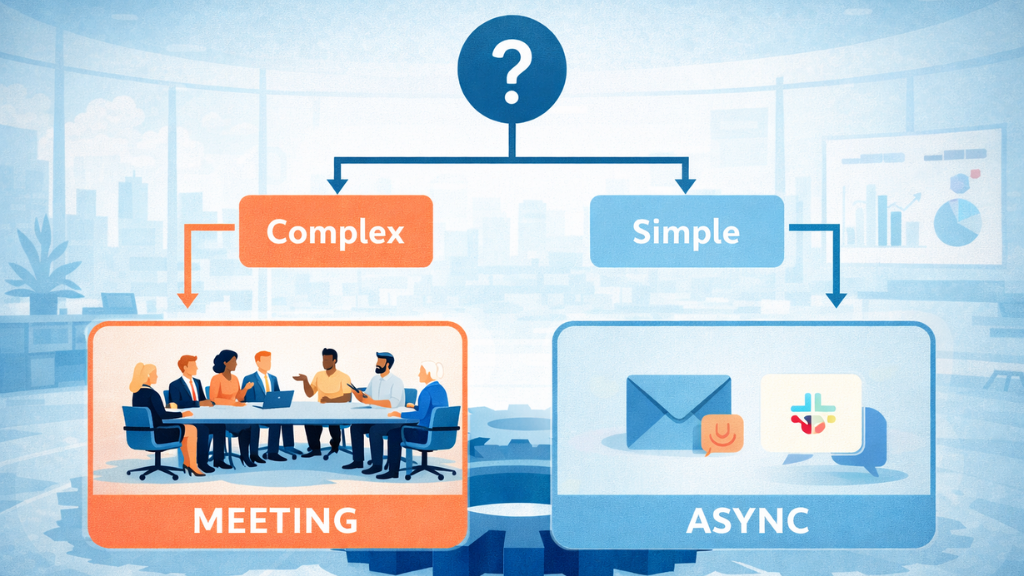
Before opening the calendar, ask one question: could this decision be reached, or this information shared, without pulling everyone together live? If yes, reconsider. A quick Slack message or a shared document might handle it better.
A meeting earns its place when the topic is genuinely complex, when the outcome depends on real-time input from multiple people, or when the nuance of the conversation is too important to flatten into text. Routine status updates, one-way announcements, and questions that already have clear answers rarely need a room.
6 Types of Team Meetings Every Manager Should Know
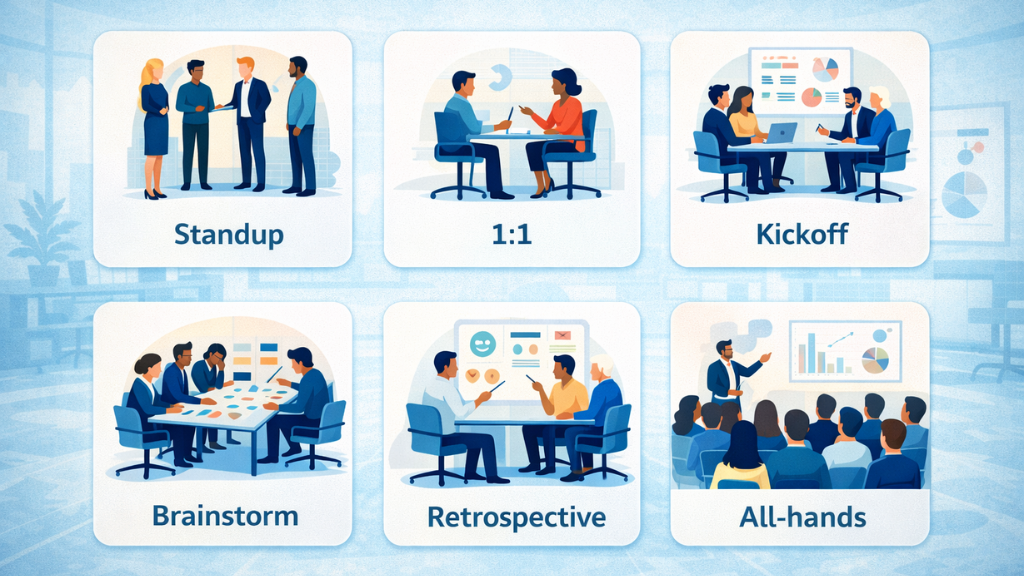
Picking the wrong meeting format is one of the most common and least-discussed reasons meetings fail. Running a brainstorming session like a status check produces neither creative ideas nor useful updates. Team meetings have a purpose, and understanding that distinction saves everyone time.
Daily Standup: Fifteen minutes, hard stop. Each person answers three things: what they finished, what they’re working on next, and what’s in their way. The moment it starts stretching past 20 minutes, it stops being a standup and becomes something else entirely.
One-on-One (1:1): Probably the most underused tool in a manager’s playbook. A solid 1:1 builds trust over time, catches problems before they escalate, and gives team members space to think out loud about challenges they wouldn’t raise in a group. The agenda should come from the employee, not the manager.
Project Kickoff: This session exists to get everyone on the same page before a single task is started. When it gets skipped or rushed, teams spend the next two weeks untangling assumptions about ownership, timelines, and scope that should have been settled on day one.
Brainstorming Session: Open-ended ideation sounds great in theory, but tends to reward whoever speaks first and loudest. The format that actually works: everyone generates ideas silently for a few minutes, shares them in turn, and the group discusses and votes from there. Much harder to game.
Retrospective: Most teams rush past this one. A monthly retrospective, or one at the end of each sprint, is where real improvement happens. Three questions drive it: What worked? What didn’t? What’s one thing we can change next time? That last question is the only one that matters if you don’t act on it.
All-Hands / Town Hall: Company-wide alignment sessions are valuable when they create genuine dialogue. They fall flat when they become one-directional corporate broadcasts. The best all-hands formats leave room for real questions and real answers, not polished non-responses.
Choosing the right format is only half the job: The other half is how the meeting feels. When you instil fun and positivity in your team meetings, participation improves, conversations open up, and the outcomes become far more meaningful.
| Team Meetings Type | Ideal Length | Ideal Size | Frequency |
| Daily Standup | 15 min | Under 10 | Daily |
| One-on-One | 30-45 min | 2 | Weekly |
| Project Kickoff | 60-90 min | 5-15 | Per project |
| Brainstorming | 45-60 min | 4-8 | As needed |
| Retrospective | 60 min | 5-12 | Monthly / Sprint |
| All-Hands | 30-60 min | Full team | Monthly / Quarterly |
How to Run Productive Team Meetings: A Step-by-Step Approach
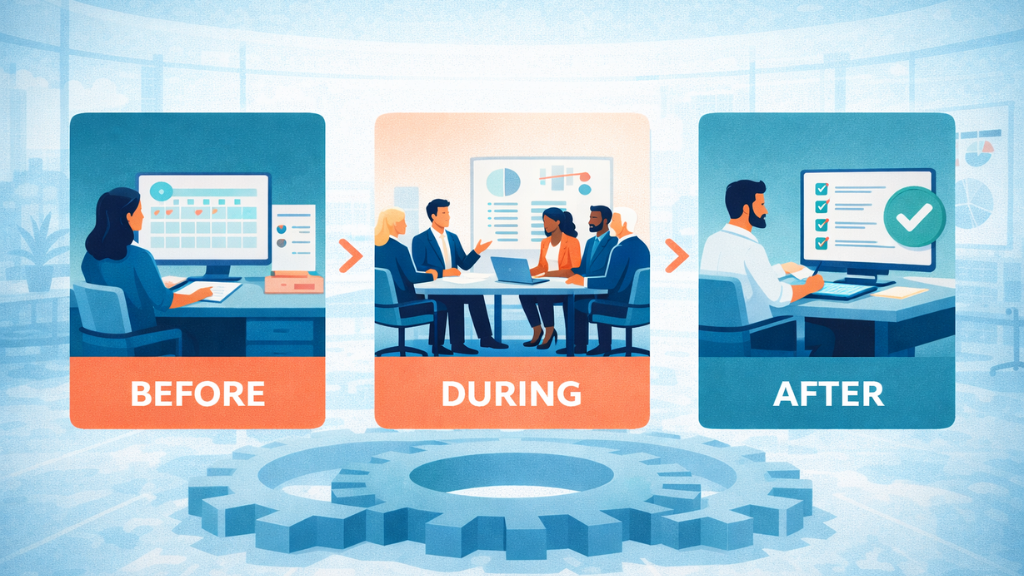
Productive team meetings don’t fall together naturally. They are built deliberately, and the building happens mostly before and after the meeting itself. Most managers only think carefully about the 20% that takes place in the actual room, which is exactly why so many meetings feel like they’re making it up as they go.
Before the Meeting
Start with the objective, not the time slot. The most common scheduling mistake is opening a calendar invite before knowing what the meeting is supposed to accomplish. A meeting objective completes one sentence: “By the end of this, we will have ___.” If filling in that blank feels difficult, the meeting probably isn’t ready.
Once the objective is defined, build the agenda to match it. Each item needs an owner and a time allocation. Shared 24 hours in advance, that agenda transforms passive attendees into people who show up having actually thought about the topic.
Here’s a template you can use directly:
MEETING AGENDA
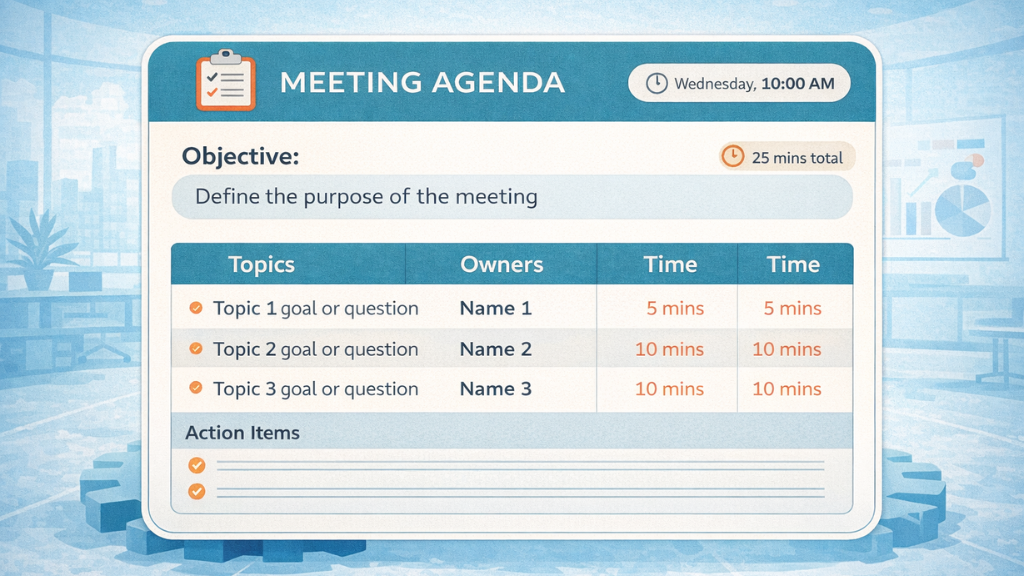
Objective: By the end of this meeting, we will [outcome].
- [Topic] | [Owner] | [Time]
- [Topic] | [Owner] | [Time]
- Action items and next steps | [5 min]
Pre-read: [Link or document, if applicable]
Keep the invite list tight. Invite people who need to be part of the decision. Everyone else gets a summary afterward. Decision-making quality drops noticeably above eight people, so five to eight is the sweet spot for most working sessions.
During the Team Meetings
Open by restating the objective out loud. It sounds like a small thing, but spending 20 seconds on this reorients the room and makes it clear that the time block has a specific destination. Assign a timekeeper at the start, not ten minutes in when things are already running long.
Build a “parking lot” into every session. Off-topic but relevant ideas come up constantly, and ignoring them frustrates people while chasing them derails the agenda. Capture them in a visible list and return to them after the meeting. People feel heard without the conversation getting hijacked.
Quieter team members rarely speak unless they’re specifically invited. Round-robin input, anonymous digital polls, or short breakout discussions within a larger group help ensure that the conversation reflects more than the two or three people comfortable filling the silence. When two people talk, and eight listen, that’s not a meeting.
Assign a note-taker before the session begins, not once it’s over. Their job isn’t to transcribe. It’s to record what was decided, what needs to happen next, who owns it, and by when.
After the Meeting
Send a written summary within 24 hours. It doesn’t need to be long. Key decisions, named action item owners, and due dates. One page at most.
This step is where most meeting value disappears. People leave with good intentions and no written record. By the next morning, the specifics have blurred, and the urgency has faded. The summary isn’t a courtesy follow-up. It’s the only thing that turns meeting decisions into actual work.
Also Read!
Fein Definition: Hidden Dangers That Could Hurt Your Business
Virtual Team Meetings: Keeping Remote Teams Engaged
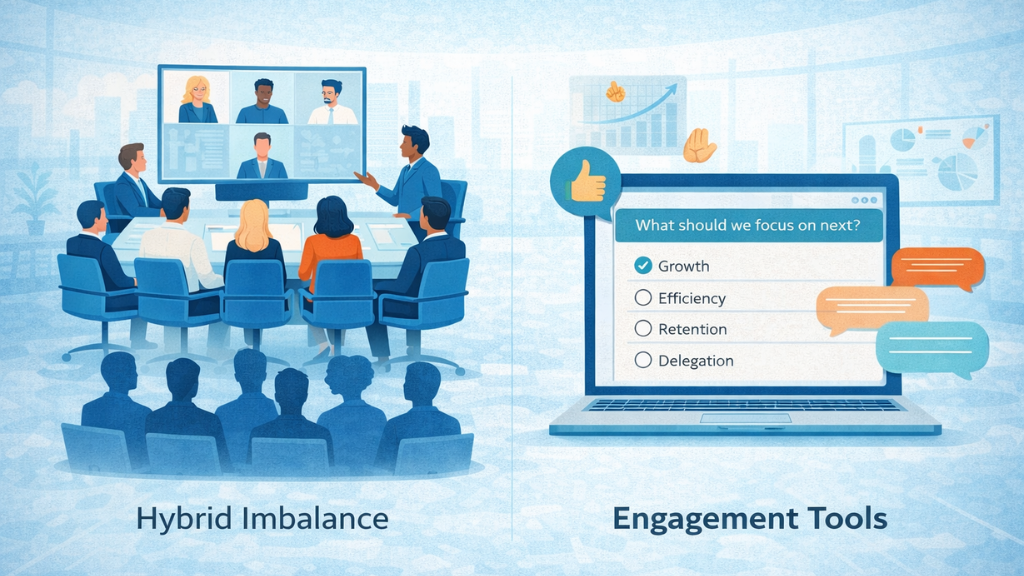
Remote and hybrid work didn’t just change where people collaborate. It changed the entire texture of how meetings feel. Virtual team meetings carry a specific set of friction points that don’t exist in a physical room, and simply replicating an in-person meeting on video rarely addresses them.
The trickiest issue is what some call the two-tier problem. When part of the group is physically together, and part is joining remotely, the in-room conversations dominate. Remote participants fade into the background, even when they have exactly the right thing to say. Good hybrid meeting design actively corrects for this by giving everyone equal visibility and a structured path to contribute, regardless of where they’re sitting.
A handful of practices that make a real difference:
- Keep virtual sessions under 45 minutes. Attention on video calls drops faster than most people realize, and shorter meetings with clear outcomes tend to run better than long ones with vague agendas.
- Open with a brief two-minute check-in. It feels informal, but it creates the psychological safety that makes people more willing to speak honestly during the session.
- Use interactive formats every 15 to 20 minutes: polls, shared whiteboards, or open chat threads keep people engaged rather than checked out.
- Record sessions and share them afterward. Not every team member will be able to join live, especially across time zones, and a recording removes that barrier.
- Rotate inconvenient meeting times across global teams so the same people aren’t always dialing in at an unreasonable hour.
Camera-on policies make sense for focused, shorter discussions. Requiring cameras during a 90-minute session creates fatigue rather than connection. Read the context and adjust accordingly.
Common Team Meetings Mistakes That Kill Productivity
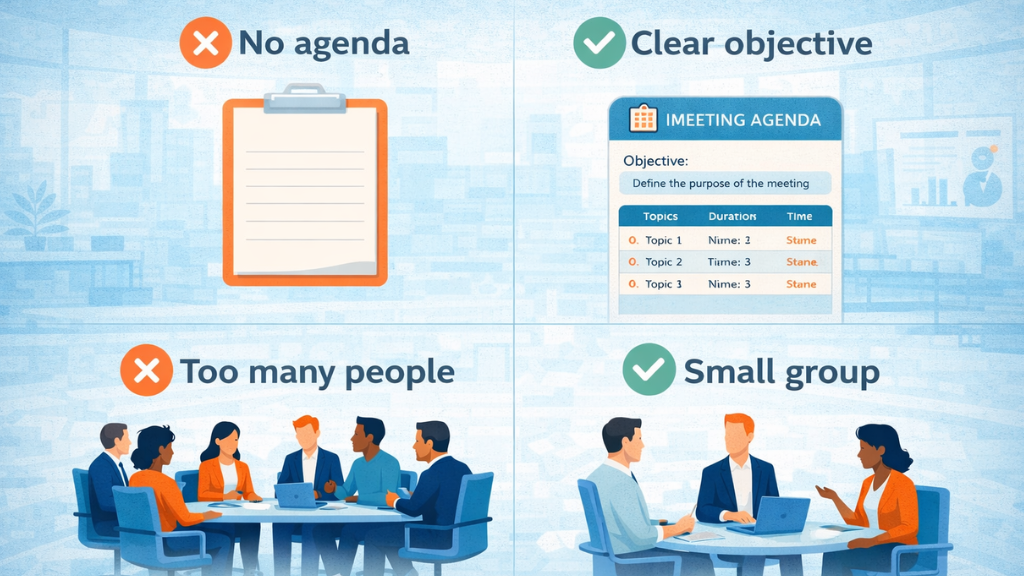
Some meeting problems are easy to spot. Others run quietly in the background for months or years before anyone names them. Here are the most common ones, along with a fix for each.
No agenda. Only 37% of meetings use a pre-planned agenda, according to HBR. The rest are conversations looking for a direction they never quite find. Fix: Write the objective and at least three agenda items before sending the calendar invite. Non-negotiable.
Too many attendees. Every person added to a meeting makes decision-making harder and quieter voices less likely to be heard. Fix: Default to smaller groups. Send a follow-up summary to stakeholders who don’t need to be in the room.
One voice dominates. When the most senior or most confident person speaks first, most others adjust their position to match. This is the HiPPO effect (Highest Paid Person’s Opinion), and it produces agreement rather than clarity. Fix: The facilitator’s job is to draw out perspectives, not manage logistics. That means actively inviting input from people who haven’t spoken.
No follow-up. Decisions made without documentation disappear within 48 hours. Fix: A written summary with named owners, deadlines, and a checkpoint before the next meeting.
Recurring meetings nobody questions. Many weekly syncs were set up for a reason that no longer exists. They persist out of habit. Fix: Audit recurring meetings every quarter. If you wouldn’t schedule it fresh today, cancel it.
How EmpMonitor Helps You Close the Gap Between Meetings and Real Work

A meeting can be well-run, clearly documented, and followed up with a clean summary email and still produce nothing. Not because the team meetings failed, but because there was no way to see what happened after it. Whether priorities shifted, whether tasks got picked up, whether the same people who nodded in the room actually started working on what they said they would. That visibility gap is where most meeting strategies quietly fall apart.
EmpMonitor is an employee monitoring and workforce productivity tracking platform that gives managers a factual picture of how working hours are being spent. Not estimates, not check-ins, not gut feel. Actual data from actual work sessions. Here is what it specifically does that is relevant to running tighter, more accountable meetings:
- Time Tracking with Productive/Idle Hour Breakdown: EmpMonitor’s time tracking separates genuinely productive working time from idle periods, logged against real-time timesheets. After a meeting where tasks are assigned, you can see whether the hours following that meeting were spent on those tasks or not. The data is shift-level and individual, not just team averages.
- Screenshot Capture: EmpMonitor captures periodic, time-stamped screenshots of employee screens. For managers who need a more granular view of what work actually looked like during a given time block, this provides verifiable context rather than self-reported updates.
- Live Screencasting and Screen Recording: Beyond screenshots, EmpMonitor offers live screencasting that lets managers view an employee’s screen in real time, and screen recording that saves time-stamped video clips of work sessions. Useful when following up on specific project work or resolving disputes about what was completed.
- Task Management: EmpMonitor includes a built-in task creation, assignment, and tracking interface. Action items from team meetings can be logged directly into the platform, assigned to specific people, and tracked for progress and completion without needing a separate project management tool.
- Attendance Tracking: The platform logs when employees start and end their shifts automatically. For teams running scheduled post-meeting work sessions or managers tracking whether remote team members are working their assigned hours after a heavy meeting day, attendance data is visible from the same dashboard.
- Customizable Productivity Alerts: Managers can set alerts triggered by specific activity patterns, such as drops in productive application usage or time spent on non-work platforms during expected work hours. These alerts surface in real time rather than appearing only in an end-of-day report.
- Workforce Productivity and Engagement Reports: EmpMonitor generates detailed reports by individual, team, or department, covering workflow patterns, productive time ratios, and activity trends over time. These are useful for auditing whether meeting-heavy weeks are correlated with lower output and making calendar adjustments based on that data.
The connection to team meetings is direct. Decisions made in a room mean nothing if there is no way to track execution. EmpMonitor provides the layer of visibility that turns a meeting summary into something auditable, so follow-through stops being an assumption and starts being something you can actually measure.
Advanced Strategies for Teams That Want to Go Further
Getting the basics right solves most team meetings problems. For teams that want to build something more durable, the next layer involves designing a meeting culture rather than just running better individual sessions.
Build a Team Meetings Charter
A meeting charter is a written agreement your team creates together about how meetings work. It covers things like the maximum meeting hours per week, the expectation that agendas exist before any session is booked, camera norms for video calls, and what happens to action items between sessions. Teams follow norms they helped write far more consistently than norms handed down to them.
Try a Meeting-Free Day
Companies like Atlassian and Asana have introduced days with no scheduled team meetings. The effect is straightforward: a long, protected block of focused working time produces better and deeper work than the same hours carved up by back-to-back calls. Starting with one meeting-free morning per week is enough to notice the difference.
The 40/20/40 Rule
The meeting itself only accounts for about 20% of whether a meeting works. Preparation contributes 40% of the total value. Follow-up contributes the remaining 40%. Most teams invest heavily in the 20% and neglect the rest entirely, which is why the meetings feel fine, but the results don’t follow.
Async as the Default, Not the Exception
Live meetings are expensive, and the cost is not always obvious until you look at the time data. Building async communication as the default for non-urgent decisions, using shared documents, recorded video updates, and collaborative comment threads, preserves synchronous time for conversations that genuinely need everyone present and thinking in real time.
Read More!
Wrapping Up
The teams that communicate best aren’t always the ones with the most meetings. They’re the ones who protect their time deliberately and treat every session as something worth justifying. Pick one change to make this week: write the objective before you book the next meeting. Build the agenda from there. Follow through with a summary. Then look at the data and see whether the meetings your team is running are actually doing what they’re supposed to do.
Meeting effectiveness is a practiced skill, not a personality trait. The structure is learnable. The habits are buildable. Start with one and build from there.
Frequently Asked Questions
How long should team meetings be?
Most working sessions last between 30 and 45 minutes. Standups can run 15 minutes or less. The right length is whatever the agenda actually requires, not whatever the calendar defaulted to. A three-item agenda prepared in advance rarely needs more than half an hour.
How often should team meetings be?
Cadence depends on what the team is doing and where the project stands. A reliable starting point: daily standups for active sprint teams, weekly check-ins for most others, and bi-weekly 1:1s between managers and direct reports. During high-pressure phases, increase the frequency. Scale it back once things stabilize.
What should a meeting agenda include?
A clear objective, each discussion topic with its owner and time allocation, any documents or materials participants should review beforehand, and the expected attendees. Shared at least 24 hours ahead, a well-structured agenda changes the entire quality of the conversation.
How do you stop team meetings from running over?
Assign a timekeeper before the session begins. Use a parking lot for anything off-topic so it gets captured without derailing the agenda. Commit to ending on time regardless of what’s left. Unfinished items move to the next meeting or a written follow-up, not an extended session.
How do you know if team meetings were effective?
Three things tell you: Was the original objective actually achieved? Were action items assigned with clear owners and deadlines? Did those items get completed before the next meeting? Platforms like EmpMonitor help close that third loop by tracking post-meeting execution against actual productivity data.