


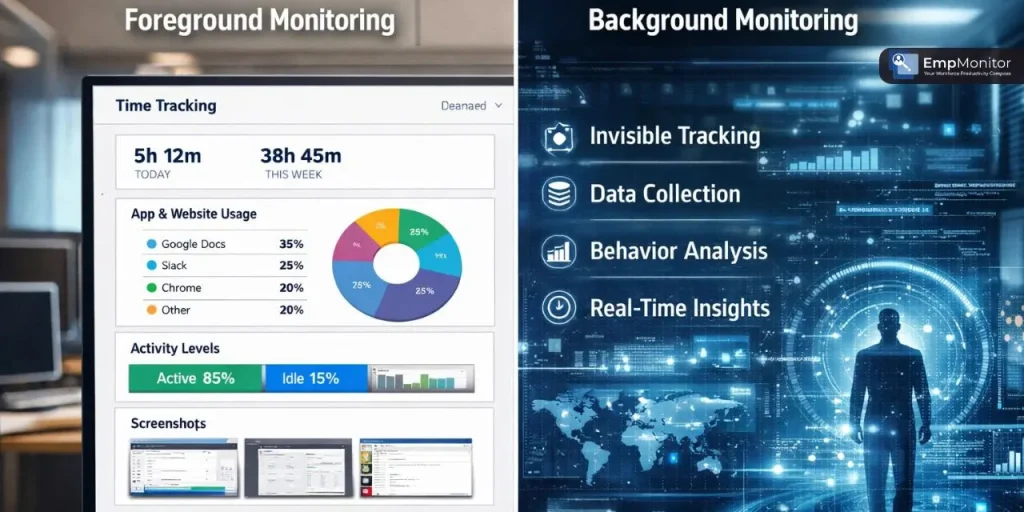
Most businesses invest in Employee Monitoring Software, expecting complete visibility into how their teams work. But here is what they often miss: background monitoring and foreground monitoring are not the same thing, and the gap between them can quietly cost organisations accurate data, real accountability, and meaningful productivity insights.
Time Doctor is one of the most recognised names in this space, yet many managers don’t realise the limitations baked into how it works until they’re already making decisions based on flawed reports.
Understanding this distinction is critical for any organisation that values informed, evidence-based workforce management. This blog unpacks the real difference between both monitoring approaches, exposes the blind spots Time Doctor doesn’t advertise, and explores why businesses serious about background monitoring are turning to smarter, more capable alternatives.
Listen To The Podcast Now!
What Is Background Monitoring?
Background monitoring is the practice of tracking employee digital activity silently and automatically, without requiring the user to initiate, confirm, or interact with the tracking system. It runs continuously behind active workflows, capturing websites visited, applications used, keystrokes entered, screenshots taken at intervals, and idle time periods, all without disrupting the employee’s work experience.
Think of it like how professionals set up their computer monitor backgrounds; the configuration runs seamlessly in the environment without demanding attention or action. In the same way, effective silent tracking is designed to be invisible yet deeply informative, producing data that reflects genuine employee behaviour rather than performance shaped by awareness of being watched. This authenticity is what makes it so valuable to organisations that depend on trustworthy, unmanipulated workforce data for real business decisions.
For remote and hybrid teams especially, silent, automated tracking has become the most reliable foundation for productivity measurement, workflow analysis, and organisational transparency.
What Is Foreground Monitoring?
Foreground monitoring is the more visible and interactive counterpart. It typically involves active prompts, pop-up check-ins, manual task logging, countdown timers, or visible tracking indicators that employees interact with throughout their workday. While these features can encourage short-term task awareness, they come with a fundamental flaw: they change the bbehaviourthey’re supposed to measure.
When employees know exactly when and how they’re being observed, they naturally adjust their actions to align with expectations rather than working the way they normally would. Foreground tools can also function as a background monitor in a limited sense, but they lack the depth and consistency needed for truly reliable data collection. The act of being prompted, and the mental context shift it causes, introduces friction and distortion into every data point the system generates.
Foreground monitoring also creates gaps. Every time an employee pauses to answer a prompt or log a task manually, actual work goes untracked. Over time, these gaps accumulate into reports that managers rely on for performance reviews, payroll decisions, and resource planning, often without realising how much the data has been distorted by the monitoring process itself.
Key Differences: Foreground vs. Background Monitoring:
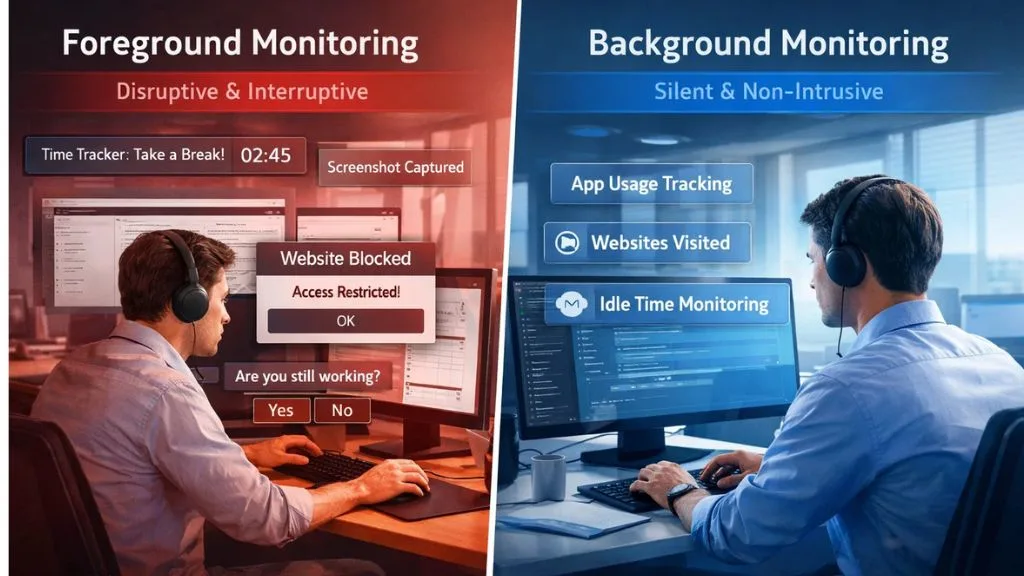

Understanding which approach fits your organisation requires understanding how they fundamentally differ in design philosophy, data quality, and practical impact. Foreground monitoring is reactive; it captures data in response to employee actions or prompts. Background monitoring is proactive; it collects data automatically and continuously, regardless of whether the employee takes any action.
Here are four critical distinctions:
- Data authenticity: Background tools capture real, unfiltered behavioural patterns. Foreground tools capture performance shaped by the employee’s awareness of being monitored.
- User experience: Silent background systems create zero workflow interruption. Foreground tools add friction through repeated prompts, timers, and manual inputs.
- Coverage scope: Robust background systems capture app usage, URLs, screenshots, keystrokes, and idle time simultaneously across all active processes and displays.
- Scalability: Manual input gaps compound significantly as team sizes grow, making foreground-heavy tools progressively less reliable in larger organisations.
For any business that depends on workforce data for billing, compliance, or performance management, this distinction has real and measurable consequences.
What Time Doctor Tells You, And What It Doesn’t?
Time Doctor positions itself as a comprehensive productivity and time-tracking solution, and for surface-level use cases, it works reasonably well. It offers time logs, screenshot captures, project-level tracking, and basic background monitoring functionality. Its integrations with platforms like Asana, Trello, and Slack make adoption relatively straightforward, and its reporting dashboard gives managers a workable overview of team activity at a glance.
But the gaps in Time Doctor’s background monitoring become clear once you look deeper. Much of what the platform tracks depends on employees actively engaging with tit starting timers manually, selecting project categories, and logging tasks themselves. This user-driven input introduces personal bias into the data. Employees may log time inconsistently depending on their interpretation of what counts as productive work, making direct comparisons across team members unreliable.
The screenshot feature, while useful in theory, operates on predictable intervals. Experienced users quickly learn the pattern and can time their visible behaviour around those windows. What appears to be a productive screenshot moment may not accurately represent the work period surrounding it, which undermines one of the core purposes of employee monitoring.
The Hidden Gaps in Time Doctor’s Approach:
The core problem is structural. Time Doctor was built as a hybrid between foreground and background approaches, and in doing so, it fully delivers on neither. It lacks the true autonomy of a dedicated background monitoring system, meaning its data is permanently shaped by employee awareness, voluntary inputs, and behavioural adjustments made in response to visible tracking cues.
Offline activity tracking is another significant weak point. If an employee loses internet connectivity, which is common for remote workers in areas with inconsistent service, Time Doctor’s data sync can lag or miss activity entirely. These blank periods become invisible gaps in productivity records, and managers have no way of knowing whether that time was productive or not.
Multi-screen environments further expose these limitations. Many professionals today manage complex workflows across multiple displays. Much like how IT teams configure monitor backgrounds across several screens to organise different workstreams, employees use each display for a distinct purpose.
Time Doctor often captures only the primary screen, leaving secondary and tertiary monitor activity completely untracked, a blind spot that proper background monitoring solutions are built to eliminate. This is a particularly significant problem for roles that involve simultaneous data entry, research, communication, and reporting across different platforms at once.
Why Background Monitoring Matters Beyond Productivity?
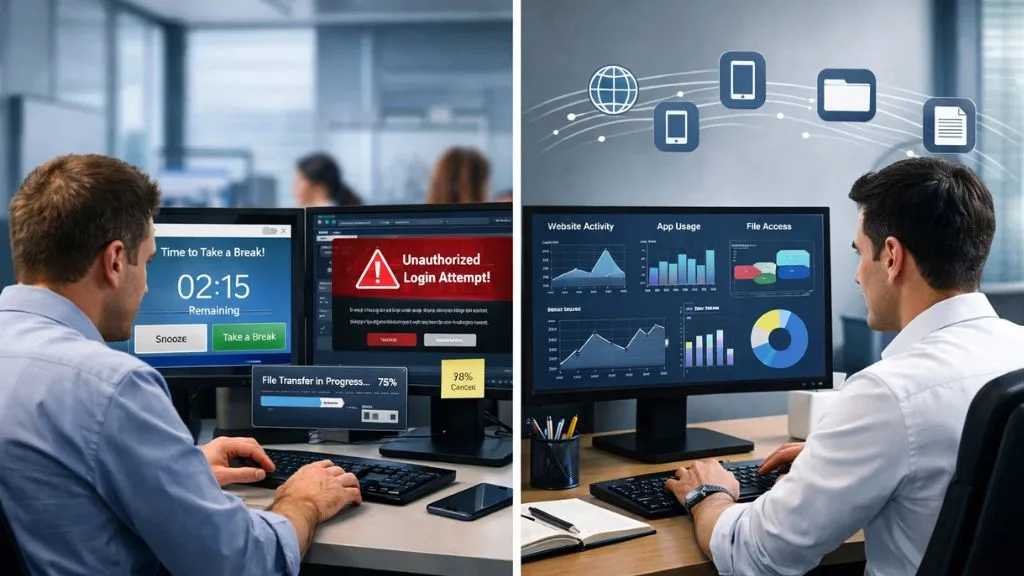
The value of background monitoring extends well beyond generating productivity scores or logging work hours. It uncovers behavioural patterns that surface-level tools simply cannot detect, repetitive visits to non-work websites, installation or use of unauthorised applications, unusual file access or transfer activity. These are the kinds of signals that a foreground tool will consistently miss, but a properly configured background system can flag in real time.
Consider how much intentional effort professionals put into optimising their workspaces. They choose specific monitor backgrounds to reduce visual clutter, arrange screens to minimise context-switching, and organise their environment to maximise focus. The same level of intentionality should go into the monitoring infrastructure that supports the business.
A company that depends on accurate data for project billing, regulatory compliance, or payroll fairness cannot operate effectively when its monitoring tool introduces systematic gaps and biases. This kind of monitoring shifts organisations from reactive firefighting to proactive workforce management, and that shift produces measurable improvements in both team performance and operational risk management.
How Remote Teams Rely on Background Monitoring?
The normalisation of remote work permanently changed what meaningful workforce visibility looks like. Without physical presence in a shared space, managers must rely entirely on digital signals to understand how their distributed teams are actually performing. This is where background monitoring becomes the operational backbone of fair, effective remote team management.
Remote employees frequently work across sophisticated multi-screen setups. Just as IT professionals configure triple monitor backgrounds to separate task categories across dedicated displays, one for communication, one for data work, and one for reference, remote workers manage multiple applications and platforms simultaneously.
A monitoring system that only captures one screen misses the full scope of what those employees are doing throughout the day. Tracking activity across all active displays and running applications gives managers a complete, unbiased view of how distributed employees spend their working hours.
This level of data granularity allows remote-first businesses to manage performance fairly, spot emerging bottlenecks early, and identify team members who may be overloaded or disengaged well before those issues begin impacting delivery timelines or client satisfaction.
Background Monitoring and Data Security:
Workforce productivity is only one reason organisations invest in background monitoring. The other, often more urgent reason is protecting sensitive business data. Insider threats, whether intentional or accidental, represent a growing risk across every industry.
Employees who inappropriately access, copy, or transfer company data leave digital footprints, and advanced monitoring systems are designed to capture and flag those patterns before they become costly incidents.
Time Doctor’s security capabilities are limited in comparison to dedicated monitoring platforms. It lacks behavioural anomaly detection, meaningful data loss prevention features, and deep user activity analysis, all of which are standard in enterprise-grade workforce security solutions.
For industries like banking, healthcare, legal services, and government contracting, this gap isn’t merely a product limitation. It represents a genuine compliance exposure that organisations in regulated environments cannot afford to ignore. Effective monitoring tools must serve both the productivity and security dimensions of workforce oversight, not just one or the other.
Also Read:
6 Ways To Ensure That Your Remote Workers Are Productive
The Best Employee Monitoring Software Specifically For BPO’s
EmpMonitor: The Complete Background Monitoring Solution:

For businesses that need comprehensive, uninterrupted background monitoring without the blind spots Time Doctor leaves behind, EmpMonitor is purpose-built to deliver. Trusted by over 15,000 companies tracking more than 500,000 employees across 100+ countries, EmpMonitor operates as a genuinely silent monitoring system. Its multi-screen tracking makes it especially effective for modern workstations, including setups where employees use different backgrounds for different monitors, capturing full activity across every connected display.
Key Features:
- Real-Time Activity Monitoring automatically tracks app usage, website visits, and keystrokes without requiring employee input.
- Live Screencasting &Recording: Captures screen activity across all connected monitors simultaneously.
- Idle Time Detection automatically flags unproductive periods with no manual configuration needed.
- Attendance & Time Tracking, Precise login and logout logs generated fully automatically
- Insider Threat Prevention Detects and alerts on suspicious behavioural patterns before they escalate
- User Activity Monitoring, Detailed audit-ready reports covering all digital activity during work hours
- Workforce Productivity Dashboard, Centralised, real-time analytics across the entire team
- Data Loss Prevention Aactivelysafeguards sensitive company information at the system level.
Conclusion:
The difference between foreground and background monitoring is not a matter of personal preference; it is a matter of data accuracy and organisational trust. Time Doctor blends both approaches in a way that ultimately satisfies neither, leaving managers working from productivity data they cannot fully rely on.
Businesses that need real, unfiltered visibility into workforce activity need a platform engineered from the ground up for true background operation. EmpMonitor delivers exactly that, comprehensive, silent, and accurate monitoring built for the way modern teams actually work. If data integrity matters to your organisation, the choice is clear.
FAQ’s:
Q1: Is employee background monitoring legal?
Ans: Yes, when employees are informed through company policy and monitoring is applied to work-issued devices during working hours, it is legally permitted in most regions.
Q2: How does EmpMonitor differ from Time Doctor?
Ans: EmpMonitor offers true silent monitoring with capabilities Time Doctor lacks, including multi-screen tracking, live screen recording, insider threat detection, and automated attendance logging.
Q3: Will the monitoring software slow down employee computers?
Ans: No. EmpMonitor is engineered to run efficiently in the background with minimal impact on device performance or employee workflows.
Q4: Can EmpMonitor track employees who use multiple monitors?
Ans: Absolutely. EmpMonitor captures activity across all connected displays simultaneously, making it ideal for complex multi-monitor workstation environments.
