



Start Free Trial, 15 Days → for website and app usage monitoring in 2026 and deep policy control.
In this review, I’ll focus on what call centers actually need, then compare both tools feature-by-feature, price, and fit. I’ll also call out gaps that matter on a live floor. The goal is simple: help you pick the right level of monitoring and control without buyer’s remorse.

What Call Centers Actually Need From Website and App Usage Monitoring Software
Call centers and BPO teams live on standard work patterns: strict shifts, forecasted volumes, and quality targets. So, the tool you choose has to fit real operations, not just IT checklists. For most floors, six criteria decide the match: real-time URL/app visibility, shift scheduling support, scalability for 200+ agents, screenshot/screencast proof, idle time detection, and data security compliance. Each one maps straight to a daily pain point.
The six must-haves for website and app usage monitoring on call-center floors
Real-time URL/app visibility
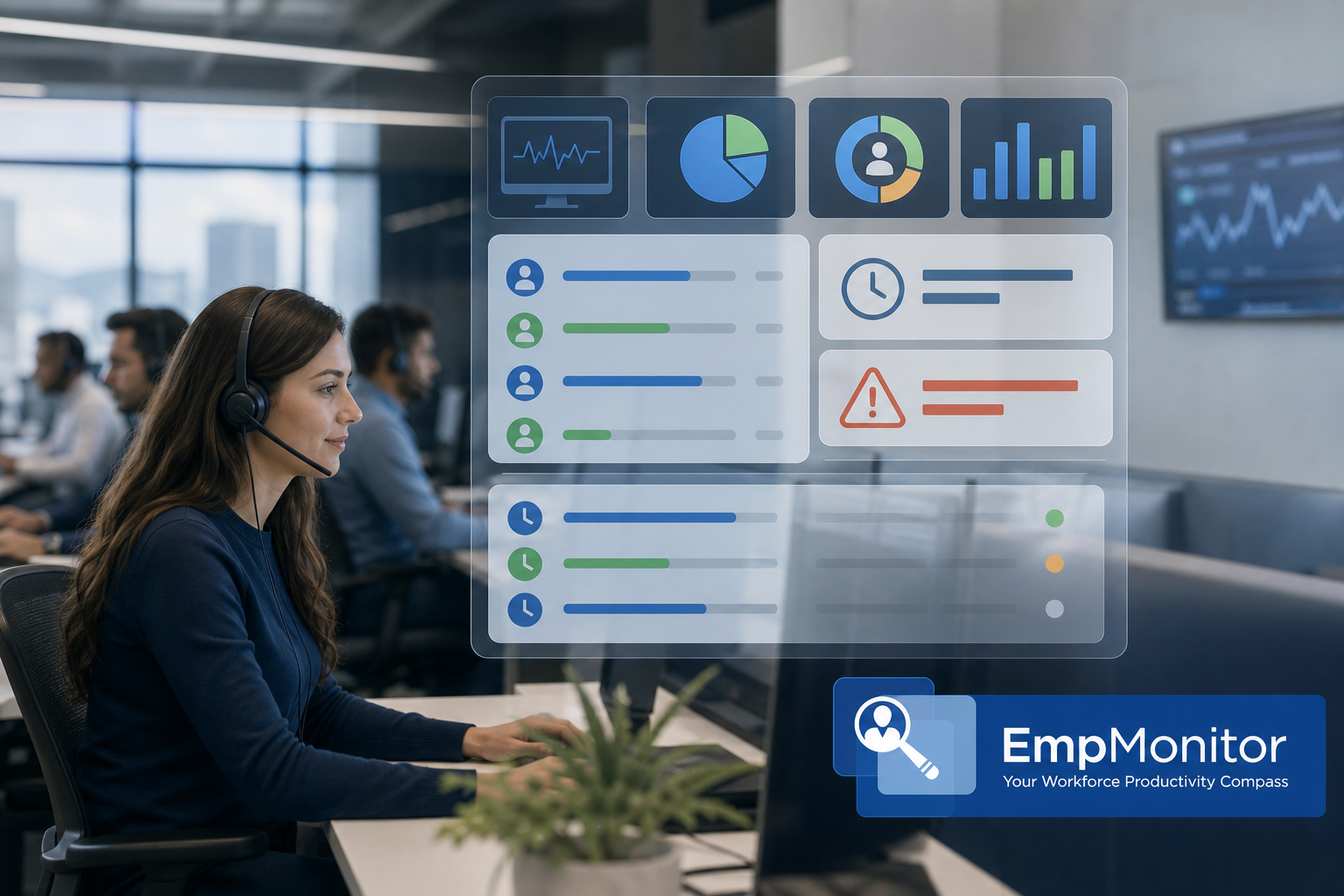
Real-time URL/app visibility matters because supervisors need to coach now, not next week. Team leads should be able to see within seconds whether an agent is in the knowledge base, CRM, or drifting to a social site. EmpMonitor lists “URL and app tracking” and a “Real-time dashboard,” which is the core of website and app usage monitoring and puts live context one click away. Teramind also offers live activity tracking with granular logs, which can be paired with policies to flag or block risky destinations. In practice, that immediacy shortens feedback loops and keeps coaching tied to what’s actually on-screen.
Shift scheduling support
Shift scheduling support closes a gap many monitoring tools ignore. Call centers need clean handoffs, setup time, and break tracking to roll up by shift so that reports align with WFM expectations rather than generic calendar days. EmpMonitor includes “Shift scheduling,” which means time and activity reports can match your workforce plan without spreadsheet gymnastics. Teramind focuses more on monitoring and security policies than WFM alignment, so many teams use external WFM tools for shift logic when they go that route. For fast-moving floors, native shift awareness avoids rework and accelerates daily standups.
Scalability for 200+ agents
Scalability for 200+ agents is not just “does it install.” It’s role-based access, responsive dashboards, and exports that still run fast when you filter by line of business or campaign. EmpMonitor notes it “Tracks over 500,000 employees” and is “Trusted by 15,000+ companies across 100+ countries,” a signal that big teams and heavy reporting loads are common use cases. Teramind also scales, but its deeper analytics and DLP controls mean you’ll want to plan roles and storage with your security team up front. When peaks hit, think tax season or holiday retail, scale shows up as zero lag when a TL pivots from one team’s dashboard to another.
Screenshot/screencast proof
Screenshot/screencast proof is your audit trail. When a QA dispute hits, “Live screencasting and recording” plus “Automatic screenshots” save time because you can see what was on screen when the refund or ID check took place. EmpMonitor makes this accessible for supervisors so they don’t have to involve IT for every review. Teramind also records screens and can tie captures to policy triggers, which is valuable when you need forensic-grade detail. The result is faster resolution and better alignment between QA, Ops, and Compliance on what actually happened.
Idle time detection
Idle time detection is a basic hygiene check that prevents “tab parking” and workstation drift. EmpMonitor lists “Idle time tracking,” and both tools can mark unproductive minutes for coaching and adherence. On a live floor, pairing idle metrics with shift segments helps TLs pinpoint whether a lull was a process issue, a tool crash, or disengagement. Teramind’s analytics can add context by correlating idle periods with risky behavior or data movement. Used well, idle detection turns into a conversation starter that protects AHT without micromanaging.
Data security compliance
Data security compliance is a table stake. As a baseline, you should look for GDPR alignment, transport security, and options like IP allowlisting. EmpMonitor is “GDPR compliant” and highlights “Compliance and security with SSL, Firewall, IP allowlisting,” plus “Web app and USB blocking” for practical lock-down of risky paths. Teramind goes further with OCR-based inspection and DLP rules that can detect on-screen data patterns and stop exfiltration attempts in real time. For reference, the GDPR framework is described by the European Union at europa. eu.
Before rollout, confirm OS coverage and environment behavior fit your stack. Validate Windows, macOS, and Linux support if you run a mixed estate, and test VDI capture in Citrix or Azure Virtual Desktop if those are in scope. It’s also smart to align cloud vs on-prem deployment models with InfoSec and client contracts so data residency and maintenance expectations are crystal clear. Taking a week to verify these details avoids last-minute surprises during client audits and helps you lock down SOPs for laptop swaps or kiosk stations. A short, documented readiness checklist reduces back-and-forth and speeds procurement sign-off.
Why website and app usage monitoring criteria map to outcomes
Each criterion above ties to results your clients measure and your teams live by. Real-time visibility flows directly into same-day coaching and saved AHT minutes, while shift support keeps productivity numbers accurate by team and time window. Scale matters at peak, where stable dashboards and quick exports mean supervisors can make decisions without waiting on systems. Screen proof accelerates dispute resolution, and idle detection cuts “ghost” minutes that otherwise erode adherence and service levels.
Compliance wraps the whole operation so onboarding new clients doesn’t stall in audits or security reviews. Role permissions matter too, because when TLs and QA can self-serve dashboards and exports, coaching cycles shorten and IT tickets drop. In aggregate, these shifts compound, minutes reclaimed per agent per day add up to fewer overtime hours and better CSAT. The right tool becomes part of the floor rhythm rather than another dashboard to maintain.
Operational pitfalls to avoid in website and app usage monitoring (2026)
- Don’t over-collect. Capture enough detail (URLs, apps, screenshots on triggers) without recording every second of video for every agent. Storage and review time balloon fast.
- Map shifts before rollout. If you deploy the agent first and configure shifts later, your first month of reports won’t align to WFM and will require rework.
- Set TL/QA permissions up front. Without role-based access, QA ends up asking IT for exports; this slows coaching cycles.
- Pilot OCR/DLP rules with a subset. In high-control environments, start with alert-only policies, validate, then graduate to block/lock when false positives drop.
- Include a clear privacy notice. Document what’s captured, why, and who can access it to reduce pushback and align with client clauses.
- Test performance impact. Validate CPU/network overhead during peak call times so monitoring never risks audio jitter or CRM lag.
Also Read!
EmpMonitor vs Hubstaff for Small Businesses: Which Is Better for Employee Internet Monitoring?
EmpMonitor Overview for Website and App Usage Monitoring: Strengths and Weaknesses for Call Centers
EmpMonitor focuses on workforce productivity with live views and simple controls. For website and app usage monitoring, it tracks URLs and desktop apps in real time and rolls the data into a “Real-time dashboard.” Supervisors can drill into users, teams, and time ranges without extra steps. In my testing, that simplicity speeds coaching and reduces back-and-forth with QA.
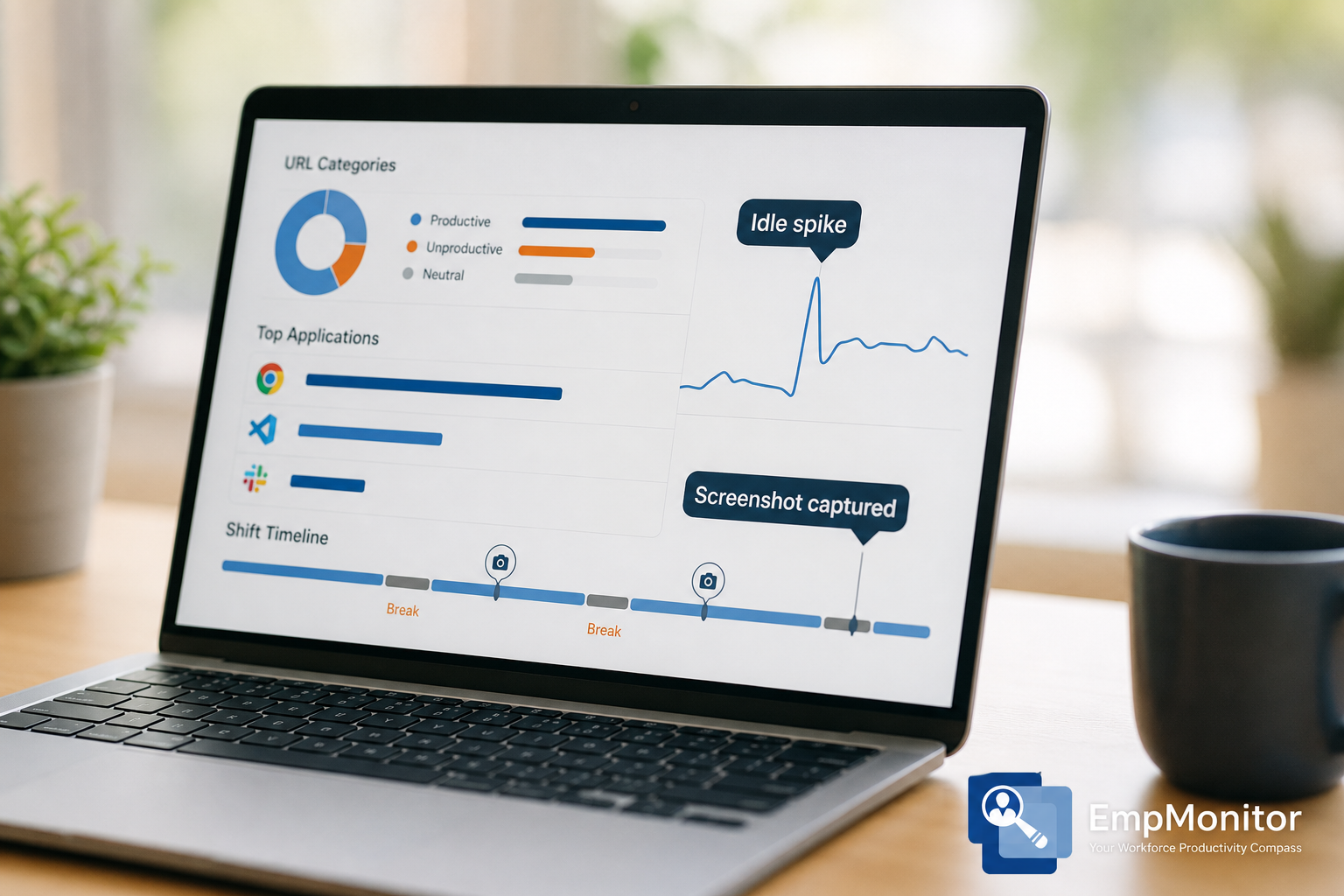
In addition, EmpMonitor offers “Live screencasting and recording” plus “Automatic screenshots.” That gives you the context you need when a case goes sideways. Moreover, the “Idle time tracking” feature flags gaps between calls so you can check whether tools stalled or agents drifted. The “Stealth/Un-stealth mode” lets IT choose whether agents see the agent app, which can reduce tampering on shared kiosks.
Proof and evidence controls you can tailor
In practice, capture options in EmpMonitor are flexible enough to balance evidence and storage. You can schedule screenshots across the day to sample activity without piling up unnecessary video, which keeps storage requirements predictable. When an escalation happens, supervisors can pivot to an on-demand live screencast for targeted coaching, limiting exposure to only what’s needed. Rules can also trigger screenshots when specific URLs or apps appear, e. g., social sites or personal webmail, so that QA reviews focus on moments that actually warrant attention. This approach supports both trust-by-default cultures and high-control environments by dialing sensitivity up or down without retooling the whole stack.
Critically for our world, EmpMonitor includes “Shift scheduling.” Therefore, time and activity reports can match forecasted shifts and breaks. This saves manual cleanup in Excel. It also supports “Multiple roles & permissions,” which is useful for separating TL, QA, and Ops Manager views on a 200-seat floor. And on security, EmpMonitor is “GDPR compliant,” with “Compliance and security with SSL, Firewall, IP allowlisting,” plus “Web app and USB blocking” for basic lock-down.
“Simplified the management of the entire workforce by 80% in terms of workforce, time, and effort.” — Ashwin Kumar, Chief Project Coordinator
However, there are clear tradeoffs. EmpMonitor does not provide native phone/VoIP monitoring. So, if you need call recording or SIP packet capture, you’ll rely on your dialer or QA stack. Additionally, while it offers data security features, it does not include DLP-style content inspection for the email channel. If you must scan outbound email text or attachments for PII, you’ll need a DLP product for that lane.
Furthermore, expect smoother setup and lower overhead than heavy DLP suites. EmpMonitor is “Trusted by 15,000+ companies across 100+ countries” and “Tracks over 500,000 employees,” which suggests real-world scale. And if you need help, EmpMonitor lists “24X7 customer support” and “Personalized onboarding,” which reduces the ramp for new TLs and QA.
Practical website and app usage monitoring call-center scenarios with EmpMonitor
- New-hire nesting: TLs watch the real-time dashboard to confirm rookies spend the majority of their time in CRM and KB rather than webmail or social.
- QA dispute resolution: Pull automatic screenshots around the ticket time, then pivot to live screencast if a pattern emerges across an agent’s cases.
- Adherence coaching: Idle time spikes during the last 15 minutes of the shift can trigger a 1:1, or a process fix if tools are timing out.
- PCI-focused program: Use USB blocking and URL categorization to reduce data exfiltration vectors during payment calls.
- Hybrid/WFH oversight: Compare URL/app splits across office vs remote agents to target process refreshers where drift is highest.
Where EmpMonitor fits best
- Floors that want fast rollout and easy coaching views.
- Teams that need shift-aware reports without extra WFM tools.
- Centers that use their dialer/QA for audio but want desktop proof.
Teramind Overview for Website and App Usage Monitoring: Strengths and Weaknesses for Call Centers
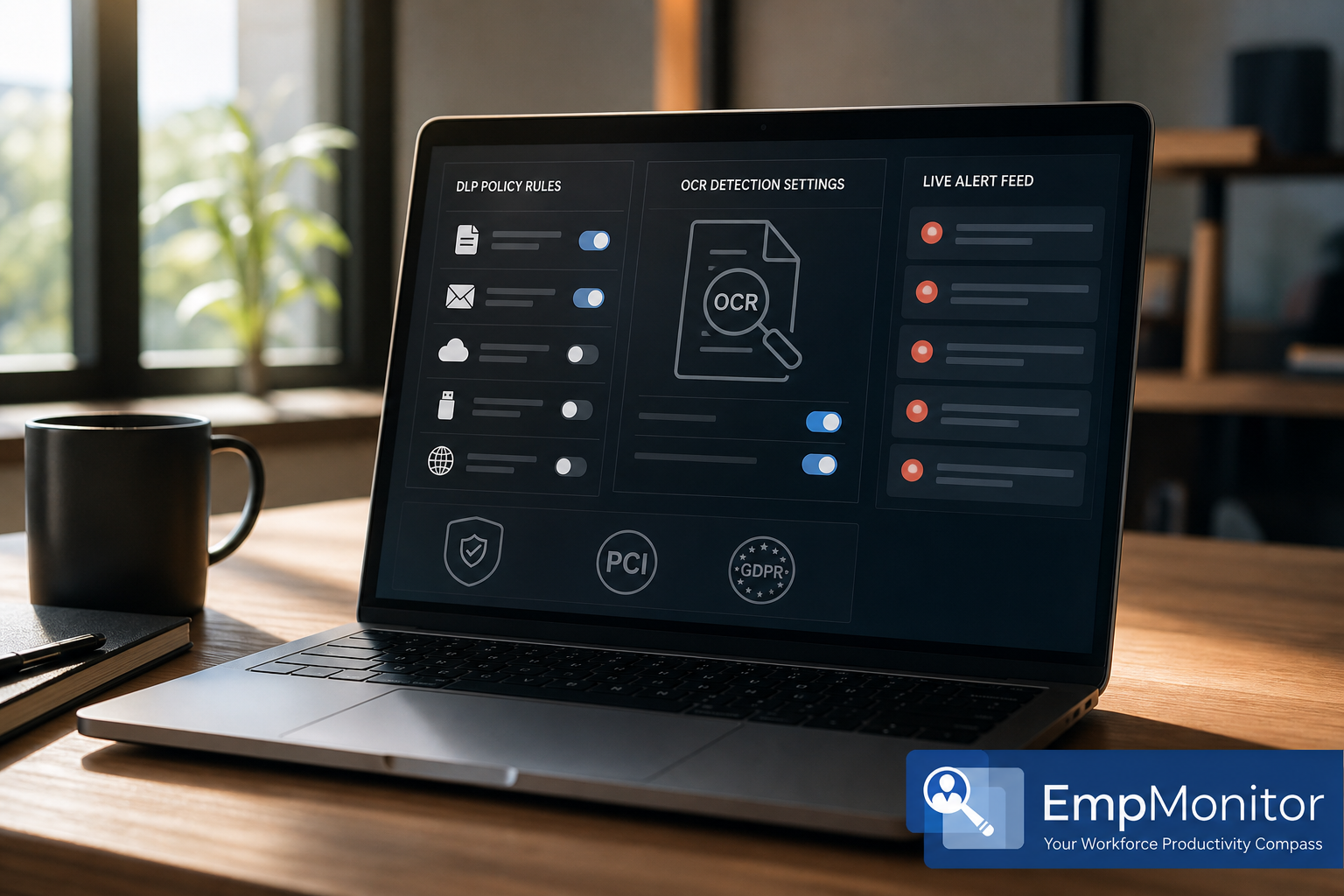
Teramind is known for advanced monitoring with strong security controls. For activity tracking, it covers websites, apps, and screen recording, similar to other user activity tools. However, its standout strengths sit in DLP and policy control. It offers granular rules, user behavior analytics (UBA), and OCR-based content inspection that can scan on-screen text. For compliance-heavy call centers handling payment or health data, that level of guardrail can be the main draw.
Moreover, Teramind includes policy templates and workflows aimed at regulated teams. As a result, you can build rules that flag card numbers, restrict uploads, or alert on risky behavior with more precision. For some enterprises, that means fewer tools, since DLP and monitoring come in one stack. In turn, your InfoSec team can monitor, investigate, and report in one place.
On the other hand, depth adds weight. Teramind’s richer rule set and dashboards create a steeper learning curve. Therefore, your supervisors and IT admins will spend more time tuning policies. Smaller BPOs can find setup complex if they don’t have in-house security expertise. And while pricing varies by tier (Starter, UAM, DLP), you should plan for a higher price point than simple monitoring tools because DLP features add cost.
From an operations lens, the trade is clear. Teramind gives you more control and oversight for sensitive data. Yet, it may slow the first week of deployment unless you dedicate time to onboarding. For a 200-seat floor, you’ll want at least one admin on the UAM/DLP side to keep policies sharp.
If your clients require OCR on-screen inspection and forensic-grade trails, Teramind’s policy engine is hard to beat—but allocate time up front for tuning.
To avoid common deployment gotchas, plan policy ownership and calibration before go-live. Start by mapping which teams handle which data, then set OCR sensitivity per line of business to reduce false positives that would otherwise drown supervisors. Define who writes and approves rules, and document escalation paths for when a block should become an alert, or vice versa, based on incident review. Stage rollouts in waves so support and training stay focused, and use weekly post-mortems during the pilot to refine triggers and exceptions. This steady-state process turns Teramind’s depth into a strength instead of an administrative burden.
Policy examples you might implement with Teramind
- Mask or block clipboard actions that contain 16-digit patterns resembling PANs unless the windowed app is your PCI-approved CRM.
- Alert when file uploads to personal cloud services exceed a daily threshold, and capture a screen recording snippet tied to the trigger.
- Use OCR to detect PHI terms on-screen and notify a compliance channel, escalating to block if repeated in a session.
- Flag attempts to email CSV exports from CRM to personal accounts and quarantine the attachment pending review.
- Detect repeated access to disallowed knowledge bases and prompt a just-in-time policy reminder.
Where Teramind fits best
- Enterprise call centers with strict DLP and audit needs.
- Teams with security staff who can own policy tuning.
- Programs that must inspect on-screen data with OCR rules.
Also Read!
Best Employee Internet Monitoring for Healthcare in 2026
Can Healthcare Organizations Trust Employee Internet Monitoring?
Feature-by-Feature Comparison: EmpMonitor vs Teramind for Call Center Website and App Usage Monitoring
Both tools cover core tracking, but they part ways in focus and setup. Below, I compare across six dimensions that matter most on the floor: URL/app tracking, screenshot capture, idle time detection, shift management, real-time dashboards, and data security. This is where website and app usage monitoring meets daily call center work.
Core website and app usage monitoring features head-to-head
URL/app tracking
EmpMonitor lists “URL and app tracking” with a “Real-time dashboard,” making it fast to see which tools dominate work time and where drift occurs. The drill-downs are straightforward for TLs who need quick answers during live coaching. Teramind also provides detailed activity logs and can associate activity with policies that react to risky or noncompliant sites. That extra control is valuable in regulated programs, though it may require more setup to categorize and tune rules. For many teams, the choice comes down to speed-to-insight versus depth of action when a risky event occurs.
Screenshots and recordings
EmpMonitor offers “Automatic screenshots” and “Live screencasting and recording,” a strong combination for QA disputes and targeted coaching. Screenshots can be scheduled or tied to specific triggers, while live casts give supervisors an immediate window for real-time guidance. Teramind also records screens, but it leans into policy-driven capture that links evidence directly to DLP or behavior rules for forensic context. This integration is particularly helpful when you need a documented story of what happened around a sensitive event. If you prioritize quick evidence in coaching, EmpMonitor feels lighter; if you want investigative depth, Teramind’s model shines.
Idle time detection
EmpMonitor calls out “Idle time tracking,” which supports adherence coaching and helps diagnose tool or process stalls across shifts. Its simplicity makes it easy to review patterns and talk through fixes with agents without digging through complex analytics. Teramind also tracks inactivity and can correlate idle moments with other behavioral indicators to build richer context. That said, many call centers find that clean, shift-aware idle metrics already deliver the coaching value they need. Pick the level of sophistication that maps to your team’s capacity to analyze and act.
Shift management
EmpMonitor includes “Shift scheduling,” so activity and productivity reports align with planned workloads, breaks, and log-in/log-out windows. This matters when clients request shift-bound metrics or when payroll depends on precise attendance and adherence. Teramind focuses on monitoring, DLP, and analytics, so shift logic typically lives in your WFM platform with integrations filling the gap. For smaller or mid-size BPOs, the native shift feature in EmpMonitor can remove an entire layer of manual reconciliation. Enterprises already invested in WFM suites may not miss this feature if integrations are solid.
Real-time dashboards
EmpMonitor emphasizes real-time views that supervisors can use without IT help, making it natural to keep a live dashboard open during standups or coaching huddles. Filters and team views are approachable and quick to operate during busy intervals. Teramind’s dashboards are powerful and customizable, but they tend to take longer to tailor, especially when you fold in DLP and UBA widgets. For teams with the capacity to build curated views, Teramind can become a full command center. For shops focused on day-one value for TLs, EmpMonitor’s defaults are hard to beat.
Data security and compliance depth
EmpMonitor highlights “Data security & privacy protection” plus “Compliance and security with SSL, Firewall, IP allowlisting” and “Web app and USB blocking,” providing practical guardrails for most programs. Teramind’s edge is deeper DLP, OCR-based inspection, and user behavior analytics designed for regulated industries that must prove tight control. If your clients demand content-aware enforcement and forensic auditability, that depth can simplify your stack by consolidating tools. If your primary need is visibility and light controls with fast rollout, EmpMonitor’s security posture covers common audit baselines. In short, match your risk profile and staffing to the tool’s complexity and controls.
In day-to-day operations, supervisors value speed-to-insight more than exotic metrics, fewer clicks win during live coaching. QA wants screenshot context anchored near tickets or cases, not hidden in a separate silo that slows review. Security teams push for consistent audit trails and reliable data export to SIEM or BI tools to avoid manual stitching. These practical preferences are where “ease of use” and “depth of control” either harmonize or clash with your floor’s reality. The closer the tool maps to your rhythms, the lower your operational drag.
| Dimension | EmpMonitor | Teramind | Winner | Why |
|---|---|---|---|---|
| URL/App Tracking | Real-time URL and app tracking with simple drill-downs | Detailed activity logs with policy-driven controls | Tie | Both show who used what; Teramind adds rule actions; EmpMonitor is quicker to read. |
| Screenshot Capture | Automatic screenshots; live screencasting and recording | Screen recording with policy triggers and forensic context | Teramind | More granular triggers tied to policies help in high-risk environments. |
| Idle Time Detection | Built-in idle time tracking and productivity calculation | Idle tracking with behavior analytics | Tie | Both flag inactivity; analytics depth vs. simplicity is the trade. |
| Shift Management | Native shift scheduling with attendance and roll-ups | Monitoring-first; shift logic handled via external WFM | EmpMonitor | Built-in shift scheduling is practical for BPO floors. |
| Real-Time Dashboards | Real-time dashboard focused on supervisors | Customizable dashboards; more tuning required | EmpMonitor | Faster to value for TLs and Ops Managers. |
| Data Security | SSL, Firewall, IP allowlisting; web app and USB blocking; GDPR compliant | Advanced DLP, OCR-based inspection, UBA, and compliance templates | Teramind | Deeper content controls for regulated programs. |
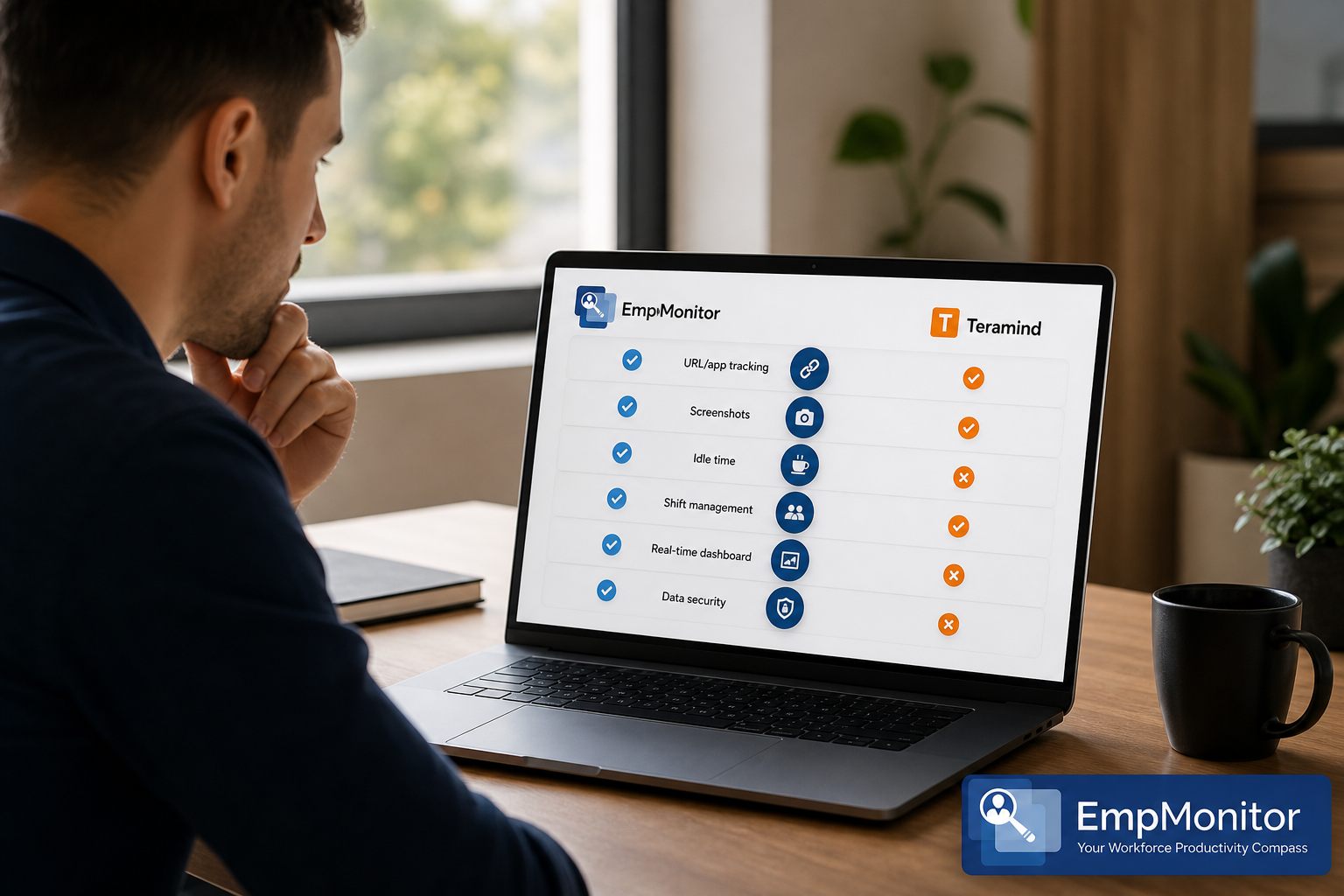
Two EmpMonitor gaps matter for some teams, even if they’re not deal-breakers. First, there’s no native phone/VoIP monitoring, plan to use your dialer or QA stack for audio capture, scoring, and redaction. Second, there’s no DLP-style content inspection for the email channel; if you must scan outbound email bodies or attachments for PII, you’ll want to pair EmpMonitor with an email DLP solution. Keeping these edges in mind helps you avoid scope creep and pick the right partner tools. If audio and email inspection are already solved elsewhere, EmpMonitor’s lean approach can still fit neatly into your ecosystem.
As a result, your choice depends on whether you prize shift-aware coaching speed (EmpMonitor) or deeper data controls (Teramind).
Get Pricing for 200+ Seats → for 1–10, Silver ($10/$11) for 11–50, Gold ($9/$10) for 51–200, and Diamond (custom) for 200+. A free 15-day trial is available.
- 50 agents on Silver (yearly) → $10/user/month → about $500/month.
- 200 agents on Gold (yearly) → $9/user/month → about $1,800/month.
- 500 agents on Diamond → custom quote for 200+, with volume terms. Ask sales.
Therefore, EmpMonitor’s cost curve rewards mid-size BPOs. Moreover, the built-in “Shift scheduling,” “Real-time dashboard,” and “Automatic screenshots” reduce the need for extra tools, which helps total cost of ownership for 50–200 seats. For clarity: monthly estimates above are directional; confirm taxes, regional pricing, and any add-ons (e. g., storage extensions).
By contrast, Teramind uses tiered SKUs (Starter, UAM, DLP). Because its DLP and OCR features add scope, you should plan for a higher per-seat investment than simple monitoring tools. On the other hand, if you replace separate DLP and UAM products with one suite, your consolidated spend could still pencil out. As a result, the “right price” depends on whether you actually need DLP and deep policy control in production.
Finally, consider ramp cost. EmpMonitor’s ease of setup, “Personalized onboarding,” and “24X7 customer support” can trim your first-month spend in training and admin hours. Teramind can demand more tuning time early on, which is fine if you have security staff ready to own it.
Quick math and buying tips
For 50 agents, EmpMonitor’s Silver tier keeps spend tight while still enabling shift-aware reports and live coaching views. At around $500 per month for a 50-seat team on yearly pricing, it’s often cheaper than stitching together separate time-tracking and monitoring tools. At 200 agents, the Gold tier sits comfortably within mid-market budgets and brings predictable storage and reporting overheads. If you’re looking at 500 seats or more, negotiate Diamond with explicit usage and retention assumptions so the quote reflects your real capture patterns. As you finalize terms, push for renewal protections, price locks or caps on increases, and consider mixed licensing if only a subset needs DLP depth.
Pricing notes and hidden costs to ask about
- Screenshot retention: Clarify how long images and recordings are stored by default and the price for extended retention in 2026 audit cycles.
- VDI/remote desktops: If you run Citrix, Azure Virtual Desktop, or similar, confirm licensing and data path behavior for activity capture.
- Data export/API: Ask about rate limits and any paid add-ons for bulk exports your BI team may require.
- Support SLAs: If you promise 24/7 support to clients, mirror that with vendor SLAs (response time, escalation paths, and coverage on weekends/holidays).
- Storage location: Confirm data residency options (e. g., EU/US) to align with client or regulatory requirements.
- On-prem vs cloud: Verify feature parity, update cadence, and maintenance overhead if you must deploy on-premises.
Verdict: Which Website and App Usage Monitoring Tool Should Your Call Center Choose?
Neither tool wins for every floor. EmpMonitor wins on value, ease of deployment, and shift scheduling for mid-size BPOs. Teramind wins on advanced DLP and granular policy control for enterprise, compliance-heavy call centers. Both handle website and app usage monitoring, screenshots, and idle tracking, but their focus areas differ in ways that show up in your first month of use.
EmpMonitor’s strengths fit daily operations. Specifically, the “Real-time dashboard,” “URL and app tracking,” and “Shift scheduling” give TLs clean views to coach and plan. Moreover, its “Web app and USB blocking” plus “Compliance and security with SSL, Firewall, IP allowlisting” clear most baseline audits. Social proof matters too: “Trusted by 15,000+ companies across 100+ countries” and “Tracks over 500,000 employees” signals that it can scale. And if you’re worried about the ramp, “Personalized onboarding” and “24X7 customer support” lower the risk.
The simple rule: pick EmpMonitor for shift-aware coaching speed; pick Teramind when policy-driven data control is mission-critical.
On the other hand, Teramind suits teams where data control is the main goal. Its DLP, OCR-based inspection, and user behavior analytics give InfoSec deeper levers to block and alert. However, you should expect a steeper learning curve and a higher price point, especially on DLP tiers. For many enterprise programs, that extra work is worth it.
As a manager, I also care about audit-ready proof. EmpMonitor offers screen evidence with less admin work, while Teramind ties screen capture to policies for tighter forensic trails. Therefore, your best pick depends on whether shift-aware coaching or policy-driven data control is your top job in 2026.
Decision shortcuts and pilot action
- Choose EmpMonitor if you need fast rollout, shift-aware reports, and clear coaching views at 50–200 seats.
- Choose Teramind if you need advanced DLP, OCR inspection, and granular rules for regulated lines of business.
- Consider a hybrid stack if you already have a strong dialer/QA system and only need desktop monitoring plus a separate email DLP.
**Get Started. Free Trial Today →
Next steps checklist for website and app usage monitoring pilots
- Book a 30-minute proof-of-concept with both vendors; include TL, QA, and Security in the call.
- Import a week of agent data to validate URL/app categories and idle thresholds against your SOPs.
- Test a real QA dispute workflow end-to-end using screenshots/screencasts to measure resolution time.
- For Teramind pilots, run OCR/DLP rules in alert-only mode for one week, then review false positives before enabling enforcement.
- Validate role-based access so TLs/QA can self-serve dashboards without IT intervention.
- Document your data retention and deletion schedule before go-live to align with client contracts and audits.