



If you have ever typed “user behavior analytics (UBA) tools” into a search bar and come back more confused than when you started, you are not alone. The analytics space in 2026 is crowded, jargon-heavy, and, let’s be honest, designed to make you feel like you need everything at once. But the truth is simpler than vendors would like you to believe. Understanding the real difference between User Behavior Analytics (UBA) and User Activity Monitoring (UAM) can save your team thousands of dollars, weeks of implementation headaches, and a whole lot of dashboard fatigue.
This guide is going to walk you through what each tool actually does, where they overlap, where they diverge, and, most importantly, which one fits the problem you are actually trying to solve right now.
What Are User Behavior Analytics (UBA) Tools?
User behavior analytics (UBA) tools are software solutions that collect, process, and interpret data about how users interact with a digital product, platform, or system. The goal is not just to know what users did, but to understand why they did it, and to predict what they are likely to do next.
These tools typically track things like:
- Clicks, taps, and scroll depth on web pages or apps
- Session recordings and heatmaps showing exactly where attention lands
- Funnel drop-off points where users abandon a journey
- Event-based triggers tied to specific in-product actions
- Cohort behavior patterns across different user segments
At their core, user behavior analytics (UBA) tools are built for product and marketing teams. They exist to improve conversion rates, reduce churn, and help designers make smarter decisions faster. Think of platforms like Hotjar, FullStory, Mixpanel, or Amplitude; all of them fall under the broader umbrella of user behavior analytics tools for product analytics.
The best user behavior analytics tools for product analytics 2026 are increasingly incorporating AI-driven anomaly detection, predictive scoring, and real-time journey mapping. What used to take weeks of manual analysis can now surface automatically inside a dashboard.
What Is User Activity Monitoring (UAM)?
User Activity Monitoring, or UAM, is a different beast with a different purpose. While UBA tools focus on improving user experience and product performance, UAM tools are primarily built around security, compliance, and workforce accountability.
UAM solutions track what users, typically employees, are doing inside a system. This includes:
- Applications opened, and websites visited during work hours
- File transfers, downloads, and data access logs
- Screenshots and screen recordings for audit purposes
- Login/logout times and session durations
- Idle time detection and active vs. inactive periods
The use case is clear: organizations use UAM to detect insider threats, ensure regulatory compliance, monitor remote teams, and protect sensitive data. It is less about understanding why someone clicked a button and more about knowing whether someone accessed a file they should not have.
Where People Get Confused Between UBA and UAM:
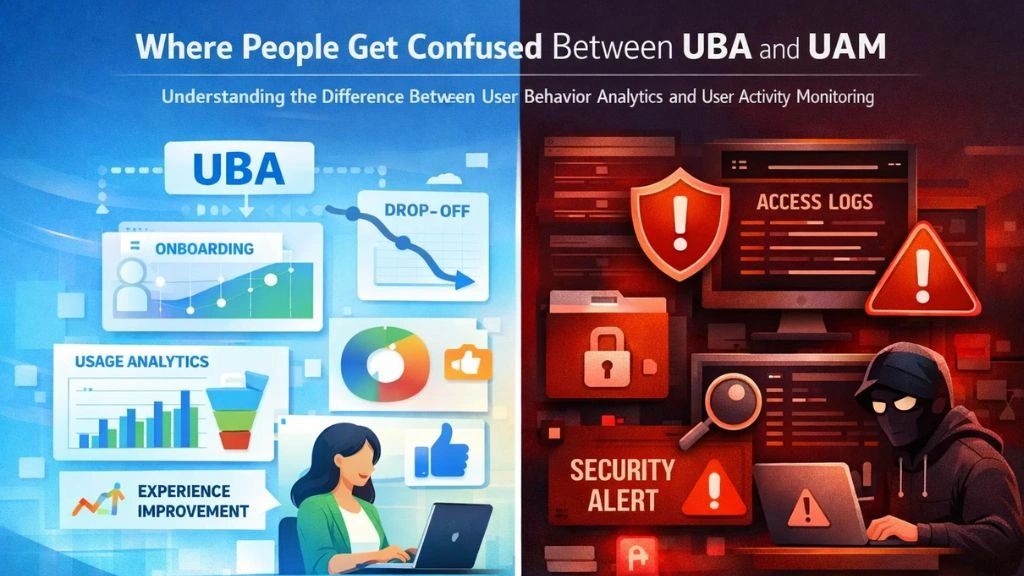

The confusion between these two categories is completely understandable. Both involve “users,” both involve “behavior,” and both generate enormous amounts of data. But the lens through which each tool looks at behavior is fundamentally different.
UBA asks: How is this user experiencing our product, and how do we improve that experience?
UAM asks: What is this user doing inside our systems, and is that activity appropriate?
One is customer-facing and growth-oriented. The other is internal and risk-oriented. When you blur that line, which many teams do, you end up deploying the wrong tool for the problem, or worse, trying to make one tool do the job of the other. Today, the market for user behavior analytics (UBA) tools has matured to the point where most platforms are highly specialized, and that specialization is intentional.
User behavior analytics (UBA) tools are essential if you are a product manager trying to understand why users drop off at step three of your onboarding flow. UAM tools are essential if you are an IT security manager worried that a departing employee just downloaded a bulk export of your CRM.
Key Differences at a Glance:
Here is where the two categories genuinely diverge when you put them side by side.
- Primary Purpose: UBA tools are built to optimize user experience and drive product growth. UAM tools are built to enforce security policies and maintain compliance.
- Who Uses Them: UBA is adopted by product managers, UX designers, marketers, and growth teams. UAM is deployed by IT administrators, security teams, HR departments, and compliance officers.
- Data Collected: UBA captures interaction data, clicks, sessions, journeys, cand onversions. UAM captures activity logs, app usage, file access, screenshots, and login records.
- Outcome Focus: UBA drives decisions about design, content, and product direction. UAM drives policy enforcement, audit trails, and risk mitigation.
- Visibility to Users: In most UBA implementations, end users are aware that their experience is being tracked in aggregate. In UAM, monitoring is typically more granular and often disclosed to employees as part of an employment policy.
Understanding this distinction is the first step to choosing the right tool, not the most marketed one. It is also why teams searching for the best analytics tools for website user behavior 2026 should clarify their intent before shortlisting any vendor.
When You Need UBA Tools:
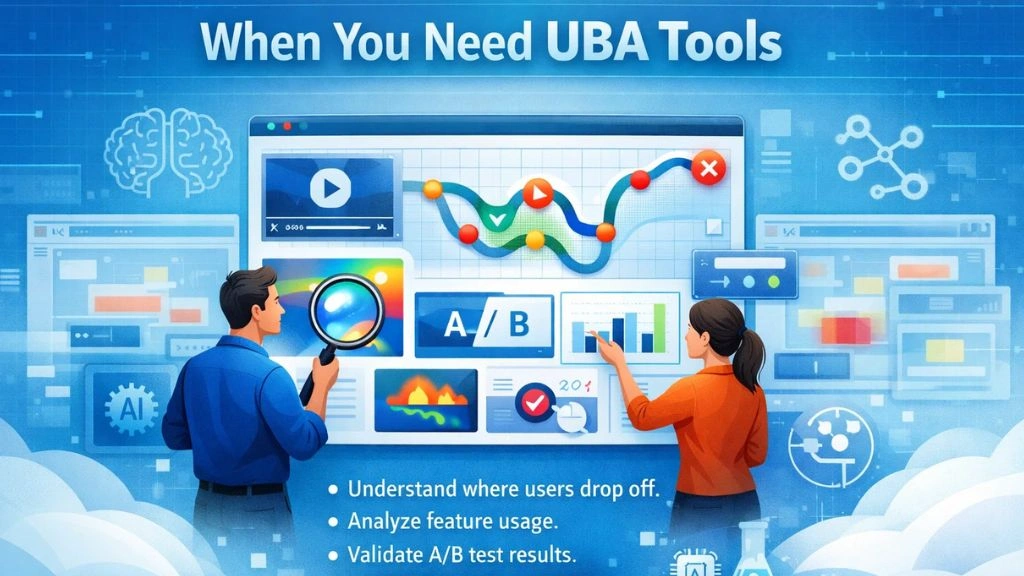
You need user behavior analytics (UBA) tools when your primary challenge is customer experience or product performance. If any of the following sounds familiar, UBA is likely your answer:
You are watching your sign-up conversion rate stagnate even though you are driving solid traffic. You want to know exactly where visitors lose interest before they convert. You are launching a new feature and need to know whether users are actually discovering and using it. You are running A/B tests and need behavioral data to validate which version performs better.
In 2026, the best web analytics tools for tracking user behavior have evolved significantly. They no longer just show you pageview counts; they give you session recordings, rage-click detection, attention maps, and AI-generated summaries of where your UX is breaking down. This level of insight is invaluable for product-led growth strategies where the product itself is the primary acquisition and retention engine.
User behavior analytics (UBA) tools make the invisible visible. They turn abstract conversion problems into concrete, fixable UX issues.
Also Read:
User Behavior Analytics – 7 Best UEBA Tools
Behavior Analytics- Top Applications 2022
When You Need UAM Tools:
UAM becomes essential the moment your concern shifts from customer experience to internal risk. If your organization is managing a remote workforce, handling sensitive customer data, operating under compliance frameworks like HIPAA, GDPR, or SOC 2, or has experienced (or fears) insider threat incidents, UAM is not optional.
You also need UAM if productivity accountability matters. With hybrid and fully remote work now the norm rather than the exception, managers need objective data on how work time is actually being spent. UAM tools provide exactly that, not through gut instinct or spot checks, but through systematic, real-time tracking.
This is also where UAM overlaps with broader workforce analytics categories, which is why platforms that serve this space sometimes describe themselves as workforce monitoring or employee monitoring software, not just pure UAM solutions.
EmpMonitor: A Smart Solution for Workforce Activity Monitoring:


If you are exploring UAM options in 2026, EmpMonitor is a platform worth serious consideration , used by 15,000+ companies across 100+ countries to manage remote and hybrid teams. It combines real-time monitoring with productivity analytics in one accessible place.
Here is how EmpMonitor can help:
- Real-Time Activity Dashboard, See live app and website usage across your workforce
- URL & App Tracking, Detailed logs of every application and site accessed during work hours
- Idle Time Detection: Automatically separate active work time from unproductive periods
- Productivity Calculation, Score, and benchmark team output using tracked activity data
- Attendance & Time Tracking, Auto-generate accurate attendance reports from login/logout data
- Screenshots & Screen Recording, Capture periodic snapshots for compliance and audits
- Insider Threat Prevention: Flag unusual data access behavior before it escalates
- HRMS Integration, Manage HR workflows alongside monitoring data in one place
Can You Use Both UBA and UAM Together?
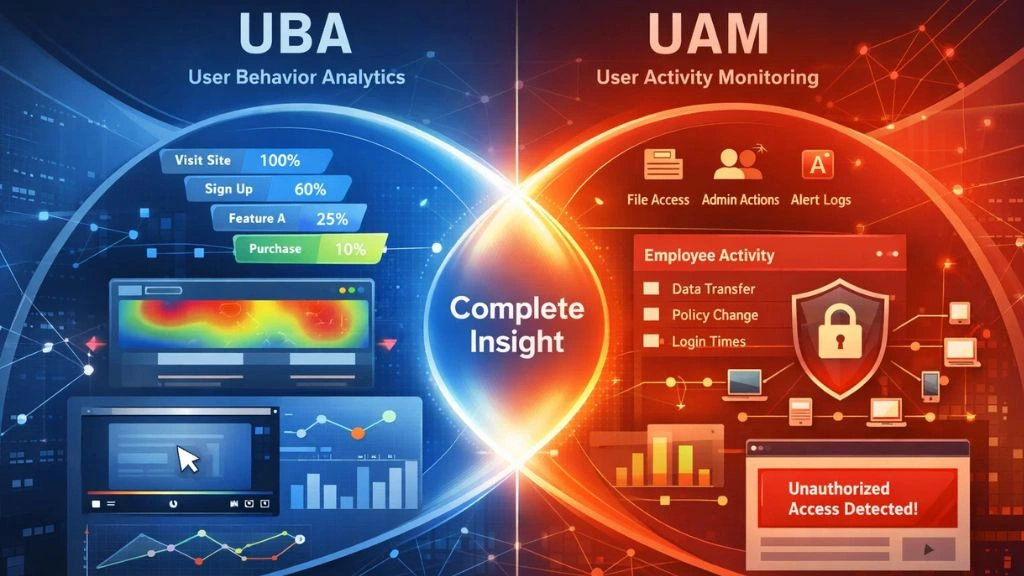
Absolutely, and increasingly, forward-thinking organizations do. The two tools serve different stakeholders and answer different questions, but together they paint a remarkably complete picture of how behavior drives outcomes, both externally with customers and internally with teams.
A product company, for instance, might deploy user behavior analytics (UBA) tools like Mixpanel to understand how customers move through their product, while simultaneously using a UAM platform like EmpMonitor to ensure their development and support teams are operating efficiently and securely. Many of the most data-mature companies in 2026 run both categories in parallel, treating user behavior analytics (UBA) tools as a growth engine and UAM as an operational safeguard.
The key is to resist the temptation to use one tool to replace the other. User behavior analytics (UBA) tools will never tell you whether an employee downloaded sensitive client files at 11 PM. And a UAM tool will never tell you why 60% of your trial users abandon the product after day three.
Know what question you are asking before you pick the tool designed to answer it. The right user behavior analytics (UBA) tools should feel like a natural extension of your team’s workflow, not an afterthought bolted onto a stack that was never designed to hold it.
Choosing the Right Tool: A Simple Framework:
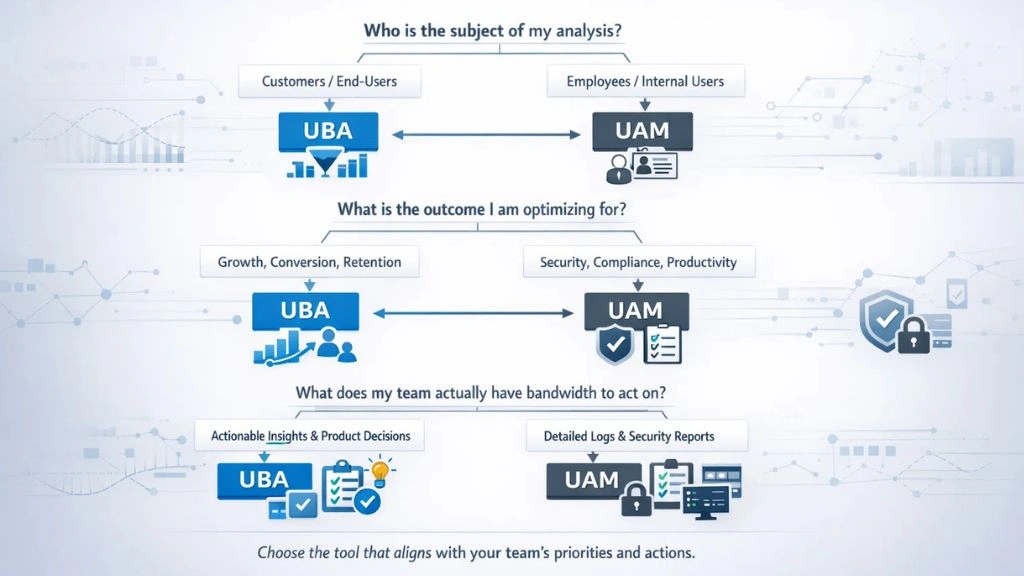
Before you commit to any platform, ask yourself these three questions:
- Who is the subject of my analysis? If it is customers or end users of a digital product, lean toward UBA. If it is employees or internal system users, lean toward UAM.
- What is the outcome I am optimizing for? If the answer is growth, conversion, or retention, UBA. If the answer is security, compliance, or workforce productivity, UAM.
- What does my team actually have bandwidth to act on? The best web analytics tools for tracking user behavior 2026 generate enormous volumes of insight. UAM platforms generate detailed logs and reports. Either way, data without action is just noise. Choose the tool whose outputs your team can realistically use.
User behavior analytics (UBA) tools are powerful precisely because they close the gap between assumptions and evidence in product decisions. But that same power means they require a team willing and able to act on what they surface. Similarly, UAM tools require clear usage policies and HR alignment to be implemented ethically and effectively.
Conclusion:
The UBA vs. UAM debate is really a question of intent. Both are user behavior analytics-adjacent, and both generate behavioral data, but one is designed to improve experiences, and the other is designed to protect them. User behavior analytics (UBA) tools belong in the hands of product and growth teams. UAM tools belong in the hands of IT, security, and operations teams. When you are clear on which problem you are actually solving, picking the right tool becomes far less complicated. And when you need both, solutions like EmpMonitor ensure the operational side of that equation is handled with precision and reliability.
FAQ’s:
Q1. Are UBA and UAM the same thing?
Ans: No. UBA focuses on understanding how customers or end users interact with a product to improve their experience. UAM monitors internal employee activity for security and compliance purposes. They serve different teams and solve different problems.
Q2. Can small businesses use user behavior analytics (UBA) tools?
Ans: Yes. Many UBA platforms offer free tiers or affordable entry-level plans that work well for small teams looking to improve their product or website performance.
Q3. Is employee monitoring with UAM tools legal?
Ans: In most jurisdictions, yes, provided employees are informed of monitoring policies. Always consult local employment law and have a clear, documented monitoring policy in place before deployment.
Q4. What makes EmpMonitor different from other UAM tools?
Ans: EmpMonitor combines real-time monitoring, productivity scoring, attendance tracking, and insider threat detection in one platform, available starting at $3/user/month, with cross-platform support for Windows, Mac, and Linux.
