


Large enterprises run complex operations. Hundreds of employees work across departments, locations, and time zones all handling different projects, clients, and deadlines simultaneously. The tools that manage this workforce must deliver precision, depth, and scalability that match that complexity.
Toggl Track built a strong reputation as a simple, clean time tracking tool for small teams and freelancers. But enterprise companies that adopt it quickly discover a fundamental mismatch. A tool designed for simplicity cannot meet the demands of a workforce that requires real-time monitoring, deep reporting, project-level oversight, and robust data security at scale.
That gap is exactly why enterprise companies leave Toggl Track for EmpMonitor. This blog breaks down where Toggl Track falls short, what enterprise operations actually need, and why EmpMonitor delivers the complete solution that large businesses require.
Listen To The Podcast Now!
What Is Toggl Track And Where It Falls Short At Scale?
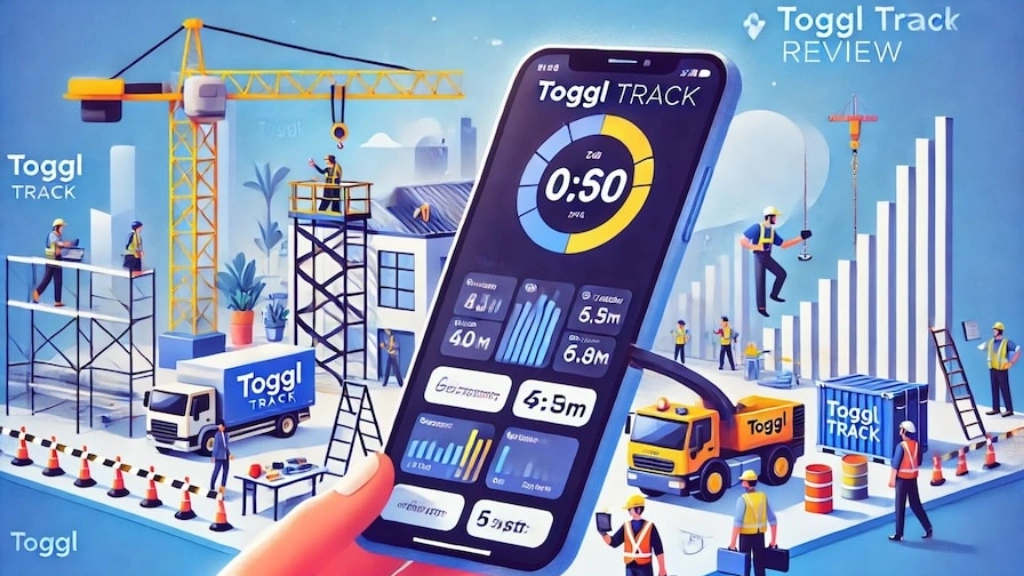

Toggl Track is a time tracking tool built around manual time entry, project tagging, and basic reporting. For freelancers, consultants, and small teams that need a straightforward way to log billable hours, it works well. The interface is clean, setup is fast, and the learning curve is minimal.
However, enterprise operations expose several significant limitations very quickly.
Toggl Track relies heavily on manual input. Employees must remember to start and stop timers, tag entries correctly, and log their hours consistently. In a ten-person team, occasional lapses are manageable. Across a five-hundred-person enterprise, inconsistent manual logging creates data gaps that undermine every workforce decision that depends on accurate time records.
Toggl Track also lacks real-time monitoring. Managers cannot see what employees work on right now they can only review what employees chose to log after the fact. For enterprise operations that need live visibility into workforce activity, that limitation is a serious operational gap.
Finally, Toggl Track offers no meaningful data security features. Enterprise companies that handle sensitive client data, proprietary business information, or regulated industry records need DLP, access controls, and threat detection built into their workforce platform. Toggl Track simply does not address these requirements.
The Real Limitations Enterprise Teams Face With Toggl Track?
Enterprise teams that push Toggl Track beyond basic time logging consistently hit the same walls. Here is where the tool breaks down most critically:
- No real-time activity monitoring. Enterprise managers need live visibility into employee work status — not retrospective logs assembled from manual entries. Toggl Track cannot show which applications employees use, which websites they visit, or whether they are actively working or idle at any given moment.
- Weak project management capabilities. Toggl Track tags time to projects but does not support task assignment, deadline tracking, resource allocation, or progress monitoring. Enterprise operations that run multiple complex projects simultaneously need proper project management software — not project labels attached to time entries.
- Limited reporting depth. Enterprise clients and internal stakeholders expect detailed, customizable reports that break down productivity, time allocation, and performance across departments, teams, and individuals. Toggl Track’s reporting capabilities fall well short of that standard.
- No employee accountability tools. Without screenshots, screen recording, or activity monitoring, Toggl Track cannot verify that logged time reflects actual productive work. Enterprise operations that pay for hours need assurance that those hours deliver genuine output.
- Poor remote workforce support. Managing a distributed enterprise workforce requires tools that go far beyond time logging. Real-time visibility, attendance tracking, idle time detection, and security controls are all essential for remote workforce management — none of which Toggl Track provides.
What Enterprise Operations Actually Need From Time Management Tools?
Effective time management at enterprise scale requires far more than a timer and a project tag. Enterprise operations need time management tools that capture every productive minute automatically, break down time at the project and task level, and feed that data directly into reporting systems that support billing, planning, and performance management.
Automatic time capture is non-negotiable. Manual entry creates too many gaps and errors across large teams. Enterprise time management tools must record work activity without relying on employee discipline or memory.
Idle time detection adds another critical layer. Total logged hours tell only part of the story. Enterprise managers need to know how much of that logged time was genuinely productive — and where idle periods occur most frequently across shifts, departments, and individuals.
Integration with broader workforce management systems is equally important. Time data that sits in isolation delivers limited value. When time management data connects directly to attendance records, project progress tracking, and performance reporting, enterprise managers gain the complete operational picture they need to make evidence-based decisions at scale.
How The Right Project Management Software Changes Enterprise Performance?
Enterprise operations that run multiple simultaneous projects across large, distributed teams cannot function effectively without proper project management software. Task assignment, deadline tracking, resource allocation, and progress monitoring must all connect within a single system not scattered across emails, spreadsheets, and disconnected apps.
The right project management software gives enterprise managers a live view of every active project which tasks are complete, which are in progress, which are blocked, and which are at risk of missing their deadlines. That visibility allows faster intervention, smarter resource decisions, and more accurate delivery timelines.
For enterprises that bill clients by project or milestone, project management software that connects directly to time tracking data is especially valuable. Every hour logged against a project feeds directly into billing records, eliminating the manual reconciliation work that consumes significant admin time in enterprises that rely on disconnected tools.
EmpMonitor delivers this level of project management capability alongside its full workforce monitoring suite, giving enterprise managers one unified platform rather than separate tools for monitoring, time tracking, and project oversight.
Also Read:
Top 5 Best time tracking apps available in the market
07 Best Time Tracking App for Small Business And Employees in 2022
The Remote Workforce Challenge That Toggl Track Cannot Solve
Remote workforce management is one of the most complex operational challenges enterprise companies face. Workers distributed across different locations, time zones, and job functions need clear oversight, consistent accountability, and reliable communication — all delivered through tools that actually work at enterprise scale.
Toggl Track addresses none of these remote workforce challenges beyond basic time logging. It cannot show managers what remote employees work on in real time. It cannot detect idle periods during remote shifts. It cannot protect sensitive data from unauthorized access or transfer across remote devices. And it cannot generate the detailed productivity reports that enterprise clients and internal stakeholders expect.
The result is a remote workforce that operates with minimal visibility and accountability — a situation that creates productivity gaps, billing inaccuracies, and data security risks that grow more serious as the enterprise scales.
How EmpMonitor Helps Enterprise Companies Monitor Their Workforce?


EmpMonitor is a comprehensive workforce monitoring and management platform built for businesses that need deep, accurate, real-time insight into large team operations. For enterprise companies moving away from Toggl Track, it delivers every critical capability from a single, unified dashboard.
Here are the key features that make EmpMonitor the right choice for enterprise operations:
- Real-Time Activity Monitoring — Live visibility into every employee’s active applications, websites, and work status across all departments and locations, updated continuously.
- Automatic Time Tracking — Captures every productive minute without manual input, producing accurate project-level time logs and billing-ready timesheet reports.
- Productive vs Idle Time Breakdown — Separates active work hours from idle periods within total logged time, giving managers a true picture of enterprise productivity.
- Project Management — Assign tasks, set deadlines, track progress, and allocate resources across large distributed teams from one centralized dashboard.
- Screen Recording and Screenshots — Automatically records screen activity and captures screenshots at custom intervals for quality assurance and compliance verification.
- Attendance and Shift Management — Tracks login and logout times automatically across all locations, flags deviations, and manages leave records from a single view.
- Stealth Mode — Runs completely silently in the background with no presence in the employee’s program list or task manager.
- Insider Threat Prevention — Flags restricted platform access and unauthorized file transfers in real time with instant administrator alerts.
- Data Loss Prevention (DLP) — Blocks unauthorized websites, restricts non-approved applications, and prevents USB-based data transfers enterprise-wide.
- Insightful Reports — Generates detailed, exportable reports on productivity, attendance, time usage, and project progress for client and internal review.
- Alerts and Notifications — Customizable alerts for idle time, policy violations, or suspicious behavior across the entire enterprise workforce.
- Cloud Storage — All workforce data is stored securely in the cloud with role-based access for authorized managers across all locations.
EmpMonitor gives enterprise operations managers the complete workforce intelligence they need to run large, complex teams with precision without piecing together multiple disconnected tools.
Key Features Enterprise Teams Demand From Workforce Software
Enterprise teams hold workforce software to a high standard before committing at scale. Here are the non-negotiable capabilities every enterprise operation must verify before selecting a platform:
- Live workforce dashboard that shows every employee’s real-time status across all departments and locations simultaneously not delayed summaries or manually compiled status reports.
- Automatic time capture that records productive hours, idle periods, and project-level breakdowns without relying on employee-initiated manual logging.
- Deep security controls, including DLP, application restrictions, USB blocking, and real-time threat detection essential for enterprises that handle regulated or sensitive data.
- Scalable reporting that generates client-ready and executive-level performance reports automatically, covering productivity, attendance, time allocation, and project progress across the entire enterprise.
- Project management integration that connects task assignment, deadline tracking, and resource allocation directly to time and activity data, giving managers one source of operational truth.
How Accurate Time Management Drives Smarter Enterprise Decisions?
Every strategic workforce decision an enterprise makes traces back to time data. Headcount planning, project budgeting, client billing, performance management, and overtime allocation all depend on knowing exactly how employee hours are spent across every team and every location.
When enterprises rely on manual time logging as Toggl Track requires that data is inherently incomplete and unreliable. Employees forget to log hours, round up time entries, or tag work to incorrect projects. The decisions built on that data carry the same inaccuracies forward into budgets, invoices, and performance reviews.
Automatic time management tools that capture every minute of work without manual input eliminate that unreliability at the source. Enterprise managers who base decisions on accurate, automatically captured time data make better staffing choices, price projects more precisely, and identify productivity issues before they become costly patterns.
Common Reasons Enterprise Teams Make The Switch To Empmonitor
Enterprise teams that move from Toggl Track to EmpMonitor consistently cite the same driving reasons. The most common is the need for real-time visibility. Toggl Track shows what employees logged. EmpMonitor shows what employees actually do live, accurate, and automatically captured without any manual effort.
The second most common reason is data security. As enterprises scale and handle increasingly sensitive client and business data, the absence of DLP, access controls, and threat detection in Toggl Track becomes an unacceptable risk. EmpMonitor addresses every one of those security requirements out of the box.
The third reason is reporting depth. Enterprise clients and internal stakeholders expect detailed, professional performance reports. EmpMonitor generates those reports automatically — saving significant admin time and delivering the evidence that sustains client relationships and internal accountability.
Finally, the shift to remote workforce management drives many enterprises to make the switch. As distributed teams grow, the gap between what Toggl Track offers and what remote enterprise operations actually need becomes impossible to ignore.
Conclusion
Enterprise companies do not leave Toggl Track because it is a bad tool. They leave because they grow beyond what it was built to handle. Simple manual time logging cannot support the monitoring depth, security requirements, project management needs, and remote workforce visibility that large enterprise operations demand.
EmpMonitor fills every gap that Toggl Track leaves open. It delivers automatic time management, real-time workforce monitoring, complete project management software capabilities, and enterprise-grade data security in one platform that deploys in minutes and scales without limits.
For enterprise operations ready to move beyond the constraints of basic time tracking, EmpMonitor is where that upgrade begins.
FAQs
Q1. Why are enterprise companies leaving Toggl Track for EmpMonitor?
Enterprise companies leave Toggl Track because it cannot match the demands of large-scale operations. Manual time logging, zero real-time monitoring, weak reporting, and no data security features create critical gaps that grow more damaging as the enterprise scales. EmpMonitor replaces every one of those limitations with automatic time capture, live workforce visibility, enterprise-grade security, and detailed reporting all from one unified platform.
Q2. How does EmpMonitor handle remote workforce management better than Toggl Track?
Toggl Track offers no real visibility into what remote employees actually do during their logged hours. EmpMonitor solves that problem with live activity monitoring, idle time detection, automatic attendance tracking, screen recording, and real-time security alerts giving enterprise managers the same level of oversight across remote teams as they would have on a physical office floor.
Q3. What makes EmpMonitor better project management software than Toggl Track for enterprises?
Toggl Track attaches time entries to project labels but offers no actual project management capabilities. EmpMonitor delivers full project management task assignment, deadline tracking, resource allocation, and progress monitoring connected directly to time and activity data. Enterprise managers get one complete platform rather than separate tools for monitoring, time tracking, and project oversight.
