


Listen To The Podcast Now!
What Is RDP and Why Does It Matter?
Remote Desktop Protocol (RDP) is a Microsoft-developed protocol that allows users to connect to and control another computer over a network connection. This is very useful for IT teams, remote workers, and companies that manage systems for users. With RDP, they can access systems without physically being present.
While RDP is a powerful tool for getting work done, it can pose risks if not managed properly. If unauthorized individuals gain access to your system, they could steal information or perform malicious activities. This is where companies need to monitor Remote Desktop Protocol sessions constantly. They need to track who is using RDP, what actions they are taking, when they’re doing it, and where they’re connecting from.
In large companies, RDP users often work with multiple monitors, enabling them to handle more tasks simultaneously. This increases the importance of monitoring RDP sessions closely, especially when dealing with sensitive data or critical operations. The presence of an Insider Threat can go unnoticed without proper monitoring, making it even more crucial for companies to ensure that RDP activity is carefully observed.
Why Businesses Need to Monitor RDP Sessions?
Let’s be clear, organizations that fail to monitor RDP sessions are essentially leaving their digital doors wide open. Here’s why proper oversight is critical:
1. Security and Threat Detection:
Cyberattacks frequently exploit weak or unmonitored RDP connections. In fact, brute-force attacks targeting RDP ports are among the most common entry points for ransomware. When you actively monitor RDP sessions, you can detect suspicious login attempts, unusual access patterns, or unauthorized users before they cause real damage. Having visibility into session behavior means your security team can respond in real-time rather than discovering a breach days or weeks later.
2. Compliance Requirements:
Industries like healthcare, finance, and legal services operate under strict data compliance frameworks, HIPAA, PCI-DSS, GDPR, and more. These regulations often require organizations to log and audit remote access activities. If you can’t demonstrate that you monitor RDP sessions with proper documentation and audit trails, you could face significant financial penalties, legal consequences, and reputational damage. Regular session audits are often a non-negotiable part of passing a compliance assessment.
3. Employee Accountability and Productivity:
When employees know their remote sessions are being tracked, they tend to stay focused and professional. Monitoring RDP sessions gives managers a clear view of how remote workers are spending their time, which applications they are using, and whether company resources are being utilized appropriately. This visibility helps managers address performance issues early and recognize top performers based on actual activity data rather than assumptions.
4. Insider Threat Prevention:
Not all threats come from the outside. Disgruntled employees, contractors with excessive access, or even well-meaning staff who make mistakes can cause just as much damage as external attackers. When you monitor RDP sessions continuously, you build a behavioral baseline for each user, making it much easier to spot when someone’s activity suddenly deviates from the norm.
5. Incident Response:
When something goes wrong, a data breach, a policy violation, or a system crash, having session logs to review makes all the difference. Without a system in place to monitor RDP sessions, incident investigations become guesswork. Detailed session records allow your IT and security teams to trace exactly what happened, when it happened, and who was responsible, dramatically reducing the time needed to contain and resolve incidents.
How to Monitor RDP Sessions: Key Methods:
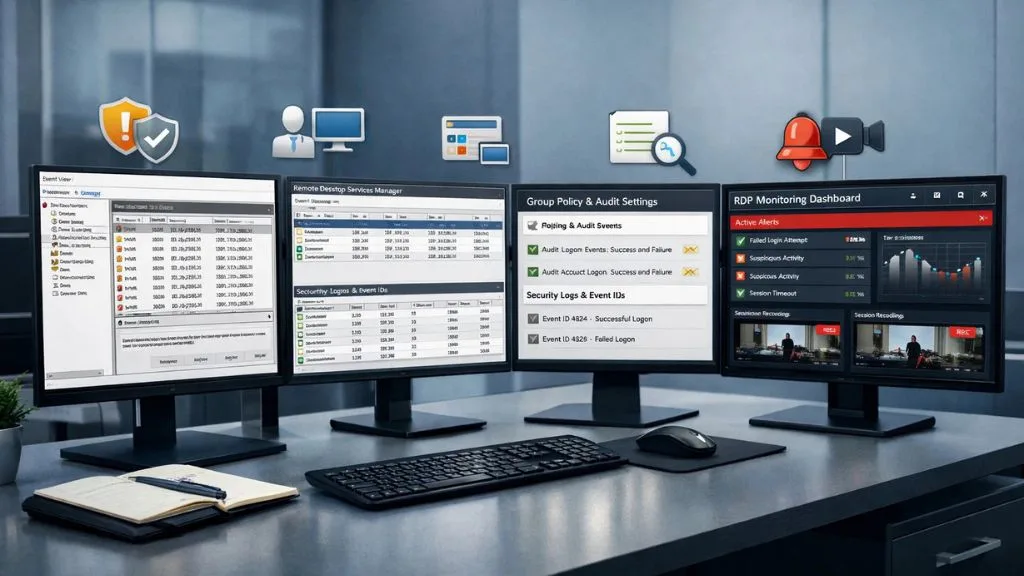

So, how to monitor RDP sessions in practice? There are several approaches, ranging from native Windows tools to dedicated third-party software.
1. Using Windows Event Viewer:
Windows keeps logs of RDP connection events that can be accessed through Event Viewer. Relevant Event IDs include 4624 (successful logon), 4625 (failed logon), and 4778/4779 (session reconnect/disconnect). While this method is free and built-in, it’s manual, time-consuming, and not scalable for larger organizations.
2. Using Remote Desktop Services Manager:
For Windows Server environments, the Remote Desktop Services Manager provides a native interface to view active sessions. Administrators can see who is connected, for how long, and can send messages or disconnect sessions if needed. However, this tool lacks the deep analytics and automated alerts that enterprise environments often require.
3. Group Policy and Auditing Settings:
Through Group Policy Objects (GPOs), IT teams can enable detailed auditing of logon events, account management, and object access. Combined with Windows Security logs, this gives a foundational picture of RDP activity. Still, parsing through raw event logs manually isn’t practical for most teams.
4. Third-Party RDP Session Monitoring Software:
This is where dedicated monitoring solutions shine. Third-party tools can automate log collection, generate alerts in real-time, create visual dashboards, and even record sessions for later review. When it comes to monitoring RDP sessions at scale, purpose-built software is by far the most effective approach.
Understanding RDP Session Multiple Monitors:
One nuance worth addressing is how RDP session multiple monitor setups add complexity to monitoring. When a remote user is spread across two, three, or even four monitors, tracking their activity becomes more challenging because more applications and windows are open simultaneously. A developer might have code on one screen, a database on another, and a communication tool on a third, all during the same remote session.
In these scenarios, screenshot monitoring and live screen recording tools become especially important. Simply logging login events isn’t enough; you need visibility into what’s actually happening across all those screens. Organizations running multi-monitor RDP environments should ensure their monitoring solution can capture activity across all connected displays, not just the primary screen.
It’s also worth noting that multi-monitor sessions tend to be longer and more intensive, meaning the volume of activity data generated is significantly higher. Your monitoring solution needs to handle that data efficiently without slowing down the session itself. Lightweight, cloud-based monitoring platforms are particularly well-suited for these high-activity environments, as they minimize performance impact while still capturing comprehensive data.
Common Mistakes When Monitoring RDP Sessions:
Even organizations that try to monitor RDP sessions often fall into avoidable traps:
- Not monitoring after-hours sessions. Many breaches occur outside of normal business hours when no one is watching. Continuous, automated monitoring is essential.
- Ignoring failed login attempts. A spike in failed RDP logins is a classic warning sign of a brute-force attack. These events should trigger immediate alerts.
- No centralized logging. If RDP logs are scattered across different servers without a central repository, reviewing them becomes almost impossible in a crisis.
- Lack of session recording. Logs tell you who connected and when, but they don’t show you what was done. Session recordings provide irrefutable evidence when needed.
- Not reviewing data regularly. Collecting monitoring data is only half the battle; teams need to regularly review reports and act on findings.
Also Read:
What Is An Insider Threat? Definition, Types, And Preventions
How EmpMonitor Can Help You Monitor RDP Sessions:

If you’re looking for a reliable and comprehensive solution to monitor RDP sessions within your organization, EmpMonitor is a powerful employee monitoring and workforce management platform that covers remote session oversight as part of its broader feature set.
EmpMonitor is trusted by 15,000+ companies across 100+ countries and tracks over 500,000 employees globally. Here’s how it can specifically help with RDP session monitoring and overall remote workforce oversight:
- Live Screen Monitoring & Recording, EmpMonitor offers real-time screen capture and live screencasting, giving managers visibility into exactly what remote employees are doing during their sessions, including across multiple monitor setups.
- Real-Time Activity Tracking, Track active vs. idle time, applications used, and URLs visited during remote sessions, helping you get a granular view of each user’s behavior.
- User Activity Monitoring: Get detailed logs of every action taken during a session, from app usage to website visits, all stored securely in EmpMonitor’s database.
- Automated Reports & Dashboards, Instead of manually digging through logs, EmpMonitor generates clean, actionable reports that make it easy to review session data at a glance.
- Insider Threat Prevention, EmpMonitor’s built-in threat detection features help identify unusual or suspicious behavior during remote sessions before it escalates.
- Data Security & Privacy Protection: All monitoring data is securely stored and protected, ensuring your organization stays compliant with data privacy regulations.
EmpMonitor is available on Windows (all versions, including Server 2003/08/10/12), Mac, and Linux/Ubuntu, making it versatile for diverse IT environments. Whether you’re managing a fully remote team or a hybrid workforce, EmpMonitor gives you the control and visibility you need to stay secure and productive.
Best Practices for Effective RDP Session Monitoring:
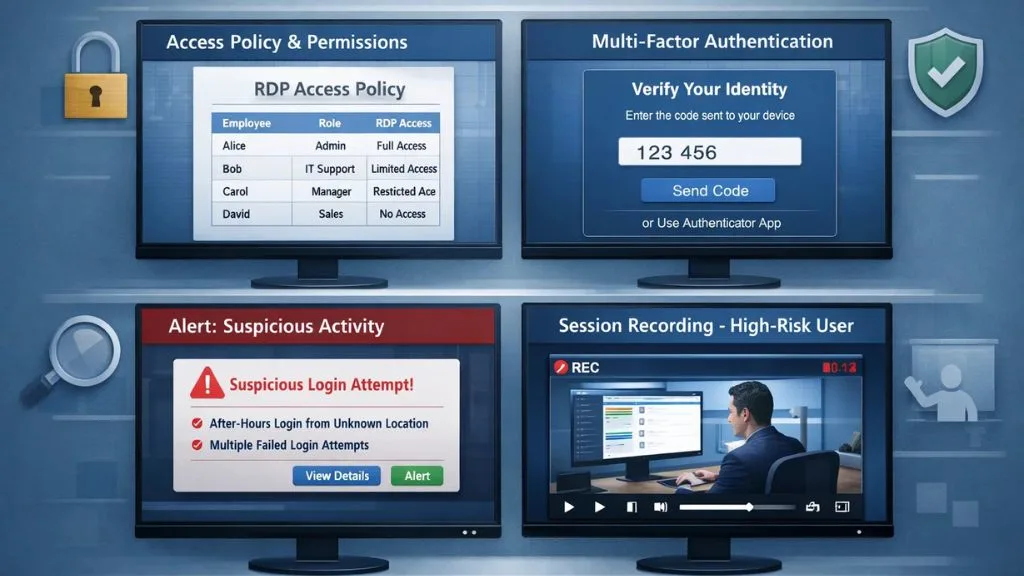
Beyond the tools you use, your approach to monitoring RDP sessions matters just as much. Here are proven best practices to keep your monitoring strategy effective:
1. Define a clear access policy:
Not every employee needs RDP access. Limit remote desktop permissions to only those who genuinely require them, and document those permissions clearly. Periodically review who holds access and revoke it for users who change roles or leave the organization altogether. Unused accounts with active permissions are a significant and often overlooked security risk.
2. Enable multi-factor authentication (MFA):
Before you can even think about monitoring a session, you need to ensure only authorized users can start one. MFA adds a critical layer of protection by requiring a second verification step beyond just a password, making it far harder for attackers to gain entry even if credentials are compromised.
3. Set up real-time alerts:
Configure your monitoring solution to send immediate notifications for suspicious events after-hours logins, multiple failed attempts, or access from unusual geographic locations. The faster your team is alerted to anomalies, the faster they can respond and limit potential damage before it escalates.
4. Record sessions for high-risk users:
For employees with elevated privileges or access to sensitive data, consider recording full RDP sessions rather than just logging events. Session recordings provide irrefutable evidence during compliance audits and internal investigations, leaving no room for ambiguity.
5. Conduct regular audits:
Schedule periodic reviews of RDP access logs and session recordings. Monthly or quarterly audits help catch patterns that might not trigger automated alerts, such as gradual privilege escalation or repeated access to restricted files over time.
6. Train your team:
Make sure IT staff and managers understand how to interpret monitoring data and what actions to take when anomalies are detected. Technology alone isn’t enough; a well-trained team that actively engages with monitoring insights is what truly keeps your environment secure.
Following these practices alongside a solution that helps you monitor RDP sessions will significantly reduce your organization’s overall risk exposure and give leadership much greater confidence in the security of remote access operations.
Conclusion:
Your company needs to monitor RDP (Remote Desktop Connection) sessions if you’re using RDP (Remote Desktop Protocol). There are many reasons to monitor RDP sessions, such as identifying unauthorized logins, tracking employee productivity through RDP sessions, and finally, to comply with laws and regulations, but the main reason is that monitoring RDP sessions gives businesses the ability to protect themselves from security threats or incidents.
FAQ’s:
Q1. What does it mean to monitor RDP sessions?
Ans: It means tracking and logging all remote desktop connections to your systems, who connected, when, from where, and what they did during the session.
Q2. Can Windows monitor RDP sessions natively?
Ans: Yes, through Event Viewer and Remote Desktop Services Manager, but these tools are limited and not practical for large-scale monitoring.
Q3. What is RDP session monitoring used for?
Ans: It’s used for security auditing, compliance reporting, employee oversight, and incident investigation.
Q4. Does EmpMonitor support RDP session tracking?
Ans: Yes, EmpMonitor’s live screen monitoring, real-time activity tracking, and user behavior logging make it well-suited for monitoring RDP sessions in business environments.
Q5. How do I handle multiple monitors in an RDP session for monitoring?
Ans: Use a tool like EmpMonitor that supports full-screen capture across all connected displays, ensuring no activity goes untracked regardless of the number of monitors in use.