



Passwords can be stolen. OTPs can be intercepted. Even fingerprint systems have vulnerabilities. As cyber threats evolve, businesses are looking beyond traditional authentication methods toward behavioral biometrics, and that’s where keystroke dynamics comes in.
You may have heard of a keylogger, or keystroke logger, typically associated with monitoring or security tracking. But what if typing behavior itself could become a security layer? What if the rhythm, speed, and pressure of your typing pattern could verify your identity?
That’s exactly what keystroke dynamics aims to do.
Instead of simply recording what you type, advanced systems analyze how you type. This shift moves security from static credentials to dynamic behavioral analysis.
What Is a Keystroke Logger?


Before discussing biometrics, it’s important to understand the traditional concept of a keystroke logger.
A keylogger is a software or hardware tool designed to record every key pressed on a device. The primary purpose can vary:
- Monitoring employee productivity
- Tracking suspicious behavior
- Recovering lost data
- Detecting insider threats
- Unfortunately, sometimes for malicious spying
The keystroke logger definition is simple: a system that captures and logs keyboard input.
Traditional keyloggers record what was typed, passwords, emails, messages, and commands. They focus on content capture.
However, keystroke dynamics is different.
Instead of capturing text, it measures typing behavior patterns like:
- Typing speed
- Key press duration
- Time between keystrokes
- Typing rhythm consistency
That behavioral difference is what makes keystroke dynamics a potential biometric security solution rather than just a monitoring tool.
How Keystroke Dynamics Works as a Biometric Security Method
Unlike a traditional keystroke logger, which records the actual keys pressed, keystroke dynamics focuses on behavior. It treats typing style as a unique biometric signature similar to a fingerprint or facial scan.
Here’s how it works:
Data Collection
When a user types on a keyboard, the system measures:
- Dwell time (how long a key is pressed)
- Flight time (time between releasing one key and pressing the next)
- Typing speed
- Error correction patterns
This data is captured silently in the background, often through software integrated into login systems.
Pattern Creation
The system builds a behavioral profile based on repeated typing sessions. Over time, it learns what “normal” looks like for each individual.
Authentication & Verification
During login attempts, the system compares real-time typing behavior to the stored profile. If the pattern matches within an acceptable range, access is granted. If not, additional verification may be triggered.
This is where keystroke dynamics becomes powerful. Even if someone steals your password, they’re unlikely to replicate your typing rhythm precisely.
While a keystroke logger records content, a keystroke dynamics analyzer analyzes identity patterns. It’s less about surveillance and more about verification.
This shift from static credentials to behavioral authentication is driving interest in the growing keystroke dynamics market, especially among financial institutions and cybersecurity firms.
Benefits of Keystroke Dynamics in Modern Security
As cyberattacks become more sophisticated, businesses are exploring behavioral biometrics to strengthen authentication. Unlike a traditional keystroke logger, which simply records input, keystroke dynamics adds an invisible security layer.
Here are the key advantages:
Continuous Authentication
Most systems verify identity only at login. Keystroke dynamics can monitor typing behavior continuously. If behavior suddenly changes, the system can flag or terminate the session.
Protection Against Credential Theft
Even if passwords are stolen through phishing or malware, attackers are unlikely to replicate the exact typing rhythm of the legitimate user. This makes keystroke dynamics highly effective against account takeovers.
Non-Intrusive Security
There’s no need for extra hardware like fingerprint scanners or facial recognition cameras. Users simply type as usual.
Difficult to Fake
Typing rhythm is subtle and complex. Mimicking another person’s pattern consistently is extremely challenging.
Works Alongside Monitoring Systems
Keystroke behavior analysis can complement tools like a keylogger, which track activity for security and compliance purposes.
Because of these benefits, the keystroke dynamics market is seeing steady growth as organizations adopt more layered security models.
However, like any technology, it’s not perfect.
Also Read:
A Complete Guide to Keystroke Logger Every Employer Should Know
07 Reason To Use Keystroke Logging In Your Workplace
Limitations and Challenges of Keystroke Dynamics
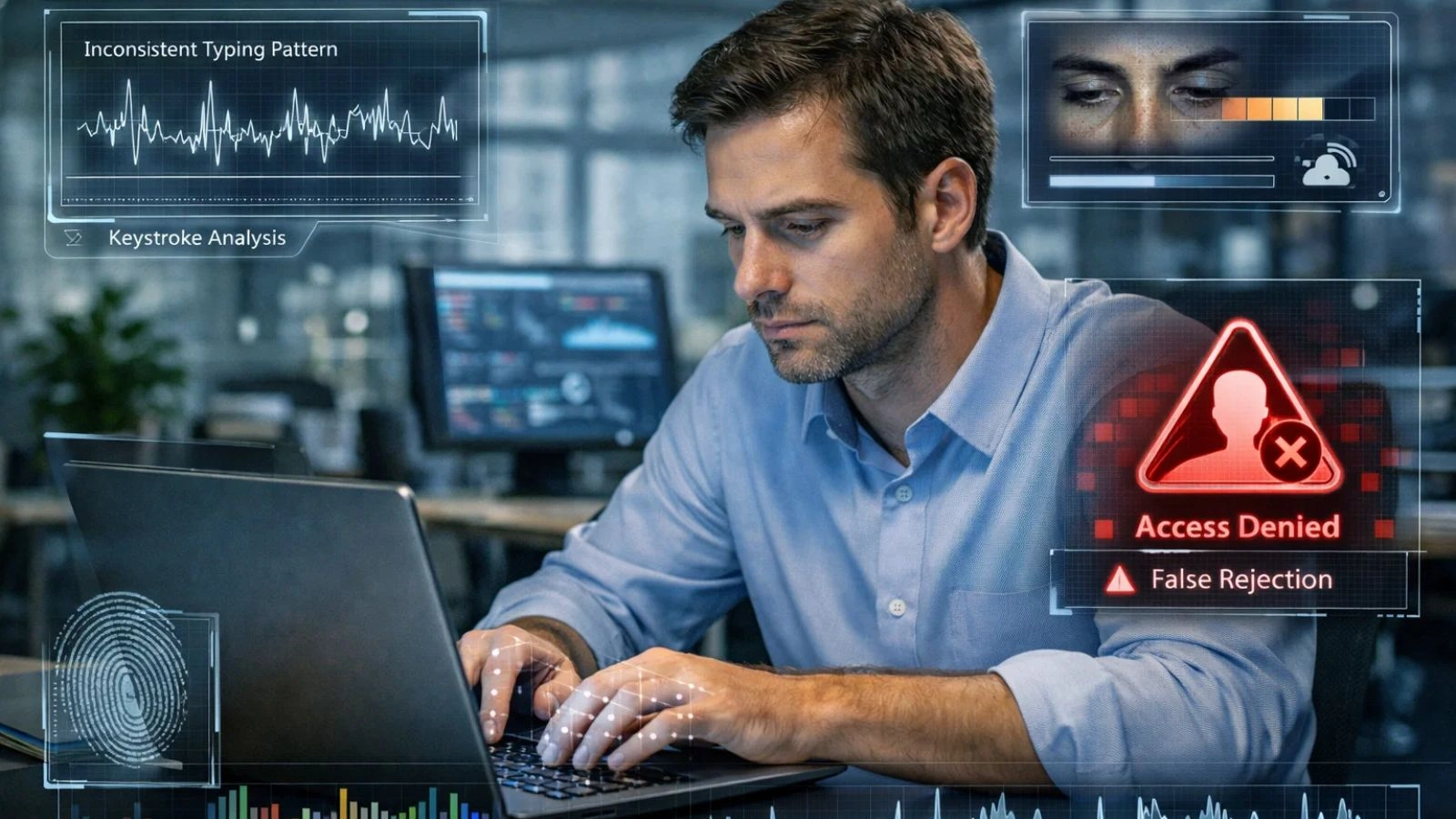
While keystroke dynamics is promising, it’s not a silver bullet. Even when paired with tools like a keystroke logger, there are limitations businesses must consider.
Behavioral Variability
Typing patterns can change due to:
- Fatigue
- Stress
- Injury
- Switching keyboards or devices
This can increase false rejections, where legitimate users are flagged incorrectly.
Accuracy Concerns
Although advanced algorithms improve precision, keystroke dynamics may not always match the reliability of physical biometrics like fingerprints.
Privacy Considerations
Employees may confuse behavioral tracking with invasive monitoring. Clear communication and transparency are critical when implementing systems that resemble a keystroke logger, even if they focus only on patterns and not content.
Implementation Complexity
Integrating behavioral biometrics into existing authentication systems can require technical upgrades and training.
Because of these factors, most organizations use keystroke dynamics as an additional layer of security, not a replacement.
Still, the technology continues evolving, and investment in the keystroke dynamics market reflects growing confidence in its future.
Keystroke Dynamics Market: Growth and Future Outlook
The keystroke dynamics market is expanding rapidly as organizations look for advanced authentication methods beyond passwords. Rising cyber threats, increasing remote work, and the need for continuous authentication are driving demand.
Key trends include:
- Adoption in Banking & Finance: High-security industries implement keystroke dynamics alongside traditional DLP tools to prevent account takeovers.
- Integration with Remote Work Monitoring: Companies combine keystroke dynamics with employee activity monitoring for layered security.
- AI & Machine Learning Enhancements: Modern systems improve pattern recognition and reduce false rejections.
- Hybrid Security Models: Behavioral biometrics complement password and multi-factor authentication for stronger protection.
Analysts predict continued growth as organizations prioritize invisible, non-intrusive security solutions that work in remote and hybrid environments.
How Businesses Can Implement Keystroke Dynamics Securely?
Implementing keystroke dynamics requires careful planning to balance security, usability, and privacy. Here are the key steps:
Start with High-Risk Accounts
Focus on accounts handling sensitive data, financial information, or intellectual property. Not all employees need behavioral biometric monitoring initially.
Combine with Existing Security Tools
Pair keystroke dynamics with traditional authentication, access controls, and monitoring software. Tools like EmpMonitor can integrate behavioral insights with activity tracking for a complete security picture.
Educate Employees
Transparency is critical. Explain what keystroke dynamics measures: typing patterns, not content, to prevent misunderstandings and maintain trust.
Monitor and Refine Algorithms
Behavioral patterns evolve. Regularly review the system’s detection thresholds to reduce false positives and negatives.
Protect Collected Data
Ensure keystroke profiles are encrypted and stored securely to prevent misuse or breaches.
By following these steps, organizations can adopt keystroke dynamics effectively while maintaining privacy and compliance.
Benefits of Using EmpMonitor with Keystroke Dynamics
Integrating keystroke dynamics into a broader security strategy works best when paired with robust monitoring tools. EmpMonitor helps businesses implement behavioral biometric security effectively while keeping operations transparent and productive.
Here’s how EmpMonitor supports keystroke dynamics:
Real-Time Activity Monitoring
Tracks employee activity across devices, applications, and websites. This ensures keystroke behavior anomalies are detected promptly.
Behavioral Insights
EmpMonitor analyzes typing patterns alongside other user behaviors, making it easier to spot unusual activity that may indicate compromised accounts.
Enhanced Security Layer
By combining keystroke dynamics with access tracking, EmpMonitor provides multi-layered protection even if credentials are stolen; unusual typing behavior triggers alerts.
Reporting & Compliance
Detailed logs and reports help organizations maintain regulatory compliance and provide audit trails for investigations.
Remote Workforce Coverage
EmpMonitor works seamlessly for remote and hybrid teams, providing visibility into employee activity while supporting non-intrusive biometric monitoring.
By using EmpMonitor alongside keystroke dynamics, companies can create a proactive security environment that balances protection, privacy, and productivity.
Conclusion
Keystroke dynamics represents a promising shift in biometric security. By analyzing typing patterns, speed, rhythm, and timing, organizations gain a unique method to authenticate users beyond traditional passwords. Unlike static credentials, behavioral biometrics are much harder for attackers to replicate, adding a powerful layer of protection.
However, implementing keystroke dynamics effectively requires the right tools, privacy considerations, and employee transparency. Combining behavioral biometrics with activity monitoring platforms like EmpMonitor allows organizations to secure sensitive data, detect anomalies in real time, and maintain compliance without disrupting workflow.
As the keystroke dynamics market continues to grow, forward-thinking businesses are adopting these solutions to safeguard accounts, prevent breaches, and protect remote and hybrid workforces.
FAQs
1. What is the keystroke logger definition in security?
It refers to software or hardware that records keyboard input. In behavioral biometrics, it measures typing rhythm and patterns rather than capturing the actual content.
2. How does keystroke dynamics enhance security?
Keystroke dynamics provides continuous authentication, making it difficult for attackers to impersonate a user even if they know the password.
3. What industries benefit from keystroke dynamics?
Finance, banking, IT, and remote workforce-heavy organizations benefit most due to sensitive data access and high compliance requirements.

