



**Start your free trial today →
A finance team cut incident acknowledgment to just under 5 minutes after rolling out EmpMonitor. For call centers that need employee productivity measurement and reporting they can act on, that kind of speed matters in 2026.
Answer first: choose EmpMonitor if you want straightforward productivity tracking, shift coverage, and fast rollout at 50–500 seats; choose Teramind if you need advanced behavior analytics and data loss prevention (DLP) on top of monitoring. Both products can monitor agents in real time and record screens. However, their depth, cost, and setup paths differ in ways an operations manager will feel day one.
In practice, you care about queues, adherence, and proof of work. So this comparison focuses on what affects handle time, shrinkage, and coaching: real-time dashboards, idle time, shift scheduling, screenshots and recordings, reporting depth, scalability for 200+ seats, and compliance. Along the way, you’ll see how each tool supports employee productivity measurement and reporting without adding admin drag.
For a deeper primer on what data actually drives improvements, this case study on measuring productivity shows where teams gain time and where they lose it. We’ll keep that lens here.

What Call Centers Actually Need From Productivity Tracking Software
If you run a floor, you need more than pretty charts. You need signals you can coach on within the same shift. That means you need reliable real-time agent status, clear idle time rules, and shift alignment that reduces unplanned shrinkage. It also means reporting you can export for QA and clients, plus controls that satisfy IT and compliance. Put simply, your tool must turn employee productivity measurement and reporting into fixes, not noise.
First, real-time agent monitoring should show who is active, on-call, away, or idle with timestamps you trust. Moreover, it should let team leads drill into one seat in seconds to validate what’s on-screen. Second, idle time detection must be adjustable by queue and process. For example, 60 seconds of no input may be fine in claims, but not in sales.
Third, shift scheduling needs to be built-in or cleanly mapped to your rosters. As a result, adherence and late logins show up without Excel work. Fourth, screenshots and screen recording should be available at set intervals and on-demand for incidents or coaching moments. In addition, exports should be fast and auditable.
Fifth, scalability matters at 200+ seats. Therefore, you need quick deployment, light agents, and bulk policy control for dozens of teams across sites. Sixth, reporting depth should cover day, week, and month views with drill-downs to app/URL use, keystrokes if approved, and alerts with auto email reports for exception handling.
Finally, compliance and data security are not optional. Specifically, you’ll want encryption in transit (SSL), network controls like firewall and IP allowlisting, role-based access, and privacy options. Your legal team will also ask how the product supports the principles in the General Data Protection Regulation (GDPR), including data minimization and purpose limits. Your clients will ask too.
The criteria in practice
- Real-time agent monitoring with live views and quick drill-down
- Idle time rules by process and queue
- Built-in shift scheduling and adherence views
- Screenshot and screen recording for QA and incidents
- Proven rollout at 200+ seats with bulk policy control
- Reporting depth: apps/URLs, productivity scoring, email alerts
- Compliance guardrails: SSL, firewall, IP allowlisting, roles/permissions
Also Read!
EmpMonitor Overview: Productivity Strengths and Weaknesses for Call Centers
EmpMonitor focuses on the core jobs a call center needs. You get real-time dashboards, automatic time tracking, URL and app tracking, idle time tracking, and screenshot monitoring. In addition, its Productivity Measurement and productivity calculation features roll activity into simple scores you can trend by team and shift. That clarity helps you turn employee productivity measurement and reporting into quick wins during a stand-up.
Furthermore, EmpMonitor includes built-in shift scheduling and employee attendance tracking. That means adherence and late logins show up in the same place you review activity. Stealth/Un-stealth mode and a Private time option let you set clear, respectful policies. On security, EmpMonitor is GDPR compliant and supports SSL, firewall, and IP allowlisting. Roles and permissions keep sensitive data to managers, not line leads.
Reporting is flexible. You can use custom reports and advanced analytics, then schedule alerts and auto email reports to land exceptions with supervisors. For control, you can block risky web apps and USB usage where your policy requires it. And if you need to see an agent’s view, live screencasting and recording give you that audit trail.
“Simplified the management of the entire workforce by 80% in terms of workforce, time, and effort.” — Ashwin Kumar, Chief Project Coordinator
There are limits. EmpMonitor does not offer native telephony/ACD integrations or call recording analysis. Also, while the analytics are strong for day-to-day tracking, it does not match Teramind’s AI-like behavior analytics depth.
Even so, at call center scale, the lighter path often means faster rollout and cleaner change control. Social proof helps here: EmpMonitor is trusted by 15,000+ companies across 100+ countries and tracks over 500,000 employees, with 24X7 customer support for new and existing customers. If your goal is clear employee productivity measurement and reporting at floor level, that coverage is often enough.
Teramind Overview: Security and Reporting Strengths for Call Centers
Teramind is known for security-first monitoring. It adds advanced user and behavior analytics on top of standard tracking. Specifically, it offers DLP features, OCR-based content analysis to read on-screen text inside images and PDFs, and a sophisticated rule engine. As a result, you can flag patterns tied to insider risk or data exfiltration, not just time on task. If your clients demand extra guardrails, this depth stands out.
From a reporting view, Teramind can surface anomalies and risky sequences that a basic activity log would miss. Moreover, its rules can trigger real-time alerts or auto actions when sensitive data appears on-screen. That adds a layer your compliance team will value, especially in regulated programs where GDPR or similar standards drive requirements. In short, Teramind can extend employee productivity measurement and reporting into risk monitoring.
On the other hand, these strengths add cost and complexity. Pricing is higher: Starter at about $15/user/month and UAM around $25/user/month. The learning curve is steeper too. Therefore, if your main need is to track idle time, coach tabs vs tools, and manage shifts, Teramind may feel over-engineered. At 200+ seats, the rule engine and DLP setup can also add weeks of design and testing before go-live.
Where Teramind fits and watch-outs
- Where it fits: security-first programs, PCI/PHI handling, strict DLP policies
- Strengths: behavior analytics, OCR-based content analysis, rule-driven alerts
- Watch-outs: higher pricing, steeper setup, can be more than you need for simple floor monitoring
Feature-by-Feature Comparison: EmpMonitor vs Teramind for Call Center Productivity
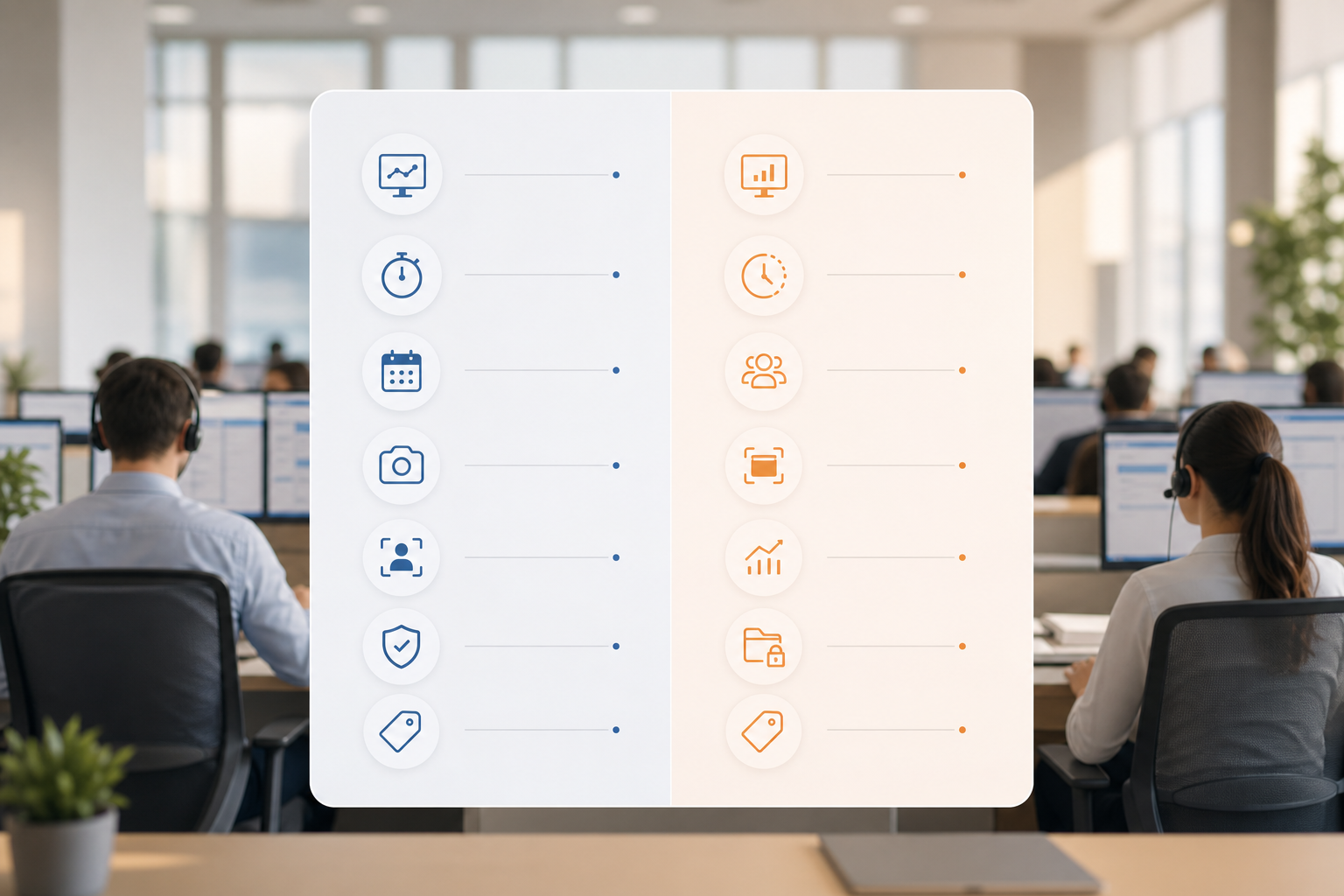
Both tools cover the basics: real-time dashboards, app/URL tracking, screenshots, and screen recording. However, their emphasis differs. EmpMonitor leans into shift scheduling, idle time tracking, and easy productivity scoring. Teramind focuses on behavior analytics and DLP. If your north star is employee productivity measurement and reporting that team leads can act on each hour, simplicity helps.
Here is a side-by-side view across six dimensions:
| Dimension | EmpMonitor | Teramind | Winner |
|---|---|---|---|
| Real-time monitoring | Live dashboards, live screencasting and recording | Live dashboards with deep session logs | Tie |
| Idle time & productivity scoring | Clear idle rules, productivity calculation, simple scores | Idle/time data within broader analytics | EmpMonitor |
| Screenshot & screen recording | Automatic screenshots + on-demand recording | Automatic screenshots + recording | Tie |
| Shift scheduling | Built-in shift scheduling and adherence | Not a core scheduling feature | EmpMonitor |
| Behavior analytics & DLP | Web app and USB blocking, user activity for compliance | Advanced behavior analytics, OCR, strong DLP rule engine | Teramind |
| Ease of deployment at scale | Light agent, fast setup, alerts and auto email reports | More policies and rules to design and test | EmpMonitor |
Moreover, EmpMonitor’s roles and permissions, SSL, firewall, and IP allowlisting help IT approve deployment without long audits. In addition, features such as personalized onboarding and VIP support can shorten rollout for multi-team BPOs. By contrast, Teramind’s rule engine shines after you invest in policy design and tuning.

**Get started in minutes, free →
Finally, remember scope. If your program’s goal is to reduce idle time by 10% and improve after-call work discipline, EmpMonitor’s alerts and email reports land well with supervisors. If your mandate includes preventing PII exposure and stopping unapproved data flows, Teramind’s DLP wins.
Also Read!
Best Employee Internet Monitoring for Small Businesses in 2026
Pricing Comparison: Cost per Agent and Reporting ROI at Call Center Scale
Pricing shifts the decision for cost-conscious floors. EmpMonitor’s Gold tier is $9/user/month (paid yearly) for 51–200 users. Diamond is custom for 200+. A free 15-day trial is available. Teramind’s Starter is about $15/user/month and UAM is about $25/user/month, with a 7-day trial.
For a 100-agent center on annual billing:
- EmpMonitor Gold: $9 × 100 × 12 = $10,800/year
- Teramind Starter (~$15): $15 × 100 × 12 ≈ $18,000/year
- Teramind UAM (~$25): $25 × 100 × 12 ≈ $30,000/year
Therefore, at 100 agents, EmpMonitor saves about $7,200 vs Teramind Starter and about $19,200 vs Teramind UAM per year. If your main need is employee productivity measurement and reporting with idle time and screenshots, that gap funds extra QA hours or a team lead.
For 500 agents, EmpMonitor’s Diamond pricing is custom. To illustrate the scale only, if Diamond priced at the Gold-equivalent floor of $9 (illustrative math, not a quote), annual cost would be $54,000. At that headcount, Teramind Starter would be about $90,000/year and UAM about $150,000/year. Your actual EmpMonitor Diamond quote may be higher or lower based on scope, security add-ons, and support terms. For a real comparison, request a Diamond quote and match it to your policy set.
| Center Size | EmpMonitor (Gold or Diamond) | Teramind Starter (~$15) | Teramind UAM (~$25) |
|---|---|---|---|
| 100 agents | $10,800/year (Gold) | ≈ $18,000/year | ≈ $30,000/year |
| 500 agents | Custom (Diamond) | ≈ $90,000/year | ≈ $150,000/year |
As a next step, confirm where your spend drives results. If you need more context on how to translate data into action, this walkthrough on building a performance tracking system pairs well with the numbers above. It shows how to stand up reports that pay back within one quarter.
Verdict: Which Productivity Tracker Should Your Call Center Choose?
For cost-conscious call centers that want clear reports, EmpMonitor is the practical pick. You get real-time dashboards, idle time tracking, screenshots, shift scheduling, and simple productivity scores in one place. You also get GDPR compliance, SSL, firewall, and IP allowlisting. Social proof helps de-risk the choice: EmpMonitor is trusted by 15,000+ companies across 100+ countries and tracks over 500,000 employees, with 24X7 customer support if your floor runs nights and weekends. That foundation turns employee productivity measurement and reporting into week-one coaching gains.
Teramind is the right choice for security-first environments. If you need advanced behavior analytics, OCR-based content analysis, and a rule engine to enforce DLP, Teramind earns its higher price. However, plan for a steeper learning curve and a more involved setup, especially above 200 seats.
“76% of businesses rely on EmpMonitor for a smooth management process.” — Internal Adoption Metric
As you decide, weigh setup effort as real cost. Furthermore, consider who will own policy design and who will coach from the data. EmpMonitor simplifies management of the entire workforce by 80% in workforce, time, and effort, according to a customer statement, which matters if your leads already wear five hats. Teramind delivers deeper controls if your risk profile demands them.
Quick Decision Guide for Reporting Needs
- Choose EmpMonitor if you need: clear productivity scores, shift scheduling, fast rollout at 50–500 seats, and strong value per dollar.
- Choose Teramind if you need: advanced behavior analytics, OCR-based content analysis, and strict DLP with a sophisticated rule engine.
- Consider a third option if you need: to keep costs near zero by tightening your ACD/WFM native analytics and policies first, then add monitoring later.