


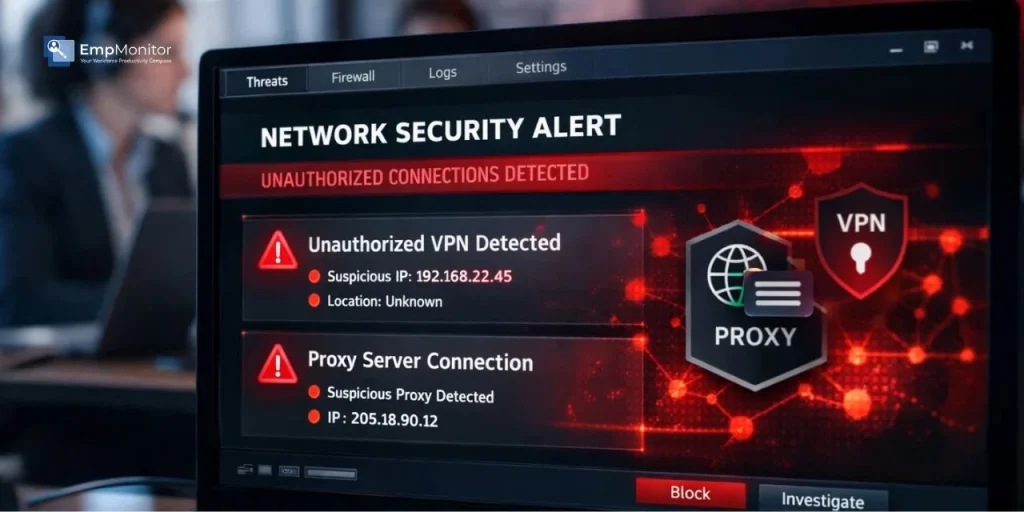
Remote and hybrid work has handed employees more digital freedom than most IT teams are comfortable with, and some of that freedom gets misused. A problem that keeps coming up for security and IT managers is the need to detect unauthorized VPN usage on company-issued devices.
When employees route their traffic through unapproved VPNs or proxy servers, they quietly punch holes in your network security, expose sensitive data, and create compliance headaches that can be difficult to untangle. Getting a grip on how this happens and building a plan to address it is something every organization needs, regardless of size. This guide covers what you need to know about identifying and managing unauthorized VPN and proxy activity on work devices.
Listen To The Podcast Now!
Why Employees Use Unauthorized VPNs At Work?
The Security Risks Of Unauthorized VPN And Proxy Use:
Routing work traffic through an unapproved VPN or proxy isn’t just a policy violation; it creates genuine security exposure. Here’s what actually goes wrong:
VPN traffic usage through unknown third-party services means your company data is traveling through servers you know nothing about. Some VPN providers log connection data or, in worst cases, sell it. If an employee uses one of these services on a work device, credentials, internal emails, and file transfers all become fair game.
Unauthorized proxy servers present a different but equally serious problem. Employees often route traffic through an unvetted free proxy to bypass restrictions, which can sit between the employee and company resources, intercepting data without anyone noticing. This is essentially a man-in-the-middle attack that the employee themselves is enabling.
The corporate firewall also stops working the moment traffic is tunneled through an external VPN. Intrusion detection systems, content filtering, and security inspection tools lose visibility over that session entirely. Your team simply cannot detect unauthorized VPN usage after the fact if monitoring tools were bypassed during the session. This is precisely why organizations need systems in place to detect unauthorized VPN usage before a connection goes unnoticed for days or weeks.
How To Detect VPN Usage On Your Network?


There are several technical approaches IT teams use to identify when someone is routing traffic through an unauthorized tool. Knowing how to detect VPN usage across these different methods gives you better coverage and fewer blind spots.
1. Deep Packet Inspection (DPI):
This method analyzes actual packet content as it moves across the network. VPN protocols like OpenVPN and WireGuard leave recognizable signatures in packet headers. Even encrypted traffic tends to have metadata patterns that DPI tools can pick up and flag, making it one of the more dependable ways to detect unauthorized VPN usage at the network level.
2. IP Reputation Databases:
Many commercial VPN services operate from IP ranges that are already cataloged in threat intelligence feeds. Checking outbound connections against these databases is a straightforward way to detect unauthorized VPN usage without needing to inspect traffic content at all.
3. DNS Traffic Analysis:
VPN clients generate unusual DNS query behavior. Monitoring DNS logs for queries hitting known VPN provider domains, or spotting DNS resolution patterns that don’t match normal usage, can surface tunneling activity quickly.
4. Traffic Volume Anomalies:
Sudden spikes in vpn traffic usage, especially from a device that’s supposed to be idle, or connecting from an unexpected location, are worth investigating. Behavioral baselines make these anomalies easier to spot.
5. Port and Protocol Monitoring:
VPNs tend to use specific ports like UDP 1194 for OpenVPN. Traffic appearing on non-standard ports or unusual protocol combinations is a signal worth following up on.
Behavioral Signs That Someone May Be Using An Unauthorized VPN:
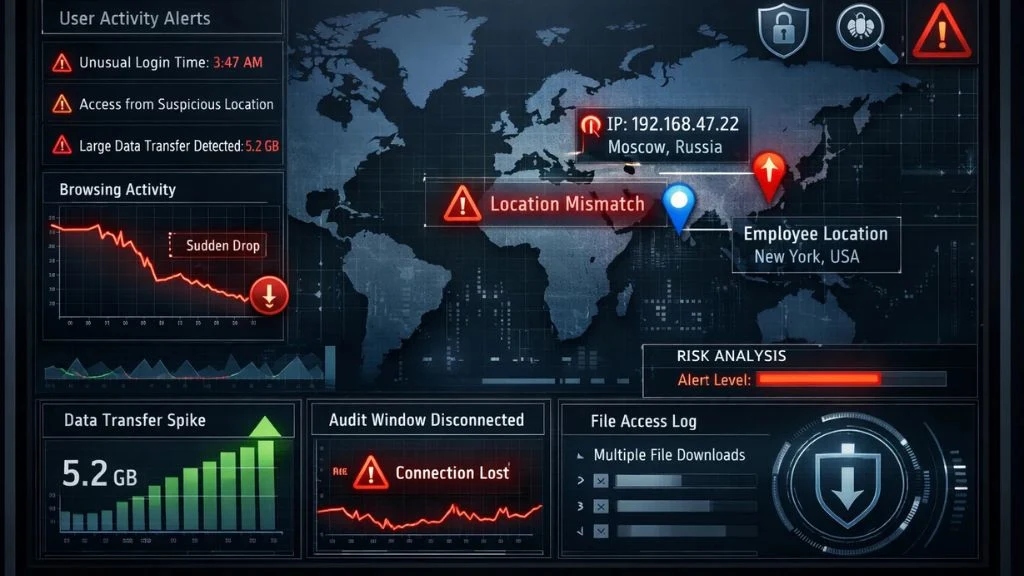
Not every indication of unauthorized VPN activity shows up in network data. Some of the clearest signals come from changes in how an employee’s device behaves over time, and recognizing these patterns helps you detect unauthorized VPN usage even when technical detection has gaps.
An employee whose device consistently shows an IP address from a data center rather than their actual location is one of the most obvious red flags. If someone is logging in from the office but their IP resolves to a server in a different country, that warrants a closer look.
Watch for disconnection patterns that seem timed around activity reviews or audit windows. Employees who repeatedly access sensitive systems at unusual hours, or whose usage patterns shift dramatically for no clear reason, are worth monitoring more closely. A sudden drop in browsing activity followed by large data transfers can also indicate that traffic is being tunneled through an external service.
These behavioral signals don’t always point to malicious activity, but they give you enough reason to investigate before any damage is done. Building a process to detect unauthorized VPN usage through both technical and behavioral signals gives you a much more complete picture.
Building A Network Policy To Prevent Unauthorized VPN Usage:
Detection handles the symptom. Policy addresses the root cause. Every organization that wants to reduce vpn usage violations needs a written acceptable use policy that spells out exactly what’s allowed and what isn’t.
The policy should define which VPNs are authorized, typically the company-managed solution your IT team controls, and explicitly list personal VPNs and proxy tools as prohibited on company devices and networks. It should also explain the consequences for violations and, importantly, explain the reasoning behind the rules. The policy should define which VPNs are authorized, typically the company-managed solution your IT team controls, and explicitly list personal VPNs and proxy tools as prohibited on company devices and networks. It should also explain the consequences for violations and, importantly, explain the reasoning behind the rules.
For example, while unauthorized consumer tools bypass firewalls blindly and create severe data leaks, legitimate technical operations, such as secure web scraping or threat intelligence, require structured compliance, utilizing dedicated residential proxies managed entirely by the IT department. Providers like NodeMaven are built for exactly this kind of controlled, enterprise-managed use — giving IT teams full oversight of proxy access instead of employees routing traffic through unauthorized, unmonitored tools.
Back the policy up with technical enforcement. DNS filtering, endpoint controls, and application blocklists that prevent VPN software from being installed in the first place reduce the burden on monitoring alone. When your policy and your tools work together, your ability to detect unauthorized VPN usage becomes part of a broader, more reliable security system, one where violations are caught early rather than discovered during an incident review.
Also Read:
How EmpMonitor Can Help You Detect Unauthorized VPN Usage?


EmpMonitor is an employee monitoring and workforce management platform used by over 15,000 companies across more than 100 countries. For IT and HR teams that need to detect unauthorized VPN usage without building out a complex security stack, EmpMonitor gives you the visibility to catch problems early and act on them quickly.
Here’s how EmpMonitor supports this:
- Real-Time Activity Monitoring: See exactly which applications and websites employees are accessing as it happens, including VPN clients or proxy tools running in the background.
- URL and App Tracking: Every URL visited and application launched is logged, making it straightforward to identify VPN software installations or proxy access attempts.
- Live Screen Monitoring: Review live or recorded employee screens to catch suspicious behavior that technical logs alone might miss.
- User Activity Reports: Detailed reports across individual and team activity help surface usage patterns, anomalies, and policy violations without manual log-digging.
- Insider Threat Prevention: EmpMonitor’s threat detection flags unusual behavior patterns that could indicate unauthorized network access or data exfiltration.
- Data Loss Prevention: Sensitive data moving through unauthorized channels, including those masked by proxy or VPN connections, can be identified and stopped.
EmpMonitor runs on Windows, Mac, and Linux, which makes it practical across different device setups and work environments.
What To Do When You Detect Unauthorized VPN Usage:
Having a response plan ready before you need it makes a real difference. Once you detect unauthorized VPN usage, the first move is documentation; gather logs, session timestamps, and relevant activity data before doing anything else. Going into any conversation with an employee empty-handed tends to make resolution harder, not easier.
Don’t start with assumptions. Some employees have a personal VPN installed on their laptops and never realize it is still active when they connect to the work network. A calm, direct conversation with the employee, backed by the documentation you’ve collected, often resolves things without any formal disciplinary process. Clear communication at this stage also reinforces the policy in a way that generic training rarely does.
Repeat violations or cases where the investigation shows a clear intent to circumvent security controls are a different matter. Follow your company’s progressive discipline framework and, if unauthorized VPN traffic usage was being used to exfiltrate data or access prohibited content, loop in your security and legal teams right away.
Keeping a record of each incident, how you came to detect unauthorized VPN usage, what the investigation found, and how it was resolved builds an audit trail that supports your compliance reporting over time.
The Role Of Employee Awareness In VPN Security:
Security tools and written policies will only take you so far. A lot of the burden falls on whether employees actually understand why these rules exist. Many people who install personal VPNs on work devices have no idea they’re creating a security problem; they’re just trying to stream something at lunch or get around a content block.
Cybersecurity training that uses concrete examples tends to land better than generic policy walkthroughs. Walking an employee through how VPN traffic usage through a compromised third-party server could expose their own login credentials is more effective than simply telling them it’s against the rules. Real scenarios make abstract risks feel tangible, and that’s what actually changes behavior.
It also helps to explain what the company does to protect employee privacy alongside its monitoring practices. Employees who feel that monitoring is transparent and proportional are far less likely to seek out tools to circumvent it. The goal isn’t surveillance for its own sake, it’s protecting a shared environment that everyone depends on.
Make this training part of the onboarding process, not just an annual checkbox. Include a section specifically on VPN usage, what’s approved, what’s prohibited, and why the distinction matters. Give employees a clear way to raise questions or concerns about monitoring so they feel heard rather than just surveilled. That shift in tone can significantly reduce how often you need to detect unauthorized VPN usage in the first place.
Conclusion:
Unauthorized VPN and proxy activity is one of those security problems that’s easy to overlook until it causes real damage. A solid combination of technical monitoring, a clear, enforced policy, and genuine employee education gives organizations the best chance of staying ahead of it.
The ability to detect unauthorized VPN usage consistently is what separates a reactive security posture from a proactive one. EmpMonitor gives IT and HR teams the tools to build that visibility without requiring a massive security infrastructure investment. Getting started sooner rather than later means fewer gaps for unauthorized connections to slip through.
FAQ’s:
Q1: Is it legal to monitor employee VPN usage on work devices?
Ans: In most jurisdictions, employers can monitor activity on company-owned devices as long as employees are informed upfront through a clear acceptable use policy.
Q2: Can employees use personal VPNs on company Wi-Fi?
Ans: Most organizations prohibit it. Personal VPNs bypass network controls and create security blind spots that your IT team cannot monitor. If you haven’t set up systems to detect unauthorized VPN usage on your network, you likely have no visibility into how many employees are doing this right now.
Q3: What is the most reliable way to detect unauthorized VPN usage?
Ans: A combination of deep packet inspection, IP reputation checks, and a monitoring platform like EmpMonitor gives you the broadest and most dependable coverage.
Q4: Does EmpMonitor work on remote employee devices?
Ans: Yes, EmpMonitor supports Windows, Mac, and Linux systems, making it effective for remote, hybrid, and in-office environments alike.
