


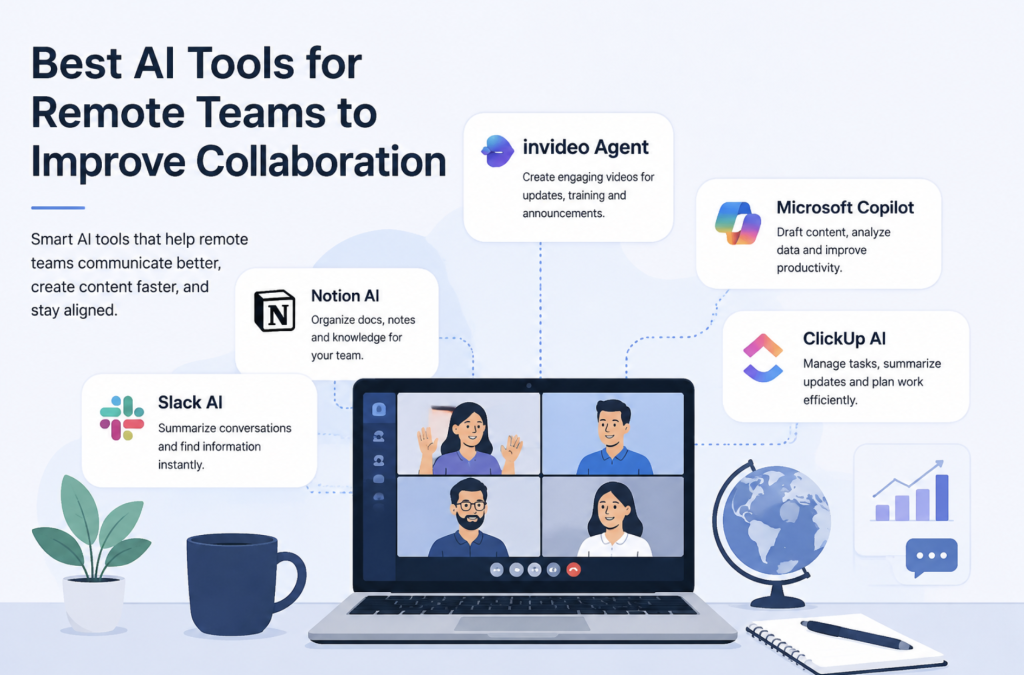
Remote work has changed how teams communicate, plan projects, and share information. With employees working across different locations and time zones, companies need better ways to keep everyone aligned without depending only on meetings and long message threads.
Collaboration today goes beyond project management tools and video calls. Teams need effective ways to share ideas, explain processes, train employees, and communicate updates clearly.
AI tools are helping remote teams improve collaboration by reducing repetitive work, improving information sharing, and making it easier to create content that keeps distributed employees connected.
From AI meeting assistants and knowledge management platforms to video creation tools, these solutions help teams work more efficiently while maintaining better communication across locations.
Why Collaboration Is More Challenging for Remote Teams
In an office environment, employees can often solve small problems through quick conversations. Remote teams do not always have the same level of immediate interaction.
Information can become scattered across emails, chat platforms, documents, and project management systems. Employees may miss important updates, struggle to find resources, or spend additional time explaining the same information repeatedly.
This becomes even more challenging for growing companies with global teams. New employees need onboarding resources, customers need product updates, and internal teams need regular communication.
AI tools help solve these challenges by making information easier to create, organise, and share.
How AI Is Changing Remote Team Collaboration
AI is helping remote teams move from reactive communication to more structured workflows.
Instead of spending hours creating documents, presentations, training materials, or updates manually, teams can use AI to speed up content creation and improve accessibility.
For example, AI can help teams summarise discussions, organise knowledge, create learning resources, and develop communication materials that can be shared across different locations.
The goal is not to replace collaboration between team members but to make communication clearer and more efficient.
1. Invideo Agent
Remote teams often need to create different types of video content, including onboarding materials, product updates, internal announcements, and customer education videos. Managing this process across different locations can become difficult when teams rely on separate tools for scripting, design, editing, and review.
Invideo Agent helps teams approach video creation through a connected workflow that brings together ideas, references, scripting, visual development, generation, editing, and refinement. Instead of managing every production stage separately, teams can work around a shared creative direction and create consistent video assets faster.
For distributed marketing, HR, and communication teams, this can make it easier to collaborate on training videos, product walkthroughs, company updates, and campaign content. Team members can contribute ideas and references while maintaining consistency across different videos.
With InVideo Agent Two, larger teams working on multiple campaigns can coordinate more complex workflows involving visual planning, story development, cinematography, and effects while keeping creative decisions aligned.
2. Notion AI
Notion AI helps remote teams organise information, manage documentation, and improve knowledge sharing within collaborative workspaces. Since distributed teams often rely heavily on written resources instead of in-person discussions, having organised information is essential for productivity.
Teams can use Notion AI to summarise documents, create project notes, draft internal resources, and make important information easier to access. This is especially useful for companies managing remote onboarding, product documentation, and internal knowledge bases.
For example, a global team can maintain a central workspace containing company processes, project updates, meeting summaries, and training materials. AI assistance helps employees find and understand information faster without depending on constant meetings.
Notion AI works well for teams that need better organisation and transparency across departments, helping employees stay aligned even when working from different locations.
3. Slack AI
Slack AI helps remote teams manage communication by making large volumes of conversations easier to understand and access. For distributed teams, important decisions and updates are often spread across multiple channels, making it difficult for employees to keep track of everything.
AI-powered features can help summarise discussions, identify key information, and reduce the time employees spend searching through previous conversations.
For example, a product team can quickly review customer feedback shared in different channels, while managers can catch up on project discussions without reading every message.
Slack AI is particularly useful for organisations where teams work across different time zones. Employees can stay informed about important updates even when they are not online during every conversation.
By reducing communication overload, Slack AI helps remote teams collaborate more effectively and keep important information accessible.
4. Microsoft Copilot
Microsoft Copilot brings AI assistance into workplace applications such as Word, Excel, PowerPoint, Outlook, and Teams. It helps remote teams reduce repetitive work and improve productivity within tools they already use daily.
Teams can use Copilot to draft documents, summarise meetings, prepare presentations, analyse information, and organise communication. This can save time for employees who spend significant hours creating reports, presentations, and business materials.
For example, a remote sales team can use Copilot to prepare customer presentations, while managers can summarise meetings and convert discussions into actionable tasks.
For organisations already using Microsoft’s ecosystem, Copilot provides AI support across multiple collaboration workflows. It helps teams spend less time managing administrative tasks and more time focusing on strategic work.
5. ClickUp AI
ClickUp AI combines project management capabilities with AI-powered productivity features, helping remote teams organise tasks, manage workflows, and improve project visibility.
For distributed teams handling multiple projects, keeping everyone aligned can be challenging. ClickUp AI helps by assisting with task creation, project summaries, content drafting, and workflow organisation.
A remote marketing team, for example, can use AI assistance to summarise campaign progress, create task descriptions, and organise upcoming activities. This helps team members understand priorities without requiring frequent status meetings.
ClickUp AI is especially useful for startups and growing companies where employees often manage multiple responsibilities. By bringing project information and AI support together, teams can improve planning and collaboration.
How AI Video Workflows Improve Remote Collaboration
For distributed teams, creating consistent communication materials can be challenging. Product updates, training videos, company announcements, and customer education content often require input from multiple people.
AI video workflows can help teams collaborate on these materials without requiring everyone to be involved in traditional production processes.
Instead of coordinating full video shoots, remote teams can use AI-assisted workflows to transform ideas, scripts, and references into complete videos. This allows marketing, HR, and communication teams to create high-quality visual content faster while maintaining professional video quality and keeping messaging consistent.
For example, a software company with employees across different countries can create onboarding videos, feature announcements, and internal training materials without managing complex production schedules.
Using AI for Remote Employee Training
Training is one area where remote teams benefit significantly from AI-powered collaboration tools.
New employees need access to clear onboarding resources, product information, and company processes. Traditional training materials can become outdated quickly and may not always engage remote workers effectively.
AI tools help companies create more dynamic learning resources, including video tutorials, visual guides, and interactive materials.
This allows companies to provide consistent training experiences regardless of where employees are located.
Improving Cross-Team Communication With AI
Different departments often need to collaborate on shared projects. Marketing teams may need information from product teams, sales teams may need updated materials, and customer support teams may need new resources.
AI tools help reduce communication gaps by making information easier to create, summarise, and distribute.
For example, a product team can quickly create an update video explaining a new feature, allowing customer-facing teams to understand changes without requiring multiple meetings.
This creates a more connected working environment for remote organisations.
Choosing the Right AI Tools for Remote Teams
The best AI tools depend on a team’s workflow, goals, and communication needs.
Companies should consider whether they need AI for:
- Managing projects
- Organising knowledge
- Creating communication materials
- Improving meetings
- Developing training content
A combination of tools is often more effective than relying on a single platform. Remote teams usually need solutions that improve both information management and creative collaboration.
The Future of AI-Powered Remote Collaboration
AI will continue to influence how distributed teams communicate and work together.
Future collaboration workflows will likely focus on reducing repetitive tasks, improving access to information, and helping teams create content faster.
As AI tools become more connected, remote teams will be able to collaborate more effectively across locations while maintaining consistency in their communication.
The advantage will not come from using AI alone but from building workflows where AI supports human creativity, decision-making, and teamwork.
Read More!
Website and App Usage Monitoring for Remote Teams 2026
Insider Threat and Data Loss Prevention for Remote Teams
Final Thoughts
Remote teams need more than communication platforms to stay connected. They need tools that help them share ideas, create resources, and maintain alignment across different locations.
AI-powered collaboration tools are making it easier for distributed teams to manage information, create content, and improve everyday workflows.
From project management and knowledge sharing to AI-assisted video creation, these tools are helping remote teams build stronger connections and work more efficiently in a digital-first workplace.