



Remote work is no longer a trend. It is the standard operating model for thousands of U.S. businesses. Sales reps work from home. Marketing teams are spread across states. Managers lead people they have never met in person.
Yet the pressure to fill pipelines and close deals keeps growing.
The real problem most companies face is not the lack of tools. It is the lack of a connected system. Team management happens in one place. Lead generation happens in another. The two never talk to each other.
Below are the best tools for managing remote teams in 2026 and scaling lead generation simultaneously. More importantly, you will find out how to construct a system that will tie the two together.
This guide provides a practical way forward, whether you are running a small remote sales team or a distributed enterprise.
Why Remote Teams Need Integrated Lead Generation Systems in 2026
Most companies still treat remote management and lead generation as separate problems. One team handles HR tools. Another team handles the CRM. Nobody talks. Leads fall through.
This is not just an inconvenience. It is a revenue problem.
According to a 2023 Buffer State of Remote Work report, 98% of remote workers want to continue working remotely at least some of the time.
When lead generation is disconnected from team management, these problems tend to appear:
- Reps forget follow-ups because nobody tracks accountability
- Managers cannot see which reps are active on outreach
- Campaigns launch late because there are no shared timelines
- Pipeline data is outdated because updates are manual
An integrated system removes these problems. It connects your productivity tools with your sales tools so that every rep knows what to do, every manager knows what is happening and every lead gets the attention it deserves.
McKinsey Global Institute (2023) found that companies using connected digital collaboration tools report up to 20 to 25% more productivity among remote knowledge workers.
Best Tools for Managing Remote Teams


To keep remote teams efficient and aligned, the right mix of digital tools is essential, encompassing productivity tracking, communication, and project management in a single, connected workflow.
Employee Monitoring and Productivity Tools: EmpMonitor
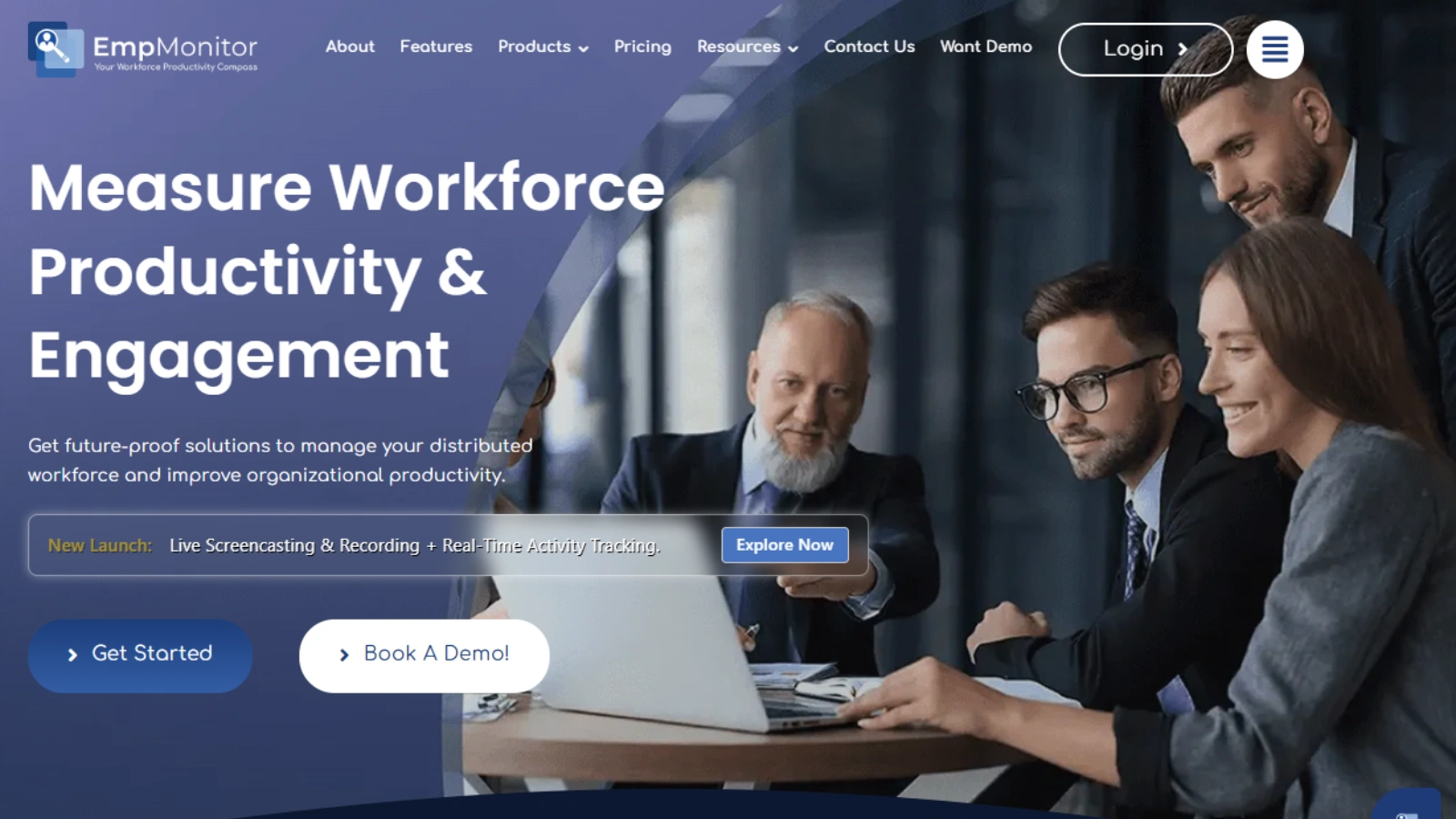
Visibility is one of the biggest challenges in remote team management. Without it, managers guess. Guessing leads to poor coaching. Poor coaching leads to missed targets.
EmpMonitor solves this directly. It is a productivity and employee monitoring platform built for remote teams. Managers get live dashboards showing exactly who is working on what.
Key features of EmpMonitor include:
- Real-time screen monitoring with optional screenshot intervals
- Attendance tracking and shift management
- App and website usage reports per employee
- Productivity scores based on active vs. idle time
- Alerts when productivity drops below set thresholds
For sales teams, this data is gold. If a rep spends most of the day on social media instead of the CRM, a manager knows about it the same day. Not at the end of the quarter when targets are already missed.
It is worth noting that EmpMonitor is not about surveillance for its own sake. It is about giving managers the data they need to coach well. A rep who sees their own productivity report tends to self-correct faster than one waiting for a performance review.
Stat: A 2023 Prodoscore study found that remote employees at companies actively using productivity tracking data improved output by 47% compared to pre-remote baselines. The difference was coaching based on real data.
Start your remote management stack here. Everything else builds on top of this visibility layer.
Communication Tools for Distributed Teams
Communication holds a remote sales team together. When it breaks down, so does everything else. Leads get cold. Deals stall. Reps feel isolated.
The best remote teams in 2026 do not rely on email for internal communication. They use tools built for speed and clarity.
Here are the top picks:
Slack
Slack is still the most popular team messaging platform. It facilitates team, project, or client-organized channels. CRM alerts, lead updates and outreach can be piped directly into specific channels. It is used by sales managers to communicate their daily success and create momentum across time zones.
Zoom
Video calls are still essential for sales teams. The weekly pipeline review, team training and prospect demos are conducted via Zoom. The AI meeting summaries offered by Zoom in 2026 enable quicker follow-up. The important action items are recapped to the reps without having to re-watch the entire recording.
Loom
One of the least used tools on this list is Loom. It allows you to make short video messages and send them immediately. A sales manager can record a 2-minute coaching video and send it to a rep. No scheduling required.
CallHippo
CallHippo gives distributed sales teams a virtual business number in 150+ countries, so reps dial prospects with a local caller ID. The auto-dialer cuts manual work between calls, every conversation logs to your CRM, and the analytics dashboard shows exactly where deals are stalling.
What to look for in a communication tool:
- Async-friendly features, so not everything requires a live meeting
- Clean integrations with your CRM and outreach stack
- Searchable message history so nothing gets buried
- Mobile accessibility for reps who are always on the move
The goal is fewer unnecessary meetings, faster decisions, and clearer accountability.
Best Tools for Scaling Lead Generation in 2026

CRM Platforms for Pipeline Management
Every sales team needs a CRM. Without one, you are not managing a pipeline. You are managing a spreadsheet that is already three days out of date.
HubSpot CRM
HubSpot is the most popular CRM for small to midsize U.S. teams. The free tier is genuinely useful. It follows up contacts, deals, emails and activities under a single platform. The reporting tools allow the managers to view stalling leads in the pipeline and the reps requiring assistance.
Salesforce
Salesforce is the enterprise choice. It is more complex to set up but far more powerful at scale. Large distributed sales teams use it for Salesforce pipeline inspection and to manage thousands of contacts across multiple pipelines. The AppExchange marketplace means it connects to nearly every other sales tool available.
Pipedrive
Pipedrive is designed to appeal to salespeople, but not to admins. Its graphical drag and drop pipeline is user-friendly. There is no training required to update the deal stages by the reps. Pipedrive typically beats both HubSpot and Salesforce in small teams with remote offices that require a quick and focused CRM.
What to prioritize when choosing a CRM:
- Real time pipeline visibility for managers
- Activity logging so every touchpoint is tracked
- Easy data import from prospecting and enrichment tools
- Tight integration with your email outreach platform
Email Outreach and Prospecting Tools

Email outreach is still one of the highest-ROI lead generation channels in 2026. But manual prospecting does not scale. You cannot have reps spending four hours a day searching LinkedIn for contact information.
You need tools that find leads, verify contact data and send follow-ups automatically.
To support this process, modern AI-based platforms like Moltsets help sales teams automatically generate verified B2B contact data and enrich prospect lists at scale, reducing manual research time.
This is where lead generation with Snov.io becomes one of the most practical choices a remote sales team can make.
Snov.io
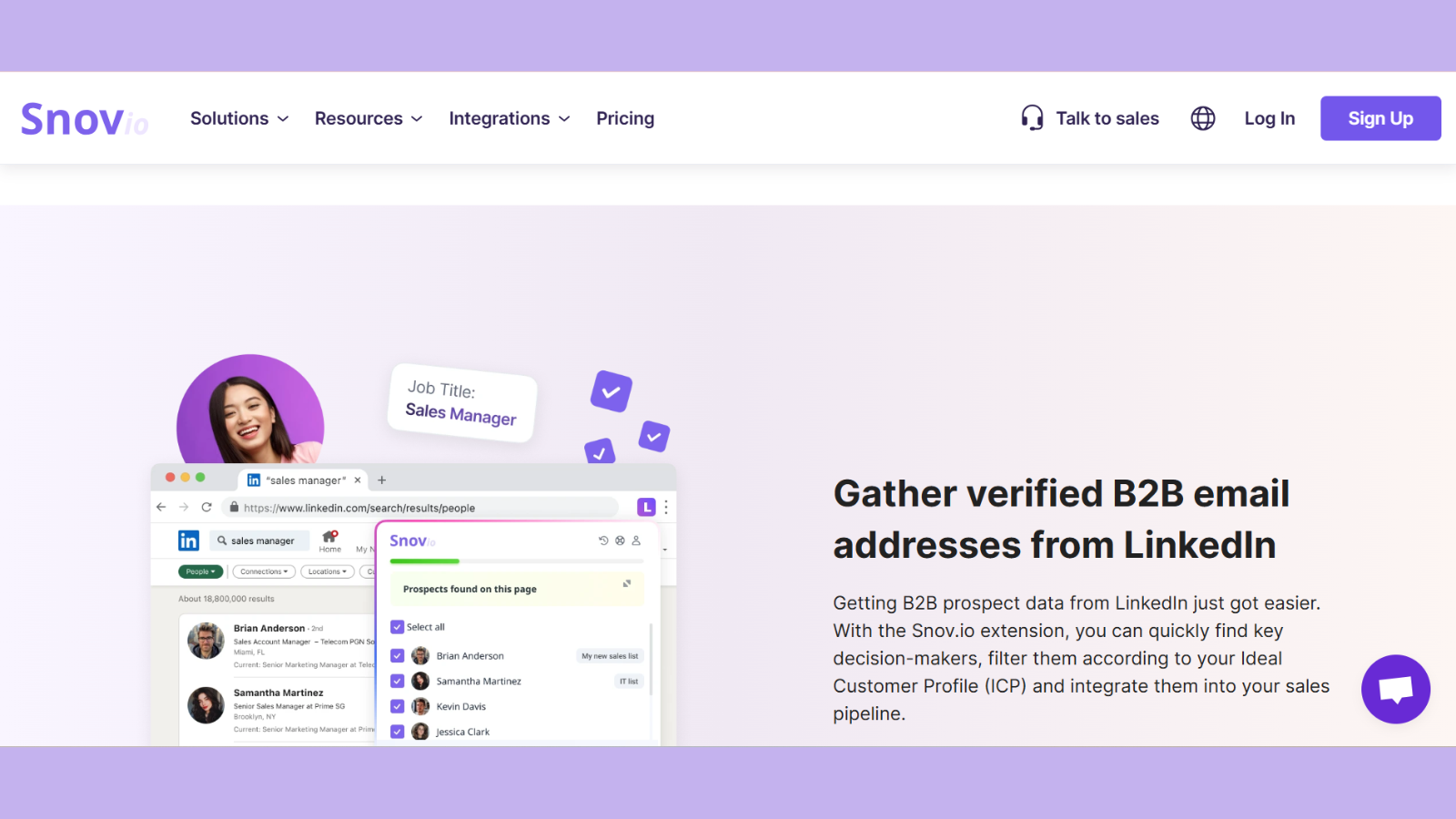
- Email Finder: Provide name and company domain of a prospect. Snov.io locates their valid business email. You can do this individually or post a bulk list to be automatically processed.
- LinkedIn Prospect Finder: Snov.io Chrome extension allows you to scrape contact information off of LinkedIn profiles or Sales Navigator search results. This reduces the time of prospecting to a great extent.
- Email Verifier: Snov.io authenticates every address prior to sending any campaign. It confirms the authenticity of the email address, authenticity of the domain and authenticity of the mailbox to accept mails. This safeguards your sender reputation.
- Drip Campaigns: Create automated follow-up sequences within Snov.io. Schedule timing between steps, fill in messages with variables (first name or company name) and monitor the open rates, click rates and replies all within a single dashboard.
- Included CRM Lite: Snov.io has a simple CRM to manage prospects into lists and monitor their outreach status. It is not a substitute for HubSpot or Salesforce. However, it is self-sufficient in case of smaller teams or campaigns at the initial stages.
An effective Snov.io process of a remote team:
- Create a target list using the Email Finder that is geared towards job title, industry or firm size.
- Run every address through the Email Verifier before importing
- Assign verified leads to specific reps inside Snov.io or export to your main CRM
- Create a Drip Campaign with three or five touchpoints that are two to three days apart.
- Follow up on replies to a track on the dashboard and proceed to the next step by moving warm leads.
This workflow runs continuously. While your reps are sleeping, Snov.io is sending scheduled follow-ups to prospects in other time zones. That is the kind of leverage a remote team needs.
Snov.io’s personalization variables make it easy to hit those numbers without writing every email from scratch.
HeyReach
HeyReach is a LinkedIn outreach automation tool that helps users streamline their LinkedIn and email outreach efforts through personalized and automated messaging campaigns. It’s designed for lead generation agencies and sales teams.
HeyReach stands out as an absolute leader on the market thanks to advanced features such as:
- Multi-Channel Personalization: allows teams to create highly personalized outreach across multiple channels from a single workflow
- Multi-Account Rotation: enables users to safely and automatically rotate between multiple accounts within a single campaign.
- Unibox – consolidates all conversations from multiple accounts into a single, unified inbox without sharing your private messages
- HeyReach MPC: HeyReach is right now the only LinkedIn automation tool that enables you to connect your favourite LLM, and instruct AI agent to analyze campaign data, clean lead lists, and personalize outreach across tools.
- Workspaces: you can have a single login for multiple clients, that you can organize in separate workspaces, add your team through managing roles and permissions, mix it with your own proxies, and you’re safe and sound from LinkedIn jail.
- Master View & Master Unibox: helps you to instantly monitor performance on a glance against KPIs across multiple workspaces, manage all conversations with powerful filtering options, and eliminate time wasted switching between individual workspaces.
At HeyReach, whitelabeling is included in Agency pricing tier, and you don’t need to pay a cent over it for rebranding it to your style.
Lemlist
Lemlist adds personalized images and video thumbnails to cold email sequences. It can be used best as a creative overlay to a prospecting tool such as Snov.io. Where Snov.io obtains the leads and confirms the information, Lemlist provides the attention-grabbing messages that stand out in inboxes with numerous messages.
Instantly
Instantly focuses on high-volume outreach with inbox warming built in. It is popular among agencies managing multiple client campaigns at once. Pair it with Snov.io’s email verification to keep bounce rates below the 2% threshold that email providers flag.
Content and Messaging Tools for Outreach Teams
Outreach only works if the message lands. A remote team can have the best prospect data and the cleanest pipeline, but if the copy reads like a template or a robot wrote it, replies dry up. In 2026, more teams draft outreach with AI to move faster. The difference between teams that scale and teams that get ignored is whether that AI-drafted copy still sounds human.
These tools help remote teams produce outreach content that reads naturally and converts.
QuillBot
Most cold email copy now starts as an AI draft. The problem is that AI-generated text often reads stiff, repetitive, or obviously machine-written, and prospects notice. Running drafts through an AI humanizer rewrites that copy into natural, conversational language that keeps the intent but loses the robotic tone. For a remote team sending hundreds of personalized emails a week, this keeps quality consistent without a copywriter reviewing every line.
Pro AI Checker
Once outreach copy has been drafted and refined, teams may also want to check whether the final version still shows signs of AI-generated writing. The Pro AI Checker tool helps marketers, sales reps, and content teams analyze their text for AI-generated patterns before using it in campaigns. This can be useful for teams that want their outbound messaging to maintain a natural, human tone across different reps and campaigns.
Using an AI checker as part of the review process also gives remote teams an additional quality-control step before messages go live. Instead of relying only on manual review, teams can check their copy and make further edits when needed.
Grammarly
Grammarly catches the errors that quietly kill credibility in cold outreach: typos, awkward phrasing, and tone mismatches. For distributed teams where multiple reps write their own emails, it keeps the quality bar consistent across everyone, regardless of writing skill.
What to prioritize when choosing outreach content tools:
- Output that sounds human, not templated
- Tone control so messaging matches your brand voice
- Fast turnaround so reps are not bottlenecked on copy
- Integration or easy copy-paste into your outreach platform
Why this matters for lead generation:
Deliverability gets your email to the inbox. Copy quality determines whether it gets a reply. As more outreach becomes AI-assisted, the teams that win are the ones whose messages still feel personal. Investing in the content layer protects the ROI of every other tool in your stack.
Data Enrichment and Email Verification

Prospecting data is only useful when it is accurate. Outdated job titles, generic company emails and unverified addresses waste your team’s time. Enrichment tools fill gaps and email verification tools remove bad data before it costs you.
Clearbit
Clearbit enriches contact and company records automatically. When a prospect fills out a form on your website, Clearbit adds their company size, industry, funding stage and tech stack in the background. Your reps walk into every call with more context than the prospect expects.
ZoomInfo
ZoomInfo is the most comprehensive B2B database available to U.S. sales teams. It provides verified contact data, company technographics and buyer intent signals. It is a significant investment. But for teams doing high-volume enterprise prospecting, it pays off quickly. Beyond its database, ZoomInfo also complements modern ai lead generation tools, helping remote sales teams automate prospecting, identify high-intent accounts, and streamline outreach strategies for faster conversions.
Hunter.io
Hunter.io is a reliable email finder and verifier. Its domain search feature lets you pull all known email addresses tied to a company. Many teams use it alongside Snov.io. Snov.io handles outreach automation while Hunter.io helps with targeted company lookups.
NeverBounce
NeverBounce is a dedicated email list cleaning tool. Before any major campaign, upload your full list. NeverBounce removes invalid addresses, temporary inboxes and catch-all domains that are likely to bounce. This keeps your deliverability rates high and your domain reputation clean.
Why this step is non-negotiable:
Email service providers monitor bounce rates closely. A bounce rate above 2% triggers spam filters. Once your domain is flagged, all your outreach lands in junk folders. Every tool in your stack becomes useless overnight.
Snov.io’s built-in verifier handles this for most standard campaigns. For very large lists pulled from multiple sources, running an additional pass through NeverBounce adds a critical safety layer.
Project and Task Management Platforms

A remote sales team without project management is just a group of people sending emails and hoping for the best. You need structure. Campaigns need owners. Deadlines need to be tracked.
Top project management tools for 2026:
EmpMonitor
EmpMonitor enhances remote team management by offering custom access levels and role assignments, ensuring team members have the appropriate permissions for their tasks. With its task and subtask tracking, you gain better control over projects, while timeline monitoring keeps your projects on track. EmpMonitor also allows you to create task and subtasks for better control
Notion
Notion works as a shared workspace for docs, databases and project tracking. Sales teams use it to store outreach templates, document ICP research and organize campaign notes. It is flexible enough to match almost any team’s workflow.
Asana
Asana works well with teams that require task ownership. A project can be created around every outreach campaign, and tasks can be assigned to particular reps and have dependencies. The timeline view can be used to easily view the campaigns that are on track.
ClickUp
ClickUp combines tasks, docs, goals and dashboards in one place. Many remote sales teams prefer it because it replaces several separate tools. You can track individual rep targets alongside campaign tasks in a single view.
Why this matters for lead generation:
Outreach campaigns are projects. They have timelines, responsible parties and measurable goals. When you treat them that way, your execution improves. Reps stop guessing what to do next. Managers stop chasing updates.
How Remote Management and Lead Generation Work Together

This is the part most guides skip entirely. They list tools and leave you to figure out the rest. But tools without a system produce nothing.
The following is a way a high-functioning remote sales team will integrate these tools into a single workflow in 2026:
Step 1: Determine your visibility layer.
Install EmpMonitor throughout your sales force. Establish the appearance of productive day-to-day activity of a rep. and check the data every week. It should be used in coaching discussions, not performance reviews.
Step 2: Build and assign your prospect lists
Snov.io will draw targeted lead lists, based on your ideal customer profile. Confirm all addresses prior to making leads. Add validated contacts to your CRM. Assign outreach tasks to individual reps with definite deadlines using Asana or ClickUp.
Step 3: Automated outreach.
Install Drip Campaigns in Snov.io. introduce a personal touch in the first line of each email. Auto-run set follow-up sequences. Consider Lemlist or Instantly to do more creative campaigns.
Step 4: Communication: maintain on course.
Link your CRM to Slack in order to have new replies and booked meetings visible to the entire team in real-time. Conduct weekly Zoom pipeline reviews. Record the session with Loom and distribute the synopsis to reps that were not present live.
Step 5: Measure what matters.
Draw up weekly reports on your CRM and Snov.io. Monitor open rates, reply rates and pipeline velocity. Compare with EmpMonitor data to observe how the level of activity every day is related to real outcomes. Change campaigns, rephrase subject lines and coach reps according to what the numbers tell. The difference between growing and leveling off remote teams is in running it weekly, rather than at the end of the quarter.
Final Thoughts
Running a remote team in 2026 is not about working harder. It is about building a smarter system.
The tools exist. EmpMonitor keeps your team accountable. Slack keeps communication flowing. ClickUp and EmpMonitor keeps tasks visible. Snov.io fills your pipeline with the right leads. HubSpot turns those leads into revenue.
Snov.io puts the right leads in your pipeline. HubSpot converts those leads to revenue.
The companies that win now are the ones that tie these pieces into a single workflow. They are not employing ten tools without reason. They are working with few tools with a purpose.
Begin by scanning your stack. Determine the areas of holes in which leads were slipping through or where your team was wasting time. then introduce the proper instruments to seal those holes.
Remote work is now the norm, not the exception, so your lead generation system needs to be designed for flexibility, visibility, and performance across distributed teams.

