


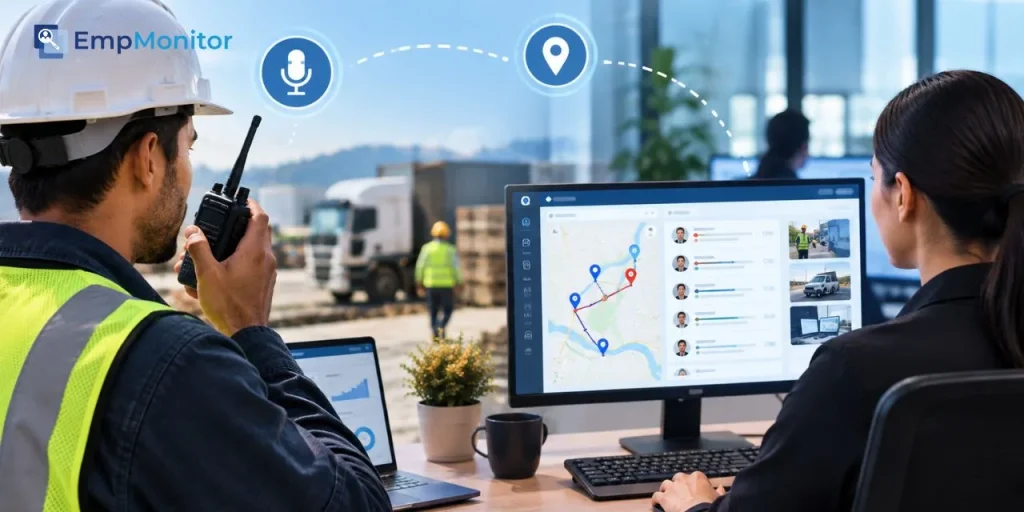
Your crew leader radios in that the delivery is running late, while your scheduler’s screen still says “on time,” and you’re stuck guessing which version of the day is real.
Guessing gets risky when people work out of sight. In the U.S., 36% of lone workers had an accident while working alone during the past year.
Radios can tell you what people say. Real-time monitoring can show you what they do next.
Put together, the two can close gaps that neither one closes alone.
Below, you’ll see what each tool captures, how to merge both into one timeline, and how to protect trust.
Why Voice Alone Leaves Gaps In Your Workforce Visibility
Push to talk has always been great at one thing, getting a message from one person to a whole group in about a second, and if you’ve ever run a warehouse floor or a busy job site you know how much that speed can save you when a forklift blocks an aisle or a concrete pour slips by an hour. Speed covers half the story, though.
A radio call tells you somebody spoke. It rarely tells you how long the job took afterwards or if the follow-up ticket ever got logged. When the voice layer in the field never meets the screen layer in the office, you can end up managing by memory, with your field lead recalling one version of the shift and your coordinator’s software showing another.
What Modern Push To Talk Devices Can Tell You Today
Modern push to talk over cellular (PoC) radios run on LTE networks instead of licensed radio frequencies, which means a crew in one state can reach a dispatcher three states away, and the device keeps generating useful data in the background.
Businesses seem to be noticing, with the PoC market expected to reach $5.37 billion in 2026. Peak PTT, for example, pairs its LTE handhelds with a web portal where device locations refresh every 60 seconds, and some of its models add PC dispatch software with route playback and call history. Depending on the hardware you choose, a single radio can give you:
- GPS location pings on a set interval
- Call and message history for each user or group
- SOS or emergency button alerts
- Route playback for reviewing a full shift
That data only turns into insight if something on the office side can catch it.
Where Monitoring Software Covers What Radios Cannot Capture
Radios live in the field, but a big chunk of your operation happens on screens, from the dispatcher assigning jobs to the payroll clerk checking hours to the supervisor closing a work order after a long, muddy shift. Monitoring software can track that side: active and idle time, app and website usage, attendance, and task progress.
For mobile staff, an employee GPS tracker in a field force app can add location and check-in data from their phones. The radio captures the conversation, and the software captures the consequence. If your dispatcher hears “job done” at 3:10 but the work order stays open until 4:45, you might have a process gap, a training gap, or a coordinator who’s simply swamped. Without both signals, you’d never know which.
Comparing The Data Each Tool Captures Side By Side
Laying both data sets side by side can reveal overlaps you pay for twice and gaps nobody owns.
| Visibility need | Push to talk device | Monitoring software |
| Location | GPS pings from the radio | GPS from field force phone apps |
| Communication | Call logs, group activity, SOS alerts | Email, chat, and app usage patterns |
| Time on task | Rough estimate from call timing | Active, idle, and task timers |
| Attendance | Power-on and check-in calls | Clock-ins, geofences, and login records |
| Incident review | Route playback and call history | Screenshots and activity timelines |
| Best suited for | Field crews, drivers, security guards | Dispatchers, office staff, remote teams |
Location and attendance appear on both sides. If those records disagree for the same person on the same day, that mismatch can be your earliest warning sign.
How Do You Connect PTT Logs With Monitoring Dashboards?
You connect them through two shared keys: identity and time. Every radio ID should map to one employee profile, and every device and dashboard should run on the same clock and time zone, because even a five-minute drift can make a punctual driver look late.
Once those keys line up, you can lay voice events and screen events on one timeline and read a shift like a single story instead of two separate diaries. A few steps can get you there:
- Build a roster that matches radio IDs, phone numbers, and employee accounts
- Sync every device and platform to one time source
- Export PTT call and GPS logs daily, or weekly if volumes stay low
- Tag key events, like SOS presses or “job complete” calls, so they stand out
- Review mismatches in a short weekly huddle rather than a disciplinary meeting
If your PTT provider offers an API, your IT team might automate the exports later.
Are Shadow Channels Quietly Breaking Your Chain Of Communication?
Probably, and more often than you’d expect. When official channels feel slow or clunky, people route around them, and in one 2026 study, 62% to 65% of managers turned to personal email or SMS instead of approved tools.
Each of those texts vanishes from your records, so you lose the audit trail right when a safety review or customer dispute needs it. Push to talk can pull field chatter back into talk groups you control, while monitoring software can show if desk staff keep drifting toward unapproved apps.
To shrink shadow channels, ask crews why they text instead of radio, and fix that friction first. Set up clear talk groups for each site or shift. And if a personal channel keeps winning, treat it as feedback on your tools, not only as a broken rule.
Keeping Real-Time Visibility From Turning Into Constant Surveillance
Visibility tends to work best when your people feel it helps them more than it watches them. On the front line, that feeling can shape everything, since workers are 2.4 times more likely to feel supported when their manager communicates well, according to goHappy’s 2026 frontline report.
So how you introduce PTT tracking and monitoring software can matter as much as the tools themselves, and a policy-first rollout usually lands softer than a surprise install. A few guardrails worth considering:
- Tell teams exactly what gets tracked, when, and why
- Switch off GPS pings outside paid hours
- Let employees see their own data and timelines
- Use SOS and location data for safety first, performance second
If a crew member can pull up their own route log to prove they were on site during a dispute, the whole system starts feeling a lot more like protection.
A Practical Rollout Plan For Mixed Field And Office Teams
Rolling everything out at once can overwhelm people, so a phased approach usually feels calmer. In the first couple of weeks, you might pilot radios and monitoring with a single crew and a single dispatcher, focusing only on matching IDs and syncing clocks.
Once the data lines up, you can add a weekly timeline review where the crew lead and coordinator look at mismatches together and decide which ones deserve attention. Around the second month, you could widen the pilot to another site and track a few metrics, like the time between an SOS press and a dispatcher’s response, or the lag between a “job done” call and a closed work order. Keep that list short.
Three numbers you trust can guide you better than twenty numbers nobody reads, and if a metric never changes a decision, you can quietly drop it.
One Shift Timeline Beats Two Disconnected Versions Of The Truth
Push to talk devices give your field crews a fast, dependable voice, and monitoring software gives your office side the data trail that radios can’t produce on their own. Separately, each one shows you half a shift. Matched by identity and time, they can give you a single timeline where calls, locations, tasks, and screen activity finally line up.
Start small, with one crew and one dispatcher. Be open about what you track and why. Pull shadow texts back into channels you control. If you do that, visibility can stop feeling like surveillance and start feeling like backup for the whole team.