Managing remote teams comes with unique challenges. Tracking performance from afar isn’t always easy. That’s where performance improvement plans come in. A well-structured plan sets clear expectations. It gives employees a fair chance to meet company standards, even when working remotely.
For many business owners and managers, creating a PIP can feel intimidating. But it doesn’t have to be. A performance improvement plan template can simplify the process. It ensures nothing is missed and that the plan is clear, concise, and actionable.
Remote employees sometimes struggle with communication, deadlines, or productivity. A PIP doesn’t punish—they clarify expectations, outline goals, and provide support. Done right, it transforms underperformance into opportunity.
In this guide, we’ll show you how to create effective performance improvement plans for remote workers. We’ll provide a free performance improvement plan template that you can customize for your team. You’ll learn how to set measurable goals, track progress, and ensure accountability, all while supporting your employees to succeed.
If you’re an employer or business owner looking to strengthen your remote team, this guide is for you. Follow these steps to turn performance issues into success stories, boost productivity, and retain top talent, even from a distance.
Listen To The Podcast Now!
What Is a Performance Improvement Plan?
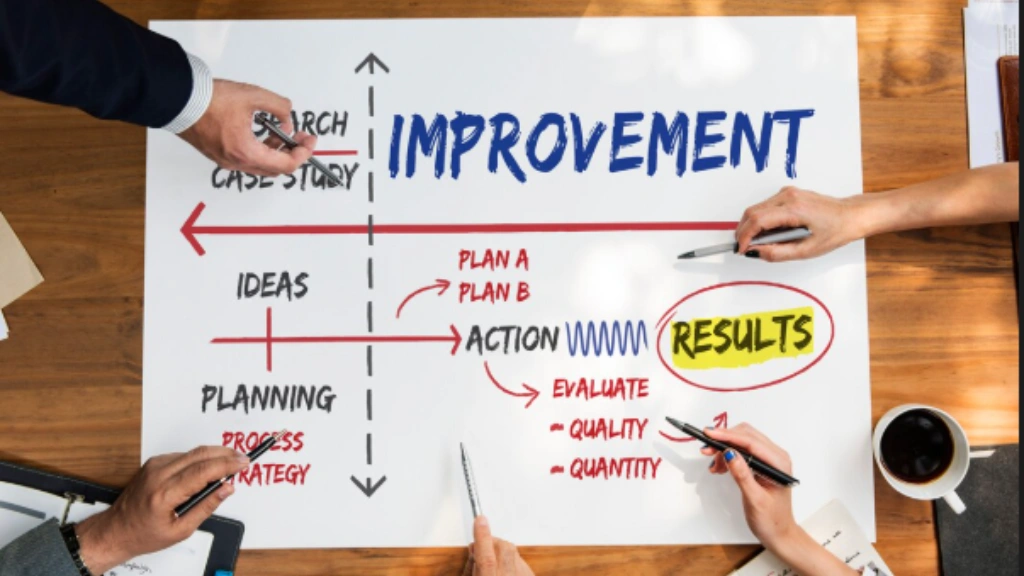

- What the performance problem is
- What “good” looks like going forward
- A timeline to improve (usually 30, 60, or 90 days)
- The support and training available
- The consequences if things don’t improve
So what is a PIP, really? Think of it as a structured second chance. Not a punishment. Not a formality before firing. A genuine effort to help someone succeed.
How do performance improvement plans work? Simple: the manager and HR work together to document the gap between current performance and expected performance. Then they set measurable goals and monitor progress over a set period.
Are performance improvement plans effective? Yes, when done right. Research from Gallup shows employees who have clear goals and regular feedback are far more engaged and productive. A PIP, at its core, is a structured form of that clarity.
Why Remote Work Makes Performance Gaps Worse?
In an office, performance problems are visible. A manager notices when someone is disengaged, missing deadlines, or struggling. Feedback happens naturally.
Remote work removes all of that.
Without face-to-face contact, problems go unnoticed longer. Communication breaks down. Employees feel isolated. And by the time a manager realizes something is wrong, the gap has grown significantly.
Here’s what makes remote performance management harder:
- No visibility into daily habits or blockers
- Delayed feedback loops across time zones
- Isolation that worsens disengagement
- Tech issues that are easy to hide or overlook
- Miscommunication that’s often mistaken for poor performance
According to SHRM, many remote performance issues stem from miscommunication, not inability. That’s why performance improvement plans for remote workers need to be more structured, more documented, and more empathetic than their in-person counterparts.
PIP vs. Warning Letter vs. Termination
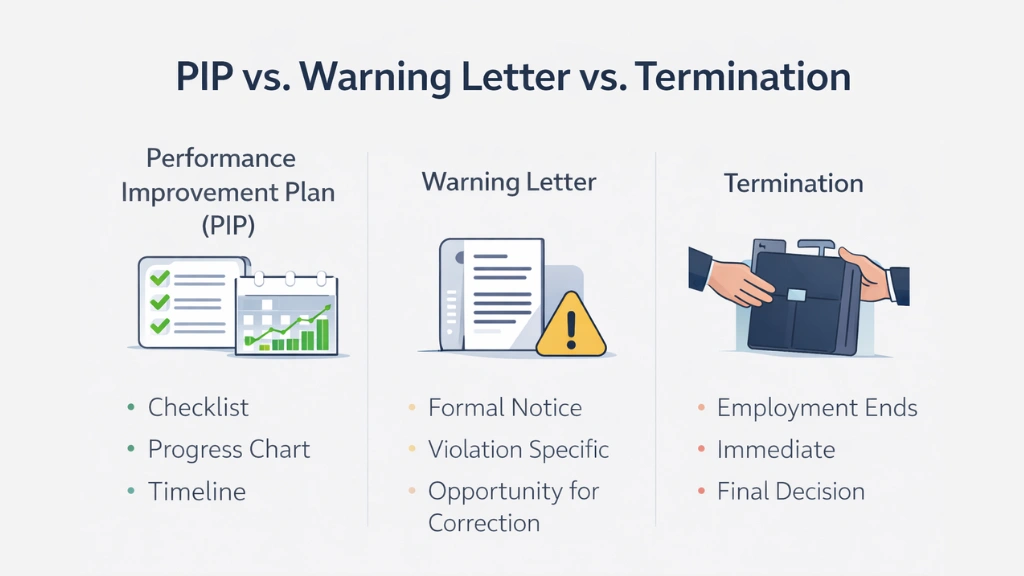
| Stage | What It Is |
| Verbal warning | Informal conversation about the issue |
| Written warning | Documented notice goes on record |
| Performance Improvement Plan | Structured plan with goals, timeline, support |
| Termination | Last resort if the PIP fails |
A PIP sits in the middle; it’s serious, but it’s hopeful. It says: “We see a problem, and we believe you can fix it.”
5 Costly Mistakes Employers Make With Remote PIPs
Getting a PIP wrong can make things worse. Here are the most common mistakes and how to avoid them.
- Using PIPs as a firing formality. This is the biggest mistake. When employees sense a PIP is just a paper trail to justify termination, they stop trying and start job hunting. A PIP should always be a genuine attempt to help.
- Setting vague goals. “Be more professional” or “improve your attitude” aren’t goals, they’re feelings. Every goal in a PIP must be specific, measurable, and time-bound.
- No measurable KPIs. If you can’t measure it, you can’t manage it. Define clear metrics: response time, project completion rate, and output volume. Numbers don’t lie.
- Inconsistent follow-ups. A PIP without regular check-ins is just a piece of paper. Consistent touchpoints, especially for remote workers, are what turn plans into progress.
- No monitoring data. In a remote setting, gut feelings aren’t enough. Without real productivity data, performance reviews become subjective and defensible. This is where the right tools matter.
When Should You Put a Remote Employee on a PIP?
Not every performance issue warrants a performance improvement plans. Here’s a quick decision checklist for managers:
✅ The issue has occurred repeatedly across two or more review cycles
✅ The employee has already received informal feedback or a verbal/written warning
✅ The issue is fixable, it’s a skill or behavior gap, not a values problem
✅ The employee is otherwise a good fit for the team
✅ You have documented evidence: dates, examples, impact
Common triggers for performance improvement plans include:
- Consistently missing deadlines
- Low productivity or output quality
- Poor communication or responsiveness
- Unprofessional behavior in meetings or chats
- Repeated policy violations (e.g., attendance, availability)
If the employee has a pattern of unethical behavior or fundamental values misalignment, a PIP likely won’t help.
Step-by-Step: How to Create a Remote PIP That Actually Works
How long do performance improvement plans last? Typically 30, 60, or 90 days, depending on the complexity of the goals. Here’s how to build one that delivers results.
Step 1: Document Facts
Gather everything before you start. This means specific dates, examples, missed targets, and prior feedback given. You need at least 3–5 documented instances showing the performance gap.
Stick to facts: what happened, when, and what the impact was on the team or business.
Step 2: Define Measurable Goals
Every goal must follow the SMART framework: Specific, Measurable, Achievable, Relevant, and Time-bound.
Bad goal: “Respond to messages faster.”
Good goal: “Respond to all team communications within 4 business hours, tracked via Slack timestamps.”
Involve the employee in setting these goals. Research shows employees are 3.6x more engaged when they participate in their own goal-setting.
Step 3: Set a 30-60-90 Day Timeline
Match the timeline to the complexity of the goal. Add milestone checkpoints along the way — don’t wait until the end to assess progress.
Step 4: Outline Training and Support
A PIP isn’t just demands, it’s support. Specify exactly what resources you’re offering:
- Online training or e-learning modules
- Mentoring or coaching sessions
- Access to project management tools
- Regular 1:1 check-ins with a manager or senior peer
Step 5: Define Consequences Clearly
Be honest and direct. The PIP should state clearly what will happen if goals aren’t met within the timeframe. This isn’t cruel: it’s fair. Employees deserve to know what’s at stake.
How to Track PIP Progress in Remote Teams (Without Micromanaging)
Tracking a remote employee’s progress is tricky. You need visibility but not surveillance. The key is using objective data, not gut feelings.
Here’s what to monitor:
- Work hours — Are they logging in consistently?
- App and software usage — Are they using the tools they need to?
- Response times — Are they meeting communication expectations?
- Output quality and volume — Are deadlines being hit?
- Engagement in meetings — Are they present and participating?
Use productivity dashboards and reporting tools to track trends over time. Compare week-over-week and month-over-month data to spot real improvement or continued decline.
To make this process even more structured and data-driven, you need the right tools in place.
Let’s take a closer look at EmpMonitor, a powerful solution that helps you track remote performance improvement plans progress with clarity, control, and confidence.
🚀 Spotlight: How EmpMonitor Supports Remote PIPs


EmpMonitor is a powerful employee productivity monitoring platform built for modern remote and hybrid teams. Whether you’re improving performance, increasing accountability, or simply gaining better visibility, it provides the objective, real-time insights managers need — without intrusive micromanagement.
Here’s how EmpMonitor supports smarter performance oversight:
- Tracks active vs. idle time so you know when employees are truly engaged
- Monitors app and website usage to ensure business tools are prioritized
- Generates detailed productivity reports showing trends across days, weeks, and months
- Flags productivity risks early — before small issues become serious concerns
- Creates documented performance data that protects business decisions
When output feels low, but activity is unclear, EmpMonitor shows exactly where time is going. That level of transparency turns difficult job performance discussions into structured, fact-based conversations.
Read More:
How To Create A Perfect Performance Improvement Plan In 2025? (7-Step Guide)
FREE: Performance Improvement Plan Template for Remote Workers
A good performance improvement plan template keeps your PIP consistent, complete, and legally sound. Here’s what it should include:
Employee Information
- Name, role, department, manager
- PIP start date and end date
- Remote location / time zone
Overview of Performance Concerns
- Specific issues with dates and examples
- Links to job description and prior feedback
Goals and Success Metrics
- Each goal stated clearly in SMART format
- How progress will be measured
- Resources provided for each goal
Communication Plan
- Check-in frequency and format (video preferred)
- How to escalate urgent concerns
- Documentation method (email summaries after each call)
Assessment Timeline
- 30-day milestone check
- 60-day mid-review
- Final review at end of plan
Acknowledgment
- Signatures from employee, manager, and HR
Download The Template For Free
Real Example: Remote performance improvement plans for Low Productivity
Employee: Jamie Rodriguez, Digital Marketing Specialist (Remote, Eastern time zone)
The Problem: Over the past two months, Jamie missed deadlines on four campaigns by an average of three days. Response times to team messages averaged over 24 hours on urgent items, stalling campaign progress.
Goals:
- Respond to all team communications within 4 business hours
- Submit all campaign components on time, with 48-hour advance notice if a deadline is at risk
- Log daily updates in the project management system
Support Provided:
- Time management training
- Weekly 1:1 with Senior Specialist
- Access to premium project management tools
Timeline: 60-day plan with 30-day check-in
Outcome: At the 30-day mark, response times improved to under 3 hours. All deadlines met in weeks 3 and 4. By day 60, Jamie was fully back on track.
How to Stay Legally Safe While Implementing a Remote PIP
Documentation is your best protection. Here’s what HR and managers must do:
- Keep a log of every instance of underperformance with dates, specifics, and impact
- Document all prior feedback given (verbal and written)
- Record every PIP check-in with written summaries sent to the employee
- Ensure the PIP process is consistent across all employees to avoid claims of bias
- Involve HR from the very beginning. They determine whether a performance improvement plan is appropriate and help administer it fairly
Never use performance improvement plans selectively or punitively. Consistency is your legal shield.
Why Smart Employers Use Monitoring Software During PIPs
Here’s the truth: subjective impressions don’t hold up when performance is disputed.
When you use employee monitoring software during a PIP, you get:
- Objective data that removes personal bias from the evaluation
- A documented record of daily activity that supports business decisions
- Early warning signs so you can intervene before the PIP fails
- Proof of improvement — or lack thereof that makes the final decision clear
This protects the business. It also protects the employee, because their progress is judged on data, not a manager’s personal impression.
Final Thoughts: Fix Performance Before It Becomes Termination
Performance improvement plans aren’t about building a case to fire someone. They’re about giving a valued employee a fair, structured chance to succeed.
Done right, a PIP is one of the most powerful retention tools a company has. It shows the employee: “We believe in you. Here’s exactly how to prove us right.”
Remote work makes this harder but not impossible. With clear goals, consistent check-ins, the right support, and reliable productivity data, remote PIPs can absolutely work.
The question isn’t whether to use a PIP. It’s whether you’re equipped to run one well.
EmpMonitor helps you do exactly that with real-time visibility, objective reporting, and the kind of documentation that makes every PIP decision defensible, fair, and effective.